Film cameras
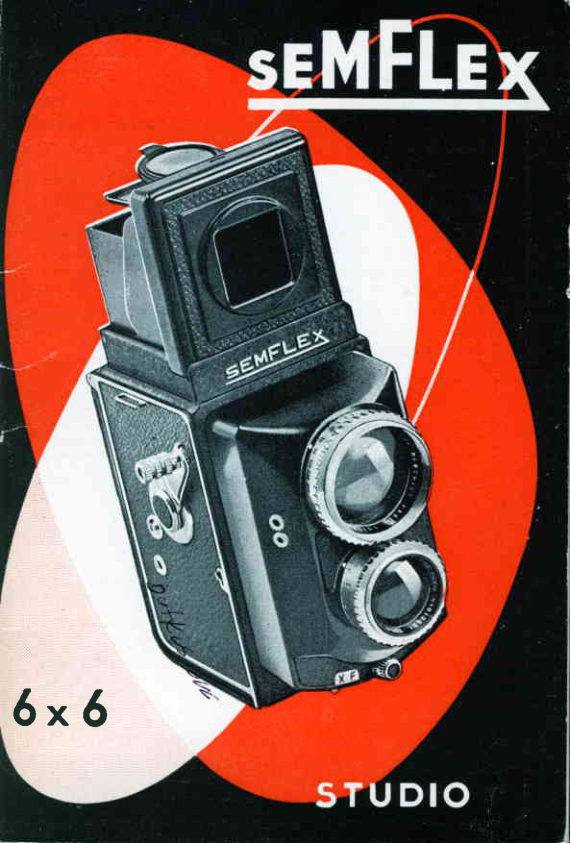
SEMFLEX STUDIO 6X6 User manual
User manual for SEMFLEX STUDIO 6X6. 16 pages in English. Read the original PDF, download or print a copy without registration.
16 pagesEnglish2.2 MB PDF
Loading your manual…Open PDF directly
Document details
- Brand
- Semflex
- Model / document
- SEMFLEX STUDIO 6X6
- Document type
- User manual
- Language
- English
- Pages
- 16
- File size
- 2.2 MB
- Category
- Film cameras
- Document date
- Not specified in catalog
Search available document text
Find a term, then jump to its page in the original PDF. Image-only pages may not be searchable; check the PDF for exact wording and diagrams.
Page 2 · Read text
The SEMFIEX STUDIO  is o  reflex comero fitted with
  coupled twin-lensesof 6 in. (150mm.)focol length,toking
  1 2 2 l 1 4 " x 2 l 1 4 "  p i c t u r e so n o s t o n d o r d 1 2 0 f i l m . T h e
  body is oll metol.

This model hos been developed to meet o very speciol
  need of both professionolond omoteur photogrophers.

Thonksto the 150 mm. focol length of both lenses,good
  focusingis possiblefrom infinityto 5 feet without  the
  use of o supplemenlory    lens. This feoture is most
  involuoble for moking portroits  f ree   f rom  distortion.
  Furthermore,the twin lensesbeing of equol focol length,
  the picture seen on the focusingscreen is the true imoge
  of the one octuollytoken.

The 9EMFIEX SIUDIO  is fitted with o  f 5.4 bloomed rens
  of 150 mm. focol length by BERTHIOT,ond o   f  3.9
  viewfinder lens of  similor focol length by the some
  mokers.The shutterprovidesfor brief time exposure,ond
  olso for speedsvorying from  I to lr400th second. There
   is olso o synchro-floshsockef for oll types of flosh units.


To ovoid mistoke which might domoge your
SEIUFLEX STUDIO, follow corefully the ins-
        tructionsgiven in this boocklet.


NOTE. - Numbers in brockeis refer to the illustrotionson
poges 12 ond 13 wich should be kept unfolded whilst
studyingihese instructions.

                      www.orphancameras.com
View original page 2Page 3 · Read text
CWazniftg                           : Bofore looding your SEMFTEX STUDIO,
ensurethot the exposurecounter l2 is ot zero (indicoted
by o red dot) ; in this position,the winding lever l4 moves
freely ond connot iom. lf you do o triol 7'exposure" with
ihe comero empty, you must go on  until the red dot
oppeors ogoln.

                                                     I  Open the bock by revolv-
                                                     f . ing the locking plote 24
                                 in the direction of the orrow
                      morked0 tfig. 2).
                    D  Put the  full spool in the
                                           lr. recessof the bottom of the
                        comero. To do this, first pull
                          the milledknobs20 right out ;
                          these, if turned slightly,will
                           stoy out. Then insert the end
                              of the film in the emptyspool,
                              ofter first plocing the lotter in
                           Ine upper recess.

             Fig.   I                     {|  Stortihe toke-upof the film
                          u . b y  i u r n i n gt h e h o n d l e 1 4 .

t  Close the bock ond lock it
T. by turningthe plote 24 in
the direction of  the orrow
morked F tfig. 2).

F Open the inspectionwind-
u. ow   I  neor the lockinq
device (fig.2).Work the windl      www.butkus.us
ing lever l4 to bring the fi-
g u r e   l o n     t h e f i l m i n t o t h e
window. Close the window
ond do not open it ogoin, os
the countingof the l2 expo-
suresis outomoticollyrecord-
ed by the counter l2 lfig. lt.              Fis.2
View original page 3Page 5 · Read text
The milledshutterspeed ring 2 is inscribedwith f igures
shewingnine speedsfrom I second to ll4OCthsecond.The
letter B. indicotesbrief time exposures.By turningthe ring,
bring the d esired f ig u re opposite the index (l) on the
comero body.
  For long exposures,it is odvisobleto useo 2-phosecoble
releosewith locking plunger; the first pressurelocks the
plunger(therebyholdingthe shutteropen),untilthe second
pressurereleosesit. The coble releose fits into o speciol
socket 0.
           o


  The groduotionson the diophrogmcontrolring 4 indicote
the v ori ou sd io p h ro g mo pertures,  f 5.4,f 8, f  ll,  f 16, f 22
ond  f 32. By revolyLngthe ring, bring the desired figure
oppositethe index 25."
  The figures hove not been chosen orbitrorily,but ore
colculotedin such o monnerthot if you go from f 5.4 to
f 32, you mustdouble the exposure time os you poss from
one groduotion to the next. Thus, if  l/l00th second is
requiredfor diophrogm operturef 5.4, then l/50th will be
needed for f 8, ll25th for  f  I l, etc. Conversely,when work-
ing bockwords from f 32 to  I 5 4, then the exposure time
must be d ivided by two ot eoch stoge.
  Note thot the lower the f number,the lorger the oper-
ture, i. e., ffiore light will be odmittedinto the comero.


                        www.orphancameras.com
View original page 5Page 6 · Read text
rhis most ingenjqus.device enoblesyou to find outomoti-
 colly the_depth.of field occordingto tlie opertrrl ond focus
 setting.Ihq indicqtor scole is pliced obbve the focrri*
 wheel, ond the distonce on which the leni is-sidelo.ri"J"'vs
shown ppposire the index (fig. 6). On  ;;ah        oi ln"
 index, the limits.o{.rhofp focus ore reod off opposite the
 lyo,     figures indicotingthe operture in use. Thus, in fiq. 6-.
rne lens is tocused on 3.5 metres; with on qpertureof "f 22,
 p,u"lytlilrg between 2.6 er 5 metreswill be ii"oriy-altin"al
         y_our.,9igphl.oqmgn  f  I l, however,rhen'rnoipnLi, IrV?l_::toT contours will be limited to obiects between 3 qnd 4metresowoy.


  Occosionolly,ofter o few doys, ygu moy hove forgotten
the exoct type qnd speed of the' film in the comeroi.The
emulsionor sensitivityindicotor22 (fig.6) will refreshyourmemory.
  The revolvingdisc of the indicotor is divided into foursections,os follows,
       l .    B l o c k s e c t i o n , c o n t o i n i nvg o w i n d o w  o n d  b e o r i n g
t h e  i n s c r i p t i o n sD I N o n d A S A .
                                 2.     White  section,  with  o   rr
                                  rordov-                    flJl'::l3l"itr;i:ndins     {
                             3.    Block section (inscribedJ
                                    " Mode in Fronc9'.'1,stonding\" for {
                       block ond white films.                .\
                             4.    White section,showinq
                     on electricbulb,for ortificiolligh"t
                      colour films.

                     Fis. 6
View original page 6Page 7 · Read text
The focusing wheel  corries o guide mork (A - fig. 6).
  All you hove to do, when looding your comero, is to
note (o) the type of film (blockond white),doylight or orti-
f i c i o ll i g h tc o l o u r o n d ( b ) t h e s p e e d o f  t h e e m u l s i o nm, e o -
suredeitherin DIN or ASA units(this is usuollyshown on
the film pocking).
  Let us ossumethe type of film used is block ond white,
with o sensitivityof 50 ASA or l8 DIN ore mode to oppeor
in the window. Toke core thot the index mork remoinsin
the centreof the block sectionof the disc.


  With the exDosurecounter l2 ot  |  ,
    l.    Set the exposuretime (shutterspeed) by turning
t h e m i l l e dr i n g l .
  2.  -  Set the diophrogmby turningthe operture control
r i n g l .
  3.    Get ihe required picture into proper focus by
t u r n i n gt h e f o c u s i n gw h e e l 23.


                             www.butkus.us

                                                                  tl


                         www.orphancameras.com
View original page 7Page 8 · Read text
4.    Set the shutter by p ushing the lever 7 os fo r os it
 wi.llgo toword.spoint A [fig. 7), sJbsequentlyollowing it to
 return outomoticollyto centrol position.
   5.   Releoseshutterby pushingthe some lever gently
towords B. The  f irst exposure is riow mode, ond to" posi
on to the next one, you must
   6.   Push the film releose lever il  (fio. B).when  the
lever is fully home,you should heor o clic['.
                           lever  l4 severol times if ne-
                         csure counterwill then be set
                           )ns for eoch exposure.After
                           the winder will not lock, ond
                         releosedond returnsto zero
                                            fil the whole film is on the top
                          from the comero.

  WARNING.    Witn some mokesof film,the end of the
protectivepopgr is fixed firmly in the slit in the feed spool.
In thot cose, do not force the winding lever. Open the
comero,releosethe end of the film, finishwinding on ond
removethe exposed film.

  NorE.    Your SEMFLEXsruDlo  is o precisioncome-
la  ; therefore,never force ony port wich'does not move
freely,.po.rticulorlytf," winding iever. When ony port is
 i o m m e d t, hi sme o n st h e co merohos beenwrongly'hdndled.


  Threesourcesof ortificiollight ore ovoiloble,photoflood
lomps,tlosh bulbsond electronicflosh units.
  The d rowbocksossociotedwith the f irst two (need to use
speciol films for  ortificiol light, bulky equipment,'lose  flosh
logg;ngllock of power),ore cousing these tb     ground
every doy in fovour of the electro-nictlosh which 6os the
odded odvontogeof more closelyresemblingdoylight.
View original page 8Page 9 · Read text
For studio portroitsond interiorphotogrophygenerolly.
perfect resultsore obtoined with the exceedinglypowerful
SEM FTASHELECTRONICunit.
           o

  Your SEMFLEX STUDIO con be synchronisedwith the
source of  light by meons of the two-pin syncho-flosh
socket 10. The synchroniserodiustmentlever  I  should
be set :
     of X for electronicflosh.
     ot F for flosh bulbs with o flosh durotion of   I 25 th
secondor more.
           o

  With its l/800 th second flosh, the SEM FLASHELEC-
TRONIC Unit ensures 100 "lo success,os it entirely elimi-
notes blurred imoges.lt representsthe most procticol ond
for-reochingdevelopmentin photogrophyin the courseof
the lost few doys.
           o

  Equiped with one or two SEM FLASHELECTRONIC
units, os required,the SEMFLEX STUDIO  is ideol for
identity photogrophs ond  studio portroits of  children
o n d o d u lt s.

                        www.orphancameras.comt 0
View original page 9Page 10 · Read text
Your SEMFTEX STUDIO  is on obsolutelvfirst-roteins-
         trument.You should therefore hondle it ond service it with
         greot core.
                   . Alwoys keep th-e-lensesperfectlycleon, ond remove ony
        dustond scropsof film-poperfrom the interiorof the comero.
               -  Lood ond .unloodin the shode.-  Pressthe windinolever
         with one finger_only.- Moke o point of usingo lens-hood
        ond filters.-  Reod severoltimesthrouoh theie instructions
         corefully.-  And rememberwe ore 6lwoys ovoiloble to
         give you furtirerodvice.
               o
          N. B. -  The SEMFTEX STUDIO  is fitted with two sepo-
         rote film inspectionwindows. One is in the middie of the
        bock, for use only  with 40x28 mm. type 828 colour films.
       The other window, sited neor the bockplotelockingdevice,fcI         is for use with the normol 3l12 x 2114 inch 120 type film.

lr


                                                 Fig. 9

       PASSPORT PHOTOGRAPHS.   -  The stondord size
          for this ty-peof photo being | 314*   | 3/4 inches, on inner
       squoreof correspondingdimensionsis morked out on the
        ground glq;s screen to enoble proper focusing for poss-
         port size. The negotivesthus obtoined con then be useo
         direct for mokingprintsof the stondordidentitysize.
View original page 10Page 11 · Read text
Digitally signed by Mike Butkus
  Mike Butkus DN:ou=Butkus.org,email=mike@butkus.org,cn=Mike Butkus, o, c=US
                                        Date: 2025.12.28 16:21:48 -05'00'


 | . ShutterSpeed ind ex.                    Synchro-floshsocke
2. ShutterSpeed ring.                       Film releose lever.
3. Viewfinderlens.                       Automotic exposur
4 Diophrogmsettingring.                  Filmtronsport releo
5. Comerolens.                           Filmwinding lever.
6. Co b le releose soc ket.                   Corrying strop lrg,
7. Shuttersettingond releosetrigger.       Reor operture of ey
B. Synchroniserodiustmentlever.          Movoble centre par
9. Inspectionwindow for odiustingfilm.     Focusingmognifier

                        www.orphancameras.com
View original page 11Page 12 · Read text
ket.                 19. Hood lockingcotch.
                    20. Spool retoiningknobs.
re counter.         21. Depthof field indicotor.
rcsebutton.           22. Emulsionindicotor.
                    23. Focusingwheel.
I                    24. Tripod screw ond bock-plqtelocking
eye-level viewfind e r.    25. Diophrogmsettingindex.    tdevice.
qnel.                26. Recessfor prismoticcorrectorlens.
r.                   27. Plono-convexfocusrngscreen.
View original page 12Page 15 · Read text
Ever reody  lined  leolher  Cqse,
                  with leother strop ond potented hook
               ond bucklesystemfor ropid odiustment
                from corryingio ociion position.


           SEM dyed - in - the
               moss Filters  :
                 Y E L L O W
             Y E T L O W - G R E E N
           G R E E N  O R A N G E
           RED-  ULTRA"VIOIET
                  B L U E


              Prismqtic   Corrector   Affochment,
                 fitted over viewfinder lens (3), for correc-
                            t i n g  t h e s l i g h t p o r o l l o x w h i c h d e v e l o p s
               with o focusingdistonceof 1,50m. When
              not in use, the otiochment fits into the
                    rAaoca    .n -rnrrirl. - . , - -orl-     f, nJ r r n e p U r p O S e .

S E M F L A S H E L E C T R O N I CU n i t ,
ideolfor studiowork.Speciolinstruc-
tionsprovidedon requesi.
40 x 28  --  colour  film  odoptor
Equipment.    -  Speciol instructions
s r r n n l i e d o n             Ir vev n rv r I q 5 t .
Ccrble Releose.
Flosh Plug.
Squore  Lens Hood.

                          www.orphancameras.com
View original page 15From the M. Butkus archive. Original publisher and archive notices are retained.
Check the model and edition against your equipment.
PDF verified 2026-10-10.