Film cameras
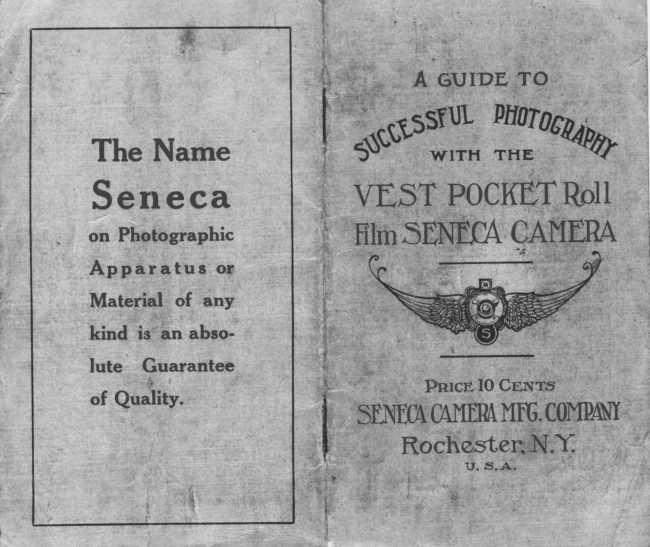
Senica vest pocket User manual
User manual for Senica vest pocket. 15 pages in English. Read the original PDF, download or print a copy without registration.
15 pagesEnglish2.5 MB PDF
Loading your manual…Open PDF directly
Document details
- Brand
- Senica
- Model / document
- Senica vest pocket
- Document type
- User manual
- Language
- English
- Pages
- 15
- File size
- 2.5 MB
- Category
- Film cameras
- Document date
- Not specified in catalog
Search available document text
Find a term, then jump to its page in the original PDF. Image-only pages may not be searchable; check the PDF for exact wording and diagrams.
Page 2 · Read text
II
:
            Sp"cify
   No. 254 Vulcan

                                     Contents
       For your VBST PocKET
      SnNECA. The uncertain-                                              Part l-Loading  the Camera         ty of getting the correct
        film for your camerawill             Part ll-Makitrg   the E*posure
      be gone if you                                             Part III-Removing  the Film
                                              Part lv-Developirg    the Film      Order Film by
        Number                    Part V-Makittg   the Prints

          NOTICE

            Vest Pocket Seneca Cameras Accommodate
            withnqo1lft::"jr  Fouowing
                                           ;ifi
              No. L27 Eastman Film
             No. 2C  Ansco Film
             No.  lJ  Ensign Film


                                                                                     {
View original page 2Page 3 · Read text
Before Loading                          PART   I
                                                          Loadi.g  the Camera  Befo re  attemptillg  to  take  pictllres
with the Vest Pocket Roll Film  StrN-            I-Push  the slide catch upon either
ECA  Carnera, read  these Pages and          side of the camera as f.ar as possible
                                       away  f rom  the end Llpon whieh thelearn exactly how  to operate its many                                            winding key is placed.  Gently loosenparts  correctly.   Famil iarize  yourself                                                the leather covered back and  lift  off.
with the lens and shuttef, understandrng                                      See Fig.  f.
the significanceand explorittg the opefa-
tion of the several working Parts.
  Although  the camera may be loaded
in direct sunshine, it is safer to perform
this  part  in subdued  light.    Sufficient
light  will  pass through  the  lens  in  a
srrrall fraction of a.second to change the
sensitized surface.  In the same amount
of time a fay of sunshine may penetrate
'uhe    loosened wrapping and destroy the
resr-rltof much patient effort to produce
pictures yotl  will  afterwards cherish.
  Again we say it,-read  the directions
carefully  and  investigate the  use  of
every part before the  film  is loaded  in                                       Fig.  I
 the camera.  F-inally, see that the shut-                                                       II-The   empty spool in the film cltam-
 ter  is closed before loading.                    ber  at the end of the camera opposite
                Warning                            the winding key rnust be placed in the
                                                             film chamber by the winding  key.   Lift   Wtrtite the co,??Lerafs loaded, do not
 erpose  tlce lens to o strong  light  until           the small afm at either side and fernove
 the bellozvs fs ertended,.                          the empty spool.
View original page 3Page 4 · Read text
III-AI    the end of the film chamber
opposite the winding  k.y,  lift  the small
arm.  Now  draw out the winding keY
and insert the empty spool which was
removed from  the film chamber at the
other end.  Turn  ttre winding key until
it slips back into position. See Fig.  II.
  IV-Place  the camera face down Llpon
e tahle before you,  lift  the small arm

                                                                                Fis. III
                                               V-Break   the gumrned sticker and ex-
                                                 tend  the   f ree end  of  the  black paper
                                                through  the  slot  of  the empty  spool,
                                             making very sure that the film has been
                                                     started  straight.   Failure  to  take  this
                                                  precaution may cause the  film  to  roll


                       Fig  II.
at either side of the empty spool cham-
ber  ( if they have fallen into their origi-
nal position)  and drop  into place the
 roll of film to be exposed. Be sure that
the num'ber of the film  (254)  is upon
 the right  side. Lock   it into pos^ition-by
presslng down the side arms.  See Fig.                                                                                          Fig. IV
 III.                4
                                                                                               D
View original page 4Page 5 · Read text
PART  IIover the spool flanges and collsequently
to  stick inside the camera.  I{ow  turn                  Making  the E*posure
the winding  kel- tvro or three times to
bind the paper. See Fig. IV.                       l-One   of the latest i*provements  to
                                                 our Vest Pocket Cameras is that they
  Vl-Replace   the back and Push the          are now   fitted  with  a  dust  resisting
slide catches as f.ar as possible toward          metal cover.  With  the front  of Camera
the winding key.  Be sure that the back          facing you, place the thumb  nail under
is attached securel)'-.                            catch to the left and open the protecting
                                                   cover.  With  the thumb and fore finger
  VII-Turn    the winding  keY  until  a         grasp the front of the camera in the pit
hand appears in  the ruby window.  A                                                          at either end, and pull  it forward  until
few more turns  will  bring  No.  1 into                                                                                          it  locks.  See Fig. V.  The camera is
the center of the window, at which time        now readl- to take pictures.  ft  is unnec-
the  film  is  in  position  for making  the                                                     essar)' to focus the lens, sitrce it has onl1-
first  picture.                                                  the one position.

  white the ,.Y:;:tlrt  roaded,,d,o rtot
enpose tlce lens to a strong  light  oontil
 the belloz(,.tfs ertended.


                                                                                               Fig. V

                                                                                                                                                                                                                                        -7
                                                                                                                                                                                                                                                                                                                                                                                   I
View original page 5Page 7 · Read text
PART.III  At  L' the shutter renlains open af ter
the  first pressure until  a second pres-                  Removing  the Fitm
sure closes it.  At B  the shutter stays               I-After    taking  the  eight  e{posures'
                                                                                                         all thg-paperopen   .tttiil  the  pres sttre  is  released'           turn the winding-key  until
These two  factors are used when  light                    i; *tupped  arouna ihe exposed filrn.
conditions are so poor that  it  is neces-
sar)* to       an expqlllre  longer than            Il-Remove   the back as bef ore and
         "11or"          a second. The  subj ect must           take ottt the exposed ro11.t/iStn  of
be-itationa fY, since the slightest motion
will cause ;'blur.     It  is essential that              III-Use    the gummed  sticker  in  the
tlre camit^  be plaged upql  goTe  tigi.d        now  empty spoo"l to keep the exposed
bot..  A  sllpport  ls provided   f or both          ro11 tightly  rolled.
i.itical    ( see Fig.  VI  t t ) and ho rizontal                                                  IV-Do   not twist the film on the sPool
                                                               in  order  to  tighten   it ;   it  is  likely  to
                                                   rub  the emulsion and consequently to
                                                        spoil your pictures.
                                                 V-Replace  the back upon- the cam era
                                                               in readiness for  Llse upon the next oc-
                                                  casion.


                       Fig. tX                                                   dealer  to  show how You may  sectlre
   E*posures  at  the    f ractional  spe-e{s        more  pleastlre  f rom  the time  spent in
 can be made when the cam era is held in          photographic work  by doing  yotlr own
 the hand.  The L/I00, U50 and I/25 de-            finishing.
 note the approximate fractions of a sec-
 ond  durittg  which  light  is  allowed  to
 pass through the shutter to the film. At                                    II l/I00,  "sn ap" a speeding automobile at
 a distance; at  I/5,0,.include children at
 play or a man runnlng  swiftll'   at 7/25,
                                                                              r5                    10
View original page 7Page 8 · Read text
PART IV                                                          II-With   one end of the strip in each
          Developing  the Film                                                hand, pass  it  continuously through  the
  These  directions  for  developing are          developer.   In  about  one  minute  the
not to be regarded as absolute, but only           blank spaces between the pictures  will
as general hints from which the amateur          begin to show.  By two minutes the im-
should deviate at the  first moment he         ages will show somewhat clearlY.
obtains more pleasing results.  Remem-             III-Continue     the  develoPment  for
ber that the value of  any rule  in pho-             five or ten minutes until the contrast be-
tography  is gauged by the excellence or                                             tween the  light and dark  parts  of  thq
meaiocfity  of the result secured by  f o1-          negative has- become very  distinct. -   Iflowing  that  rute.    If  you  find another                                        some of the negatives, as you hoid them
way of getting a better or even the same         between your eye and the ruby light, are
result,. usg the new  way. at once, Yptt          darker than others, they have been ex-
are widening your acquaintance in  plc-         posed for a longer time, but this  differ-
ture making.                                            ence will be easily taken care of  in the
  I-Empty    the  contents  of  the  tube            printing.    It  is only necessary to watch
 (both  ch-emicals) into  eight ounces of           the degree of contrast.
water and place in a  tray  at your  left.                                                                     Rinsing
   II-In   the center place a ttaSr of clear
cool rvater for  rinsing.                                 After   developing  sufficiently,  rinse
                                                    three or   f ottr times  in the middle  tray
   III-At    the right  set the tray  of hypo           before yot1.
solution, for making which complete di-                                                                                       If  desired, the exposures may be cutrections are given upon the box.                                                      apart and fixed  separately.
  IV-Exclude     all  rays  of  white  light
from the room and let the ruby light be                               Fixing
                                                                      'negativesat least one and one-half feet from  the                                                                                face  down                                                                                                                                                                                     iiI       I-Pass    thedeveloping tray.                                                 through the solution two  or three times
                                                     bef ore  completely submerging them  in               Developing                                                                  !I    the hypo solution.
   I-Unroll   the film and detach the en-                                                                                II-If    the  negatives were  not  cuttire   strip    f rom  the  protecting  black                                                        apart, fold the strip several times with-paper.                                                    out  allowing   it  to  crack  at  the  end.
                               l6                                                                           17
View original page 8Page 9 · Read text
II
Press these down so that the  solutron              . ; I        Irregular  Light  Spots
will reach all parts of the fiim.  Two  or                     j      Uneven developmentdue to failure to
three minutes  after  the  last  trace  of                        I     keep all  parts of  the negative evenly           JI
milkiness has disappeared, it  is safe to          moistenedduring development.                         , n l
admit white  light  to the room.                                                                          i      Over exposure.
  . III-Remove   the negatives to running                                                                   -
water and allow them  to remain there               Mitkv  Spots on Negatives
f or an hour.   In case running water  is             Failure to keep negativesentirely cov-
not available, change the water twice the          ered by fixing bath or insufficient time
first ten minutes, moving the fi1ms occa-             for  fixing.
sionally, and then allow them  to soak
                                                                  Dont'sfor an hour.    If  desired, the water may
be changed  f our or  five times during a                                                  Don't  start  until  the chemicals are
half  hour  of  washing.    It   is  essential                                               thoroughly dissolved.
that the negatives be thoroughly washed.                                                   Don't use a tray for developing if   it  IV-suspend   the wet negatives in such                                           has previously been used for pyro de-a way that neither side will come in con-                                                   veloping, hypo solution or final washing.tact  with  anything  while  drying.  The
Defender Film  Clip on page 53 of  the             Don't  use  chemicals  after   their
catalogue will be found  to be very con-           strength is gone.                  .
venient for  this purpose as well as for             Don't allow one ray of white light to
handling the films while  developing.              enter the room.
                                                   Don't hold the strip too close to the          Defects  in Negatives
                                               ruby lamp, it may cause f og.
Veiled  Whites  or Fog                                                   Don't fix the negativestoo long, it de-   trilm handled too close to ruby light.                                                  stroys much  of  their  sharpness for
  Exposed to rays of white light.                  printing.
  F'orcing under exposed negatives in                                                   Don't  let a trace of hypo reach thedevelopment.                                                developer, a drop may spoil the whole
  Too warm a developingsolution.                                                     solution. Wipe yor'lr hands upon a clean
Muddv  Effects                                     towel each time after taking them from
  Under  development of  over exposed           the hypo solution
negatives.                                              D'on't blame the materials, read the
  '  Exhausted developer.                            directions over again or ask your dealer.
                   r8                                                                         l9

                                                                                                                                                                          t
View original page 9Page 10 · Read text
higl't,lights) are z)gry dense and the con-
          PART V                                trast betw,een the  lisht  an,d, dark  for-
          Making  the  Prints                         tions very rna,rked, dilwte the developing                                                                     IIi
   I-ilIix   the contents of the tube (both          I     solution to one-half its original strength                                            and use Soft Argo.  Tlce time of erfo-chemicals) thoroughly  with  four ounces                                                  sure an,d,develop'vnentzuill be soncewhotof water  at about 70" Fahr. and place                                                   lengthened.    I t  fs very  irnportant   tlt,atin the traSr at  left.                                              paper with  the correct d,egree of  con-'
   II-In   the center have a tray of clear             trast be used zuith each class of nega-
cool water  for  rinsing  the  prints  after               tizte. A  soft or weak palter f or instan,ce
developit g.                                            zuith a contrasty negatizte will  prod,ttce
  Ill-Dissolve   thoroughly the hypo ac-            the same result as a con,trasty paper zuitk
cording  to the directions upon the box           a  w,eale vtegati,zte. Tke   ]{ ornr'al Argo
and set the. tray to the right.                      nceets the average reqwirentents of an
                                                   arnatewr'ilrore close!\t than an\  otlter de-  IV-Darken    the room  to  semi-day-
                                               gree of contrast.)light.     It   is unnecessary to  have  the
room completely dark since Argo  paper                     III  Clamp the back of  the printing
can be handled safely ten feet from an                      f rame into place and expose to the light
ordinary gas  j et.                                        for several seconds
                                                      (With  a,n ordinary  grrs light  and a
              Developing                                                    negatizte of average d,en,sityerpose Argo
  I-Place   the smooth side of the nega-          Paper about eight seco:rds-counting on,e
tive  against the glass  of  the  printing            Itwndred, t-cuohwndred, etc.)
frame, allowing the rough or picture side              IV   After expostlre to the bright light,
of  the  film  to   f ace up.                            hide the exposed paper until the room
  II-Take   one sheet of the developing          has been darkened enough to permit  its
paper from  its light proof wrapping and           being handled safely again. Remove the
                                               paper  f rom  the   f rame and immerse  itlay  it smooth-side down upon the nega-
tive.  This  allows the rough  surf ace of              in the developer with  a quick sidewise
the negative to come into contact with           motion so that the solution reaches all
                                                     parts of the paper at approximately thethe smooth surface of the paper.
                                        same time.  The  room may now  be   (F or  a  n,egatiae of  nortnal  contrast                                                        lighted brightly  again to enable the op-use I{ orncal Argo  to obtain best reswlts.                                                     erator  to  follow  the  developing moreWhen  the negatizte fs zaeah or  thin, use                                                       closely.
Ifard,  Argo.      If   tlt,e dark  pla,ces (tlce     (-
                    20
View original page 10Page 11 · Read text
\ '  V-Leave   the paper  in  the  developer             II-Wash   the prints  in ruuuing  water.
until  the  picture  has come  up  to  the              for an hour, taking  care again that they                                                                       ,right  shades of  black and white.  The             clo not become matted.  If  running water
picture will begin to appear in about six               is not  available, c'hange the water  twice
seconos.                                            the  first  ten  minutes  and  then  allow
                                             them  to soak  for  an  hour,  or,   if  Pre-'
    (If  the shad,ows are  ligltt  or  foggy             ferred,  change  the  water  four  or  hve
and  apfear  skizaly,  the  paper  ka.s not            times  at  regular   intervals   durirrg  the
been erposed  long  enough.    If  on  th,e           hour.  Be sure that the prints are clean.
other kand  tke skad,ozusare nery inten,se              III-Place     the   orints   on   either'I'he
and come up  qwichly, the erposure  has            stretched cheese clotli  or a blotter.
been too long.  Before  m,ahing any  er-            time necessary for  dryirrg may be short-
posure, cut a slt,eet of paper  into  strips          ened by  laying  them  upon  a  piece of
an,d, make   trial  erposures.   You   will            clean  gl:tss  and  pressing  the  surpitts
soon  find, what  exposwre giztes the best           water  out.
results.   I{ot  only  will  this so,ue a con-                        Defects  in  Prints
siderable  ancownt of  palrer,  but   'it  u,ill              Foggy   Whites
enable you  to  obtain  pleasing  reswlts                                                Paper handled in too strong a light.more  quicl:ly.)                                                     Forcing development of under exposed
                                                         prints.                  Rinsing
                                                Paper too  old.
   I-At    this  point  take  the  print  from                                              Muddv Effectsthe developer quickly and rinse  it  in the                                           Under development of over exposedtray  of  water  directly before you.                                                      prints.
                                           Exhausted developer.                    Fixing
                                                                             Irresular   Light  Spots
  I-Submerge   the print  in the hypo so-                                                            IJneven   development   due  to  failure   to
Iution and allow   it  to remain  for  a few         keep print  fully su)merged during de-
minutes after the last trace of milkiness          velopment or  to immerse print  evenly.has disappeared.  This  process will  last                                            Over exposure to light.from  ten  to  fifteen minutes.  See that
the  prints  do not become matted,  since               Stains
in  that case the hypo  soiution  will  not                F'orced  development.
fix them  evenly.                                Chemicallydirty dishes or hands.
                                                             23
View original page 11Page 12 · Read text
/ \
/                                                                                                                          I
       Failure to  fix a  sufficient length of                  PRICE LIST
     time.                                        Vest Pocket Senecawith Meniseus
      Round White  Spots in Clusters                       Achromatic Lens  . r . ... . . . . . . o..$ 7.00
        Air  bells upon the print af ter being         Vest Pocket Seneca with  RaPid
     immersed in developer. Rub the print            RectilinearLens  .. . . ... ......'.  8.50
      lightly with the finger to scatter them.           Vest Pocket Seneca with Seneca
                                               AnastigmatLens, t. 7.5.....o.  12.50       Oval  Dark  Spots  in Clusters
        Air  bells tlpon the print after being         Vest Pocket Seneca with Seneca
     immersed in the fixing bath face down-          AnastigmatLens, f. 6.3 .....o.  22.50
     ward. Immerse them face uPward and         No. 254 Vulcan  Roll  Film, 8 ex'
    move about to displacethe bubbles.                p O S U f e S . . . .            . . . . . . . " o t " "                           ' ? n                                    I   Leather Case ...................      .75                      Dont's                     'Hand                                              Bag  ............""""                  '    '25
       Don't  start  until  the chemicals are                                                   Vest'     Pocket  Tank , DeveloPing     thoroughly dissolved.                                                       Powd.is,  p.r package %  doz-.,   .15       Don't use a tray for develoPingif   it                                                                                  I\{.-   Q. Developing P'owders, Per     has been used for pyro developer,hypo                                                      boi  (six tubis)-......  o... o... .   25      solution or final washing.
        D'on't  use  chemicals  after   their        Seneca Acid Fixing Powder, P€f                                                    1 lb. package.................      ,25      strength is gone.                                                                          .15        Don't have the lights too bright while         Do. per % lb. package..o.......
     the print  is  in the develoPer,it may         Do. per %  lb. package           .10
     cause fog.                                                Argo  Paper, per  dozen sheets,
        Don't  fix the prints too long,  it de-             L %  x  2 ' Z   . . . . o . . . . . .   r .  t . . . . . .  o      , 1 0
      stroys much of their brilliancY.                                                 Disco Paper, per dozen sheets,        Don't  let a trace of hypo reach the                                     L% x  iY"  ..r..............".       '10      developer,one.droy may spoil the whole
      solution. Have  a  clean towel handSt       DefenderFilm Clips,each ......o   .10
      after taking the hands f ront the fixing         Roval Black Moire Cloth Album,
      bath.                                          i%"2  in. leaves,50 pages Bound   .40
        Don't blame the materials if your first       t    Roval Seal Leather Album,
      results are not as good as you expected,                                                                                                                                        II     5%"7 in. leaves, 50 pages Bound   .80     read the directions over again or ask                                                  Roval Plain Black Cloth Album,      your dealer.                                                                   l                        i%*7  in. lea{es, 50 pages Inter-
                          24                                     c h i n g e a b l g   . . . o . . o . . . . . . r . . . . . .                 . 6 5
View original page 12Page 14 · Read text
r-
       is  as  rigid  as "two  times  two  make                    If the lens is not an anastigmat,it  is
      four."  Speed is gained only  at a loss        marked B, 16,'wus32, 64. This Uniform SYs-
      in depth of  focus.                         tem (U. S.)     designedto show more
                                                         clearly the relation between th" speeds       Every  lens has a focal length,  i.- e.-                                                            of the lens at each of the various stops,  f     the disiance at which   it must be placed                                                which ratio is shown by the numerical     from the film to produce sharp pictures.                                                      value.  F'or instance, U.  S./B  is only    As lenses of the same speed have shorter                                                    twice as fast as U.  3./16.  With  the    and shorter  focal lengths, their  depths                                                Vest Pocket SENECA  all objects six      of focus become correspondingly greater                                                          feet or more distant are sharply in focus.    and greater.  This  is why   it  is neces-                                                  Anastigmat Lenses are marked ac-     sary to gauge-      the distances upon larg-er                                                   cording to the  f . System, other lenses    cameras but  is not necessary upon the                                                by tht U. S. System. The table shows     Vest  Pocket SENECA  Camera.   If  a                                                                    tie  relation between the most commonly     negative suitable for  enlarging pllrposes                                              used stops of bot'h sYstems:       is desired,. the anastigmat lenses at the
       f.l1  stop  will  include  satisfactorily  all            U. S.      816s264
     objects six  'or more feet  f rom the cam-                                                                                         f.      811162232      era.  For  the same purpose the lens at
      either the  f .7.5 or t'he f .B stops will take           Keep this  relation  clearly  in -mind ln
       all ob j ects ten or more  feet distant and           order  that the indicators may be  intel-
      at the I.6.3 stop, obj ects twelve or more             ligently  set for each exposure.
      feet distant.                                   As a basis to work  from, set the stoP                                                                                     'f.or                                                                  at 16      pictures  of  objects in  direct      The amateur must bear in mind  that                                                            sunlight-       if  taken  in  the middle  of  the     the negatives at these openings are sharp                                                       day.  Use the U.  S. B or  f.1l stoP for    enough  to  stand enlargement  to many                                                         objects in  direct sunlight  earlier  in the
     times their original size.   It  is also true                                                  morning or later in the afternoon. When
      that a negative will yield a contact print            the  liglit seems bright,   I / 50 is satisfac-
      sufficiently sharp to make a good picture             tory, 6ut otherwise Llse I/25.  The anas-
     and  still not be capable of enlargement.           tigmat lens may be used with the largest
     This  class of  pictures which  are com-           op'ening  f or  snapshot work  under  t1n-
     monly  called "suitable  for  general pur-            fivoraEle  conditions, but the lens which
     poses" are possible for  all objects six               is not an anastigmat cannot get the p!.-
      or more   f eet distant with  the  anastig-           tures under such corrditions except by
     mat lens at either the f..7.5or  f .6.3 stops.          time  exposure.  Do  not  adhere  too
                          L2                                                  13
View original page 14Related documents and language editions
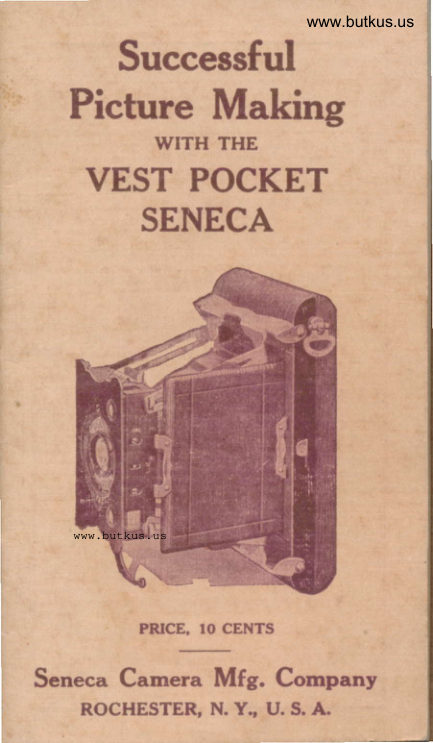
From the M. Butkus archive. Original publisher and archive notices are retained.
Check the model and edition against your equipment.
PDF verified 2026-10-10.