Electronics & audio
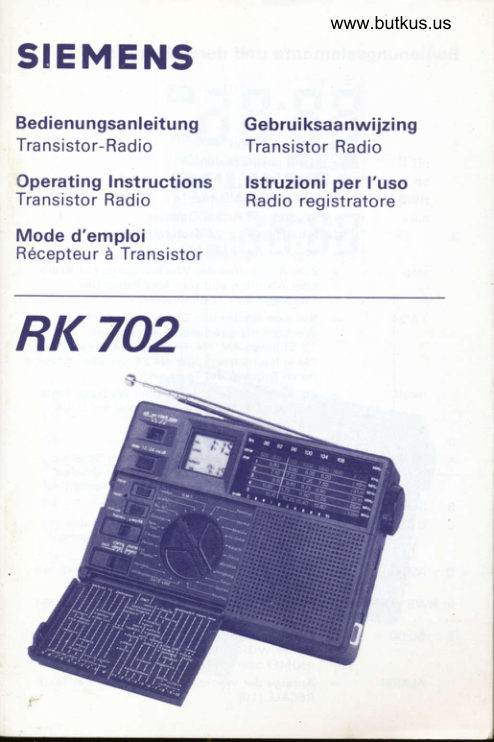
Siemens Rk 702 Radio Lang Equipment reference
Equipment reference for Siemens Rk 702 Radio Lang. 48 pages in German, French, Italian, Dutch. Read the original PDF, download or print a copy without registration.
48 pagesGerman, French, Italian, Dutch2.0 MB PDF
Loading your manual…Open PDF directly
Document details
- Brand
- Siemens
- Model / document
- Siemens Rk 702 Radio Lang
- Document type
- Equipment reference
- Language
- German, French, Italian, Dutch
- Pages
- 48
- File size
- 2.0 MB
- Category
- Electronics & audio
- Document date
- Not specified in catalog
Search available document text
Find a term, then jump to its page in the original PDF. Image-only pages may not be searchable; check the PDF for exact wording and diagrams.
Page 1 · Read text
www.butkus.us
SIEMENS

Bedienungsanleitung      Gebruiksaanwijzing
Tra nsistor- Radio           Transistor Radio
Operating Instructions    lstruzioni per l'uso
Transistor Radio          Radio registratore
Mode d'emploi
R6ceoteur d Transistor

RK 702
View original page 1
Page 3 · Read text
www.butkus.us
 Bedienungselemente und deren Funktion


   1                 Funktionsschalter
       off                Gerat ausgeschaltet
      on       =  Radio ein
    HWS          Wecken mit Alarmton
      AUIO           Wecken mit Radioprogramm
  2                Umschalttaste  1 21 24 Stundenanzeige
                   Wecken aus, Kontrolle der Weckzeit
      stop          Zum Abschalten des Weckvorgangs mit Radio
                       oder Alarmton und zum Abschalten des
                        Sleeo-Betriebs Taste drricken.
      12/24           Vor dem Stellen von Ortszeit, Weltzeit oder
                      Weckzeit die gew[inschte Anzeige als
                     12 Stunden-AM/PM-Anzeige  (AM : Vormittag,
                PM : Nachmittag) oder als 24 Stunden-Anzeige
                       durch Drilcken der Taste wahlen.
        recall     =  Zur Kontrolle der eingestellten Weckzeit Taste
                           driicken. Der Zeitschalter  (9) muB auf LOCK
                          stehen.
 3                  Multi -Fu nktions-Display
 A  OO:OO            Hauptanzeige frir Uhrzeit. Mit dem Schalter
                HOME/WORLD (10) wahlweise auf Ortszeit
                    (HOME) oder Weltzeit (WORLD) umschaltbar.
 B  SLEEP              Blinkt wdhrend des Sleep-Betriebes
 C  O TUNING        Leuchtet sobald das Gerdt richtig auf den
                     Sender eingestellt  ist; blinkt bei schwachen                   .l
                        Sendern.
 D  AUTO rt)   =  Leuchtet bei eingeschaltetem Weckbetrieb  mit                       Radio                            {
  (tr HWS (SNZ)      :   Leuchtet bei eingeschaltetem Weckbetrieb mit
                      Alarmton
 E  OO:00     =  Nebenanzeige   fiir Uhrzeit. Mit dem Schalter
                HOME/WORLD (1O) wahlweise auf Ortszeit
                    (HOME) oder Weltzeit (WORLD) umschattbar.
    ALARM          Anzeige der Weckzeit beim Drticken der Taste
                   RECALL (10}

.&.
View original page 3Page 4 · Read text
Zeitsystem -Anzeige
    24               Leuchtet bei Zeitanzeige im 24-Stunden-Takt
   AM               Leuchtet bei Zeitanzeige im 1 2-Stunden-Takt
                     zwischen OO:OO und 1 1 :59 (vormittags)
           =  Leuchtet bei Zeitanzeige im 1 2-Stunden-Takt
                     zwischen 12:OO und 1 1 :59 (23:59) nachmittags
4               Teleskopantenne  frir UKW und Kurzwelle
5                Wellenbereichsschaltel
   fm          UKW                www.butkus.us  mw              Mittelwelle
    sw1  ... swS     Kurzwelle 1 ... 5
6  tuning          Einstellung auf den Sender
7  volume         Einsteller ftir Lautstdrke

Hinter der Abdeckklappe
I               Drehwihler f0r die einzelnen Zeitzonen
9                 Wahlschalter zum Stellen der Zeiten
     lock                eingestellte Zeit gegen ungewolltes Verstellen
                        gesichert
     sleep                   fiir Kurzzeit-(Sleep-)betrieb
     alarm                    fiir Weckbetrieb
    home     =  f0r Ortszeit
    world                    fiir Weltzeit (GMT : Greenwich Mean Time)
10              Umschalter f0r Zeitanzeige
    nome     =  Anzeige der Ortszeit mit groBen Ziffern im                      Hauptdisplay (3A), Anzeige der Weltzeit mit
                                   kf eineren Zittern im Nebendisplay (3E).
    world     =  Anzeige der Weltzeit mit groBen Ziffern im
                      Hauptdisplay (3A), Anzeige der Ortszeit mit
                                   kf eineren Tiftern im Nebendisplay (3E)
11 minute           Taste zum Stellen der Minuten.
                       Kurzer Tastendruck: schrittweise je 1 Minute
                    Langer Tastendruck: Schnellgang
12 reset                Falls das Ziffernbild im Display gest6rt  ist,
                       spitzen Gegen_st8nd (Zahnstocher) kurz und mit
                      Gef0hl in die Offnung stecken bis sich die
                        Tiffern richtig formiert haben.
1 3  hour             Taste zum Stellen der Stunden
                       Kurzer Tastendruck: schrittweise je 1 Stunde
                    Langer Tastendruck: Schnellgang
View original page 4Page 5 · Read text
www.butkus.us
14              Fach ftir Batterie
                  2 Mignonzellen f0r Radio
                   1 Mignonzelle  fiir Uhr
15              AnschluB fiir Netzgeriit
   dc3v           Schaltbuchse  fi.ir 3 V-Netzgerdt (2OO mA)
                         Mittelkontakt  :  negativer Pol.
                     Die Batterien fiir das Radio schalten sich beim
                      .   Gebrauch eines Netzgeretes automatisch  ab.
16 ff              AnschluBbuchse mit 3,5 mm @ ftlr Stereo-Kopf   -
                       horer/Ohrhorer  (26 -32 Ohm lmpedanz)
Stromversorgung
a)  Batteriebetrieb
      In Pfeilrichtung auf die Sperre des Batteriefachdeckels  (14)
     drUcken und Deckel abheben.
       Firr Radioempfang 2 Mignonzellen (lEC R6/UM3/AA) gem. Skizze
    an der Gehduseruckseite ins Batteriefach einsetzen, frir die Uhr
    1 Mignonzelle. Auf richtige Polung achten. Firr leichten Austausch
    das Kunststoffband unter den Batterien olazieren. Verwenden Sie
     Alkali-Mangan-Batterien,  sie halten ldnger.
     Deckel schlieBen. Leere Batterien sofort entnehmen, um Schaden
     durch Auslaufen zu vermeiden und der Sondermull-Deponie
       zuf  ii h ren.
     Netzbetrieb
     Netzger6t mit 3V-Gleichspannung an die Buchse rDC 3V< (15)
     anschlieBen. Die Batterien schalten sich dabei automatisch  ab.
    .Der Mittelpol.des AnschluBsteckers ist r-<, der AuBenpol r+r.
     F0r die Uhr wird auch bei Netzbetrieb die Batterie benotigt.

Zeiteinstellung
Reale Zeit (Ortszeit)                                                                                                     f
-    Schalter zum Stellen der Zeit (9) auf Position HOME schieben.     q
    lm Hauptdisplay (3A) blinkt die Zifiernanzeige uber dem Schrift-
    zug HOME.
-   Wdhlen Sie mit der Taste (2) die gewiinschte Anzeige als      #
                                               1    24-Stunden-Anzeige                                                        (Vormittag)-/                        oder als                             2-Stunden-AM                                                                                                                                  ff-'
   PM (Nachmittag)-Anzeige.                          lm                                   Display                                               (3F) leuchtet                                                          die                             '*:
    entsprechende Anzeige rAM, PM oder 24<.                                                          t,
View original page 5Page 6 · Read text
Mit der Taste HOUR (13) die Stunde einstellen, mit Taste
    MINUTE (11) die Minute einstellen. lm Display (3E) laufen die
      S_ekunden mit. Bei jedem Druck auf Tasre Mlf\iUTE springt die
     Minute um eine Ziffer weiter, die Sekunde geht auf >:OO<. So kann
       z.B. beim Drticken der Taste mit dem Gongschlag die Uhr sekun_
     dengenau gestellt werden.
     Nach dem Stellen der Zeit den Schalter (9) auf position LOCK
      schieben. Ein ungewolltes Verstellen der Zeit wird dadurch
     verm ieden.

 Weltzeit
 -    Schalter zum Stellen der Zeit (9) auf position WORLD schieben.
    lm Display (3E) blinkt dieZilfernanzeige neben dem Schriftzug
    WORLD,
 -    Drehschalter (8) zum Wdhlen der einzelnen Weltzeiten auf den
    Namen einer Stadt drehen, die auf dem gleichen Langengrad wie     lhre Heimatstadt  liegt.
 -    Mit der Stundentaste HOUR (13) und der Minutentaste
    MINUTE (11) exakt die gteiche Zeit aul dem Disptay (3E) einstellen
     die auf dem Hauptdisplay (3A) angezeigt wrro.
 -    Schalter (9) auf Position LOCK zuri.ickschieben, um ein
     ungewolltes Verstellen der Weltzeit zu vermetoen.

Weltzeit abrufen
Durch Drehen der WahlscheiUe (8) auf den Namen einer Stadt, die
auf dem Ldngengrad der gewunschten Zeitzone liegt, wird clie
dortige Zeit im Display (3E) angezeigt. Neben dem Wahlschalter
und auf dem Klappdeckel sind die groBten Stddte der leweiligenZeitzonen angegeben.
Die Anzeige der ortszeit und der angew6hrten zeitzone ist greichzeitig
auf dem Display abzulesen.

Anmerku ng:
-MitdemUmscha|terHoME/WoRLD(1o)|eBtsichdieAnzeige
    von Weltzeit und Ortszeit im Display vertauschen.
-    Sind zum Beispiel nach einem Batteriewechsel otler irgend_
    welchen Fehlbedienungen die Ziffern'im Display unvollstdndig,
     driicken Sie einen spitzen Gegenstand (Zahnstocher o.d.) mit
     Gefiihl in die Offnung RESET (12). Das Uhrensystem mit der
    Anzeige wird dadurch in die richtige Ausgangsposition  zunick_
     gestellt.
    RESET nur driicken wenn unbedingt notwendig!
View original page 6Page 7 · Read text
www.butkus.us
 Radiobetrieb                                                        I

 Einschalten
 Schalter (1) in Stellung ON schieben.
 Die Anzeige TUNING (3C) leuchtet oder blinkt.
 Wellenbereich wdhlen
 Wellenbereichsschalter  (5) auf den gewirnschten Bereich schieben
 Position
 FM            UKW 87,5-108 MHz
MW                   Mittelwelle 52O- 1 62Q kHz
SW1               49 m-Band (5,80-6,20 MHz)
SW2              41 m-Band (7,10-7,50 MHz)
SW3              31 m-Bamd (9,5O-9,90 MHz)
SW4              25 m-Band  (1 1,65-12,05 MHz)
SW5                         1 9 m-Band  (1 5,1O-1 5,60 MHz)
 Die Frequenzbereiche  sind auf dem zugehorigen Skalenabschnitt
 a ngeg eben.

Sender einstellen
Durch Drehen des Knopfes TUNING (6) wird der gewtinschte Sender        I
 er ng estel   I t.
Dre Einstellung ist richtjg, sobald der Punkt und die Anzeige
l'UNING (3C) konstant leuchtet. Nur bei schwachen Sendern blinkt
drese Anzeige.

Lautsterke
Regler VOLUME  (7) nach oben (lauter) oder nach unten (leiser)
sch    i eben.

Ausschalten
Schalter (1) in Stellung OFF schieben.

Antennen
Fur KW und UKW-Empfang Teleskopantenne (4) senkrecht stellen und
ganz ganz herausziehen. F0r UKW-Empfang schwenken und drehen
bis der Empfang optimal ist.
Fi.ir MW-Empfang ganzes Gerdt drehen.bis der Empfang optimal ist.
View original page 7
Page 8 · Read text
KopfhOrer
 Zum stillen Horen kann an die Buchse (16) ein Kopfho,rer oder Ohr-
 horer mit 26-32 Ohm lmpedanz und 3,5 mm Klinkenstecker
 angeschlossen werden. Der eingebaute Lautsprecher schaltet sich
 dabei automatisch ab.

Weckbetrieb

 Weckzeit einstellen
 -  Zum Stellen der Weckzeit Schalter (9) auf Position ALARM
     schieben. lm Display (3E) blinkt die Ziffernanzeige neben dem
     Schriftzug ALARM.
 -    Mit Taste HOUR (13) die Stunde der Weckzeit einstellen. mit
     Taste MINUTE (1 1) die exakte Weckzeit.
 -    Schalter (9) auf Position LOCK zurLlckschieben damit sich die
     Weckzeit nicht verstellen kann. Es erscheint wieder die urspri.ing-
      liche Anzeige der Welt- bzw. Ortszeit.
    Anmerkung:
     Die eingestellte Weckzeit kann durch Drtcken der Taste
    RECALL (2) kontrolliert werden.
Wecken mit Radioprogramm
Funktionsschalter (1) auf ON (ein) schieben, gew0nschten Sender mit
der gew0nschten Lautstdrke einstellen und Schalter (1) auf AUTO  'r)schieben. Dadurch wird das Gerdt wieder ausgeschaltet und auf auto-
matisches Einschalten zur eingestellten Weckzeit umgeschaltet. Als
Kontrolle leuchtet die Anzeige fi.ir Weckbetrieb mit Radioprogramm
AUTO (3D).
lst die eingestellte Weckzeit erreicht, schaltet sich das Gerdt auto-
matisch 6in und weckt mit dem Programm des eingestellten Senders.
Etwa eine Stunde spdter schaltet sich das Gerdt automatisch wieder
aus.
Wollen Sie ldnger Radio horen, schieben Sie den Funktionsschalter  (11
in Stellung ON (ein); wollen Sie gleich nach dem Wecken das Gerdt
abschalten, drijcken Sie die Taste STOP (2). Das Gerdt weckt dann
automatisch wieder am nichsten Tag zur gleichen Zeit.
Wecken mit Alarmton
Nehmen Sie alle Einstellungen sinngemdB vor, wie im Abschnitt
rWecken mit Radioprogramm( beschrieben. Der Funktionsschalter  (11
ist jedoch auf HWS (Humanes Weck System) zu stellen.
View original page 8Page 9 · Read text
www.butkus.us
 Als Kontrolle leuchtet die Anzeige f0r Weckbetrieb mit:Alarmton
  ((( HWS (SNz) (3D).
  lst die eingestellte Weckzeit erreicht, werden Sie von einem Alarmton
 geweckt. Durch das Humane Weck-System wird der anfangs sanfte
 Ton immer kreftiger, stoppt nach etwa einer Minute und weckt nach              1
 5 Minuten erneut. Dieser Vorgang wiederholt sich frinfmal. Wdhrend
 dieser Zeit blinkt die Anzeige HWS (3D). So werden Sie behutsam
 aber sicher geweckt.
 Zum Abschalten schieben Sie den Funktionsschaltdr  (1) auf OFF (aus)
 oder draicken die Taste STOP (2) wenn der Weckvorgang am ndchsten
 Tag wiederholt werden soll. Wird jedoch Musik gewtinscht, mrissen
 Sie den Funktionsschalter  (1) auf ON schieben.


Sleep-( Kurzzeit-) betrieb

Das Gerdt kann so eingestellt werden, daB es bis zu 59 Minuten
spielt und sich dann automdtisch abschaltet, 2.8. vor dem Einschlafen.
 Fiir Kurzzeit betrieb muB der Funktionsschalter (1)auf OFF (aus) oder
AUTO oder HWS stehen.
-    Zeitschalter  (9) auf Position SLEEP schieben. lm Hauptdisplay (3A)
      blinkt die Ziffernanzeige tiber dem Schriftzug SLEEP.
-   Durch Druck auf die Ta,ste HOUR (13) schaltet sich das Gerdt
      ein, spielt 59 Minuten und schaltet sich dann automatisch wieder
      aus.
     Sie konnen auch eine k0zere Spreldauer als 59 Minuten
      einstellen. Dazu Taste MINUTE (1 1) solange drtjcken, bis die
     gewlinschte Spieldauer zwischen 1 und 59 Minuten angezeigt
     wird.
    Nach Ablauf der eingestellten Spieldauer schaltet sich das Ger6t
     automatisch ab.
-    Innerhalb der eingestellten Spietdauer kann das Gerdt vorzeitig
     mit der Taste STOP (2) abgeschaltet werden.
Anmerkung:
Sie k6nnen den Zeitschalter (9) auf Position LOCK zur0ckstellen damit
sich die eingestellte SLEEP-Zeit nicht ungewollt vergtellen kann. Die
Orts- bzw. Weltzeit  ist dann wieder sichtbar. Der Schriftzug SLEEp
blinkt weiter.
View original page 9Page 10 · Read text
Zur Beachtungl
Setzen Sie das Gerdt keiner prallen Sonnenbestrahlung aus' vor allem                                                                            tiber-                                                    durch                               Sommermonate                           der heiBen        konnte es wiihrend   nutoir                                                            auch                                                           Gerdt                                              Stellen Sie das                                      erleiden'                    Schaden        HitzeeinwirkungmdBige
nicnt"rnmittelbar  an einen Heizkorper auf und bewahren Sie es vor
Feuchtigkeit. Eine einwandti"i"  ruiittion  ist zwischen ooC und 4ooC
gegeben.
Ver*enden Sie zur Reinigung nur ein weiches Tuch und milde Seifen-
lauge, keinesfalls irgendielcie Chemikalien' Benzin oder dergleichen'


                            www.butkus.us

Technische Einzelheiten


 Stromverso rg u ng  :
 1x1,5 V Mignonzelle f0r die Uhr'
 Z*f ,S V Miinonzelien firr Radio (lEC R6/UM3/AA)
 Extern fur Radio:
 Netzger6t 3,OV:/2OO mA
 Mittelstift = Minuspol
 Wellenbereiche:
 UKW: 87,5-108 MHz
 MW: 520-1620 kHz
 SW1 : 49 m Band (5,80-6,20 MHz)
 SW2:41 m Band (7,10-7,50 MHz)
 SW3: 31 m Band (9,50-9,90 MHz)
 SW4:25 m Band (1 1,65-12,05 MHz)
 SW5:19 m Band (15,10-15,60 MHz)
 Best0ckung:
 2 lC. 8 Transistoren, 2 Dioden
  Lautsorecner:
 5 cm @,4 Ohm
  Koofhorer:
 32 Ohm mit Stereo-stecker 3,5 mm O
  Ausgangsleistung:
 150;W am eingebauten Lautsprecher 250 mW max'
  Anten nen:
  Teleskop  fiir KWIUKW. Ferrit fiir MW
View original page 10Page 11 · Read text
www.butkus.us
Weckzyklus mit Alarmton  :

             1 min
  iFll-1 min
  IH4 min 4 min

     l+-:-21     Min


                                      Wiederholung  alle 5 Minuten
                                      insgesamt 5 mal
View original page 11Page 12 · Read text
II   Controls
   1ll                 Power Function Switch
          OFF              Switch to this oosition to TURN the radio OFF.
                             Switch to this position to have the radio
 no*                POWER ON.
       HWS                       lf you locate this switch in the HWS (SNZ)
                                  position, the unit buzzies 8t alarm time you have
                              preset and continue with HWS system.
         AUTO     =  Same function as on HWS (SNZ) position but                               instead of buzzing, the radio will be automatic-
                                      ally turned on at the alarm ttme to continue for
                         one hour, then turn off automatically.
       2                 Triple Function Key
          STOP         When POWER FUNCTION switch is set to OFF,
                           SNZ, or AUTO position and buzzer or radio  is
                            sounding within alarm or sleep time, touch this
                          knob to stop.   l,        12/24         When setting HOME TIME, WORLD TIME or
                     ALARM TIME, if you are used to either 12-hour
                      AM.PM or 24-hour system, fix the display
                             according to your choice by touching this
                            switch before adjusting the times.I,lI
 I        necerr        Whenif you forgetthe TIMEthe SETtimeswitchyou setisforon alarm,LOCK position,push
                          and hold this knob to recall the alarm time.
                         Multi Function Display Is     OO:00           Main Timer (current HOME time or WORLD
                                  time).
    B  SLEEP     =  Sleeo Function Indicator.
ll                              lndicatesminutes whenthat theSLEEPradiofunctionwill playis foroperated.t -59
    C  TUNING         Power Indicator.
                                Lights up or blinks when the radio is on.
          o       =  Radio Tuning Indicator.
                                Lights steady when the radio is tuned correitly.
      D                Alarm Indicator
        AUTO r11        The set will wake by the radio
            (tr HWS (SNZ)       The set will wake by HWS (Humane Wake
                              System)
View original page 12Page 13 · Read text
www.butkus.us

E             Sub Timer
  OO:OO        Current WORLD time'or HOME time                                                          .i
  ALARM       Alarm time                                                                                                                                   :
F              Time System Indicator                                                                                ;
   24             24-hour system
  AM             12-hour AM system 00:00 to 1 1 :59 (ante
                      meridiem)
  PM            12-hour PM system 12:OO to 1 1 :59 (post
                     meridiem)
4               .Telescopic antenna FM/SW                                                                                                                      i.
5              Band Selector                                                  3I
   fmFM!
  mw           medium wave                                                        I..
   swl...swS      short wave 1...5
6  tuning        Tuning Control                                                                                                                                                                ::
7  volume       Volume Control

     Behind the cover
I               World Time Selecting switch
                     Turn the pointer towards the name of the city
                      with tlre same longitude as the place rrou want
                       to locate, then you can easily get it's present
                     time shown on the display as WORLD TIME.
9             Time Set switch
  LOCK       When any timing has been properly adiusted,
                       put the switch in this position to lock  it to
                      prevent accidental changed.
  SLEEP        Before using HOUR (13) and MINUTE (11) Time
                       Adjustor to fix sleep timer when going to bed,
                        set the switch in this oosition first.
  ALARM      When setting the alarm time, switch to this
                         position  first.
  HOME        Set the switch in this position before using
                HOUR (13)/MINUTE  (1 1) Time Adjustor to
                        adjust the HOME TIME.
  WORLD       Set the switch in this position before using
                HOUR (13)/MINUTE  (1 1) Time Adjustor to
                        adjust the WORLD TIME.
View original page 13Page 15 · Read text
www.butkus.us
Power Supply
                                                                                                                                                                                                                                   :
a)  Battery operation
    Open the battery compartment  lid (14) by pushing in the lock
      of the lid and lift  it off-
      Insert one rAA< size battery for CLOCK movement and 2 rAA>
      size batteries for RADIO into the battery compartment. The
      batteries must be installed in position with polarity as indicated
      in the battery compartment. Place the ribbon under the batteries
     for replacement. Then close the lid.
    Always remove the batteries for the radio  if the unit is not
     going to be used for a month or more, or if it used with AC                         !
     exclusively, but not remove the innermost battery used for clock         :
    movement.Batteries|eftiritheunitmay|eakandcausedamage.
b)  Mains operation
     Plug an external DC source of which the output shoutd be 3 volts,
     center negative for 2OO mA into the external DC jack. When rhe        .
     jack is plugged in, battery power for the radio wilt be
     disconnected automatically
    One >AA< size battery provides the power for CLOCK movement.
ilote:
Be sure to remove the adaptor plug  f rom the jack when you operate
the unit on the battery power.


Setting the Time

Home Time
     Set the TIME SET switch (9) to HOME position.
     Press the triple function key (2) to select 1 2-hour AM/PM or
    24 hour display mode.
    Use rH< (13) and rM< (1 1) TIME ADJUSTOR for your home time
    on the MAIN TIME display (3A).
    Use the >M< key (11) to set the second to >OO< on the SUB
   TIME display (3E).
    Put the TIME SET switch (9) to LOCK position.
View original page 15Page 16 · Read text
World Time
             Set the TIME SET switch (9) to WORLD position.
           Turn the WORLD TIME SELECTING switch (8) towards the city
            with the same time zone as that cf your hometown.
           Use the rH< (13) and rM< (1 1) TIME ADJUSTOR to adjust the
            time in the SUB TIME display (3E) with exactly the same Hourtl        and Minute fixed on the MAIN TIME display (3A).
             Put the TIME SET switch (9) back to LOCK position.
   I
   I     Select the World Time
        Turn the WORLD TIME SELECTING switch (8) towards the name of
       any city with the same time zone as the place you want to locate,
      shown on the time scale and on the cover.
      You can easily read it's present time shown on the display as WORLD
        time. At the same time you can read your home time, shown on the
        display as HOME time.
        Notes:
      The MAIN TlMEii with large figures shown on part (3Al of the display
         is normally fixed as HOME TIME, and the SUB-TIMER on lower part
        (3E) with smaller figures normally shows WORLD TIME when the
       switch HOME-WORLD  is oositted on HOME.
       However, the 2 timings can be exchanged for both positions and
        figures when this switch be set to WORLD position.
         When installing the clock battery or the unit be wrongly operated.
          maybe it will cause the LCD to show abnormal figures or the
            colons of clock stop blinking or even not display at all, use a
            toothpick or any equivalent to sting the RESET HOLE (1 2) slightly
            so that the clock system will reset to its normal and initial
             condition.
                    lf not necessary do not try to sting the RESET hole.

                           www.butkus.us

     Radio Operation

       Switching on
        Slide switch POWER FUNCTION  (1 ) to position ON. The TUNING
        indicatoi (3c) will be lighted.
       Selecting the wave band
        Slide the BAND SELECTING switch (5) to the desired wave band.
View original page 16Page 17 · Read text
www.butkus.us
 Position
 FM 87.5 - 108 MHz
MW 520 - 1620 kHz
SW1 49 m band (5.80 - 6.20 MHz)
SW2 41 m band (7.'lO - 7.50 MHz)
SW3 31 m band (9.50 - 9.90 MHz)
SW4 25 m band (1 1.65 - 12.O5 MHz)
SW5 19 m band (15.10 - 15.60 MHz)
 The frequencies available within each band are marked on the
 corresponding dial scale.

Tuning-in a station
The desired station  is tuned-in by turning the knob TUNING (6). When
the dotand the TUNING indicator (3C) lights steady, the station  is
tuned-in correctly. When receiving a weak signal station the TUNING
 indicator (3C) is flashing.

Volume
Turn control VOLUME (7) upward (louder) or downward  (softer).

Switching off
Slide switch POWER FUNCTION  (1) to position OFF.

Antennas
For FM pull out the telescopic antenna (4) fully and position it for the
best possible reception by adjusting the length and direction.
For SW pull out the telescopic antenna fully.
Forthe reception of medium wave stations, the unit is equipped with
a ferrite directional antenna. By turning the unit, reception can often
be irnproved and interfering  stations faded out.
When listening in a train, car or building, use the radio near a window
to obtain best possible reception.

Headphones
 lf you don't want to.bother other people around you, use an earphone
or a stereo headphone and insert the plug into the built-in PHONE
JACK (16) for private listening.
The built-in speaker is switched off automatically.
View original page 17
Page 18 · Read text
Alarm Operation

       Setting the alarm time
           Set the TIME SET switch (9) to ALARM position. The actuat time
            indication  is faded out.
  lt          Press button HOUR (1 3) until the alarm hour is reached. For
            exact time, press button MINUTE (11) until the correct alarm
          time is shown.
          Set the TIME SET switch (9) back to LOCK position. The actual
It          time indication  returns.
       Note:
      The set alarm time may be checked by pressing button RECALL (2).

     Alarm by radio
       Slide switch POWER FUNCTION (1)ro ON, tune in the desired sration
      and volume and then slide switch POWER FUNCTION  (1) to position
    AUTO In this manner, the set is turned off again and switched over
      the alarm time. The ALARM indicator AUTO (3D) liohts.
     As soon as the alarm time has been reached, the unit switches on
      automatically and wakes you with the programme of the tuned-in
       station. Approximately 59 minutes later, the unit switches off again
      automatically.
           lf you wish to listen to the radio for more than 59 minutes, slide the
      switch POWER FUNCTION (1)to position ON;should you wish to
      switch off the set after being roused, press the button (2). This will
      turn the radio off for 24 hours, till the wake up time on the following
       oay.

     Alarm by Buzzer sound
      Set switch POWER FUNCTION  (1) to position HWS (Humane Wake
     System) (the ALARM indicator HWS (SNZ)(3D) lights). At the selected
     alarm time the unit switches on automatically and wakes you with
      buzzer sound.
     The buzzer sound starts very low and slowly gets louder and louder.
      After about one minute the buzzer sound stops. The,alarm will be
      repeated at an interval of approx, 4 minutes up to 5 times. So you
      get waked up very gentle and,sure.
     To turn off the buzzer simply press the STOp button (2). (The radio will
     wake up automatically on the following day), or slide the switch
    POWER FUNCTION (1) to OFF position. However, should music be
      desired, slide the switch POWER FUNCTION  (1).to position ON.
View original page 18Page 19 · Read text
www.butkus.us
 Note:
As long as the switch POWER FUNCTION (1) is set at the position
AUTO or HWS the ALARM indicator (3D) lights and you will be
awakened by radio or buzzer at the same time everyday. Set switch
POWER FUNCTION (1)to OFF position if you do not wish the radio
or buzzer awaking you at the next day.


Sleep Set Operation/Automatic Disconnection

     Set POWER FUNCTION switch (1) in any position among OFF.
    SNZ or AUTO.
     Set the TIME SET switch (9) to SLEEP position.
    By pressing button HOUR (13) the set switches on, plays for
    59 minutes and then disconnects automatically
    You may also set a shorter playing time than 59 minutes. Then
     press the button MINUTE (11 ) until the desired playing time                 .i
    between 1 and 59 minutes is indicated.
    The unit may be disconnected within the set playing time by
     pressing the STOP button (2).

Note:
Set the TIME SET switch (9) back to LOCK position. The actual time
indication  retu rns.


Precautions

Do not expose the set to direct sun radiation. Especially in cars it
may suffer from excessive heat during the hot summer months. Do
not position the set in the direct vicinity of radiators and
pro_tect  if from humidity. Proper operation  is ensured between Oo and
400 c.
Only use a piece of soft cloth and a mild detergent solution for
cleaning. but never any chemicals, benzene  etc.
View original page 19Page 20 · Read text
Specifications

         Power sources:
       DC 1 .5 dry battery (lEC-R6/UM3 /AA x 1pc.) for the clock
       DC 3 V dry batteries (lEC-R6/UM3/AAx2  pcs.) for the radio.
J      ACExternaladaptorpower:(center negative) 3 V/2OO mA
           Freo u enci es:
       FM 87.5 - 108 MHz
     MW 520 - 1 620 kHz
       SW1 49 m band (5.80 - 6.20 MHzl
       SW2 41 rn band (7.10 - 7.50 MHz)
       SW3 31 m band (9.50 - 9.90 MHz)
       SW4 25 m band (1 1.65 - 12.05 MHz)
      SWs 19 m band (15.10 - 15.60 MHz)
            Circuit feature:
        2 lC, 8 transistor. 1 diode
          Speaker:
        2 inch, 4 ohm 0.5 Wait
         Output powers:
              1 50 mW, 4 ohm (1Oolo THD)
        250 mW max.
         Headphone  jack:
          3.5 o 32 ohm
         Antenna system:
          FM:Telescopic antenna
        SW: Telescopic antenna
      MW: Built-in ferrite bar antenna
View original page 20Page 22 · Read text
Fonction des 6l6ments de commande
 1                S6lecteur multifonctions
     off             :   Arr6t
    on      =  Marche
   HWS            R6veil par bruiteur
    auto             R6veil radio
 2              Gommutateur, affichage 12/24 hevres,
                    Arr6t du r6veil, cont16le de l,heure programm6e
                      pour le r6veil
    stop              Arr6t du r6veil radio ou par bruiteur. Sert
                     6galement d ddsactiver la fonction sommeil:
                    Appuyez sur la touche.
    12/24          Avant de rdgler l,heure locale, le temps
                         universel ou l,heure du r6veil, s6lectionnez le
                       type d'affichage d6sire: affichage sur 1 2 heures
                AM/PM (AM : avant midi et pM : aprds midi
                     en anglais) ou sur 24 heures en appuyant sur
                            la touche.
     recall         Appuyez sur la touche pour contrdler I'heure
                       16916e pour le r6veil. Le s6lecteur (9) doit Otre
                       place sur LOCK.
3                Affichage multifonctions
A 0O:OO         Afficheur principal de I'heure. Le commutateur
                HOME/WORLD (10) permet de passer de
                          l'heure locale (HOME) au temps universel
                     (woRLD).
B SLEEP        Le t6moin clignote lorsque la fonction sommeil
                        est activ6e.
C  o TUNING  -   Le tdmoin est allum6 dds que le recepteur est
                      correctement syntonis6 sur l'6metteur.   ll se met
                     d clignoter si les signaux pergus sont faibles.
D  AUTO ,t)        Le tdmoin est allumd lors de l,activation du
                           rdveil radio
(t, HWS (SNZ) =  Le t6moin est allumd lors de I'activation du
                           r6veil oar bruiteur
E OO:00         Afficheur secondaire de l,heure.
                     Le commutateur HOME/WORLD (10) permet de
                     passer de I'heure locale (HOME) au temps
                        universel (WORLD).
View original page 22Page 23 · Read text
www.butkus.us
  ALARM    -   Appuyez sur la touche RECALL (10) pour le faire
                        afficher I'heure du r6veil
F                    :   Tdmoin affichage AM/PM/24 h
   24            T6moin allumd pour l'affichage sur 24 heures
  AM           Tdmoin allum6 pour l'affichage sur 12 heures
                   oe OO:OO (minuit) e 1 t h59 du matin
  PM     =  T6moin allumd pour l'affichage sur 12 heures       {
                  de 12:OO (midi) d 11h59 du soir
4              Antenne t6l6scopique pour FM et OC
5                Sdlecteur de gammes d'ondes
   fm           FM
  mw           PO
    sw1  ... sw5    OC1 e OCs
6  tuning         R6glage (syntonisation) sur l'6metteur
7  volume      Commande de volume
El6ments de commande derridre la trappe
                  56lecteur rotatif pour les diff6rents fuseaux
                         hora ires
                   S6lecteur permettant  le r6glage de l'heure
    lock             L'heure r6gl6e ne peut pas 6tre modif i6e par
                   m69arde
   sleeo    =  Fonction sommeil
   alarm          Fonction r6veil
   home          Heure locale
   world        Temps universel T.U.
                (GMT: Greenwich Mean Time)               '10               Commutateur d'affichage de l'heure
   home           Affichage de I'heure locale au moyen de grands
                          chiffres sur l'afficheur principal (3A); le temps
                        universel est affich6 au moyen de petits chiffres
                       sur l'afficheur secondaire (3E)
   world    =  Affichage du temps universel au moyen de
                     grands chiffres sur l'afficheur principal (3A);
                         l'heure locale est affichee au moyen de petits
                        chiffres sur l'afficheur secondaire (3E)
View original page 23From the M. Butkus archive. Original publisher and archive notices are retained.
Check the model and edition against your equipment.
PDF verified 2026-10-10.