Film cameras
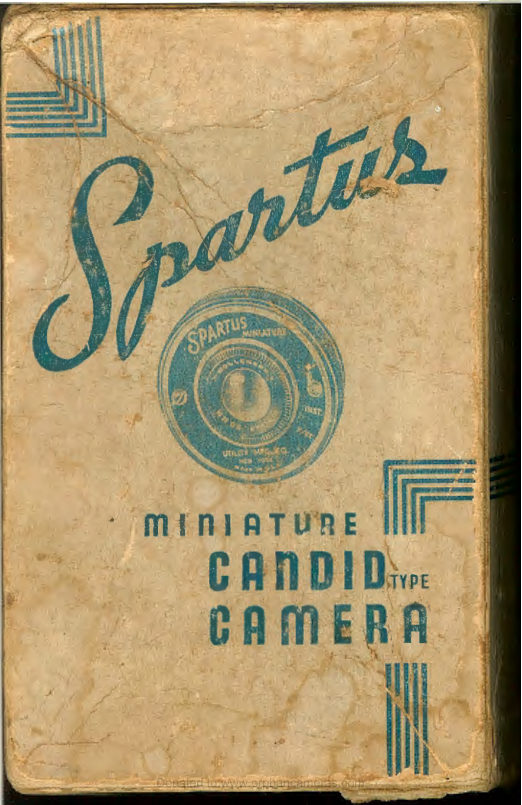
Spartus Full-Vue Reflex User manual
User manual for Spartus Full-Vue Reflex. 6 pages in English. Read the original PDF, download or print a copy without registration.
6 pagesEnglish0.7 MB PDF
Loading your manual…Open PDF directly
Document details
- Brand
- Spartus
- Model / document
- Spartus Full-Vue Reflex
- Document type
- User manual
- Language
- English
- Pages
- 6
- File size
- 0.7 MB
- Category
- Film cameras
- Document date
- Not specified in catalog
Search available document text
Find a term, then jump to its page in the original PDF. Image-only pages may not be searchable; check the PDF for exact wording and diagrams.
Page 3 · Read text
"LARGER" CONTACT
            PRINTS


  Most photo  finishers  throughout  the
country  are  equipp,ed with  contact  en-
largement printe1·s that produce approx-
imately 3 x 4 prints from the negatives
 you get with this Miniature Camera.

  Retail  ;>ric:es  fo,- thPs P e nl:ug:e rl prints
vary in different sections of the Unite ~
States. However, in most cases they cost
only  slightly more than ordinary  qual-
ity  prints.  See your dealer for  fur.ther
information.


UTILITY  MANUFACTURING  CO.
                    IncO"rporated
261 FIFTH AvENUE, NEw YoRK, N. Y.

                  Donated to www.orphancameras.com
                                                                                                                                                          ___ ,_
View original page 3Page 5 · Read text
To Load and Unload Camera                The  film   is now  properly placed  in
                                                       the camera and shut.  Follow directions  Always load and unload camera  in  a
                                                          for winding very carefully.
subdued  light, never near a bright sun-
light.  Hold back of camera toward you         To Wind Film
and push lock slide in direction of arrow           Turn  the  win.ding k~y  slowly, while
                                                watching the lower red window on backand remove back.  See that  the empty
                                                       of camera. When the figure "1" appears
spool is in the Top receptacle (alongside                                                               in the center of the lower red window
of  the winding key)  with  the notched          marked (A) the camera is ready for use.
end  in contact with the winding key.             See illustration helow.

  Place the film in the lower receptacle.
Now break the seal in which the roll  is
held  in place.   Pull the end of the red
                                                                            Top W indow B
paper toward the empty spool.  Thread
the end  of  the  red paper through  the
broadest side of the slit of the spool. Now                                   Lower Window A
turn the winding key two or three times
toward the right so that the paper will
begin  t·o roll onto the empty spool.

  Replace the back, by holding the back
                                           As soon as you have taken the picture
of the camera toward you, and placing                                                   be  sure  to wind number  1 from  (A)
the  cut out  near  the window B under         window to (B) window.  You are now
the metal  receptacle and pressing back           ready to snap your second picture.  Re-
gently downwards.                                  peat process after every picture.

                   Donated to www.orphancameras.com
View original page 5Page 6 · Read text
When number 8 appears  in center of        Time Exposures
(B)  window  you  will  have  taken  16                                       To take time exposure pictures press
pictures.
                                                      lever from  inst.  to  time.  This lever  is
 When you have taken all the pictures         on  the  right  side of name  plate, when
keep turning  the,, key until the complete                                                      the camera  is facing you~ ·
roll  of  film  (including  the  red  paper
which protects  it)  is  all wound on the             t       In  taking  time  exposures  place  the
top  roll.                                      camera ·On a firm object such as a table                                              j
  Open back of camera as when loading,           or  chair.  Never  hold camera  in your
remove  roll of film; now seal  roll with           hand.  After sighting your object press
piece of gummed paper which you  will           shutter rel.ease, keeping your finger on it,
find on  the end of the  roll,  so  that  it                                                 counting the number of seconds of ex-
cannot run loose.                                                     posure_desired. When the req~r_~:d num-
                                                   ber of seconds has expired  -  and not
                                                             until then  -  remove your  finger fromTo Take Pictures
                                                      the shutter release. If no more time ,ex-
  Hold  the  camera with  the  sight  as
                                                 posures are desired, adjusr for instantan-close to the eye as possible, keeping the
camera  firmly  against  the  face.  Make          eous pictures, by pushing lever back to
sur.e the object or subject you are taking             in st.
is framed within the finder.
                                             Suitable Light Condition
  The  camera MUST  be  held  level.
                                                    In  taking  instantaneous  pictur.es,  beShould  the  subject be below your eye
level, hke  a  small  animal,  the camera           sure that the sun  is directly behind your
should be held down level with the center           back.   If sun  shines  directly  into  the
of the subject.                                           lens, pictures will be fogged.

                  Donated to www.orphancameras.com
View original page 6From the M. Butkus archive. Original publisher and archive notices are retained.
Check the model and edition against your equipment.
PDF verified 2026-10-10.