Film cameras
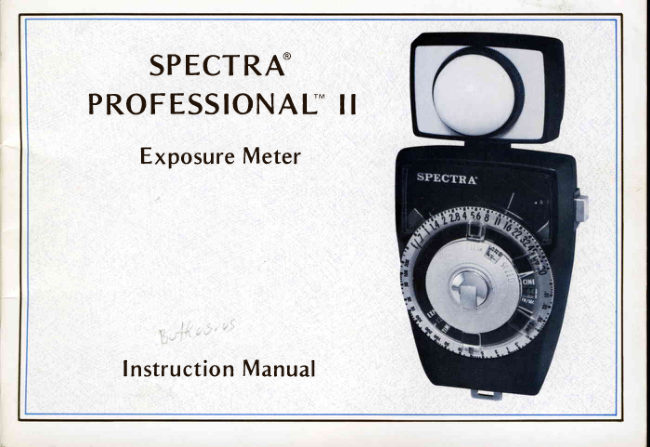
Spectra Professional II User manual
User manual for Spectra Professional II. 61 pages in English. Read the original PDF, download or print a copy without registration.
61 pagesEnglish3.4 MB PDF
Loading your manual…Open PDF directly
Document details
- Brand
- Spectra
- Model / document
- Spectra Professional II
- Document type
- User manual
- Language
- English
- Pages
- 61
- File size
- 3.4 MB
- Category
- Film cameras
- Document date
- Not specified in catalog
Search available document text
Find a term, then jump to its page in the original PDF. Image-only pages may not be searchable; check the PDF for exact wording and diagrams.
Page 2 · Read text
FOREWORD
              'You               now own the Spectra*Professionalll*  - one of the world's most odvonced,Congratulations!
most sensitiveexposuremeters.The meter is direct-readingin f/stopsfor both incident-and reflected-
light measurement,and coversa sensitivityrangeof 10 million to one.The Professionalll features
siliconcellsand solid-stateintegratedcircuitryfor stabilityand fast response.

This manualhas beenpreparedto enableyou to enjoy optimum performancefrom your new meter.
The informationset forth in this manualwill serveyou overthe years,and the few minutesyou invest
now to acquaintyourselfwith its contentswill reap rewardsfor you throughoutthe life of your
instrument.

CAUTIONNOTES
   1) Your Spectra@exposuremeter is a precisioninstrumentand shouldbe handledas such.Do not
drop the meter or sub.iectit to excessiveshock,vibrationor temperatureextremes!Store it in its
carryingcaseor shippingcartonwhen not in use.
  2) The instrumentis shippedwith the battery removedto preventpossibledamagecausedby a
leakingbattery.(lnstructionsfor installingthe battery aregivenin Section5.2 of this Manual.)When
instafling the battery, check that  it  is installed as indicoted on the polority label inside the battery
compartment.lf the instrumentis to be storedfor a long time, removethe battery.
   3) Do not attempt to check or adjust the meter zero before readingSection 5.4 "Meter Zero
Adjustment".


 *"Spectro"  and  "Professional"  ore trodemorks  of  the Photo Reseorch Division  of Kollmorgen  Corporotion.  (See
Section 6,5 for a complete  list of trodemarks.)
View original page 2Page 4 · Read text
Battery  Tert
                                                                      B u t t o n


Meter Zero Adjuster


  Battery Compartment Cover                               Battery Compartment
View original page 4Page 11 · Read text
1.0   OPERATINGINSTRUCTIONS:EXPOSUREDETERMINATION
This Sectionoutlinesthe correctoperatingprocedurefor use of the SpectraProfessionalll exposure
 meterfor determiningexposure.The readeris referredto the illustrationson the inside-frontcoverfor
 partsidentification.


1.1   CONDENSEDOPERATINGINSTRUC.  TIME window (or in the CINE window, for
TIONS                                    motion picturecameras).
The following is a brief outline of operating     3)  Preselectthe light-levelrange (Hl, MED
instructions.For additional information, see   or LO)
Section1.2 through1.5.                      Usingonly the raisedRangeSelectorActuator,
                                                turn the computeruntil the appropriateword -
                                                 Hl, MED or LO    lines up with the Range
1.1.1   Settingthe Computer                    IndicatorArrow (at the bottomof the computer).
  1) Set the Film Speed
                                    NOTE: Use the Hl rangefor outdoorsand highLift the Film SpeedSettingTab (seephoto "A"
                                                                light levels,MED for indoors,and LOat left). Turn the outer dial of the computer(see
                                                               for low-light-levelphotography.photo "B")  until the FILM SPEED Indicator
points to the ASA speed of the film you are    '1."1.2                                               Makingthe Light Readingusing.Then push the Tab down (seephoto "C")
to lock-inthe setting.                          For incident light measurements,proceed as
                                               follows:  2) Set the shutter speed
Turn the outer dial of the computeruntil the       1) From the subjectposition, point the Photo-
shutter speed you desire appearsin the EXP   sphere@towards the comero.
View original page 11Page 12 · Read text
I NCIDENT-LIGHTMEASUREMENT        REFLECTED-LIGHTMEASUREMENT


           EQUALtLLUMtNATI0N


                  CI

  CAMTRA             SUBJECI

      N O R M A L   L I G H T

   2)  Press the On/Off  button, as indicared in
Section 1 .1 .3, to take the reading.                  part of the subject, being certainto includeboth
                                            h ighI ight and shadowareas.
                                                                                                   'l                                                                                        .'l .3   Readingthe Exposure
For  reflected-light measurements, proceed as
follows:                                       1 ) Squeeze the On/Off button and hold it
                                            u ntil the meter pointer comes to rest; then   1 ) Remove  the Photosphere by  pressing in-                                                  releasethe b u tto n slowIy.w ard s o n  t h e b la ck knurled ring and turning it
approximately 60" counterclockwise. (Store the                                  NOTE:  lf the meterpointercomesto restin thePhotospherefor safekeeping.)                                                   red portions of the meter scale,it  is
   2)  Rotate the swivel head so that the L ight           advisableto chonge the RangeSelector
Sensorfaces th e back of the meter.                                                and repeot the light reading. lf the meter
   3)  Point the Sensor towards the important            pointer is in the red portionat the right
View original page 12Page 15 · Read text
'1.2.3        Setting the Light-LevelRange               falls in the red portion of the meter scale,it is
                                             advisableto reset the range and take anotherThere are 3light-level range settingson the
computer.The Hl (high) rangeis for high light    light reading.lf the meter pointer is in the red
                                                portion at the right side of the scale,move thelevels,commonly encounteredoutdoors; the
MED (medium)rangeis for intermediatelight   Range Selector one range counterclockwise.lf
levels,generallyfound indoors,while the LO    the pointer is at the left side of the scale,move
(low) rangeis for very low light levels.There is   one rangeclockwise.
some overlapbetweenranges,but for optimum      It should be noted that resettingthe Range
accuraeyit is best to be on a rangewhere the   Selectorreleasesthe previousreading,and the
meter pointer falls in the center of the meter   meter pointerwill drop to zero.(Thisis a feature
scale.                                    designedto preventerroneousexposurereadings
                                       causedby changingrangeswithout taking a new
To set the range, place your thumb over the                                                         light reading.)Always take a new light reading
raisedRangeSelectorActuatorand push or pull                                                           after changing ranges!
the raised actuator until the entire computer
beginsto turn. (Do not changerangesby forcing                                            1.3   MAKING INCIDENT-LIGHTREAD-the Range lndicator Tabsl) Continue turning                                  INGSuntil the desiredRangeIndicatorTab (Hl, MED
or LO) lines up directly opposite the Range   1.3.1  When(andWhenNot) to MakeIncident-
IndicatorArrow at the bottom of the computer.   Light Readings
Do not leavethe computerbetweenranges,as
                                                 lncident-lightreadingsare made by measuringthe meter will not operate unless the Range
                                             the light fallingon the subiect.They are simpleIndicatorArrow is directlyoppositeone of three
                                       and quick to make,relativelyfoolproof, and areRangelndicatorTabs!
                                              the preferredmethodof determiningexposurein
After makinga light reading,if the meterpointer   almostall conventionalphotographicsituations.
View original page 15Page 16 · Read text
The key to the successof the incident-light
method is the largehemisphericalPhotosphere@,
which simulatesa th ree-dimensionalsubject.The
Photosphere"integrates"or averagesthe effect
of all of the different lightson the subiect(see
illustration),and weighsthem proportionallyto
their effecton the exposure.
Certainsituationsin which incident-lightreadings
shou ld n ot be u sedd irectly are:
   1) Whenthe subjectis inaccessible(to that it
is physicallyimpossibleto hold the exposure
meter near the subject)and the lightingis non-
uniform (sothat the lightingon the subjectis not
the sameas the generallighting).
   2) When the importantpart of the sceneto be
photographedis unusually light (suchas a snow-
coveredlandscape) , or u n u sually dork (such as a
blackcat).
The inaccessible-subjectsituationwould best be
handled by  reflected-lightmeasurement(see
Section1 .4),whilethe lightldark subjectsituation
would best be meteredby eitherthe reflectedor
the  " h ighlight-shadowaverage"  method (see
Sections1.4 and 4.2). The light l dark subiect
View original page 16
Page 17 · Read text
situation can also be read by  incident_light    2) Hold the meter at the principalpoint of
 measurementif  operator judgement is used;   interest of  the subject with  the photosphere
 simply decreosethe meter-indicatedexposureby    pointing directly towards the camero (see illus_
 approximately% of an f lstop for unusually,light   tration below).lf it is not possibleto get closeto
 subjects,or increosethe exposureby approxi_  the subject, bur the lighting is uniform (for
 mately % stop for unusually dark subjects.For   example,outdoorsunder open sky), hold the
 very light (or dark) subjecrswhich do not include  meterparallelto the subjectwiththe photosphere
 a significantamount of fleshtone,increase(or   pointingtowardsthe camera.
decrease)the exposureby 1 full f/stop.                                            INCIDENT-LIGHTMEASUREMENT
Specificsuggestionsfor handlingspecialsubjects
aregivenin Section4.3.

                                                          EQUATlLLUMlNArlotl
 1.3.2   tncident-lightMeasuringprocedure                     !..*.1.i,..                                                                     ''i.@:t''
                                                                                                                   ^'i.,r.j'.r..
                                                                                       .l \lncident-light.measurements,using the pro_                                  rtt        ta
                                                                                                                                                                                                                           t tfessionalll, aremadeasfollows:                                                                                                                                                                                             " . 'ao  1) Check rhar rhe photosphere(the white     I. hhemisphere)is in placeoverthe f isht Sensor.                          h- |    l/nNOTE: To install rhe photosphere,align the 3     /l\      n
                                                          CAMERA             SUEJECT       bayonets (on the back of thJ photo_
                                                                 N O R M A L   L I G H T          U N E V E NL I G H T       sphere)into the meter,sbayonetmount.
      Then pressinwardsfirmly on the black
       knurled ring a.ndturn it approximately
        60' clockwise(untilthe bayonets,,clicki, NOTE:  lf necessary,rotate the swivelhead so
        into place).                                    that the Photospherewill not pick up
View original page 17Page 18 · Read text
,1       any  reflections or shadows from  the      .4    MAKING REFLECTED.LIGHT READ.
        p h otograph e r.                                                        I NGS
                                                   1.4.1   Wherr (and When l.lot) to Make Reflected-  3) Press the On/Off  button and make the
                                                     Light Readingsrea d in g(a s in d ica t edin Section1.5).
                                                   Reflected-lightreadingsare made by measuring
 R O T A T E S W I V E L H E A D T O A V O I D R E F L E C T I O N S    the light reflected back from the subiect towards
   O R S H A D O W S F R O M T H E P H O T O G R A P H E R        the camera.
                                           The reflected light method has the theoreticol
                                            advantagethat it is possibleto determineoptimum
                                            exposure for all given subjects, since the method
                                                                    is based on  the ligh t reflected from  the actuol
                                                    subject. In  the  situation described in Section
                                                     1.3.1, the snow-coveredlandscapewould reflect
                                         more  light and the meter wou ld call for  less
                                              exposure; the black cat would reflect less light
                                           and the meter wou ld call for more exposure.
                                                  Unfortunately, the theoretical advantageof the
                                                           ref lected light method  is often lost in practice
                                           because of  the need for the photographer to
                                                  decide what portion  of  the subject should be
                                             meosured. For  example,   if  the  photographer
                                                includestoo much bright sky or white background
                                                            in  his reflected-light measurement, the meter
                                               reading will be too  high and the foreground
View original page 18Page 19 · Read text
subiectwill be underexposed;if he includestoo   The large-areameasuringprocedureis as follows:
much shadow area in the measurement,the
meter readingwill be too low and the photo-     1) Remove the  Photosphere by  pressing
graph will be overexposed.Since successof the   inwardson the black knurledring and turning
                                                                                       it approximately 60"counterclockwise.Store thereflected-lightmethod is highly dependentupon                                         Photospherein the carryingcaseor other pro-the photographer'sjudgementand carein making                                               tected location.
the measurement,it is generallyinferior to the
 incidentlight methodwheneverthe photographer                                                    2) Rotate                                                           the                                                               swivel                                                          head                                                                    so that the Light is in a rushto take a reading.                  Sensor^                                                   facesthe                                                      bock                                                                           of the                                                                     meter.
One specificsituationin which the conventional
reflected-lightreadingwill be erroneousis in      3) From the cameraposition,point the Light
caseswhere the subject is small and is either   Sensor towords the important part of the subject.
much lighter or darker than the background,  Rememberthat the Reflected-LightSensorsees
                                                        light over a 42" field, similar to your cameraand it is not possibleto get closeenoughto the                                        equippedwith a normal lens; thereforeif thesubjectto takea small-areareflected-lightreading.                                        sceneis nonuniform,you should move in close
Unless the photographerhas the Spectra 1"   enough to the subject to exclude extraneous
PhotoSpotaccessory,he is betteroff to makean   background (but stay far enough away to include
incident-lightreadingin tirissituation.           both important highlightand shadowareas).Be
                                               carefulnot to castany shadowsor reflectionson'1.4.2        Reflected-LightMeasuringProcedure     the subject.Also be carefulnot to tip the Sensor
                                         upwards,as this may result in including tooReflected-lightmeasurementscan be madeeither                                   much brightsky in the reading(andconsequentialby the simple "large-area"techniquedescribed                                         erroneousexposure).lf the subjectis back-lit,below, or by the more advanced(and compli-                                                either turn off the back-lightsor move close
cated) "smoll-qreo" techniques described in   enoughto the subjectso that the meterdoesnot
Section4.2.                             measurethe back-lights.
View original page 19Page 20 · Read text
4) Pressthe On/Off button and make the
                                               reading(asindicatedin Section1 .5).
                                                     n|.4.3                                                   Usingthe 1'PhotoSpotAcessory
                                         The 1" PhotoSpotaccessory(seeSection3.1) can
                                           be usedfor exposuredeterminationby eitherthe
                                              small-areareflected-lighttechniquesdescribedin
                                                Section 4.2, or as fo I lows:
                                                       1) Remove the Photosphereby pressingin-
                                         wardson the black knurledring and turning it
                                                approximately 60' counterclockwise.(Store the
                                            Photospherefor safekeeping.)
                                                       2)   | nstall the 1" PhotoSpot(seeinstructions
                                           packedin the PhotoSpotcarton).
                                                       3) Set the distancescaleon the PhotoSpotto
                                             correspondto the approximatedistancebetween
                                            you and the subject.
                                                       4) Standingat the cameraposition,point the
                                           PhotoSpotlens towards the subjectand look
                                              throughthe PhotoSpot'sviewfinder.(lf necessary,
                                                    turn the viewfindereyepieceso that the imageof
                                              both the subjectand the bright 1" circle are as
                                             sharp as possible.)tfren center the critical area
                                                          (for example,the subject'sface) in the 1" circle
                                                           in the viewfinder,being certainto includeboth
                                               importanthighlightand shadowareas.
1 0
View original page 20Page 21 · Read text
5) Pressthe OnlOff button on the meterand      2) Read the f/stop indicated by rhe posirion
makethe reading,as indicatedin Section1.5.        of the meter pointer.
                                        NOTE:  View the meter from directly over the
                                                           pointer  to  eliminate possible reading
                                                                error. The reading will be correct when
                                                            the meter pointer appears stroight and
1 . 5  R E A D I N G T H E E X P O S U R E                               of minimum  th ickness.
After the meter has been positionedto make the
light reading, as describedin either Section I .3
or 1 .4, the exposure readingis made as follows:

   1) Pressthe On/Off button and hold it until
the meter pointer comes to rest; then releasethe
button slowly.

NOTE :   lf the meter pointer comesto rest in the
        red portion at either end of the meter
         scale, it is advisable to change the Range
         Selector and repeat the light reoding.  lf
        the meter pointer is in the red portion
         at the right side of the scale,move the
       Range Selector one range counterclock-
        wise. lf the pointer is at the left side of
        the scale, move one range clockwise.
       Then repeatthe light reading.

                                                                                                1 1
View original page 21Page 22 · Read text
3)  lf you would prefer to use a different   shutter speed! Read both the new f/stop and the
 ,    f f stop,simplyturn the outerdial of the computer  new shutter speed when you have finished
    until the preferredf/stop linesup with the meter   turningthe outer dial.
    pointer.Note that this operationalsochangesthe


1 2
View original page 22Page 25 · Read text
2 . O  M I S C E L L A N E O U MS E A S U R E M E NT S

This sectiondescribesthe correctoperatingprocedurefor makingvariousspecialmeasurements- such
as llluminance(foot-candleor dekalux),LightingContrastand SubiectContrastmeasurements.
Other specialmeasurements,which requirevariousSpectraSystemAccessories,areoutlinedin Section3.

2.1   TLLUMTNANCE(FOOTCANDLEOR      2\   | nstall the Photodisk@ (ttre flot wh ite
D E K A L U X ) M E A S U R E M E N T S                  diffuser) over the Light Sensor:pressinwards
                                                   firm fy and tu rn clockwiseto secure it.

llluminonce is the scientific name for the measure-
m e n t o f in cid e n tlig h t . The units of measurement
f o r  i l l umin a n ceis co mmonly the "footcandle" in
t he U n it e d S t a t e s,a n d the "lux"  or "dekalux"
(l u x t i me s 1 0 ) in in t e r nationaluse.

Your Spectra meter can be used to read d irectly
in  foot-candles or  dekalux, according to  the
f ol l o w i n g p ro ce d u re :

  1 ) Re mo ve t h e P h otosphere@(hemispherical
w h i t e dif f u se r)b y g rippingthe black knurledring,
p re s s in gin wa rd s f irmly and turning it approxi-
mately 60" counterclockwise. (Store  it  in the
carryingcaseor other protected location.)

                                                                                               1 5
View original page 25Page 26 · Read text
3) Preselectthe light-levelrange(Hl , M E D or          b) Without changing the Film SPeed
  LO) asfollows:                                  setting,simply rotate the outer dial until the
                                              footcandlescalevalue indicatedbelow lines up   Hl   High light levels(40 to 50,000footcandles                                                 with silverreferencemark on the meterscale(see
   or dekalux)                                             photo at left) :
  MED  Mediumlevels(0.4 to 1,000footcandles
   or dekalux)                                   Light-Level      Align FootcandleValueto
                                         Range      ReferenceMark on Meter Scale  LO   Very low levels(0.004to 10 footcandles
                                       H t                   1 0 0   or dekalux)
                                 M E D                   1
      4\ Programthe computerto readllluminance    LO                    .01
   by eitherof the followingmethods:
         a) Set the Film Speeddial (asdescribedin  NOTE: Once set as indicated,the outer dial
   Section 1.1.1) to align the red "FC" (Foot-         shouldnot be moved until the illumi-
  Candle) mark with the F I LM SPEE D pointer.        nancemeasurementis finished.
  Then rotate the outer dial of the computer
   until the other red " FC" mark appearsin the     5) Hold the meter with the Photodiskin the
  CINE window.                             plane in which  it  is desiredto measurethe
                                              illuminance.
                                                      6) Pressthe On/Off button and hold it until
                                                the meter pointercomesto rest;then releasethe    R E F E R E N C E
   M A R K                                      buttonslowly.

                                    NOTE:  lf the meterpointercomesto restin the
                                                       red portion at either end of the meter

1 6
View original page 26Page 27 · Read text
,      scale,it is advisableto changethe Range
        Selector and repeat the light reading. lf    NOTE: The phoro below will help you to
        the meter pointer is in the red portion            interpret u nmarked valueson the
         at the right sideof the scale,move the           meterscale.
      RangeSelectorone rangecounterclock_
        wise. lf the pointer is at the left sideof
        the scale,move one rangeclockwise.Be
        ,,{vrafulnot to disturbthe settingof the
       outerdial whenchangingranges.

   7) Observethe positionof the meter pointer
relativeto the computer.This is the illuminance                                                  .--,J3333value of the            incident                        light,                      expressed                                         in FOOT_                                                                               ':                                                                                                                                                          '"t!Z-4O,OootCANDLES.         The              reading                             is                                                                                           so.ooo                        also approximately
equalto the valuein DEKALUX (lux times10),               U N M A R K E D V A L U E S O N
since1 foot-candleequals1.0j6 dekalux.                     F O O T C A N D L E S / D E K A L U X  S C A L E


                                                                                                1 7
View original page 27Page 28 · Read text
2.2    LIGHTING CONTRAST                    4) Point the Photodiskat the key light source
                                         and take a readingof the unshadedkey light.LightingContrast is defined as the rotio of the
illuminationproducedby the key light plusfill       5) Without disturbingthe computer,observe
lightto that producedby the fill light alone.        the position of the meter pointer on the foot-
                                           candlescale.This valueis the key-to-fillratio ofWhile the exact valueof LightingContrastfor a                                              the lightingset-up.particularsceneis a matterof artisticchoice,the
following ronge of  values are commonly  NOTE:  lf  it  is desiredto modify the lighting
suggested:                                                  ratio, changethe lightsand repeatSteps
                                                   2 through5. After the lightingratio has   C o l o rF i l m s : 1 . 5 : 1t o 5 : 1                                             beenoptimized,replacethe Photosphere
    Black& WhiteFilms: 2:1 to 16:1                                              and determine the exposure by the
                                                        incident-lightmethod(seeSection1.1).LightingContrastis measuredasfollows:
                                             2.3    SUBfECT CONTRAST(BRTGHTNESS
  1 ) Preparethe meter for the measurementof                               RATrO)illuminanceas describedin Section2.1, Steps1
through3.                                   Subject Contrast is different from  Lighting
                                            Contrastin that it is a measurementof the light  2) Hold the meter in the subjectplane,with                                                         ratio reflected from the actual subfect.the  Photodisk pointed towards the camera
position.Use your hand to shadethe Photodisk   Subject Contrast, sometimescalled Brightness
from the direct rays of the key light, and take a     Ratio, is definedas the ratio of the brightnessof
readingof the fill light.                           the brightesthighlight to that of the darkest
                                     shadowin which detailis desired.For optimum  3) Turn the outer dial of the computerso that                                            tone reproductionthis ratio should be on thethe I foot-candlemark is alignedwith the meter                                            order of 4:1 to 32:1 for color films and32:1 topointer.                                           128:1for black-andwhite films.
View original page 28Page 31 · Read text
3.0   SPECTRA @ SYSTEM ACCESSORIES
A completeline of precision-madcaccessoriesareavailableto expandthe useof your Spectracxposure
meter.Thescincludethe following:
                                         r'   1) Spectra1'PhotoSpot   (SpotmetcrAttachment)
  2) SpcctraFlexi-Probe'" (FlcxibleFibcrOpticsprobe)
  3) SpectraPhotoreaderruProbc
  4) SpectraSpot-RcaderrM(Enlargingand DensirometryAttachment)
  5) SpectraMicroscopeAdaptcr
Theseaccessoricsarc bricfly dcscribedon the following pages.Completeoperatinginstructionsare
packedwith thc individualacccssory.


                                                                                                21
View original page 31Page 32 · Read text
3.1   SPECTRA@1. PHOTOSPOT
  The Spectra 1" PhotoSpot is a unique optical accessorythat convertsyour exposuremeter into a
   high-sensitivity1'Spotmeterfor narrow-anglereflected-lightmeasurements.  Use of the PhotoSpotwill enableyou to make accuratereflected-lightreadingsof distant subiects-            II
   particularlyusefulwith telephotolensesand for inaccessiblesubiectslike storewindows,theatrestages,
  animalsand wildlife. lt is also valuablefor photographingsmall sublectsin close-upphotography,for
  making accurateSublect Contrastor BrightnessRatio measurements,and for making "zone system"
  measurements.
                                             The PhotoSpot featuresa bright, wide-field,life-
                                                       size viewing system with a focusing eyepiece.A
                                                sharp reticle in the eyepieceaccuratelydefines
                                                     the 1" measuringfield. Parallaxcorrectionis pro-
                                                    vided for h ighest accuracy for all d istancesfrom                                                     1 8    i n c h e s ( 0 . 5 m e t e r )  t o    i n f i n i t y . A  u n i q u e      I
                                                       electro-opticalsystem makes the exposuremeter                                                                                              I
                                                    direct-readingwhen the PhotoSpotis in place.
                                lIner
                    spectro
                                                                                                                                                       l o              l
                                  l- photospot


22
View original page 32Page 33 · Read text
3.2   SPECTRA@ FLEXI-PROBE
       The SpectraFlexi-Probeis a flexiblefiber-opticsprobe which enablesyou to make small-arealight
        readingsin nearlyinaccessiblelocations.Typicalapplicationsincludeground-glassexposurereadings,
         uniformity measurements,brightnessmeasurementsin physicallyrestrictedlocations,and small-areaI
        densitomerry(on a light table).
       The Flexi-Probeconsistsof a high-quality24-inch(0.6 m) fiber-opticsprobeand a mountingadaptor.
       Thc measuringdiameterof the probels 0.125-inches(3 mm),enablingverysmallarcasto be probed.


                   the
               spoctro
                     f lexr-probe
View original page 33Page 34 · Read text
3.3   SPECTRA@PHOTOREADERPROBE
The Spectra PhotoReaderProbe is an accessorydesignedto enableyour exposuremeter to make
small-areameasurementsfrom the cameragroundglass,focusingscreenor similarrestrictedlocations.
The PhotoReaderProbeconsistsof a rigid opticalcollectorwhich is f -inch(25 mm) long.The measuring
areais}.22-inches(5.5 mm) in diameter.


                   the
                  spoctro
                 photorooder probe
View original page 34From the M. Butkus archive. Original publisher and archive notices are retained.
Check the model and edition against your equipment.
PDF verified 2026-10-10.