Film cameras
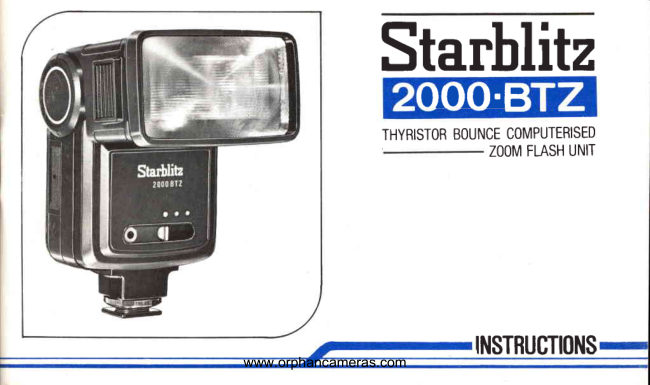
Starblitz 2000 BTZ instructions User manual
User manual for Starblitz 2000 BTZ instructions. 24 pages in Italian, Swedish, English. Read the original PDF, download or print a copy without registration.
24 pagesItalian, Swedish, English0.8 MB PDF
Loading your manual…Open PDF directly
Document details
- Brand
- Starblitz
- Model / document
- Starblitz 2000 BTZ instructions
- Document type
- User manual
- Language
- Italian, Swedish, English
- Pages
- 24
- File size
- 0.8 MB
- Category
- Film cameras
- Document date
- Not specified in catalog
Search available document text
Find a term, then jump to its page in the original PDF. Image-only pages may not be searchable; check the PDF for exact wording and diagrams.
Page 2 · Read text
Starblitz
              IIIIIE 3
              THYRISTORBOUNCECOMPUTERISED
                    ZOOMFLASHUNIT


                INSTRUGTI(IN
www.orphancameras.com
View original page 2Page 3 · Read text
English  page   9

Frangais page  2G

Deulsch  pagina 44


Italiano  Selte  69

Svenska sidan  rg


                           www.orphancameras.com
View original page 3Page 10 · Read text
Engllsh


PARTSDESCRIPTION

 1. FlashwiNdOW                      12. AUTO CHECKGREENLED
 2. Auto sensoreye                      13. ZOOM positionindicator
 3. Bouncehead                        14. Bounceangleindicator
 4. AUTO/MANUAL3 position            15. Slidingguidescalefor f/stops
   .  switch                               16. Batterycover
 5. Synchrocord socket                  17. Slidingguidescalefor distances
 6. Colourfilters(REDand BLUE)         18. T (TELE85)/S(STANDARD50)/
 7. Synchrocord                   W1 (WIDE1 35)/W2(WIDE228)
 8. Zoom head                               indicationmarks
 9. ASA/DINfilm speedchart             19. READYLIGHT
10. AUTO GREEN/ORANGEdot           20. ON/OFFswitch
    marks                              21. TEST button
11. AUTO GREEN/ORANGE            22. Shoe lockingscrew
    range'sline                           23. Hot shoe contact

                               www.orphancameras.com
                  .&;      . *"&**   - .:-"*o*i&i*ede*ii*ul.        "#Sn@WEe&eS*4 e:       .-:   ":                                :
View original page 10Page 11 · Read text
Batterylife             120flasheson MANUALMODE
                       120-2000flasheson AUTO MODE
   )                      accordingto distance(Alkalinebatteries)
Weight                2009 without batteries
Dimension          H 1 4 5 x D 4 3 X W 7 3 m m


BATTERYINSTALLATION

Ensure that the ON/OFF switch is in "OFF" position.
Slide the battery compartment lid in the direction of arrow mark until the lid becomes detached.
Insert two AA size Alkaline batteries taking care that the positive and negative terminals are correctly aligned as
indicated in the compartment.

Alkaline batteries are recommended because of their longer life and endurance to a wider temperature range.
Moreover, their power is superior to that of conventional zinc-carbon batteries and this high output flash unit
requires the maximum energy available.

N.B. Clean the battery and compartment contacts at regular intervals. Remove the batteries if the unit is likely to
    be out of use for a prolonged period.
 12                        www.orphancameras.com
View original page 11Page 12 · Read text
ATTACHMENTTO CAMERAAND SHUTTERSPEEDSETTING

Thisflashunit has a "HOT-SHOE"contact.
Insertthe mounting foot into the accessoryshoe on the cameraand tighten "Lock."
                                                                   'X'                                                     contact socket if the camerahas no "hot shoe."A Synchrocord is suppliedand this should be used in the

Any shutterspeed can be set on cameraswith between-lens-shuttersalthoughthe speedof 1/125thsecond is
recommended.
                                     'X'shutter                                     speedsettingat 1/60thusually(sometimes1/12slhsecond).Focal-planeshuttercameraswill havean
Checkyour camerainstructionbook for the correct electronicflash synchro speed.

OPERATINGINSTRUCTIONS

Slidethe ON/OFFswitchto'ON' position.The REDsegmentappearingin the cavitybelowthe switchwill serve
as a reminderthat the unit is ON.
A humming noise will be heard as the unit is turned ON, which will becomefainterwhen the flash unit is
charged.
At that time,the READYLIGHTwill glow and the unit is now readyfor operation.
lf the flashunit is not likelyto be usedfor a minuteor longer,switchit OFF to conservethe batteries.
                              www.orphancameras.com                            1 3
View original page 12Page 13 · Read text
When the flash unit is being used for the first time or after several weeks disuse, allow a few minutes for the
capacitor to become fully charged. The unit may be f ired without operating the camera by depressing the white
"TEST" button at the shoe base.

GREENAUTO CHECKLED

Before taking the picture, TEST the flash and confirm correct exoosure with the auto+heck LED.

lf the GREEN AUTO-CHECK LED lights at the same moment as the flash test button is pushed, this indicates
the auto circuit is working at the correct auto distances.

lf the AUTO-CHECK LED does not light GREEN, the distance exceeds the auto distance, Refer to FLASH
OPERATION.COMPUTER USE.

When shooting out of doors, in daytime, intense illumination may cause malfunction of the auto circuit and auto
check lamp.

When taking a picture immediately after the READY LIGHT is on, sufficient light may not reach to the subject in
auto mode and GREEN AUTO-CHECK LED may not light. Always allow the flashgun a few seconds for full
capacitor charging.


                           www.orphancameras.com
View original page 13Page 14 · Read text
ADJUSTABLEBOUNCEHEAD FOR INDIRECTFLASH

Theheadof flashunit can be elevatedfrom the horizontalposition,for conventionaldirectflashphotography,to
a verticalpositionfor bounceflashphotographyby tiltingthe flashhead.

Thelightis reflectedsatisfactorilyprovidedthat the ceilingis flat-surfaced,of averageheightand not of a dark,
non-reflectivecolour.

Bouncedflash providesfor a more pleasingphotographwithout ugly backgroundshadows.

 lf naturalcoloursare desiredwhen taking colour pictures,check that the reflectingsurfacesare as light as
possible.ldeallythis surfaceshouldbe white.

Watchthe GREENAUTO CHECKLED when takingbounceflashphotographswith AUTO MODESETTINGS.
With MANUAL MODE operation,the cameralens apertureshould be openedby about 2-3 stops mord than
statedon the f/numberscale.(Fig.1,2, 3)

ADJUSTINGTHE ZOOM HEAD

The lighting angle mechanism built into this flash unit allows selection of 4 preset lighting positions by a
push-pull action of the flash head.
                              www.orphancameras.com                            1 5
View original page 14Page 15 · Read text
The guide numberchangesin relationto the ZOOM position.
Deteiminethe best ZOOM positionfor flashingin relationto the focal length of the lens you use. (Fig' 4)
          ZOOM HEAD   Lighting angle            Guidenumber
                   position   (35mm film camera)   ASA 1OO/M ASA1OO/FT
                    E5mmlensano up
              TELE 85    Horizontal31'           25       82
                                 Vertical23"
                    50mmlensand up
              STD 50     Horizontal46o          22       72
                                 Vertical34o
                     35mm lens
            WIDE1 35    Horizontal60o           1 9        62
                                  Vertical45'
                    28mmlens
            WIDE2 28    Horizontal70"            1 6        52
                                  Vertical53'
                                                                                                                                                               ( F i g . 5 )
FLASH OPERATION       MODE"              "MANUAL

Setthe AUTO/MANUALswitchto the WHITEdot.
In this position,your flashunit will operatein the MANUALMODE.
tu                         www.orphancameras.com
View original page 15Page 16 · Read text
(A) STANDARD (soMM) LENS USE

Setthe ZOOM HEADat IETD 5O-lposition.At this ZOOM HEADposition,the flashunit hasa guidenumberof
22 in meters(or 72 feet) aTlETSn  with maximumflash output.

Now,set the UPPERSLIDINGSCALEon the back body at the film speedyou use (E)GMPLE:ASA100/DlN21,
ASA 400/DlN27etc.) by ARROW MARK.
Setthe other ARROWMARK of LOWERSLIDINGSCALE (bottomof 60ft)at'S'positionfrom T, S, Wl, W2 in
yellowcolour.

Estimatethe distance betweenthe camera and subject,and then read the nearestgreater reading in feet or
meterson LOWERSLIDINGSCALE.
Readthe adjacentwhitefigurefor f/stop numberin the UPPERSLIDINGSCALEto determinethe cameralens
aperturesetting.

FOR EXAMPLE

When you use ASA100/DlN21speed film at the distanceof 7 meters(23 feet),set the apertureof your camera
lensat f/2.8 (Fig. 6)

(B) TELE ssMM LENS USE

Setthe ZOOM HEADat trEIe a-5.lposition.At this ZOOM HEAD position,the flashunit has guidenumber25
in metres(or 82 in feet) atl@-ASA by full flash power.
                              www.orphancameras.com
View original page 16Page 17 · Read text
Now, set the UPPER SLIDING SCALE on the body back to the correct film speed by ARROW MARK.                       I
 Set the other ARROW MARK of LOWER SLIDING SCALE (bottom of 60 ft) at'T'position from T, S, W1, W2 in
yellow colour.
                                                                                                                                                                                            ,l
 Estimate the distance between the camera and the subject, and then read the nearest greater reading in feet or          l
 meters on LOWER SLIDING SCALE.
Read the adjacent white figure for f/stop number on the UPPER SLIDING SCALE to determine the lens
aperture setting.

FOR EXAMPLE

When you use ASA400/DlN27 speed film at the distance of 12 meters (40 feet), set the aperture of your camera
lens at t/4 (Fig.7)


(c) wrDE 28MM LENS USE

Set the ZOOM HEADat mlDE t28l  position.At this ZOOM HEAD position,the flashunit has guide number
16 in metres(or 52in feet)at 100ASA at fullflash output.

Now,set the UPPERSLIDINGSCALEto the correctfilm speedby ARROWMARK.
Set the otherARROWMARK of LOWERSLIDINGSCALE al'W2'positionfrom T, S, W1,W2 in yellowcolour.

                            www.orphancameras.com
               ' . . a l * q * t g } * i r : r e ; c i ! i . . - - e d b , . " .  ' * d i *  ' * * . .  ' ; ^ .  ' ;  ' + . j r & d i
View original page 17Page 18 · Read text
Estimatethe distancebetweenthe cameraand the subject,and then readthe nearestgreaterreadingin feetor
 meterson LOWERSLIDINGSCALE.
 Readthe adjacentwhite figurefor f/stop numberin the UPPERSLIDINGSCALEto determinethe cameralens
 aperturesetting.

FOR EXAMPLE

Whenyou use ASA100/DlN2'lspeedf ilm at the distanceof 2 meters(7 feet),set the apertureof your camera
lensat f/8. (Fig.8)

FLASHOPERATION         USE"             "COMPUTER

The built-in photosensitivecell measuresthe light reflected by the subject and the computer automatically
determinesthe correctquantityof light required.

The THYRISTORCIRCUITis power-savingand allowsa greatera numberof flashesto be madefrom a single
chargewith minimalintervalsbetweenflashes.

Beforetakinga picture,TESTthe flashand confirmthe GREENAUTO CHECKLED whetherdistanceis in the
automaticoperationrangesat the ZOOM HEAD positions,AUTO GREEN/ORANGEpositions,Lensapertures
settings.

                              www.orphancameras.com                             1 9
View original page 18Page 19 · Read text
T,hereare two settingsfor COMPUTERUSEfor relativecloserrangesat the Greenpositionand for the greater
distancerangesat the ORANGEposition.
And dependingon the focal lengthof your lens.The followingchart is a guidefor settingson the ZOOM HEAD
positions,AUTO distancerangesand AUTO SETTINGSatt/5.6or l/2.g.
 AUTO MODE    Film speed       ZOOM HEAD POSITION
  SWITCH
  POSITION    ASA1OO/M TELE 85  STD 50  WIDE 1 35  WIDE2 28
                            1.2-4.4m 0.93.9m  0.$3.3m    0.92.8 GREENDOT         f5.6                                    G-14ft\     (3-12ft)   (3-1Oft)     ($gft)
                         1.G8.9m 1.&7.8m  1.2-6.7m  1.2-5.7m ORANGEDOT      t2.8                                  (5.3-2eft)  (4.6-25ft)   (4-22ft)      (4-18ft)

(A) TELE ssMM LENS USE

Set ZOOM HfnD at|TELE Stilposition.In this ZOOM HEAD positionyou can take a picture at distances
between1.2-8.9meters(4-29feet) in AUTO MODE (ASA100/DtN21).

At theseranges,you can selectone of two AUTO SETTINGSdependingthe distances.
For closerdistanceup to 4.4 meters(14feet).Set front AUTO SELECTORSWITCHat GREENpositionand set
the lensaperturealt/5.6.
                            www.orphancameras.com                                                      I
View original page 19Page 20 · Read text
Forgreaterdistanceup to 8.9 meters(29feet). Set front AUTO SELECTORSWITCHat ORANGEpositionand
setthe lens aoertureatt/2.8.

Referto SLIDINGSCALESon the back of the flashgunbody.
Setthe ARROWMARK of UPPERSLIDINGSCALEat the positionof film speed(example:ASA100/ASA21).
Setthe otherARROWMARK of LOWERSLIDINGSCALEat the'T' positionfrom T, S, W1,W2.

Hereare some examples:
  1) GREENAUTO MODE SETTING       -    ASA100/DlN21as the speed of the lilm you are using
        .       f/5.6 on GREENDOT MARK for the lens aperturesetting    .AUTO        RANGE between 1.5m/5ft.(should be 1.2m/4ftaccurately)and 4.5m/15ft(should be 4.4m/14ft
     accurately)shownby GREENLINEat'T'position   'ZOOM        HEAD at lfEEFBtlposition
  2) ORANGEAUTO MODE SETTING        .    ASA100/D|N21as the speedof the film you are using       -      t/2.8 on ORANGE DOT MARK for the lens aperturesetting
    .AUTO        RANGE between 1.6m/5.3ft.and 9m/30ft. (should be 8.9m/29ftaccurately)shown by ORANGE
     LINEat'T'position   .ZOOM        HEAD at trELE85-lposition (Fig.9)


                             www.orphancameras.com
View original page 20Page 21 · Read text
(B) STANDARD soMM LENS USE

Set ZOOM HEAD at lF    Sd]position. At this ZOOM HEAD position,you can take a pictureat distances
between0.$7.8m(3-25ft)in AUTO MODE (ASA100/DlN21).

At theseranges,you can selectone of two AUTO SETTINGSdependingon closer or greaterdistnaces.

For closerdistanceup to 3.9m (12ft).Set front AUTO SELECTORSWITCHat GREENpositionand set your
cameralens aoertureat f/5.6.

For greaterdistanceup to 7.8m (25ft).Set front AUTO SELECTERSWITCHat ORANGEpositionand set your
cameralensaoerturealt/2.8.

Referto SLIDINGSCALESon body back.
Set the ARROWMARK of UPPERSLIDINGSCALEat the positionof film speedin use.
Setthe ARROWMARKof LOWERSLIDINGSCALEAt.S'POSitiON.

Here are some examples:
  1) GREENAUTO MODESETTTNG       -     ASA100/DlN21as the speedof the film you are using
       -      f/5.6on GREENDOT MARKfor the lensaperturesetting    .AUTO        RANGE between1ml3.3ft(should be 0.9m/3ftaccurately)and 4ml13ft (should be 3.9m/12ft
      accurately)shown by GREEN LINE at'S' position.
     .Z O O M          H E A D a t  l S T D E d l p o s i tio n  (Fis.1 0 7
22                           www.orphancameras.com
                                                                                                                             ..,.-..i,.:.d,ilo                       ,"J                                            tA,;rI
View original page 21Page 22 · Read text
I   z) onnrucE AUTo MoDE SETTING           .      ASA1OO/DlN21as the speedof the film you are using
         " l/2.8 on ORANGEDOT MARKfor the lensaperturesetting
     .AUTO RANGE between1.5m/5ft(shouldbe 1.4m/4.6ttaccurately)and 6m/20ft(shouldbe 7'8m/25ft
       accurately)shown by ORANGELINE at'S' position.
    .ZOOM HEADat ISTD 50 lPosition
IJ
  (c) wrDE 2 28MM LENS USE

;SetthezooMHEADat@position'|nthisZooMHEADposition,youcantakeapictureatdistances' between0.$5.7m(3-18ft)in AUTO MODE (ASA100/DlN21).
i Withintheseranges,for distanceup to 2.8m (gft),set front AUTO SELECTORSWITCHat GREENpositionand
  setthe lensapertureat f/5.6,for distancesup to 5.7m(18ft),set at ORANGEpositionand set the lensapenureat
  t/2.8.

  Referto SLIDINGSCALESon the back of the flashgunbody.
  Set the ARROWMARK on UPPERSCALEto film speedin use.                                             'W2'position.  Setthe otherABROWMARK of LOWERSCALEat


                               www.orphancameras.com                       23
View original page 22Page 23 · Read text
Hereare someexamples:
  1) GREENAUTO MODESETTING        .     ASA100/DlN21(speedof the f ilm in use)
       -      f/5.6on GREENDOT MARKfor the lensaperturesetting
         .                                                                'W2'position.    AUTO RANGEbetween0.$2.8m (3-9ft)as shown by GREENLINE at
         .    ZOOM HEADat I WIDE2 28 | position
  2) ORANGEAUTO MODESETTING
    -ASA100/DlN21as speedof film in use
       -      t/2.8on ORANGEDOT MARK for lensaperturesetting
    .AUTO RANGEbetween1.2-5.7m(4-18ft)as shown by ORANGELINE at 'W2'position.
   .ZOOM HEADatl WIDF22dl position(Fig. 11)

USINGCOLOURFILTERS

The light absorbed by the filters necessitates an increase in exposure.
For "EFFECT" pictures in colour, it is generally desirable to open the lens aperture, by one or two stops.
For black-and-white photography, exposure must be increased appropriately and this should be in the order of
two or three shops.
A practical test is recommended to determine a realistic working value.


 ,o                          www.orphancameras.com
View original page 23Page 24 · Read text
CAUTION

When using this electronicflash unit, pleasemakesure that the rectangularflashreflectorcorrespondsto the
rectangularpictureformat,otherwiseyou will not obtainan evenlyilluminatedpicture.

PRECAUTIONS

1. Should the unit fail to operatefor any reasonother than depletedbatteriespleasereferto qualifiedservice
   personnel.A high voltagecapacitoris incorporatedin the unit.
2. Removethe batteriesif the unit is not in use for any period exceedingsay2 or 3 weeks.
3. Keepthe unit dry and storein a moisture.freeenvironment.
4. When photographingoutdoorsor in a large room or hall wherethere are no effectivereflectingsurfaces
   nearby,it is necessaryto set the cameralensat a wideraperturethanthat indicatedin the exposuretable(1
    or 2/f stops).

Becausewe continuallystriveto improveour productswe may change specificationswithout prior notice.


                            www.orphancameras.com
                                                                                                                                                                                                                        . ..,"^*:$r,i$;.0;
View original page 24Related documents and language editions
From the M. Butkus archive. Original publisher and archive notices are retained.
Check the model and edition against your equipment.
PDF verified 2026-10-10.