Film cameras
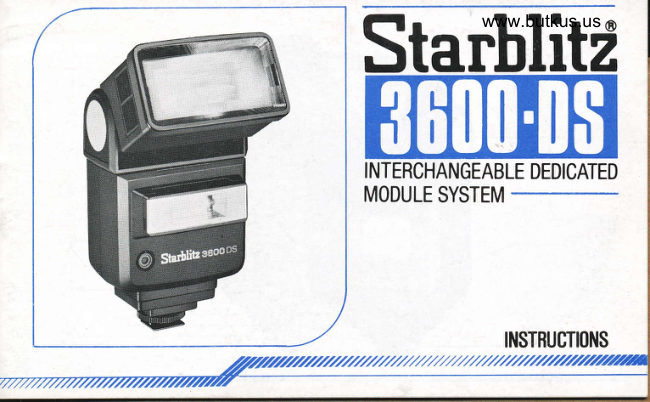
Starblitz 3600-DS User manual
User manual for Starblitz 3600-DS. 25 pages in English. Read the original PDF, download or print a copy without registration.
25 pagesEnglish3.2 MB PDF
Loading your manual…Open PDF directly
Document details
- Brand
- Starblitz
- Model / document
- Starblitz 3600-DS
- Document type
- User manual
- Language
- English
- Pages
- 25
- File size
- 3.2 MB
- Category
- Film cameras
- Document date
- Not specified in catalog
Search available document text
Find a term, then jump to its page in the original PDF. Image-only pages may not be searchable; check the PDF for exact wording and diagrams.
Page 1 · Read text
www.butkus.us
Starbli


INTERCHANGEABLE DEDICATED
MODULE SYSTEM


                    tNSTRUCfl(ll{S
.//////////////////////2
View original page 1Page 3 · Read text
Digitally signed by mike butkus
                             DN: cn=mike butkus,
                              o=orphancameras, ou=29,mike butkus email=mike@butkus.org, c=US
                                  Date: 2020.08.29 15:39:10 -04'00'
View original page 3Page 7 · Read text
PARTS DESCRIPTION

  1. Main Flash Window                                     '18. Mode Selector Switch
 2. Adjustable Swivel Base                        19. Battery Chamber Cover
 3. Slot for Reflector Panel (for auxiliary flash)    20. Twin Flash Switch
 4. Auxiliary Flash Window                       21. ON/OFF Switch
 5. Auto Sensor Eye                                22. Test Button/Ready Lamp
 6. Shoe-module Base                            23. Red LED for ON/OFF Switch ON
 7. Shoe-module (optional - select for your        24. Shoe-module Release Button
   camera)                                       25. Synchro Cord Socket (for standard
 8. Locking Wheel                                shoe-module)
 9. Zooming Head                                26. Test Button (for standard shoe-module)
10. Zooming Position Indicator                    27. Reflector Panel
11. Bounce Angle Indicator
12. Adjustable Bounce Head
13. Distance Guide Scale
14. Aperture Guide Scale
15. Guide Scale Knob for Film Speeds and
    Apertures
16. Film Speed Window
17. Auto-check Lamp
View original page 7Page 8 · Read text
SPECIFICATIONS                                  www.butkus.us
Guide Number            1) Main flash only - See Table A
(rso/ASA 100)            2) Twin Flash (at Zooming head W1 position)
                              a) Main flash 27 in(meters) /g9 in feet
                                b) Auxiliary flash 8 in (meters) /26 in teet
Auto Correrage Range        See Table B
Angle of Coverage          1) Main Flash only - See Table A
                         2l Auxiliary Flash V 40", H 60.
Colour Temperature             Daylight (5,700'K)
Flash Duration                1/1000 sec. at manual setting
                               1/1000 - 1/50000 sec. at auto setting
Charging Time                10 seconds at manual setting by Alkaline battery
                                  0.2 - 10 seconds at auto setting by Alkaline battery.
Charging Inhibit Time           1.5 - 2 seconds
Power Source                 4 x 1.5V AA-size (LR-6) Atkatine battery
                            Ni-Cad battery may be used
Number of Flshes             Approximately 120 flashes at manual setting by Alkaline battery
                              Approximately 120 - 2000 flashes at auto setting by Alkaline battery
Dimensions                    136 X 79 X 88 mm with Standard shoe
Weight                      3409 with Standard shoe, but without battery
Accessory Included            Reflector Panel for Soft Twin Photography
Optional Accessory           SD-System dedication shoes
                            Standard shoe with synchro cord
                           Wide adaptor (For 20mm lens)
                             Colour Filter Kit
View original page 8Page 9 · Read text
The Starblitz 3600DS flash unit is designed to meet all the modern functions of leading 35mm SLR cameras
 by employing newly developed interchangeable dedicated module and LED display. Some of its main
 features are as follows, and please read the manuals to use this flash extensively.
 1. Inlerchangeable'SD' module 3y3tem
    This interchangeable module system enables to dedicate to all major 35mm SLR cameras' functions,
    such as automatic aperture pre-setting, TTL-automatic flash and automatic check display in the
     viewfinder, which are found only with the unit specially made by the camera manufacturers'

Thq following interchangeable module are available for each camera make.
 Moule No.                       Camera Brand

    DP-1                        PENT
    DM.1                          MIN

                             OLYMPUS
    DN.1                         NIKON
     R-1 & DR-2
    DCH.1                      CHINON
                              KONICA
       1(w      ro cord)          Cameras without
fnot", A                 above listed.                                                                                                                                                                                                                                                                                                                                              I|      *"ys than
View original page 9Page 10 · Read text
2. Flal-tracklngCircuit                                   www.butkus.us
    This new circuit enables to.use the flash unit in rather short distance at automatic flash operation. By
    now, the minimum auto flash-to-subject distance at 12.8 has been around 1.5 meters or 5 feet, and at the
    shorter distance than this, the pictures tend to be over-exposed. This unit enables to have correct
   exposure up to at about 0.7 meters or 2 feet in auto mode. The minimum distance, however, is restricted
    because of the parallax between angle of coverage of lens and that of the flash unit.
    This flat-tracking  circuit operates  in TTL-auto flash mode, as the circuit accurately responds to the signal
   (TTL measuring signal), and correct exposure can be obtained. However, the operation of the circuit
   depends fully on the camera's signal, and if the camera's signal is that of over exposure, the picture will
   become over-exposed.   Please refer to your camera's instruction manual and follow  its instruction.
3. Solt Twln
   The auxiliary flash head in the front also bounces up to 90 degrees and the unit provides slot for reflector
    panel (supplied with the unit as a standard accessory) for the auxiliary flash head. The effects of the
    ordinal twin flash (where the auxiliary flash head fixed to fire straight lorward only) in bounce
    photography, are in taking portraits;
   1) To fill in the shadows under the nose and eyes.
   2) To eliminate colourings of the bounced light.
   3) To provide a catch light in the eyes.
   By using a reflector panel with tilting auxiliary flash, the light from the auxiliary flash becomes softer and
    this makes the picture more natural. Fig. 1
    Also the main and auxiliary  f lashes are interconnected  in one circuit and the combined light is measured
    simultaneously by the unit sensor in case ol automatic flash operation. Therefore, the correct exposure
   can be obtained even at close distance.
View original page 10Page 11 · Read text
PREPARATIONS
  1. Attachlng lhe Interchangeable module      To attach the module, slide the module along the shoe guide of the flash unit. Fig. 2 Be sure to check  if
      the module  is correctly attached.
     To detach the module, pull the module while lifting shoe-module release button @. Fig. 3
  2. Battery Loadlng
       This flash unit is powered by four AA-size 1.5V batteries. When loading the battery, be sure to switch.off
       the ON/OFF switch @. Slide and open the battery chamber cover @ and insert four batteries Fig.4
       taking care the positive and negative terminals of batteries are correctly aligned as indicted in the battery
      chamber. Fig.5
  N.B. Clean the battery and chamber contacts at regular intervals. Remove the battery,  if the unit is likely to
         be out of use for a long period. When the unit is new or after it has not been used for a time, the
          capacitor will take longer to charge.
         Always change battery in four-piece set. Ni-Cad rechargeable battery may be used with this flash
              unit.
  3. Tesl Flash
      The test button (22) is located at the bottom centre of back panel serving the ready lamp as well. Push the
      button for test firing. Also auto check can be made with this test firing (Please refer to 'Automatic
       operation).  Fig. 6
       - Some camera has the mechanism which only synchronize the shutter after the film counter comes to
         the first frame.
           ' Flash-stop mechanism - Daylight shooting without flash operation  is possible without detaching the
         flash unit from camera. Simply turn off the ON/OFF switch.
10
View original page 11Page 12 · Read text
www.butkus.us
   4. Altrctlng the unlt lo camera
        This flash unit employs 'hot-shoe'contact system. Just slide the shoe into the accessory shoe on the       camera and tighten the locking wheel (8) Fig.7. When attaching the unit to the camera not having
         'hot-shoe'contact,  use standard module with attached synchro corJ.
   5. Shutter epeed
        1) Leaf-type lens shutter camera
       The flash unit will synchronize at any shutter speed but in ordinal case, the shutter speed of 1/125 sec.       may be recommended.
       2) Focal-plane  shutter camera
t      The focal-plane shutter cameras have 'X' synchro shutter speed appropriate for each camera. Set the
        shutter speed in accordance with the instruction manual of the camera.
       3) Dedicated camera
        Select the camera's mode appropriate to dedicated flash, and refer to your cameras manual for proper      mode setting.
      When the capacitor is  f ully charged, the shutter speed  is automatically set at the proper shutter speed for        the camera in use.
      Some camera has the feature of slow shutter speed synchronization and in the event the shutter is set
       slower than 'X' synchro speed, the flash operation is made at the set shutter speed slower than ,X'
       synchro speed. Please consult with your camera's manual as well as the table on the last page of this        manual.
View original page 12Page 13 · Read text
6. Zoomlng Head
   The zooming head allows the selection ol four preset lighting angles by just pulling out the main flash
    head. The guide number changes in relation to this head position. Fig. 8
       It is not necessary to select the zooming head position equal to the camera lens'focal length. The better
    results may be obtained by using the wider coverage angle of flash head than that of the lens. For
    example, suppose using the 50mm lens, W1 or W2 head position will be quite all right, when considering
   the parallax between flash and lens coverage angle. When taking picture at long flash-to-subject
    distance, however, the maximum auto coverage distance will be suitable with the zooming head position
    equal to the focal length of the camera lens.
  Gulde Number and Angle of Coverage Table (TABLE A)                (For Maln Flash only)
                                                   Guide Number
                Zooming Head Position              (rso/ASA 100)          Angle of Coverage
                                                                         Vertical    53o    w2(281   Compatible w/28mm lens and longer          25ml83ft                                                                       Horizontal 70"
                                                                                              45o   w1 (3s)   Compatible w/35mm lens and longer          30m/100ft          Vertical                                                                       Horizontal 600
   N (s0)   Compatible w/50mm lens and longer         36m/119ft               Vertical    u"                                                                                       Horizontal   460
                                                                                                   23"  T  (85)   Compatible w/85mm lens and longer          42m/139tr          Vertical                                                                                                                                 o                                                                       Horizontal 31
              Adaptor (at W2 position)                                                                                                   69"   /V2 + Wide                                                          15m/50ft           Vertical             Compatible w/2Omm lens and longer                             Horizontal 87"
View original page 13Page 14 · Read text
7. Gulde Scale                                        www.butkus.us
   There is a guide scale on the back of the flash unit. The combination of distance and aperture in the
   window is based on the zooming head position of W1 compatible with 35mm lens, which equals to the
   guide number of 30 (lso/ASA 100 in meters) or 100 (tso/AsA 100 in feet). Fig. 9
   As the guide number changes in relation to the zooming head position as above, and care should be
   taken when shifting the zooming head from W.l position.
View original page 14
Page 15 · Read text
OPERATING INSTRUCNON
   Slide the switch @ to ON position, and the red LED @ light up indicating the flash unit is ON. After a few
   seconds, ready lamp @ light up for READY indication. Fig. 10
   After about 90 seconds of last operation or power on, the red LED @ goes out as the flash unit incorporated
   Auto-Shut-Off feature lor energy saving. During the time while the ready lamp is on, the flash is in operative
   condition. After flash operation, the unit automatically recycles and red LED lights on.
  When fully discharged, the unit stops charging for about 2 seconds and after this inhibit time, the flash unit
    starts to recharge.
  1. Manual Operatlon
      1) Set the  f ilm speed by sliding the guide scale knob @, so that the film speed using should be shown in
       the window @. Fig.9
      2) Set the mode selector switch @ to 'M. TTL' position. Fig. 1'l
      3) Set the mode selector switch of module to 'Aux. Auto/M' position (Refer to the instruction with
       modufe). Fig.'12
      4) Estimate the camera-to-flash distance (better to measure) and read the lens aperture in the window @
        just below the nearest distance. Set the aperture of camera lens.
      Be sure that the guide scale is for the zooming head position of W1  , and when you set the zooming head
       other position than W'l  , the maximum coverage distance will change as follows:


14
View original page 15Page 16 · Read text
Head Position            Maximum Coverage Distance    www.butkus.us
        w2                                                er than indi
       N-                                      lonqer than   i
       7-                                           than   i
Erample: At the zooming head position  'N', the maximum coverage distance
           at F4 is about 9m (ISO/ASA100), while the panel indicates 2.5m.
 2.  Automatlc Operallon (Urlng the computor In the llash unlt)
  1) Set the film speed by sliding the guide scale knob @, so that the film speed using should be shown in the
    window @. Fig.9
 2) Set the mode selector switch @ to either one of two'A' positions Fig. 13 When fully charged, your preset
    aperture will be illuminated with red LED.  lf the aperture is not suitable for flash-to-subject distance, set
    the switch to other'A' position. set the aperture of the camera accordingly.
 3)  Set the mode selector switch of module to 'Aux. Auto/M' position (Refer io the instruction manual with
    module for further detail). Fig. 14
 4) When the flash-to-subject distance is within the auto coverage range, the green auto check lamp @    illuminates for about two seconds after firing the flash unit.
 The auto coverage range at the film speed of lso/ASA 100 with w1 zooming head position is as follows:
 (main flash only).
View original page 16Page 17 · Read text
Auto Coverage Range Table (TABLE B)
                                   (rso/AsA 100)

                                                   Zooming Head Position
        Preset               W2 + Adaptor                             w2 (281       w1 (3s)       N (50)           r (85)       Aperture
                          0.7 - 5.3m          0.7 - 9m         0.7 - 10.7m       0.7 - 12.8m        0.7 - 15m
            12.8          2 - 17.5lr         2 - 30ft          2 - 35ft          2-42ft          2-50ft
                          0.7 -2.7m         0.7 - 4.5m          0.7 5.3m          0.7 - 6.4m         O.7 -7.5m
           f5.6            2-gft          2-15ft         2 -',t7lt         2-21ft          2 - 25tr

   '1 The above distances are the one with Main Flash only, and when taking photo with twin-flash, the
    maximum distance will be shorten by about 10o/0.
   '2 Be sure to note that just after the ready lamp is on, the maximum distance may be shorten and you have
       better to wait for a while to have good results.
   '3 The maximum auto coverage distance will change by shifting the zooming head as follows:

         Zooming Head Position


to
View original page 17Page 18 · Read text
3.  TTL Auto Flarh Operatlon                               www.butkus.us
1) Set the film speed by sliding the guide scale knob @, so that the film speed using should be shown in the
   window @. Fig. I
2l Set the mode selector of the flash unit @ to'M.TTL' position. Fig. 15
3) Set the mode selector of the module to 'TTL' position. Fig. 16
4) Set the lens aperture as you like by consulting the maximum coverage distance. The correct exposure
   can be obtained at any f-stop, provided the flash-to-subject  distance is shorter than the maximum
   coverage distance table.
5) Set the camera in TTL mode. For the detail camera operation, please refer to the camera's instruction
   manual.
View original page 18
Page 20 · Read text
NOTE: '  When shooting at the flash-to-subject distance shorter than 1 meter or 3.3 feet, use W2 zooming               head position.                                  www.butkus.us            -  The minimum distance on the table depends on the camera's mechanism, and the table is just
                 only for reference purpose.
                      '  Coverage range changes in accordance with the film speeds and the following compensation
                                                                                                             t:


             rso/AsA 100                               1            The minimum distance, however, will not be
             ISO/ASA 2OO                   x1.4             shorter than 0.5 meter or 1.6 feet, because of the
             ISO/ASA 4OO                 x2               parallax between the angle of coverage of lens and
                                                                    that of flash unit.

       Hlnts lor TTL Auto-flach and Non-TTL Auto-flash Operatlon
           In case of TTL auto-flash operation, the exposure is calculated with the reflectire light from the film
          surface by camera's computor and  it depends on the films used on the camera. Particularly, the over-
         exposure may be resulted when using reversal films and  it is better to have some compensation after
            testing. In this case, operate the flash in Non-TTL auto-flash operation by using the computor  in the flash
             unit.
          Also at close flash-to-subject distance, TTL auto{lash operation tends to be over-exposed.
       When shooting at longer distance with the lens of medium telephoto, TTL auto-flash operation may be
          advantageous.


                                                                                            19
I
View original page 20Page 21 · Read text
4. Operatlon wlth motor drlven Gamera
        This  f lash unit is designed to be synchronized with motor driven camera. By following the steps as under,
       the flash unit will synchronize with camera up to four to five frames per second.
       1) Set the mode selector switch of the  f lash unit at'A' (f2.8 for ISO/ASA 100 or f5.6 for ISO/ASA 400  f ilm).
       2) Set the camera lens aperture in accordance with the above.
       3) Use 4 FRESH ALKALINE BATTERIES.
      4) Keep the flash-to-subject distance around 2 meters or 6.5 leet.
   5. Bounce/Swlvel Photographl Fig. 17
      The main flash head bounces and swivels. The bounce flash operation in auto mode is same as normal
       automatic operation. Test by pushing the test button for better result.
          In case of manual bounce  f lash operation, the total flash-to-subject distance  (f lash-to-reflective surface *
         reflective surface-to-subject) should be calculated and appropriate lens aperture should be selected.
   Nole: When using color films, better to bounce the light off white surface only, since the reflective light will
            take on the colour of reflective surface,
   6. Twln Flaeh
      When using twin flash, slide twin-flash switch @ to'TWIN' position. Please refer to'Soft Twin' article of
         this manual. Fig. 18
   7. Off-camera Flarh Photography
            It is possible to use the flash unit away from camera by means of attaching the standard module and
       supplied synchro cord. When employed in this way, always ensure that the total flash-to-subject distance
       should be taken into account, or under-exposure  will result. Also ensure that the flash unit is held
      'SQUARE'to the camera, i.e. do not allow the flash to face away from a reflecting surface.

20
View original page 21Page 22 · Read text
PRECAUTIONS                                       www.butkus.us
1. Should the unit fail to operate for any reason other than weak batteries, please refer to qualified service
    personnel. A high voltage capacitor is incorporated  in the unit.
2. Remove the batteries if the unit is not in use for any period exceeding say two or three weeks.
3. Keep the unit dry and store in a moisture-free environment.
4. When photographing outdoors or in a large room or hall with no etfective reflecting surfaces nearby,  it is
    necessary to set the camera lens at a wider aperture than that indicated (1 or 2 stops).
5. When using this flash unit, please make sure that the rectangular flash reflector corresponds to the
    rectangular picture format, otherwise you will not obtain an evenly illuminated picture.
6. Close-up photography. With extension tubes or bellows, the extra exposure for close working is best
   determined by reference to the factors provided with the extension tubes or the approximate scale of
    reproduction with bellows.
   The exposure factor = (1 * scale;2. Thus, at a scale of 1 : 1 , for example, the exposure factor  is 4X and the
    lens aperture should be opened two stops.

     In this case, off camera photography using the synchro cord is recommended. Also use the flash unit in
   Manual mode.


                                                                                              21
                               ',*.
View original page 22From the M. Butkus archive. Original publisher and archive notices are retained.
Check the model and edition against your equipment.
PDF verified 2026-10-10.