Film cameras
Sunpak Auto 311 User manual
User manual for Sunpak Auto 311. 50 pages in English. Read the original PDF, download or print a copy without registration.
50 pagesEnglish5.6 MB PDF
Loading your manual…Open PDF directly
Document details
- Brand
- Sunpak
- Model / document
- Sunpak Auto 311
- Document type
- User manual
- Language
- English
- Pages
- 50
- File size
- 5.6 MB
- Category
- Film cameras
- Document date
- Not specified in catalog
Search available document text
Find a term, then jump to its page in the original PDF. Image-only pages may not be searchable; check the PDF for exact wording and diagrams.
Page 1 · Read text
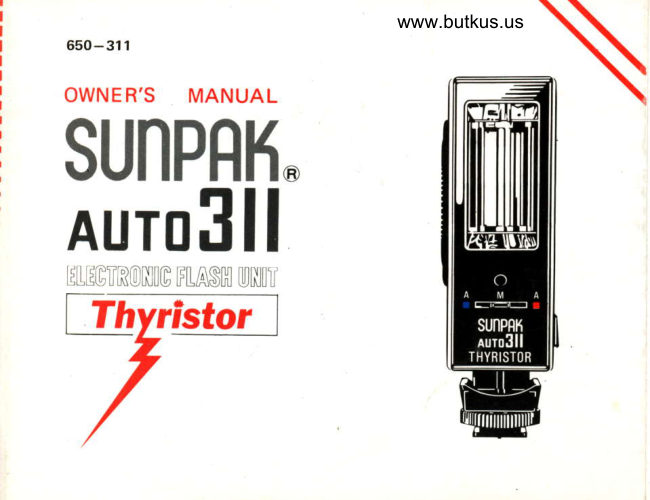
www.butkus.us
650-311

OWNER'S MANUAL
SUNPRH.
AUTOSII
EILIGTfriONI(g IFIASM UNI]I'
nWfrstol]l,

-,
   /
View original page 1
Page 3 · Read text
www.butkus.us
tor                                       Battery Compartment Covel


 Manual
 F/Stop Scale

 Manual
 Power Ratio Dial
                                            Auto (Computer)
 Power Ratio Scale                                    Signat Light

   Ready Light/Open Flash
           Button

            On/Off Switch


         Test Flash Contact
View original page 3Page 5 · Read text
INTRODUCTION


WELCOME to the world-wide family of Sunpak owners! Your
Sunpak Auto 3'l 1 is an advanced electronic  f lash unit which gives
you...


                                                                                                                                                   f lasho Automatic Computer Operation. Perfectly-exposed
   pictures-automatically-at distances from 19 inches to 20
    feet.
   Dual Computer Range. Gives you choice of lens openings fcr
    depth-of-f ield control.
o  Energy-Saving Thyristor Circuitry. Gives you almost instant
   recycling and hundreds of extra  f lashes by conserving unused
   energy after each shot-in automatic or manual operation'
    Exclusive Variable Power Ratio Control. In manual mode, you
   can vary light output from Fullpower to an incredible 1/16th
View original page 5Page 6 · Read text
www.butkus.us


   power! Result: perfect  f ill-in  f lash outdoors.
   In action photography, take pictures every second or faster-at
   any distance! Plus exciting special-effects applications.
o Beautiful Color Pictures. Sunpak's unique Gold-Toned Flash-
  tube and highly polished reflector make every shot a sure
   shot... and the light is the same color as daylight, so no filters
   are needed with daylight color  f ilms.

Since this flash is in many ways more versatile than conventional
electronic flash units, please take the few minutes required to
carefully read this Owner's Manual-with your Sunpak Auto 311
in front of you. You'll be rewarded by superior  f lash photographs
starting with your first roll of  f ilm-and for.many, many years to
come....
View original page 6
Page 8 · Read text
www.butkus.us


                                         I ursceluerueous                                                rNFoRMArroN ]
vil.   Manual Operation: Synchro-             Xll.   Helpful Hints .             P.36     Sun Photography  (Fill-l n       Flash) and other Special                   Xlll.  Choosing Battery Type     P.39
       Application                 P.22    XlV. Using Rechargeable Nickel-
vlil.  Manual Operation  : Constant                Cadmium Batteries       P.40
      Aperture Control in Photo-         XV.  Multiple Flash Operation with
      Macrography....            P.27           Sunpak Auto Slave Unit     P.42
tx.   Manual Operation: Shooting          XVl. Care of Your Electronic
        at Controlled Recycling                 Flash                    P.44
      Times                       P.31                                         XVll. Technical Specifications  of
x.    Manual Operation : Creative                 Sunpak Auto311 ........     P.46       Special Effects Photography
      with the Sunpak Auto 31 1.  .  P.32    o   Warranty                     P. 48
      Manual Operation  : Choclsing        o    About the Manufacturer  . . .  P.49
      Guide Numbers             P.34
View original page 8Page 9 · Read text
FOUR BASIC STEPS


  Gondensed 0perating Instructions
To use your Sunpak Auto 311 Thyristor  f lash, here's all you have
to do:

1) Install Batteries (P. B ) The convenient hinged cover opens up
   to accept 4 AA Alkaline or Nickel-Cadmium batteries-enough
   for hundreds of  f lashes.
2) Mount on Camera. (Pl0) Stide flash into camera's accessory
   shoe, and lock in place by turning knurled black screw on
'     f lash. For 'Hot Shoe' cameras, no other connection is needed.
    lf your camera requires a plug-in flash cord, pull out the
   built-in cord of the flash and plug it into the camera's'X'
   outlet. Set shutter to fastest speed which is synchronized for
   electronic flash.
3) Select Lens Opening for Auto Operation (P.1 3 ). Move Selector
  Switch (front) to Blue (maximum Range) or Red (Minimum
View original page 9Page 10 · Read text
www.butkus.us


   Range) position. Turn  f lash Calculator Dial (side) until correct
  ASA speed is shown by Orange triangle. The Blue and Red
   arrows at the top of the dial now point to the (Green) lens
  //numbers for automatic operation in either range. Set your
    lens to the opening indicated for the Auto Range in use.
4) tate the Picture! (P.16). Move switch on back of flash to'On'
   postion; in a few seconds, the Green (Auto) window lights up,
   conf irming that you're set for automatic operation, next, the
  Red (Ready/Test) window lights up...and you're ready to take
   the picture!
  To verify correct exposure, press the 'Ready/Test' button with
  your flash aimed at the subject. lf exposure is correct, the
  green lamp will flicker rapidly immediately following your
   'test'flash
   Picture after picture-different  subjects, different distances,
   different surroundings. All perfectly-exposed, automatically,
   with your Sunpak Auto 31 1.....
View original page 10Page 11 · Read text
OPERATION

l)  Install Batteries


                                             Slide cover of battery compartment
                                           (back) partially towards top. Now,
                                             gently fold down cover in direction
                                             shown.
View original page 11Page 12 · Read text
www.butkus.us

              -ffi                               i1'


2. Insert.four AA-size batteries (Alkaline          Press cover until  it snapS into place.
   or Nickel-Cadmium)  as shown.            For information on using N ickel-
                                        Cadmium batteries, see page 40.
View original page 12Page 13 · Read text
ll) Mount on Camera


1. Raise the knurled Locking Screw on     2. For cameras with 'Hot Shoe' (cordless)'
   the flash by turning  it clockwise.                 flash contact, no further connection  is
   Slide  f lash into camera's accessory shoe        necessary. (Note: leave PC Cord
   (or shoe of flash bracket,  if one  is         plugged into retaining pin on Sunpak
   used). Turn the locking screw counter-           side; if unplugged, flash will not fire
   clockwise fully to secure f lash in shoe.          through hot shoe.l
                                                                      lf camera does not have 'Hot Shoe',
                                                    pull out Sunpak's PC Cord (illustrated)
                                       and plug into camera flash outlet as
                                              snown.
View original page 13Page 14 · Read text
www.butkus.us


                                           Set shutter to fastest spe€d synchro-
                                             nized with electronic flash. For non-
                                                 interchangeable-lens cameras, th is  is
                                                   usually the fastest speed. With inter-
                                                  changeable-lens cameras, the highest
                                         usable speed is  generally  1 /60th
                                           second; however, cameras with the
                                                      vertical-travel Copal'Square' shutter
                                                        (or similar type) permit electronic  f lash
                                                 synchronization up to 1l125th second.
3.   lf camera has separate flash outlets      Most cameras ind icate the fastest
   marked'M' and'X' attach Sunpak cord         'X'-synch speed either by showing the
   to 'X' outlet.                              letter'X'on  the speed dial, or by
4.   lf camera has switch (usually around        marking the fastest usable speed in a
   lens barrel) marked 'M' and 'X', set          special color. lf in doubt, check with
   switch to 'X' position.                    your camera dealer (or in camera's
                                                       instruction manual). Should this not be
                                            immediately possible, set shutter to
                                              1/25th or 1/30th second: at this speed,
                                                    all modern cameras are synchronized.
                                                                                              11
View original page 14Page 15 · Read text
,-------.;
tl                                                                                                            t:i,               rt
                                                                                                                                                                                                                                          lii:ii
    6. Select Flash Postion                                                                                                                                                                        \----./                            lI       Your Sunpak flash is equipped with a
il       unique 3-way mounting system. Simply
        turn the flash unit in the desired direc-
       tion as shown. Select the Position
       which is most comfortable, and gives
      you the best access to your camera's
         controls.

      When shooting with wide-angle lenses,         Note: Your  f lash is designed to provide
       always place flash in horizontal posi-       optimum illumination over the field
        tion. This assures a wide light path,        of a 35mm wide-angle lens. 29mm
        enabling you to use 35mm wide-angle        wide-angle lenses may also be used
        lenses on your 35mm camera with         with acceptable results. lf you own a
        excellent evenness of  illumination      28mm wide-angle lens, take a series of
        throughout the entire picture area.            test    f lash pictures to  determine
                                              whether you will obtain satisfactory
                                                                results under the conditions representa-
                                                                tive of your normal picture-taking.
View original page 15Page 16 · Read text
III) AUTOMATIC                   www.butkus.us
    OPERATION:
    SELECT LENS OPENING
Your Sunpak Auto 3l1 measures the light
reflected by your subject-and auto-
matically regulates lighting volume for
correct exposure. The Auto ('.Computer')
sensor is housed in the front of your flash,
below the flash reflector. By moving the
selector switch (black) to either the Blue
or Red mark, your flash is set for auto-
matic operation.
1. Move Calculator Dial on side of flash
  so that ASA Film Speed in use is
  shown by Orange Triangle at bottom.
   (Example: ASA'100.)

      Note: lf the ASA number for yodr film is not printed on the ASA Film
      Speed Scale, use an intermediate marking as shown:
View original page 16Page 17 · Read text
2. The Blue and Red Arrows (upper part
   of Dial) now point to the correct lens
   openings (Green //numbers) for auto-
    matic operation. Set your camera's lens
    to the opening indicated for the Auto-
   matic Range you prefer. Then, move
   the Selector Switch (on front) to the                                                                                rsr A  sp..t   match ing-color symbol.
   Al For maximum distance nnge in            For maximum distance range in                                                  automatic operation (Blue)      automatic operation, set your lens
      to the opening indicated by the      Blue arrow. (For ASA 100  f ilm, the                #
        lens opening is/4.)                                                                                                        Ill
   Bl Move Selector Switch (on front of
        flash) to theBlue symbol.
      Your flash and lens are now set for
      correct exposure at all distances
      between 19 inchesand 20feet,14
View original page 17Page 18 · Read text
www.butkus.us


Cl For maximum  depth-of-field
    (greatest sharpness in front of, and
    in back of, subject) set your lens to
   the opening indicated by the ,1ed
   arrow. (For ASA 100 film, the lens
   opening is/8.)                  E..;m#
Dl Move Selector Switch (on front of                                                                          lsl I   sgr.r       ff ash) to the Red symbor.
  Your  f lash and lens are now
   adjusted for correct exposure at all             For maximum depth-of-field in
                                                automatic operation (Red)   distances between 19 inches and 10
    feet.
 Nots Do not move Selector Switch                               fr
 to White symbol unless manual
 exposure control is desired (see
 p. 18).
View original page 18Page 19 · Read text
IV} TAKE THE PICTUREI
         It's easy-just follow these
       steps:


 1. Move OfflOn Switch (on back of flash)
   to 'On' position (so Red is visible).
    Within seconds, you'll notice the...
2. Green 'Auto Mode' window will light
    up. This conf irms that your flash is set
    for automatic operation. Then, the...
3, 'Ready/Test'  light will glow...showing
    that your flash is ready to fire at full
    oower.                                 * To verify correct automatic exposure,
                                               iust aim your flash directly toward
 4. Take thc Picture!                         your subject and press in the'Ready/
   For succeedrng exposures, just wait un-         Test' button. This will cause the flash
     til the Ready/Test Light comes on;        to fire without actually exposing any
   make sure you're within the distance          film. lf the automatic exposure  is cor-
    range for Automatic operation (19"-10'         rect for your subject, the green 'Auto
   at minimum range, 19"-2O' at maxi-         Signal' lamp will flicker rapidly im-
                                       . and shoot!                    mediately after the 'test' exposure. lf16 -r-   range)  . .
View original page 19Page 20 · Read text
www.butkus.us


                                     Because your Sunpak Auto 31 1
                                             incorporates energy-saving Thyristor
                                                 circuitry, you'll find you're able to
                                           take pictures within a few seconds-or
                                                    fractions of a second! The closer you
                                                are to your subject, the less energy the
                                       flash requires-and the faster the
                                                interval between flashes ('recycling
                                                  time'}. When your subject is 3 feet
                                     away or closer, you'll be able to click
the, lamp does not flicker, move closer         off picture as fast as you're able to
to your subject (or, if you're shooting         advance  f ilm in your camerp!
in Red/Minimum range, switch to Blue/     When you're done taking . flash
Maximum range and adiust aperture          pictures, turn the OfflOn Switch to
accordingly). This green lamp thus          'Off' position (Black is visiblel. No
provides positive verification that your         energy is now being consumed. (The
picture will be correctly exposed auto-        'Auto Mode' and 'Ready/Test' lights
matically.                      may continue to glow for  several
                                                 minutes; that's O. K.)                                                                              17
View original page 20Page 21 · Read text
V) MANUAL OPERATION:
    At Maximum Power
                    :;;4Using your flash manually at full power  is                7e7".!e4:,io  .!
generally beneficial only when subjects are                 +                                                                               .  1: runmore than 20 teet away and/or use of
smallest possible lens openings  is desired.
Here's how:
1. Move Selector switch on front of flash                            rsl A spr.a
   to center oosition (under the white
   'M'). This disengages the auto com-
   puter circuit of your flash. You will
   note that the green auto signal light
   will not glow.
2. Move Power Ratio dial (on side, in
   center of calculator dial) so that the
   word "Full"  is indicated by the white
   mark below the dial.
3. Move (outer) calculator dial to show
   correct ASA film speed. (ExamPle:
  ASA 100).18
View original page 21Page 22 · Read text
www.butkus.us

                                                     . ?"n
                                ?v;:3+.:u.tio
                                                                  - 1? sut
4, Your flash calculator now shows the
   correct lens opening for pictures at
    distances frorn 1.6 feet to 40 feet. Find
   the   flash-to-subject distance by
   focusing in the normal way, and noting
   the distance shown by your lens.
   (Example: 40 feet).
5. Set your lens to the lens opening
  shown for this distance. (Examole:
   with ASA 100 film, correct leDs open-
   ingat40 feetis[21.
6. Shoot! All photographs taken at this
    flash-to-subject distance will be cor-
    rectly exposed.
View original page 22Page 23 · Read text
VI} MANUAL OPERATION:
      Selecting Light Output for
      Different Lens Openings
                                 s2e q."l-e/ Your Sunpak Auto 31 1 electronic flash                 a
 has the uniqub capability of variable light                     1e:tio  .
 output, even when.used in manual mode.                        :.1: rur
 This enables.you to shoot at wider or
 smaffer lens openings for selective depth-of
 field control and, as the energy-saving                             lsa A sp".l thyristor circuitry continues to function,
 simultaneously shortens recycling times
 and provides greater numbers of flashes.       3.  Focus as you normally do. Note the
 Yet, this remarkable feature  is extremely          distance shown by the distance indica-
 easy to use:                                       tor on your lens. (Example: 1O feet).
 1. Move Selector switch on  f ront of  f lash       4. Now, simply move the Power Batio
   to center position (under the white         Dial (in center of calculator diall until
    'M'). This disengages the auto com-         the desired lens opening appears under
    puter circuit of your flash.                the correct flash-to-subject  distance
 2. Move (outer) calculator dial to show        (10 feet). With ASA 100 film at 10
    correct ASA film speed. (Example:          feet from your subject, you can select
20 ASA 100).                               lens openings from f 2.O (1/16th
View original page 23From the M. Butkus archive. Original publisher and archive notices are retained.
Check the model and edition against your equipment.
PDF verified 2026-10-10.