Film cameras
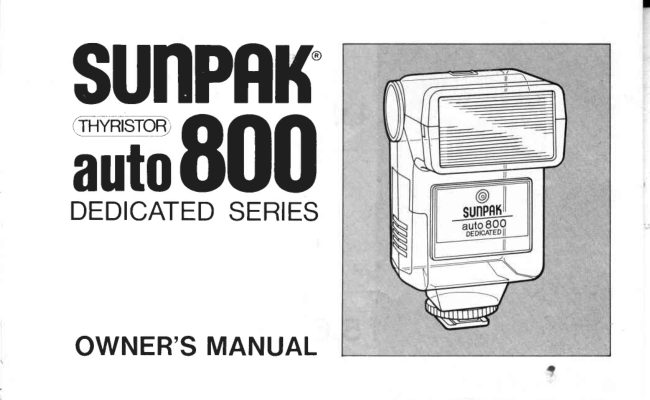
Sunpak Auto 800 User manual
User manual for Sunpak Auto 800. 17 pages in English. Read the original PDF, download or print a copy without registration.
17 pagesEnglish0.8 MB PDF
Loading your manual…Open PDF directly
Document details
- Brand
- Sunpak
- Model / document
- Sunpak Auto 800
- Document type
- User manual
- Language
- English
- Pages
- 17
- File size
- 0.8 MB
- Category
- Film cameras
- Document date
- Not specified in catalog
Search available document text
Find a term, then jump to its page in the original PDF. Image-only pages may not be searchable; check the PDF for exact wording and diagrams.
Page 3 · Read text
SAVETHESEINSTRUCTIONS
WHEN USING YOUR PHOTOGRAPHICEOUIPMENT,BASIC SAFETY
PRECAUTIONSSHOULD ALWAYS BE FOLLOWED,INCLUDINGTHE
FOLLOWING.
1 . READ AND UNDERSTANDALL INSTRUCTIONS.
2 . CLOSE SUPERVISIONIS NECESSARYWHEN ANY APPLIANCEIS
  U S E D B Y O R N E A R C H I L D R E N D. O N O T L E A V E T H I S A P P L I A N C E
  U N A T T E N D E DW H I L E I N U S E .
3. DO NOT OPERATE APPLIANCEIF IT HAS BEEN DROPPEDOR
  D A M A G E D - U N T I L I T H A S B E E N E X A M I N E DB Y A O U A L I F I E D
  S ER VI C E M A N .
4. TO PROTECTAGAINST ELECTRICALSHOCK HAZARDS,DO NOT
     I M M E R S ET H I S A P P L I A N C EI N W A T E RO R O T H E RL I O U I D S .
5. TO AVOID ELECTRICSHOCK HAZARDS,DO NOT DISASSEMBLE
  T H I S A P P L I A N C EB, U T T A K E  I T T O A O U A L I F I E DS E R V I C E M A N
 W H E NS O M ES E R V I C EO R R E P A I RW O R K I S R E O U I R E D .
  INCORRECTREASSEMBLYCAN CAUSEELECTRICSHOCKHAZARD
  WHENTHE APPLIANCEIS USEDSUBSEOUENTLY.
                       www.orphancameras.com   IMPORTANTSAFEGUARDS
View original page 3Page 4 · Read text
3" Pressthe cover until it snapsinto       4. 1 ) M ou nt you r Sunpak  f lash to
   p I ace.                                    the hot shoe of you r camera"
   Note: Do not m ix alkaline with           2l Turn the knu rled lock ring
  N icad or new batterieswith used           clockwise  to  insure secure
   batteries.                     m ou nting  to  you r camera's
                                          shoe.


 Auto 800 DedicatedSeries
View original page 4Page 5 · Read text
Auto 80O Dedicated Series
          The  Auto  800  Dedicated Series is
           available in four models for use with
         C a n o n , N i k o n , O l y m p u s / P e n t a x ,a n d
           MinoltalRicoh cameras"Each model has
          been designed to match the electronicI                      f lash circuitry  of  the  respective AE
           single-lens-reflexcamerawith which it is     o  For Minolta, Ricoh. (Dedicated
          used, automaticallysetting the camera's                                                   switchable system.)           shutter speed (X-sync) and illurninating
           the  f lash ready light inside the camera's
           viewfinder; depending on  the camera
          used, some models also allow use o{
           the direct TTL  automatic flash mode
           (see the separate table for  inf ormation
          regarding  application   to    various
         cameras).
         Models f or Canon and Nikon cameras        For Olympus, Pentax. (Dedicated
          have individualshoe mou nts. For Olym-                                                   switchable system.)          pus/Pentaxand Minolta/Ricoh cameras,
           there are dual models which are switch-        For Nikon and Canon, individual
           a b l e o n t h e b a c k p a n e lo f  t h e f l a s h .           shoe mount systemsare used.

                               www.orphancameras.com
                          r r / \ | r , | E l : D n     n D D r       l n , \ T l r r N l ' r n       D l   E
View original page 5Page 6 · Read text
CAMERAAPPLICATIONTABLE

 Dedicatedswitch
                           Cameramodel     position

                    Of ympus OM-1N, OM-2, OM-2N,OM-2S,OM-3
                       OM-4,OM-10,OM.F,OM.G,OM.PC

                   Pentax   MV, MG, ME-Super,ME-F,LX,
                            SuperProgram,ProgramPlus,P30,43000

                Canon   A . 1 ,A E . 1 ,A E . l P R O G R A MA, L . 1 ,A V . 1
  Fixed Module                             AT-1, New F-l , T-5O,T-70, T-80,T-90

                    Nikon    FE, FG-20,FM-2,New FM-2,EM, FA,
  Fixed Module                                FE-2, FG, F3, N-2000, N -2020AF

*With some cameras,the flashmay not operateif the availablelighting (sunlight,room lighting,
View original page 6Page 7 · Read text
1 . Slide the battery compartment      2.   I nsert fou r AA  size batteries
   cover toward the bottom of the         (alkaline or nickel-cadmium)as
   unit. Now  gently  lift  up the        shown. The  battery compart-
   cov e r.                             ment h as a gu ide showing the
                                           correct positioning of the bat-
                                             teries for proper polarity. (+,
                                        co ntacts) .
                          www.orphancameras.com
View original page 7Page 8 · Read text
5. Slide the ON/OF F  switch to        6. Flashtest (Only when ready-  "ON ". The am ber ready light
   will glow as soon as the unit           light glows)
    is chargedand ready for picture-
   taking. This takesapproximately
   3 seconds.
View original page 8Page 9 · Read text
About Direct TTL PhotograPhY:        About Auto-Check (for direct TTL
Direct TTL  flash photography  is possible       flash photography)
with most single-lensreflex cameras of  all        Use the Auto OK lamp on the back  of  the
markers  except Canon.                                                       f lash  u nit  to  check  for   correct auto
1. Set the mode select switch to "o"  (TTL).     operation. After pressing the shutter, the
2. Set the camera to  the desired f-stop         Auto OK lamp will light (green)for about
   (aperture) and film speed (ASA/ISO), and        1 second to confirm proper automatic opera-
   use as directed for TTL  photography                     t i o n .
   (see the camera's instruction manual for       NOTE:  When  performing  direct TTL
   detai ls).                                        auto  flash photography, normal  test
                                                        (open                                                                                          button)                                                                         flash                                                                                               test                                                                       using theNOTE:         For               details see the accompanyingwww.orphancameras.comflashing                                                                                       operation.                                                                              auto                                                                                 to confirm                                                         used                                                 cannot be           chart.dedicated
View original page 9Page 10 · Read text
Dedicated switch                            Cameramodel     position

                    Minolta  XG Series,X-700


                   Minolta  x-370,x-s70,5000,7000,900q xD Series
                   When this flash unit is used in the dark with Minolta 5000,
                      7000 and 9000 cameras, auto focusing function of the
                      cameras does not work since the flash has no distance
                       measuringcapability.
                R iCOh   X R-S,X R.7, X R-P,X R.2OSP,X R.sOOAUIO,
                         KR-10Super
View original page 10Page 12 · Read text
I


To  verify the  correct automatic
ex posure,   ju st  a im   y ou r    f lash
directly towards your subject and
press the Test Button. This will
cause the  flash  tp  fire without
a c t ua l l y e xp o sin g a n y film.  lf the
automatic exposure is correct  f or
your subject, the green "Auto OK"
l amp w i ll   f la sh imme diately after
th e "test" ex posure.
View original page 12
Page 13 · Read text
To  rotate the Adjustable Bounce    BE SURE TO REMOVE BAT-
f l a s h H ea d , g rip wit h thumb and    TF-RIESWHEN NOT IN USE.
f oref inger and gently tu rn to  th e
desired setting.
D O N O T F O R C ET H E H E A D :
View original page 13
Page 17 · Read text
rI
                                                     1I  Angle of illumination                  60" (H) x 45" (V)


  Color temperature                          5,5000 K

  Dimensions:                   90 (H) x 65 (W)x 69 (D)
                                  3.5" (H) x 2.6" (W)x 2.7" (D)


  Weight (lessbatteries)                 160 g15.6oz

Featuresand specificationsare subjectto changewithout prior notice.

                           www.orphancameras.com
View original page 17From the M. Butkus archive. Original publisher and archive notices are retained.
Check the model and edition against your equipment.
PDF verified 2026-10-10.