Film cameras
Sunpak Auto Slave System User manual
User manual for Sunpak Auto Slave System. 16 pages in English. Read the original PDF, download or print a copy without registration.
16 pagesEnglish1.0 MB PDF
Loading your manual…Open PDF directly
Document details
- Brand
- Sunpak
- Model / document
- Sunpak Auto Slave System
- Document type
- User manual
- Language
- English
- Pages
- 16
- File size
- 1.0 MB
- Category
- Film cameras
- Document date
- Not specified in catalog
Search available document text
Find a term, then jump to its page in the original PDF. Image-only pages may not be searchable; check the PDF for exact wording and diagrams.
Page 1 · Read text
651-71 5                                     www.butkus.us

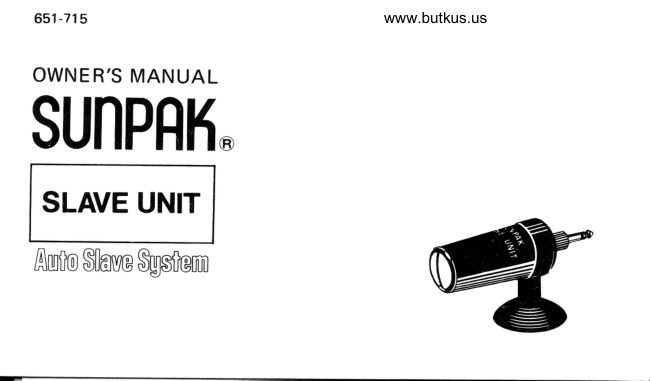
OWNE R'S MANUAL
SUNPRI{.

 SLAVE UNIT

Auto Silave $gstem
View original page 1Page 3 · Read text
TECHNICAL SPECI FICATIONS
                                                                                acti-Power Source:         Permanent solid-state energy cell,
                           vated by light, requires no replacement
SensorAcceptanceAngle:  1.2Oo for maximum freedom in exten-
                            sion flash location
Ambient Light Resistance: Functions even in relatively bright am-
                             bient lighting to lOOO Lux
Dimeneions:           1.9" x O.7" x 2.3" lincluding retaining
                                 collar)
Weight:,,                0.4 ounces
Synchronization Terminal: Fits all standard PC outlets, special
                     Sunpak slave terminal with adapter
                                (suPPlied)
View original page 3Page 4 · Read text
www.butkus.us


Welcome to the world-wide family of Sunpak owners! More
than six million sunpak electronic flash units and com-
ponents have been chosen by photographers throughout the
world for their rugged construction, innovative design, and
fast, easy operation. To insure that you get the most out of
your slave unit, please take the few minutes required to
check through this owner's manual with your automatic
slave unit in front of you
View original page 4
Page 5 · Read text
Concept


Your Sunpak Auto Slave is a solid-state                                                               ffi.device which plugs into an extension(auxiliaryl electronic flash. When the         ffi.
master (main) electronic flash is fired, the
slave's sensor automatically triggers the
flash on which it is mounted to fire in              osynchronization with the main flash. As a                         ffiresult, professional multiple-light effects
are easily achieved without annoying con-              Hsnecting cords and cables.                                            h,-fffvu
View original page 5
Page 6 · Read text
www.butkus.usOPERATION


 1. Set up camera and 'main' flash as
   normally done.
2. Position extension flash as desired. (A
   convenient shoe-mount adapter, $Jp-                                            Synchro Socket   plied, lets you mount any sho+mount
   flash on any standard photographic
   tripod; alternatively, you may use a
   lightstand or clamp device available
   from your Sunpak dealer.)
3. Connect the Sunpak Slave terminal to
   the PC cord of an extension flash, as
    illustrated.
View original page 6Page 7 · Read text
Synchro Socket

Note: Sunpak 51 1 electronic flash unit
contains built-in terminals. On this
model, use the synchro adapter supplied
and attach the slave directly to the  f lash
terminal rather than the PC cord.


                                                                                       Digitally signed by mike butkus         mike             DN: cn=mike butkus,
                                                                    o=orphancameras, ou=29,
                                                                      email=mike@butkus.org, c=US
                                                                            Date: 2018.08.03 15:43:17 -04'00'          butkus
View original page 7Page 8 · Read text
www.butkus.us


                                                    100%
4. Rotate the slave within the rubber

                                                                                                                                                                                                                                                                                                                                                               I   collar until the slave's sensor window is                                                                 Receivable
   aimed directly to\Mrds the main flash.
5. Press the suction base of the slave
   retaining collar firmly against the flash
   housing, making sure it's  tightly
   secured.
6. To determine exposure (see page 7),
  turn both flasfr units 'On', and. .  .
   shoot! Your extension flash will auto-
   matically be triggered by the Sunpak
   Slave the instant the main flash is fired.

                                                               o
View original page 8Page 9 · Read text
DETERMINING EXPOSURE
Portraiture in Black and White            Basic portrait lighting involves a 'main'
                                                 flash (preferably, away from the camera)
  Figure A                             and an extension flash at the other side,
                                                 close to the camera (see Figure A). lf both
                                                 flash units are of the same power, deter-         [,flj           subiect                      mine and set exposure for the main light         U                                                 flash-to-subject distance and place the
                                           extension light about 5U/o further from
                         Sunpak           the subject.
                         Auto Slave
                                           (Example:. lf the main light is six feet                 1\
                                    from subject, determine and set the cor-
                                               rect exposure on the basis of the usual
                         Extsnsion                                              f/stop for the film in use at a distance of                                 F lash
  Main Flash          (9'From                 six feet, but place the extension f lash nrne
  16' From Subfect)      Subiect)                  feet from subject.)
View original page 9Page 10 · Read text
www.butkus.us
                                      Figure B        lf two flashes of different power are used,
                                             always use the more powerful one as the
                                           'main' light, and calculate the correct
                                             exposure for this light as if it were being           [rflj                    used alone. Then determine the distance at              sublect                                 \lJ     Sunpals,          which the extension (less powerful) flash                           Auto Slave                                      would be used to enable the sarne lens
                                             opening and place the extension flash 507o
                                                   further away than this distance (figure B)

                                          (Example: lf the main flastr shows the
$                                                    correct exposure of t/8 at six feet and the
                                              extension flash calculator shows a four
                                                foot distance to obtain f/8 opening, place    Main Flash             Extension Flash                                           the extension flash six feet from subject      (6' From Subiectl        (6' From Subject)
                                                   (four feet + 5E/ol . . . and expose at f/8.)
View original page 10Page 11 · Read text
Portraiture in Golor
      .::
                                                                                            t/11Color films do not hane as wide a range of    befow this opening (for example,
tonal values as black-and-white films. For      instead of f/B). Now, place the less power-
this reason, it is preferable to position two     ful extension flash at the distance shown
flash units of equal intensity at identical    by the extension flash calculator dial for
                                                                                                 originalflash-to-subject distances, with each light    the correct exposure at the
at a 45o angle to the subject. Close down      (larger) lens opening.
your lens one stop from the indicated                                         (Example: The main flash at the cameraf/number for a single flash used alone.                                      shows correct exposure of t|11. Set the(Example: f 111 instead of f/8.)                                           fens to t/16. The calculator dial of the
                                           extension flash shows the recommended
                                      used,      flash-to-subject distance of six feet for anlf two units of different power are
use the more powerful one as the main     tl11 aperture. Locate the extension flash
                                                                                       116light and determine the correct exposure      six feet from the subject. Expose atf                                                                                    -
for it as if it was used alone.                one stop smaller than the correct aperture
Close down your lens to one f/number      for the main flash used alone.)
View original page 11Page 12 · Read text
www.butkus.usGENERAL INDOOR PHOTOGRAPHY

Where it is desired to record many objects     only a slight 'overlap' of portions coveied
within a photograph at equal levels of   by two flashes. Often, a 'test roll and
brilliance, use two or more extension     bracketing of exposures on the final roll
flashes with Sunpak slaves, locating each      will help in determining proper exposure.
flash to cover a broad overall area with


                                                                                  10
View original page 12Page 13 · Read text
HELPFUL HINTS
    1. Remember to re-set automatic elec'       depending on the intensity of Master
      tronic flash units to their 'manual'            lisht.)
     modes when using two or more flashes     4. Whether shooting in black-and-white or
       at the same time.                                color, it is not necessary to compensate
    2. Remember to keep the slave sensor cell       for the light produced by extension
     aimed towards the main (master) flash         flash directed towards the background,
     when in use  not towards the ilbject.      or towards some unlit Part of                  -                                                                   the    3. Your Sunpak slave operates at dis"         subject. (for example: The 'hair light'
      tances as great as 100', but does not           of ten used by professional portrait
      respond to even relatively bright exist-        photographers  Fig. C.)
                                                                       comPensation      ing (ambient) light. Outdoors, it can      Use the systems of
      easily be used  f or  f ill-in extension         (smaller lens opening, greater flash-to-
      flash, at a maximum extension-flash-         subject distance) prwiously described
                                                                                       covers a     tomain-flash distance of  approxi-        only when the extension flash
      mately 65' at GN3O (ASA25 in feetl/         part of the subject already being illumi-
     600 BCPS. of Master Light. - (Distance        nated by the main flash.
11                                                                                                                                                                                          {!
View original page 13Page 14 · Read text
www.butkus.us

                                               Further details on multiple-flash tech-
                                                  niquesare described in severaf excellent
 Sunpak                                               flash photography books available from Auto Slave                                             your photograph ic dealer.


Situation where expo$lre is determined
for main flash alone, regardless of use of
extension flash.
View original page 14Page 16 · Read text
www.butkus.us

    SUNPRJ{-


                              coMPANlEs I         trt  BERKEY MARKETING                                11377 r      lFtl wooDslDE, N.Y.  .           l-t   Made and Printed in Japanl!

    I
View original page 16From the M. Butkus archive. Original publisher and archive notices are retained.
Check the model and edition against your equipment.
PDF verified 2026-10-10.