Film cameras
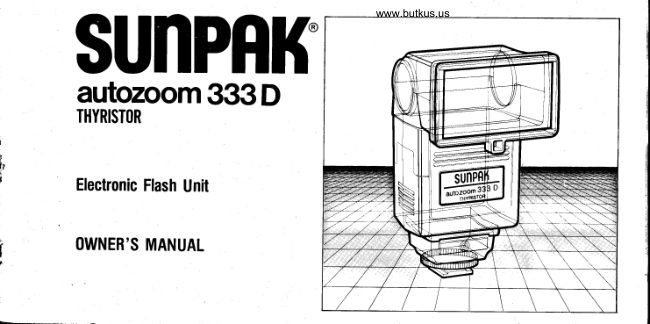
Sunpak autozoom 333D User manual
User manual for Sunpak autozoom 333D. 27 pages in English. Read the original PDF, download or print a copy without registration.
27 pagesEnglish2.8 MB PDF
Loading your manual…Open PDF directly
Document details
- Brand
- Sunpak
- Model / document
- Sunpak autozoom 333D
- Document type
- User manual
- Language
- English
- Pages
- 27
- File size
- 2.8 MB
- Category
- Film cameras
- Document date
- Not specified in catalog
Search available document text
Find a term, then jump to its page in the original PDF. Image-only pages may not be searchable; check the PDF for exact wording and diagrams.
Page 3 · Read text
Introduction                                            www.butkus.us
Welcometo the world-wide
family of SUNPAK owners!
Morethan nine millionSUNPAK
electronicflash systemshave
beenchosenby photographers
throughout the world for their
ruggedconstruction,innovative
design,and fast, easyoperation.
To insurethat you get the most
out of your electronicflash,
pleasetake the few minutes
requiredto check through this
owner'smanualwith your
SUNPAK flash in front of you.


4
View original page 3
Page 4 · Read text
CondensedOperatingI nstructionsfor
Automatic Operation

1. Set the ASA.
2. Set tne Auto/Manual Selector Switch so
   that the red, green or yellow "A" appears.
3. Move the on/off  switch to the "on"
   position.
4. Wait for the Ready/Test amber light to
   glow.
5. Set the aperture on your camera to the
   correspondingaperture which appearson
   the computer f/stop window. You are
   ready to take your pictures .

For more creative use with your Sunpak
autozoom 333 D. read the following pages.


                       &
View original page 4Page 7 · Read text
1.  Flashtube,Reflector and Lens                       22- Power Ratio Control Scale
 2.  Filter (optional)Mounting Socket                    23. Ready Light/Test (Open Flash) Button
 3.  Bounce Flash Control Base                         24- Auto OK Indicator
 4.  Battery Compartment Cover                         25. Bounce Reflector Mounting Post
 5.  lnterchangeableInterface Module                     26. Auto-Power-OTf I ndicator/Reset
 6.  Zoom Flash Head                                     Button
 7.  Auto Sensor                                        27.  Interface Module Locking Lever
 8.  Knurled Lock Ring                                 28.  lnterfaceBlade
 9.  Hot Shoe Contact                                   29.  Interlock Receotacle
10.  Auto/Manual Mode Window                         30.  InterfaceModule PositioningGuide
11.  Auto/Manual SelectorSwitch                      31 .  Interface Receptacle
12.  Battery (On/Off ) Switch                             32.  Interface Module Locking Pin
13.  Power Ratio Control
14. Bounce Flash Head
15. Bounce Position lndicator
16.  Vertical Bounce Control Scale
17. BounceAngle Indicator
18.  Film Speed Selector
19.  Film Speed IndicatorWindow (ASA)
20.  F/Stop Scale
21 .  DistanceScale
    (W- 35mm.S:5omm.T: 135mm.)
View original page 7Page 12 · Read text
www.butkus.us
Automatic0peration                                        To Verify Gorrest Auto ExPosure:
                                                                               To rrerify the correct automatic ex-
                                                                                         posure, just aim your flash directly
                                                                                        towards your sublect and Press the
                                                                                   Ready/Test Button. This will cause
                                                                                             the flash to fire without actuallY
                                                                                     exposing any film.  lf the automatic
                                                                                   exposure is correct for your subiect,
                                                                                          the green "Auto OK" lamp will glow
                                                                                       immediately after the "test" ex-
                                                                                         posure.  lf the lamp does not glow,
                                                                        move closer to your sublect (or, if
                                                                                  you are shooting in yellow auto
                                                                              mode, switch to green auto mode
C. For an intermediatedistance range        D. For maximum depthof-field (greatest     and adjust the aperture according-
    in automatic oPeration, move the           sharpnessin front of, and in back of            ly.). Tne 'Auto OK'provides
   Selector Switch to the yellow "A"             the subject), move the Selector Switch       positive verif ication in automatic
    positionso that the yellow line and            to the red "A"  position so that the red      operation that your picture will
       t 14 appear. Then set the same aperture         "A", the red line and f/B appear.          be correctly expoced.
   on your camera (for ASA 100 film, the      Then set your camera lens oPening
    lensopeningis f /4).                             (for ASA 100 film, the lens oPening
                                                            is f/8).


1 2
View original page 12Page 14 · Read text
www.butkus.us
 UsingPowerRatio:


                                                                                                                                                                                         \


 1 . As when using the Power Ratio at f ull      3. Slide the Power Ratio Control Switch      4. Be sure the distancescaleindicates
    power, set the Film Speed Scaleto the         until you have the desiredf/stop oppo-       proper f/stop for the correet exposure
     appropriate ASA rating and be sure the        site to this distance.                            of your subject. lf not, increaseor
    Auto/Manual Selector is at "M".           A L W A Y S S L I D E T H E P O W E R R A T I O      decreasethe power as needed.
  2. Determine the distanceof your subject     C O N T R O L S W I T C H T O A M A R K E D      5. You are now ready to take your picture.
    from your flash. When the autozoom               ( C L I C K S T O P ) P O S I T I O N .D O N O T        Rernember to adjust the aperture on
    333D  is mounted onto the camera,focus    S E T T H E P O W E R R A T I O B E T W E E N       your lens to match the aperture indicat-
     your camera'slens and read the distance    M A R K E D R A T I O S O R T H E U N I T         ed on the calculator scale.
     indicated by the distancescaleon the     W I L L N O T O P E R A T E A S D E S I R E D -
     lens barrel.                              (Example: 8 feet with ASA 100 film,
                                                    y o u m a y c h o o s e f 1 1 1 , 8 , 5 . 6 , 4 a n d
t 4                                               2 . 8 t .
View original page 14Page 17 · Read text
Fulf filf-in (1/2 powerl           1/2  f il l-in ( 1/ 4th power )           1/4 till-in (1/8th power)          1/8 tif f -in (1/16th power)
The technique described above    o Should you prefer a lesspro-     o Alternatively, you may wish       step over the power indi-
providesequal brilliance on       nounced fill-in effect (less          to employ a more pronounced    cated - Example: full power
the subject and the brightest         light on subject), move the            fill-in flash effect when your       insteadof 112.
area of the overall scene. This      Power Ratio Control to the        subject has darker complexion   o Experiment, when possible,
effect is called "full"  fill-in         next smallestposition: for          or is in an extremely dark           to determine the ratio most
and givesexcellent results        example, 1l4th when 1 12 is      shadow and not well lit as        pleasingto you with subjects
with a majority of subjects.         indicated. Use this technique      other bright areasof the           representativeof your normal
                           when your subject is surround-    scene.This "extra" fill-in          picture-taking.
                               ed by a faint shadow or has an     effect is achieved simply by
                                 unusally light complexion or       dialing a Power Ratio one
                                appearance.
View original page 17Page 18 · Read text
www.butkus.us
OperatingAdiustableBounceFlashHead
Your autozoom 333D has a unique flash
head assembly which enablesyou to aim
the light in virtually any direction and
render more pleasingand creative results.
For added convenienceand repeatability,
the Adjustable Bounce Flash Head has re-
ference marks so you can determine the
exact angle of bounce you desire.


                                                   1. To rotate the Adjustable Bounce Flash    2. To adjust the Flash Base,simply twist
                                         Head, grip with thumb and forefinger        as illustrated with thumb and forefinger.
                                         and gently turn to the desiredsetting.
                                   D O N O T F O R C E T H E H E A D .
View original page 18Page 19 · Read text
ForBetterBounceFlashPictures
Don't Stand Too Close to Your Subject                                           X wrong Way                                    X Wrong Way


                                            O n i g h t  W a y                                 ORisht Way Onis h t wa v   , /


Reason:The light will be reflected down-      Rotate the flash sufficiently to prevent the     In small rooms, try bouncing the light off
ward at an angleso acute that no light (or     subject or the background immediately be-    the wall onto the ceiling. Provided it is a
very little light) can reach your subject's      hind the subject from receivingany portion   white wall and ceiling, this technique
face. This will causeunpleasantlooking         of direct light from the flash.                provides more even lighting than off-
dark (shadow) areas under the subject's                                                        ceiling bounce where space is limited.
eyes and nose.                                                                                                             1 9
View original page 19Page 21 · Read text
X  Wrong Way


 O  Right way


In close-upphotography, many excellent    For extensiveuse in portrait photography
lighting effects can be achieved by using one many photographersprefer "umbrel la"
or more piecesof white cardboard as re-      lighting created by bouncing the flash off                www.butkus.us
flective surfacesin bounce flash. The soft,   a white or silveredumbrella. The Sunpak  NOTE: To determine the bounce lighting
diffused effect of "bounce" light often      Bounce Lighting Kit is ideal for this use.   technique which satisfiesyou , try experi-
revealsfascinatingdetails of small objects.                                       menting by usingall of the flash head
                                                                                     positions.
                                                                                                 21
View original page 21Page 22 · Read text
MultipleFlashOperation                               www.butkus.us
For genuinely professional lighting effects, the only thing better than a Sunpak flash is
..... two Sunpaks!  (Or more.)  lt's easy to use your Sunpak  in conjunction  with another,
electronic  f lash.

UnderstandingMultiple Flash
 *  The 'main' flash is the one which  is       +  The Sunpak Auto Slave is a perfect
   attached  to the camera. A light*ensitive       partner for your multiple-flashwork.
    slave unit  is attached  to each of the               It's very small, requiresno batteries,and
    'remote'  (other) flash units; when the           is extremely sensitive- being able to
   main flash is fired, the other flash units         trip a remote flash even with indirect or
    are triggered  -  in perfect synchroni-         bounce lighting at distancesup to 100
    zation  -  by the slave units. The only           feet or more. lt plugs into the PC cord
   cord involved  is the one going from             of the remote f lash.
    the        'main' flash to the camera, so you
    don't have to contend  with  wires dang-       Although the Sunpak Slave is very
    ling across the floor.                         sensitiveto electronicflash light, it's
                                            unaffectedby bright'ambient' room
                                                    right or even daylight - so your flash
                                              won't go off accidentally.

                                     And the Sunpak Auto Slaveis supplied
                                                with a handy adapter that lets you
                                               attach any shoe-mount flash to any22                                          standardtripod.
View original page 22Page 24 · Read text
AccessoriesAvailable                                  www.butkus.us
For maximum creativity and easeof opera-
tion, many optional accessoriesare available.
Just like today's system cameras,you can
customize your flash system to suit your
exact photographic requirements.


                                    Sunpak Filter Kit F K-l  :                  Sunpak Bounce Lighting Kit:
                                                   Filter Kit consistsof red, blue, greenand     Designedto give very pleasant,soft, indirect
                                          yellow color f ilters as well as a neutral         lighting effects to the subject.
Sunpak Auto Slave:                        density filter, 858 color correction filter     F o r a u t o z o o m3 3 3 D , n e i t h e ra F i l t e r H o l d e r
Allows any flash unit with a PC Cord, to       for use with tungsten film, and two wide-     nor a Telekit are requiredf or mounting
be used to trigger an auxiliary flash by        anglediffusers.Suppliedwith case.          the BounceKit.
plugging its PC Cord into a built-in PC socket  Filter Kit F K-l : Cat. No. 651-738       W e i g h so n l y 1 . 4 O z .
on the slave.                                                             B o u n c eL i g h t i n gK i t : C a t N o . 6 5 1 - 7 9 5
  Cat No. 651 -715

24
View original page 24Page 26 · Read text
Careof Yourautozoom333D                            www.butkus.us
 Your Sunpak electronic flash      they must be recharged).         a period of several weeks or more,
 has been engineered to require      It's also wise to check your       remove the batteries and store
 al most no "maintenance".         batteries for appearance: Some-   them separately.Inside a plastic
 Still to insure best performance   times even the best of batteries    bag is one good way.
 year-in and yearout follow       dischargeor leak some chemical
 these basic pointers:              material through the jacket .....    4.  Service:
                              and leave a whitish-powder on      ln the unlikely event that your
 1. Storage:                        the battery which passesonto     Sunpak electronic flash requires
 Store your flash unit in a cold     your Sunpak flash unit's electri-   service,return it to your dealer or
 dry place. Do not leave your       cal contacts. (lf this has happen-   the sole U.S. Distributor at the
 flash near a heater, in a car        ed, replace the batteries after      addressshown on back of the
 or car trunk on a hot day, or      cleaning the Sunpak's internal     Warranty Card. Do not, under
,any other location that can get    battery'contacts with an eraser.)  any condition, attempt to dis-
*excessivelyhot.                    Finally, it's a good idea to remove assembleand/or adjust it yourself.
 2.  lnspect Batteries Frequently:    the batteries once in a while and   Electronic flash operateson high
Check for reasonablerecycling    wipe them with a handkerchief.   voltage and should not be taken
time (the length of time  it        The cleaner the battery surface,   apart. However, keep in mind that
takes the ready light to come      the easier it is for the energy to    flash failure is more likely to
on between flashes): if it's        passthrough your flashgun's       result from weak batteries than
more than 20 or 3O seconds,       electrical system.                from any other single cause. lf  it
a fresh set of alkaline batteries     3. Remove Batteries:             doesn't fire, check batteries and
should be obtained (or if nickel       lf for some reason you do not     contacts carefully.
cadmium batteries are used,      intend to use your flash unit for                                                                                                                                                                                                                                                                                                                                                          {!r
26                                                                                                                                                                               i
                                                                                                                                                                                                                                                                                                                   aI
View original page 26From the M. Butkus archive. Original publisher and archive notices are retained.
Check the model and edition against your equipment.
PDF verified 2026-10-10.