Film cameras
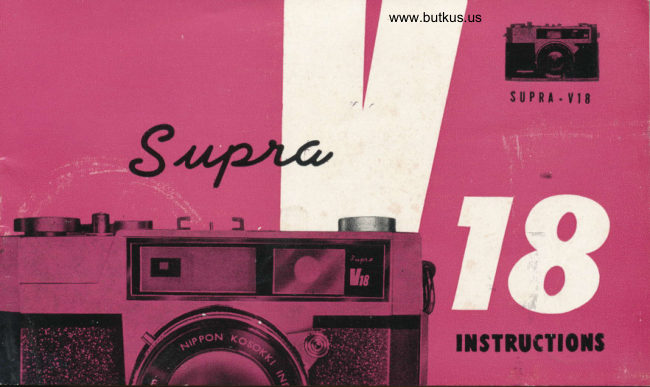
Supra V18 User manual
User manual for Supra V18. 25 pages in English. Read the original PDF, download or print a copy without registration.
25 pagesEnglish7.1 MB PDF
Loading your manual…Open PDF directly
Document details
- Brand
- Supra
- Model / document
- Supra V18
- Document type
- User manual
- Language
- English
- Pages
- 25
- File size
- 7.1 MB
- Category
- Film cameras
- Document date
- Not specified in catalog
Search available document text
Find a term, then jump to its page in the original PDF. Image-only pages may not be searchable; check the PDF for exact wording and diagrams.
Page 3 · Read text
\                                         www.butkus.us

  lNTRoDUcrloN To rHE supRA 3smm GAMERA

Your supra 35mm camera is precision          and embodies the ratest                                     "njnJ"r"o,
technological developments in camega design. The supra is typical of modern
ingenuity, originality and superb craftsmanship. your gLrpTs will give you
excellent pictures in color and black & white. Compact, lightweight and
smartly styled, the supra will give you a lifetime of photographic enjoyment.
Please read the instructions bef ore operating your camera. By doing this,
you will become acquainted with the features of the camera.

                   NIPPON KOSOKKI IND. CO., LTD.
                                           Tokyo. Japan
View original page 3Page 4 · Read text
Venmo @mike-butkus-camera  Ph. 2083
PayPal Name  Lynn@butkus.org      www.PayPal.me/lynnbutkus
View original page 4
Page 7 · Read text
HOW TO LOAD FILM
                                   Open the back of the camera by pulling the bolt
                                            upwa rd S
It is suggested that You                 Place the frli'r cartrrdge rn the film chamber.
load the camera wi th f  i lm'                                              Pull the  f ilr-n ieaoer frcrr the cartridge and insertin subdued light, avoiding
direct sunlight. Please                            rt rnto the sici. of the take-up spool.
bear in mind that the               Moie the  filn.  ,rinding lever slowly so that thecamera should be care-                                                                                                                                                                       f ilm perf orations.fully handled at all times.                    sprocke*. teei h engage the
Never apply force to the
mechani sm.


                                                    r*""irww,
View original page 7Page 9 · Read text
The Supra Vl8 is equipped with a luminous bright frame
rangef inder-vie figder whic*r sets the precise distance' and
also gives you a clear, bright frame through which to view
your subject. The Supra has a built'in parallax corrector
which posifions the viewf inder to coincide with the optical
axis of the lens... result, no heads cut off, no cropping.
Every picture-especially close-ups willbe perfectly  f ramed.
The Supra viewf inder moves downward diagonally to auto'
matically compensate for parallax-therefore simply center
subject within the frame of the viewfinder and your pic'
tures will be perfectly composed.
Technically, the viewfinder, having a magnification ratio
of O.7x, shows a masked area of approximately 85% of
the area actually covered by the lens. The entire viewfinder
f ield amounts to about I l@/. of actual picture size.
View original page 9
Page 10 · Read text
www.butkus.usTurn the {ocusing lever
  ,l ocated at the  { ront of
the camera to  either
the  left  or the  right.
The      I ens  bar rel   wi  t I
extend or contract. The
range{rnder is  couplqd
with the rnovement of
I,he lens.  In the cen-
ter o{ the rangef tnder
w'indow is a small rec-
tangular box in which
two images will appear
when the camera is out
         of focus.  As
:r:1r    you move the
:e                  f ocusing lever.
   i      one image will
fli      be super impo-
;li      sed uPon the
 .,j       oiher when you
 ,,1,       br ing the ca- .i,      mera into cor-
         rect {ocus.

             ilott| T0 $tcl|nt c0RRtcT F0ct|$ - T||E RAlt8Eilltotn
View original page 10Page 12 · Read text
www.butkus.us


 The distance betivden the camera and the subject is auto-
 matically measured and set by the coupred rangefinder.
Also. the area of sharpness of the negative extends from
 the foreground to the background of the subject. This area
of sharpness is called "the depth of field" and all objects
within this range will. appear noticeably sharp. The depth
of field becomes greater as the distance to the objbct is
increased, or when the lens aperture is stopped down.
with the supra the depth of  f ierd tor any given aperture
can be easily obtained by reading the depth of field scale
on the lens mount. When the lens is focused at an object
lO feet in front of the camera, with the F-stop set Fg,
the scale will show that the depth of fierd extends fromT
feet to 16 feet.
View original page 12
Page 15 · Read text
FLASH PHOTOGRAPHY


      There are two settings to be used for
              f lash photography, M-X. Set the lever on
   M when using Class M  f lashbulbs. The
       shutter is synchronized on all speeds up
      to  I / sOoth with Class M bulbs. M is also
      to be used when you want to take  f lash
       pictures when using the self -timer.  For
        electronic  f lash units and  f or class F bulbs.
      set the lever on X. The shutter is syn-
       chronized on all speeds with electronic  f lash,
     and up to  l/sOth with Class F  f lash-
        bulbs.
View original page 15Page 16 · Read text
www.butkus.us


 Atiach a  f lashgun to the Supra Cam.
'era - preferably the type which slips
 into the accessory shoe on the top
 of the camera. The connecting cord
 from the flashgun should be slipped
 into thq flash socket, (protruding
 terminal) on the lens.
       Position of synchronizing
         lever with  f lashbulbs
  Lever        M           X
   M        l-tl500         t-t /50
   F                      t-t/50
View original page 16Page 17 · Read text
The self -timer permits you to step into the
picture, to-take photographs of yourself-or
with others. Directly under the lens is a
lever with a red dot. By moving this lever
ta the left, you will have 8 seconds in
which to step into the picture. To  start
the self-timer, press the shutter release as
you normally would to take a picture. The
film advance lever must be cocked before vou
can press the shutter release.


                 SELF-TIMER
View original page 17Page 18 · Read text
www.butkus.us


"tTf',"
      shutter release is located on the top of
 the camera. This release is threaded to
  accept a cable release - in the event you want
 to use one. Cameras can be hand held on
 speeds from | /25.th to | /SOOth. For slower
 speeds, (l/lO   etc.)the camera should be
 placed on a firm rest such as a tripod, to
 avoid movement. A cable release should be used.
 The cable release screws directly into the
 shutter release on top of the camera. The
 tripod is joined to the camera at the tripod
 socket located directly on bottom of the
 camera.
View original page 18Page 19 · Read text
After you have taken your last picture (either 20 or 36 exposures), you
must rewind the film into the film cartridS€..To do this,  lift  the rewind
crank and turn in direction of arrow- and at the same time press in on the
large button located directly under the camera. This large button disengages
the sprocket wheel so that your film will not tear. When the film is rewo'
und,  f old rewind crank down int-o its original position.
View original page 19
Page 20 · Read text
www.butkus.us


A complete line of  f ilter adapters, f ilt-
ers and sunshades are available for your
camera. See your dealer or write for com-
plete price list of Slpra Accessories. r
@ffi
View original page 20
Page 21 · Read text
rrlf you should wind the film too far, beyond
the 20 or 36 to exposures, you may find that
the winding lever will not turn. This is only
natural. Do not  f orce the lever. Simply follow
the procedure for rewinding  f ilm.
View original page 21
Page 22 · Read text
www.butkus.us

                CARE OF YOUR CAMERA

             Dust your lens with a brush, or wipe it'wlth a soft cloth. Don't touch the
              lens with your f ingers.
                                         if-
           Do not keep shutter cocked ior too long a period of time. Disengage shutter
            when stori'ng camera for more than one month.

             Avoid camera contact with sand on the beach. Keep camera dry at all times.1t
**
li                      ' Should your camera require inspection, servicing or repair, bring it to your
                         mail it to: Beau Camera Company, Division of Camera Specialty
                 7O5 Bronx River Road, Bronxville, N. Y.
View original page 22From the M. Butkus archive. Original publisher and archive notices are retained.
Check the model and edition against your equipment.
PDF verified 2026-10-10.