Film cameras
TAMRON SP 500mm F/8 User manual
User manual for TAMRON SP 500mm F/8. 19 pages in English. Read the original PDF, download or print a copy without registration.
19 pagesEnglish6.9 MB PDF
Loading your manual…Open PDF directly
Document details
- Brand
- Tamron
- Model / document
- TAMRON SP 500mm F/8
- Document type
- User manual
- Language
- English
- Pages
- 19
- File size
- 6.9 MB
- Category
- Film cameras
- Document date
- Not specified in catalog
Search available document text
Find a term, then jump to its page in the original PDF. Image-only pages may not be searchable; check the PDF for exact wording and diagrams.
Page 1 · Read text
www.butkus.us
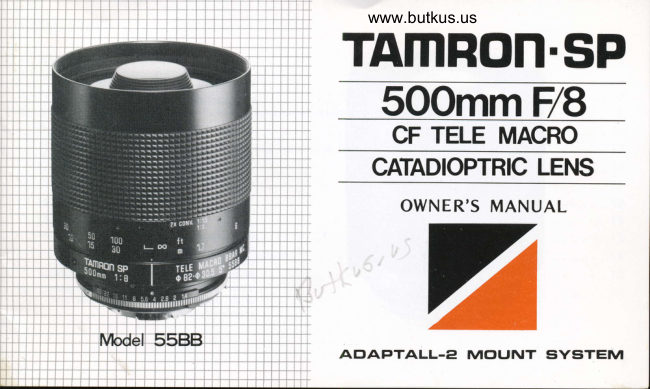
TAMRON.SP
  sOomm F/8
   CF TELE MACRO
   CATADIOPTRIC LENS
        NER'S MANUAL


AtrIAPTALL.E MC'UNT SYSTEM    MANLz
View original page 1Page 3 · Read text
Welcome    to the ever-
expanding world of Tamron
Thank you for  selecting the
Tamron SP catadioptric lens. Be-
fore using your new Tamron lens,
take a few minutes and carefully
read this instruction manual. This
way, you will become fully ac-
quainted with the features and
proper method of operating your
lens in the normal and macro
modes. This will enable you to
obtain the best possible results.
With proper handling and care,
your Tamron lens will provide you
with many years of enjoyable and
trouble-free operation.
View original page 3
Page 8 · Read text
www.butkus.us

(3) Constant F-Number                     high-speed macro photography utilizing     ceeds the requirements contained in the
A conventional fixed focal length lens      an auto flash is Possible.                 MIL standard by more than three times
requires troublesome F/stop calculations                                           thanks to  Tamron's original coating
depending on  the  object distance.     (41 Silver-Evaporatod  Reflex Mirrors         technique employing a combination  of
Tamron's innovative  f ocusing system      In order to increase light transmission      a single layer of metallic coating and two
allows you to maintain a constant light         eff iciency, your new Tamron mirror lens       layers of high molecular   f ilms.
transmission while focusing so that the       incorporates special silver-evaporated  re-F-number does not change at any focus                f lex mirrors rather than the conventional      (5) Unique and Conveniont Outer
settings from  infinity  to  close up      mirrors whose surfaces are coated with           Design
(macro). Therefore, you can obtain      aluminum. With two reflex mirrors, the       In designing the outer appearance  of the
optimum exposure time without any       total  ref lection percentage within a lens       lens, emphasis was put on the maximum
correction even in auto flash photog-      having aluminum-coated mirrors be-      handling convenience by concentrating
raphy, which so far, required obtaining     comes 600/o or less. However, Tamron has       all the necessary information in one
a corrected value by means of guide     succeeded in  obtaining a  reflection      place where  it can be easily read. Most of
numbers. In addition. with the  tele-       percentage as high as 80% or more with     Tamron lenses, including your new lens,
macro capability of the Tamron mirror      the silver-evaporated  reflex mirrors. The     are marked with the maximum macro
lens permitting the use of an auto  f lash      special silver evaporation which is ap-      magnification  scale to be applied when
at the minimum distance of 1.7 meters,       plied to the reflex mirrors is extremely     Tamron's SP 2X tele-converter  is used.
                                            durable. The degree of durability ex-
View original page 8Page 9 · Read text
(5) Expanded Vistas of Photography           The combination  of the tele-converter      (7)  Adaptall Custom Mount Syrtem
    by Employing an SP 2X High-            and the lens permits expand ing the     Via Tamron's exclusive Adaptall custom
      Perf ormance Tele€onverter               range of  the macro magnification    mount svstem, Your new lens can be
                                                                                                                                        f rom  1 :3 to  1 : 1 .5 wh ich  is     used with virtually any popular slngleTamron's SP 2X tele-converter is a high-          ratio
performance converter in the Adaptall          almost life-size.                                lens ref lex camera.
system. lt was specially developed for        b.  The tele-converter and lens combine
exclusive use with the telephoto and          to make a very compact 1O00mm ultrazoom lenses in the SP and Adaptall-2          telephoto that is convenient to carry
series. The cornbination of the tele-           arou nd.
converter and vour Tamron mirror lens
greatly expands the conventional range
of photography as follows:


               SP 2X
                   Tele-converter

                  =@                                                                                                                                             rrtll-ffi"]                                                                                                                                                                 lld-€E              lllll   l:ii.'.::i:i::iil    I                               Adaptall                                                            ryffifi                                                                                                 ilil[                                  rr€   illlffi SP 500mm                          mount                                                          tlJg u  (Model 55BB)                                                      Camera        Mount          Lens
View original page 9Page 11 · Read text
B) With Nikkormat FT, FTN, EL and         3. Your Tamron lens which is now     4. Removing the Custom Mount:
   ELW:                                                                                            f itted  with an AdaPtall custom     An L-shaped mount release lever is
   As explained on the label affixed on         mount can be secured to your camera        provided directly opposite the aper
   the rear cap of the lens, slacken the          in the same manner as the camera        ture indicator window which, when
   red screw on the rear ring with the          manufactu rers' lenses.                          depressed, releases the mount. There-
   screwdriver supplied, and turn the                                                    fore, while keeping the L-shaped
   ring clockwise all the way until  it                                        mount release lever depressed, turn
    stops. Then retighten the screw. This                                                   the custom mount counterclockwise
   allows the lens to be used in the stop-                                                            until it stops and then lift the mount
  down metering mode in the same                                                            off the lens.
   manner as a Nikon lens.
View original page 11Page 12 · Read text
www.butkus.us

                                              ciency in hand-held photography with a      (1) Correct Method of Handling       long telephoto lens, shutter speeds               (21 Focusing
                                             slower than 1/500 second may also be
          a Long Telephoto Lens and            u sed.                                      a. While looking through your carnera's
                                                                                               viewfinder, turn the focusing ring until
             Using lt with a Tripod                                           you see a sharp image. lf your camera                                                                                          accepts different focusing screens, then
                                                                                                                                                   it  is advisable to use a matte-fresnel                                  lenses                                      normal-     Compared                     telephoto               with                                                                                                                    screen is normally                                                                                               This type                                                                                              screen.                                                                                                         of                    '135                                               of       ly used (i.e.                                 the angle                      to 300mm),                                                                                                                                                           lenses                                                                                                                            ultra-telephoto                                                                            recommended                                                                                                             for
    view of your lens is considerably  nar-                                              and it will make  f ocusing easier.
     rower, which can possibly cause "camera                                            Note: Since your mirror lens is an ultra-
     shake" problems when the shutter  is                                                telephoto lens, the position of the dis-I      released. Therefore, taking  ti ris into con-                                                 tance scale index and inf initv mark are      sideration, follow the recommendations
    as described below when vou use the
        lens.
     a. Hand-HeldPhotograPhy
     Hold the focusing ring of the lens with
     your left hand. Draw the camera near
     and hold it  f irmly against your face with
       left hand. lf you wear glasses, fix the
     viewfinder frame securely against the     b. With Tripod:
      glasses. The slowest shutter speed which         It  is recommended to use heavy duty
     permits hand-held shots is normally con-      tripod when using a long telephoto lens.
     sidered to be 1/f ocal length of the lens.     Also use cable release for shutter releas-
      Therefore, with your lens, it is recom-                            i ng.
    mended that you use a shutter speed of
     1/500 second or faster, however, de-
     pending upon the extent of your profi'
View original page 12Page 14 · Read text
www.butkus.us

Note for custom mounts which have anaporture lrGala                                    (4) lens Hood
Some custom mounts such as Nikon Al    A lens hood is supplied with the Tamron
and Minolta MD have an aperture scale       lens. The lens hood prevents unnecessary
which is visible in cameras which have       light from striking the lens and causing
this facility. When fitting the custom     unwanted glare. The lens hood supplied
mount simply align the green dot on the       is a detachable, screw-in type hood em-
mount with the matching green dot on      ploying a very convenient system.
the lens barrel as described in  the      a. To attach the hood, rotate it in the
owner's manual. Please note that as the         clockwise direction onto the thread
SP 500mm lens has a fixed aperture of         provided on the front end of the lens.
F/8 this value is transmitted to  the      b. When the lens is not in use, detach
camera irrespective of the fact that the         the hood from the lens, reverse  it and
aperture display on the mount shows        put it on the lens barrel.
F/4. Similarly, when the 01F flat field
2X tele-converter is used the effective
aperture value of F/16 is transmitted to
the camera although the aperture display
on the mount again shows F14, and F/8
is indicated on the body of the tele-
converter itself. As mentioned the above
has no effect in actual picture taking as
the correct exposure value is always
transmitted to the camera.


                                                                                         12
View original page 14Page 15 · Read text
(5) Installing Filters

  Your mirror lens accepts 30.5mm rear      the quality of your pictures and possibly    To mount the lens on a tripod, use the
  screw-in filters. Since the  focusing      damage the filter coating.                   tripod socket of the camera. In some
   system of the lens is precisely adjusted                                                    cases, the lens catches on the tripod
   with a filter fitted, you must use a f ilter                                            Danhead which stops the camera from   at all times to obtain the optimum per-                                      being mounted correctlY. ln  these
   formance. For this reason, a normal                                                 cases the camera can be raised suffi-
   (general purpose) filter is fitted to your                                                   ciently by using the "tripod adaptor"
   lens at the factory. A set consisting of                                               supplied with the lens, which acts as
  ND4X, Y52, 056 and R60 filters  is                                          a spacer between camera and panhead.
   available as an optional extra. ND2X and                                                                       It is also advisable to use a cable-release
  81B filters are also available separately.                                        when shooting with a tripod.   In order to remove a filter  it should be
   unscrewed by turning  it anticlockwise.
  To fit another filter simply screw it on
   clockwise making sure it  is not over-
   tightened as otherwise it may be dif-
   ficult to remove. When You wish to
   replace filters, it is easier if the custom  mount is removed from the lens. lt  is        (6) Mounting on the Tripod
   best to use filters which have been
   precision engineered   f or ultra tele photo                                                                                Tripod   lenses and hence this is the reason the     Although the compact design of the                                 Adapter
  above mentioned filters are available'      lens allows successful hand-held shoot-  You should always hold the filter by     ing in certain circumstances,  it   is                                 Panhead
    its  rir,n and not by the glass surface      usually advisable to use a sturdy tripod
   because finger prints, etc. can damage     due to the highly magnified image.
13
View original page 15From the M. Butkus archive. Original publisher and archive notices are retained.
Check the model and edition against your equipment.
PDF verified 2026-10-10.