Film cameras
Taron Eye User manual
User manual for Taron Eye. 33 pages in English. Read the original PDF, download or print a copy without registration.
33 pagesEnglish8.3 MB PDF
Loading your manual…Open PDF directly
Document details
- Brand
- Taron
- Model / document
- Taron Eye
- Document type
- User manual
- Language
- English
- Pages
- 33
- File size
- 8.3 MB
- Category
- Film cameras
- Document date
- Not specified in catalog
Search available document text
Find a term, then jump to its page in the original PDF. Image-only pages may not be searchable; check the PDF for exact wording and diagrams.
Page 3 · Read text
www.butkus.us

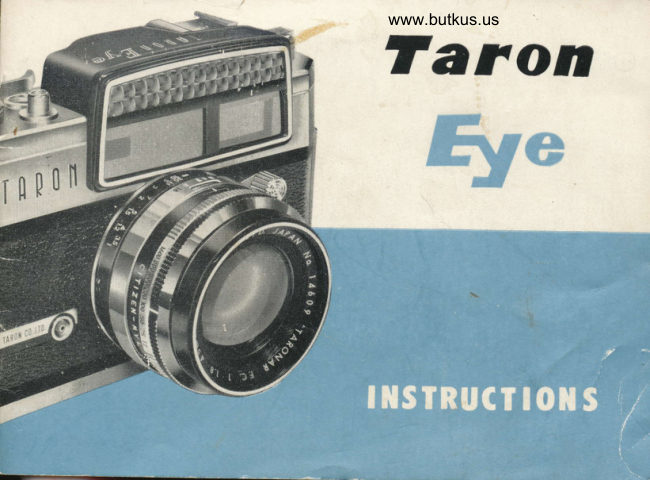
                      THE TARON.EYE 35 CAMEM
  This uniquely designed 35 mm camera has an ELECTRIC-EYE coupled to the
diaphragm and shutter. Just match the two indicator needles visible in the
view-finder window. The Taron ELECTRIC-EYE determines optimum combina-
tion of shutter speed and F-stop, and adjusts itself for correct exposures in-
stantly and automatically. You need no more worries about shutter speeds and
F-stops.
  The Taronar super-speed 45 mm Fl. 8 amber coated lens gives you almost
limitless picture opportunities indoors and out, and assures you of the needle-
sharp and well contrasted pictures in either color or black and white.
  The famous Citizen-Mvl shutter, newly designed, is fully synchronized for
flash and strobo. The shutter speeds from 1sec. to 1/500sec plus B. with built-
in self-timer.
 The coupled range-viewfinder with luminous frarne gives you a perfect and
speedy picture composition.
  Single stroke of tnumb-lever cocks shutter, advances film, count exposure and
prevents douL,le-exposure simultaneously.
  These characterisurcs plus many other outstanding features make this TARCTN-
EYE the ideal camera for both beginner and expert.
View original page 3Page 5 · Read text
Venmo @mike-butkus-camera  Ph. 2083
PayPal Name  Lynn@butkus.org      www.PayPal.me/lynnbutkus
View original page 5
Page 7 · Read text
It is advisable to load film in a dark place avoiding the direct sun-light.
Please keep in mind that the camera should be carefully handled without apply-
ing any force to the mechanism, or it may be damaged.
  1. Open the rear cover of the camera by pulling up the lock.
  2.  Place the film cartridge in the film chamber.
  3. Draw the film leader from the cartridge and insert it into the take-up spool
     slot.
  4. Mov ethe film advance lever slowly so that the sprocket teeth catch the
    film perforations and take-up the slack.
  5.  Close the rear cover and mark "S" will appear in the fllm counter window.
View original page 7Page 8 · Read text
www.butkus.us

6.  After taking two blank shots, advance the film once
  more : the film counter now indicates " 1".
7. The ASA ring, which is the foremost ring on the
  lens barrel, should be set at the ASA speed of the
  film. This adjustment is the basis of a perfect coupling
  with the light meter. To do it, lift the foremost ring
  and twist it to set its red inCex againts the ASA
  numbers on the second ring, according to the speed of
  the film used. Be sure that the flrst ring is properly
  dropped back into position after it has been set, as if
  the two rings are not close together,  it might eventu-
  ally damage the coupling mechanism. Thus nlm has
  been well loaded and photo can be taken.
View original page 8
Page 9 · Read text
TARON-EYE can be called a camera equipped with a perfectly coupled pho{o-
 electric exposure meter system. This sounds complicated and imposing, but in
actual practice it is very easy to operate. The EYE mechanism which is the
result of original and ingenious skill automatically solves all exposure problems
by itself, in the same way as a button and a switch would correctly operate the
television set or the tape-recorder. Just turn the ring, catch the subject with
the viewfinder and press the shutter button.
  Then, how does the coupling system work ? The exposure meter of rARoN-
eye is coupled to the three factors of ASA film speed, shutter speed and lens
aperture. As the ASA speed remains unchanged for the entire roll of film, you
have only to bring together the two in-
dicators visible in the viewfinder, which
control the shutter speed and lens aper-
ture and set the camera for the correcr
exposure. Therefore, except when using
a filter (explained on pages 12 and 19),
or in flash photography and other special
uses as will be explained in later pages,
even a mere beginner will be delightfully
surprised to find that all his pictures are
correctly exposed.                      www.butkus.us
View original page 9Page 10 · Read text
www.butkus.us


  In order to take pictures, a suitable amount of light must pass through the
lens and on to the film. If too much light reaches the film, the negative might
become too black for printing, or yield too contrasty prints. On the other hand,
if the light is insufficient, it would produce weak negatives and hazy pictures.
In any case, unless one is aiming at unusual so-called artistic effects, such pic-
tures are usually not satisfactory and also unsuitable as records of one's expe-
riences. One should first become accustomed to producing standard quality
negatives of correct exposure before trying to make unusual pictures.
  Correct exposure, therefore, means allowing the correct amount of light to
reach the film. The three factors required for the exposure are ASA film speed,
lens aperture and shutter speed. If the ASA speed is low, the lens aperture
small and the shutter speed fast, the result would be under-exposure, while the
opposite case produces under-exposure.
View original page 10
Page 11 · Read text
CORRECT EXPOSURE

                                                              S " grade, is    ( 1 )  Film Speed : The speed of the ordinary film, known as "
expressed as ASA 50, the " SS " grade which is twice as fast as " S " grade is
ASA 100, and the " SSS " grade which is twice the speed of the " SS " grade or
four times faster than the regular " 5,, film is ASA 200. The larger the ASA
number the faster must be the shutter speed or the smaller the lens aperture.
Therefore, this ASA speed is a very important factor. But when using TARON-
EYE, one has only to adjust the ASA ring only once at the beginning and can
immediately forget all about it during the various exposures.
  (2)  Shutter Speed: The first function of the shutter speed is to controi the
amount of light reaching the film.  If the speed is too fast the film will receive
very little light, while if  it is too slow, it would receive too much light. And
as the shutter speed is coupled to the light meter seen in the top margin of the
viewfinder, the correct exposure can be obtained while viewing its black needle.
  The shutter speed of TARON-EYE is graduated in 7 : 2 progression. Another
function of the shutter speed is to take still pictures of fast moving subjects.
It is great fun to stop moving subjects by aiming from the front, the side and
aslant nositions.
View original page 11Page 12 · Read text
www.butkus.us
                      ( 3 )  Lens Diaphragm : The iris diaphragm of the lens opens or closes its
            blades to control the amount of incoming light. And as this too is coupled to
           the light meter in the same way as the shutter speed, the lens can be set at the
           correct f-stop by means of the black needle visible in the viewfinder.
            Another important task of the lens diaphragm is to adjust the depth of field.
          This important and interesting attribute of the lens is fully explained on page
         20. The lens diaphragm of TARON-EYE is also graduated in 1 : 2 progression,
           therefore when 1/125 second at  f /8 gives the correct exposure, the same result
          can be obtained when the speed is set at 1/60 second which will automatically
            close the aperture to f./77, or at 7/250 second opens out to f/4.


J
View original page 12Page 13 · Read text
O  After the fi1m is loaded into the ca-
                                   mera, set the ASA ring to the ASA
                                   speed number of the film.
              @ Train the camera on the subject,
                            when a black needle will appear in the
                                            light meter section in the upper margin
                                         of the viewfinder. Its position indicates
                                     the amount of light reflected from the
                                            subject.
              @ Next, rotate the coupling ring on the
                                       lens barrel. This moves the red indi-
                                        cator (transparent needle) to the left or
                                     right within the light meter margin
                                   of the viewfinder. Make it follow the
                                 black needle until the black needle
                                          is in the middle of the red indicator.
                            The camera is now ready for the
                                         correct exposure. AIl that is necessasy
                                          is to press the shutter button to get a
www.butkus.us                                 perf ectly-exposed picture.
View original page 13Page 14 · Read text
www.butkus.us


O  First select the subject to be photo-
  graphed. There are many ways of
  handling the subject, such as stopping
  a fast-moving action, purposely blurr-
  ing the subject to create an impression
  of movement, outfocusing the back-
  ground as for portraiture, explaining
  the theme by sharp-focusing the back-
  ground, or bringing everything into
  sharp focus.
@ Let us suppose the coupling ring has
  been set at 1/125 second to cope with
  the speed of the subject's movements.
   (It is convenient to follow the general
  rule to set the shutter speed at 7/250
  sec. for ordinary weather in the day-
  time, at 1/60 when it is cloudy or in
 the evening, and at 1/30 when in a
  bright room.)
View original page 14
Page 15 · Read text
@ Aim the camera, by looking through the viewfinder, decide on the composi-
  tion, work the coupling, adjust the focus and then press the shutter button-
   Nothing could be simpler. You have no worries about deciding what f-stop
  to use for the required speed, as it   it  adjusted automatically without any
  fear of mistakes in the exposure.
View original page 15
Page 16 · Read text
www.butkus.us


      Limit                                             Limit        ind icator
    sz                                    indicator


@ Within the viewfinder window, the light meter margin has an arrow mark                                                                                    so  at each end. If the black needle leaves this margin and overlaps ever
                                                                                   too  slightly either of the arrows, it means that the light is too strong or
  weak for the meter to handle and that it is useless to work the red indicator.
  Since the maximum limits are 1/500 second anQf/l.8, any lightbeyond these
  limits will have to be handled by adjusting the controls independently.
@ When the red indicator cannot catch up with the black needle' such as  when the f-stop does not match the required shutter speed for a perfect
  exposure, rotate the coupling ring still further in the direction the red indicator
  shouid go. This action will override the click-stop of the coupling ring and
  position it at the next lower graduation. The red indicator can now follow up
  the black needle to. automatically set the correct exposure'
                                             means that the lens f-stop@ When red indicator is moved towards the left, it  is opening up. If it is moved towards the right the lens will be closing down.
View original page 16Page 17 · Read text
@ After using TARON-EYE for some time, it will be noticed that various combi-
  nations of shutter speed and f-stops are possible for admitting the same amount
  of light, such changes being very easily made with this camera. Supposing
  the red indicator catches up with the black needle at 7/250 sec. with f/5.6,
   it can be changed to the next speed and make the red indicator follow up
  the black needle again to catch the same amount of light. For instance,  if
  the speed is changed to 1/60 sec. the lens automatically becomes frl8, or if
  1,'500 sec. opens out to f./4. Any of these combinations the same exposure.


                                                                                                                                                                                                                    I
                                                                                                                                                               I
View original page 17Page 19 · Read text
As the filter absorbs a portion of the light falling on the lens, compensation
    for the loss has to be made ( 1 ) bv increasing the exposure time or ( 2 ) by
    opening the lens diaphragm.
     For example, if you wish to use Y 2 filter which has a factor of. 2.0 with a
    shutter speed of 1/60 sec. at f:  16,  you must then do either of two things to
    obtain the correct exoosure:  -
         ( 1 ) Expose at I/60 sec. at f :11 (diaphragm adjustment) or (2 ) trxpose at    1/30 sec. at f :16 (shutter adjustment).
HOW TO HOLD THE CAMERA
     Most blurred pictures (about 85 per-cent) are due to camera-shake when pres-
    sing the shutter. Steady the camera by resting  it against a part of your face
   and hold your breath as you shoot.
View original page 19Page 20 · Read text
www.butkus.us


                                                                       appear  usually when the subject is seen through the range-viewfinder,  it will
double in the yellow-tinted square in the center, which means that it is not in
focus. In such a case, move the focusing lever left or right so that the two
images superimposed into one image. The subject is now in sharp focus'

                   INFM.RED PHOTOGRAPHY
 When taking infra-red pictures, first adjust the focus in the usual way, then
set the distance reading so obtained against the ,,R " mark on the depth of field
scale, midway between " 8 " and the V mark. To take infra-red pictures, use infra-
red film in combination with a red filter.
  OUT OF FOCUS      IN PROPER FOCUS      INFRA_RED MARK
View original page 20Page 21 · Read text
TARON-EYE is equipped with a bright-frame range-viewfinder which isextre-
mely useful in determining the field of view of the actual picture. when shoot-
ing fasl-moving subjecrs, you can delermine the precise moment lor pressing
the shutter button, as you can clearly see them in the outer margin comlng
into the range of the bright frame. Thus, a maximum enlargement can be made
without too much trimming. The bright frame is therefore a significant advan-
tage for 35 n-lm cameras.

           HOW TO USE RANGE-VIEWFINDER
   ( 1) The range-viewfinder on TARON-EyE, which shows the picture area
clearly outlined by a bright frame is very convenient in composing the picture.
  (2)  The bright frame is of special design and is one of the chief features
of rARoN cameras. If the subject is properly included within this frame, there
View original page 21Page 22 · Read text
www.butkus.us
is absolutely no fear of cropped images in the final picture.
    ( 3 ) To view the range-viewfinder, aim it straight at the subject, then bring
the pupil of the eye to the center of the eyepiece. If the camera is not 1evel
with the subject or if  it is viewed off the center, the focus might be uneven, or
there is a fear of cropped pictures.
    ( 4 )  TARON-EYE's  range-finder system has a basic length of 45 mm. The
field of view exactly matches the picture on the film if the eyepiece is about
16 mm from the pupil of the eye. This roughly corresponds to the space required
when viewing through eye-glasses.
View original page 22Page 23 · Read text
When taking pictures with the help of
                               the built-in self-timer, move its red-dotted
                                 lever until  it stops, then set the MX pin
                                      to the X position. This gives about B sec-
                                  onds' interval before the shutter actually
                                  operates, which is enough time to make
                                      self-portraits or to get into a group picture.
                                              If the camera is held in hand, a good
                                   picture cannot be made at a speed of about
                                 1/10 second or slower because of camera-
                             shake. To avoid this, the camera should
                            be fixed on a tripod and worked by means
                                    of a cable release screwed into the shutter
                                button groove.


www.butkus.us
View original page 23Page 24 · Read text
www.butkus.us


 The exposed film must be rewound from the take-up spool back into the
original cartridge. TARON-EYE is provided with a specially designed rewinding
device which can rewind the film rapidly and smoothly' First, pull up the
rewind knob and unfold the crank handle (Photo A), then, wind back the film
into the cartridge, while pressing the sprocket release button at the bottom
of the camera (Photo B).  After taking out the film cartridge, return the rewind
knob and its crank handle to the original position. The film counter, when the
rear cover is opened, automatically returns to " S " mark'
View original page 24
Page 25 · Read text
When the entire roli of film has been
exposed, it may happen that the fllm
advance lever will not permit a  full
stroke. In such a case, do not force  it,
as the film may be seared off from the
cartridge or damaged in some other way.
Let the lever stop halfway, and rewind
the film after depressing the sprocket
release button.


                                                                www.butkus.us
View original page 25From the M. Butkus archive. Original publisher and archive notices are retained.
Check the model and edition against your equipment.
PDF verified 2026-10-10.