Film cameras
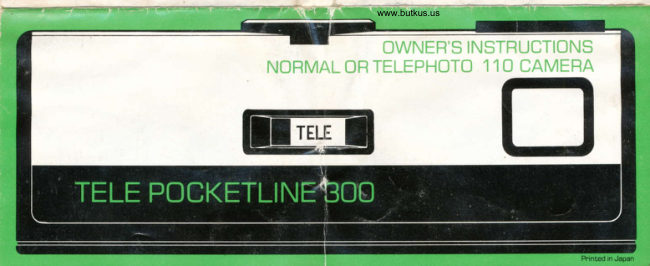
Tele Pocketline 300 User manual
User manual for Tele Pocketline 300. 9 pages in English. Read the original PDF, download or print a copy without registration.
9 pagesEnglish1.8 MB PDF
Loading your manual…Open PDF directly
Document details
- Brand
- Tele
- Model / document
- Tele Pocketline 300
- Document type
- User manual
- Language
- English
- Pages
- 9
- File size
- 1.8 MB
- Category
- Film cameras
- Document date
- Not specified in catalog
Search available document text
Find a term, then jump to its page in the original PDF. Image-only pages may not be searchable; check the PDF for exact wording and diagrams.
Page 3 · Read text
LOADING FILMwww.butkus.us


1. Push the film door latch to open camena back.                       2. Insert the 1 1O film cartridge and close the camena back.
View original page 3
Page 5 · Read text
3. Turn the Film Wind until it stops as the first picture locks           4. The numben you see in the window senves as an exposure
in olace.                                                           counter.
                                                                    iIOTE: Always operate the Film Wind until  it stops. DO tlOT
                                                     FONCETI{E FILU WIilD AIIY FANTHEB
View original page 5Page 7 · Read text
3. For sharp pictures your subject should be at least 5 ft.              4. After the last picture, turn the FILM wlND until it stops.
(1.5m) from the camera.                              DO tOT FORCE !T FABTHER. Open the camera back and
                                                             remove the film cartridge.
View original page 7Page 8 · Read text
TAKING FLASH PICTUBESwww.butkus.us


1 . Slide the battery compaFtment coven to open the                  2. Insert the flash foot into the camera shoe frcm the near
compEntment. Insert two AA-size alkaline battenies                and push the flash forward until it stops.
according to the ( +) and (-) signs labeled inside the
compartment.
View original page 8
Page 9 · Read text
5 Fr. n.sMl to FT. (3Mt

     JJEe

3. Turn the flash switch ON. You will hear a faint whine               4. Fon flash pictunes, keep your sublect between 5 ft. and
indicating the unit is openating. When the neady lamp lights,              1 O ft.  ('l .5m to 3m). Be sune to i!trn the ON-OFF switch to
the unit is neady to flash.                                   OFF wnen you afpror raking f6fttures.        '
llOlE: Your camera will acceot sbandard hot shoe flash              llof E: lf you ars clo* than 5 ft. , your subiect  will appear
other then the PEKETLI\E flsh unit supdied wten Hrck            very light.  lf farther than 1 O ft., youn€ubiect  will be too dark.
shoe spacer is inserted in camena shoe.

                                                                                                            ,Jt
View original page 9From the M. Butkus archive. Original publisher and archive notices are retained.
Check the model and edition against your equipment.
PDF verified 2026-10-10.