Lenses & filters
Tokina Lens User manual
User manual for Tokina Lens. 6 pages in English. Read the original PDF, download or print a copy without registration.
6 pagesEnglish1.6 MB PDF
Loading your manual…Open PDF directly
Document details
- Brand
- Tokina
- Model / document
- Tokina Lens
- Document type
- User manual
- Language
- English
- Pages
- 6
- File size
- 1.6 MB
- Category
- Lenses & filters
- Document date
- Not specified in catalog
Search available document text
Find a term, then jump to its page in the original PDF. Image-only pages may not be searchable; check the PDF for exact wording and diagrams.
Page 1 · Read text
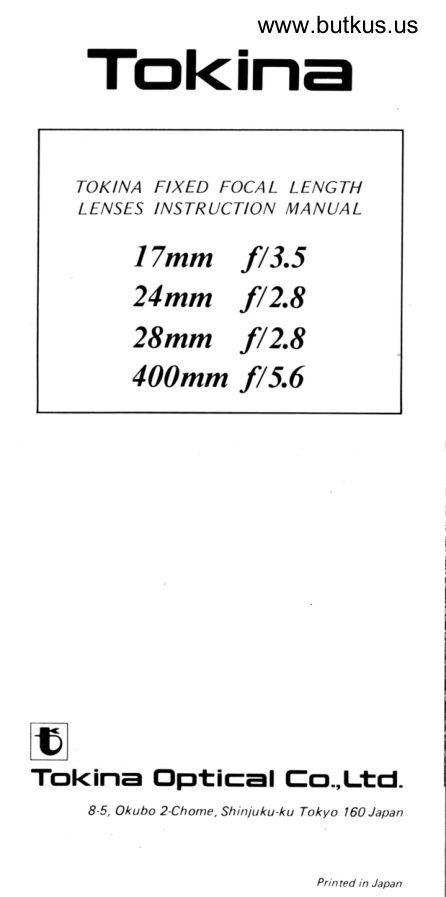
Tol.<inawww.butkus.us


    TOKINA FIXED FOCAL LENGTH
    IENSES INSTRUCTION MANUAL
    ITmm f/3.5
    24mm                f/2.8
    28mm                f/2.8
     400mm f/5.6


trTokina Oetical Eo.,Ltd.
          8-5, Okubo 2-Chome, Shiniuku-ku Tokyo 160 Japan


                                                     Printed in Japan
View original page 1Page 3 · Read text
Congratulations on selecting a TOKINA lens.
   Before you start shooting, please read this
    instruction manual carefully to obtain optimum
   performance. We hope you will enjoy many
    pleasant hours of photography with this lens.

     Description of Parts
   1. Focusing Ring
   2. Focusing Distance Scale
   3. Infra-Red Index
   4. Center Index
   5. Aperture Ring
   6. Depth of Field Scale


                                       Digitally signed by mike butkus
                                cn=mike butkus,mike                DN:o=orphancameras,                                               ou=29,
butkus            email=mike@butkus.org,Date: 2020.02.13 18:37:49c=US-05'00'
                        (Photo: 28mm tl2.8l
     Aperture
   This lens can be used with SLR cameras with
  AE (Automatic-Exposure) mechanisms, such
   as TTL photometering, shutter-speed priority,
   aperture priority, programmed or multimode
    systems. When using this lens on cameras with
   these functions, the aperture will remain at
   open aperture for focusing. When the shutter  is
    released the lens will stop down to the appro-
    priate aperture and then return to open aper-
   ture upon completion of' the picture taking
    operation.
   NOTE: When mounting or dismounting the
   PK-A mount on the Pentax or Ricoh program
   camera systems, set the aperture ring to any
    position other than the  " A" mark. lf you
   mount or dismount the lens with the aperture
    in the "A" position, you may cause damage to
    your program switch pin.
View original page 3Page 4 · Read text
www.butkus.us
      Focusing
   To focus, simply turn the Focusing Ring until
    the subject appears sharpest in the camera's
     viewf inder.
     Depth of Field
   The term "depth of field" refers to the range
    of distance in which subjects appear in accept-
    able sharpest focus. The depth of  f ield scale is
    engrabed on both sides of the center index. The
    range between numbers of the same f/value
       is the depth of  f ield. See Photo 1  .


                                        Focusing Distance


{illfP-

      Infra-Red Photography
    This lens has an infra-red focusing line engraved
   on the lens barrel which allows for accurate
    focusing when using infra-red film and a red
      filter. When taking infra-red photogaphy, focus
     normally on your subject and read the distance
    on the distance scale. Then, turn the focusing
     ring until this distance reading is lined up with
     the infra-red index. See Photo 3 and 4.

       F ilters
    Use screw-in type  f ilters with the same diameter
     as shown in the specif ication chart of each lens.
       lf two or more  f ilters are used together, vignet-
     ting may occur, therefore,  it is recommended to
     use only one  f ilter at a time.
   NOTE: Due to the greater thickness of some
     polarizing filters, vignetting may occur when
     used on wider angle lenses.
View original page 4Page 5 · Read text
Lens Hoods
Lens hoods are designed to prevent flare and
ghost image caused by strong diagonal or side
rays hitting the front of the lens. lt is recom-
mended that one be used on your lens, to
insure clear, sharp photographs. TOKINA
manufactures optional lens hoods. Using a lens
hood other than the TOKINA may cause some
vignetting or lens  f lare problem.

 Telephoto Lens Photography
Many SLR cameras use a split-image type
focusing screen in the viewfinder and the angle
of the split-image differs among various camera
bodies. 1f the split-image darkens, due to the
angle, it is recommended to use the adjacent
matte  -f ield for focusing.

 Tripod Socket Ring
The TOKINA 400mm f/5.6 lens is equipped   {t}with a  rernovable tripod stocket. \A/hen
mounted on a tripod, the lens can be rotated a
f ull 360". There are horizontal and vertical
index markings engraved on the lens. To use the
camera in the horizontal position, align the
center index line on the lens barrel with the
tripod socket ring index mark. To use in the
vertical position, align the vertical line index
marks on either side of the lens barrel with the
tripod socket ring index mark. To remove the
tripod socket, simply loosen the two locking
knobs located on the tripod socket.
See Photo 2.
NOTE: When changing the camera position, be
caref ul not to loosen the tripod socket locking
knobs.


A lens cannot be expected to perform satis-
factorily without good maintenance. Therefore
we urge you to take good care of your lens and
it  will reward you with long and efficient
service.
View original page 5Page 6 · Read text
www.butkus.us
1. Do not touch the lens surface with your
    fingers. To remove unwanted finger prints
         f rom th is lens surface, use a m ixture of
   denatured alcohol and ether, wiping with a
    lens tissure in a gentle circular motion from
   center to the outside of the front element.
2.   lf the lens has been exposed to moisture,
   wipe carefully with a dry cloth. After use on
   the beach or near salt water, make sure all
    traces of salt are removed.
3.  It is important to avoid exposing the lens to
   a rapid change of temperature, for example,
   going from the ski slope to a heated hotel
   room or vice versa. This can cause droplets
   of moisture to condense on the inside of the
   lens which can cause rust and mold. lt  is
   recommended that the lens be kept in a lens
   bag to increase the time period of tempera-
    ture adjustment.
4. After lens servicing has been completed,
   attach both the front and rear lens caps and
   keep in a dry place away from high humidi-
   ty and temperature.  lf the lens is going to
   be stored for a long period of time, place it
   in an air-tight container and include a
   package of silica gel.

   Specif ications
         Focal Length/                    1 7mm  t 13.5     24mm t12.8     28mm  f 12.8     4OOmm f/5.6      Maximum Aperture
                 Construction         Optical                                                   1 1-9                 7-7                5-5                8-s           (E lements-Groups)
        Lens Coating                 Multilayer          Multilayer         Multilayer         Multilayer
        Aperture Range                 il3_5-f 116                        f t2.8-il22                          f t2.8-t 122                        t t5.6-t t22
        Angle of View                  103040',             84"                75"20',               6010',
       Minimum Focusing          0.25m           0.19m          o.22m           4.0m
         Distance                          {O.8ft)               (0.6ft)               (0.7ft)                  (1 3.1ft)
           Filter Size              67mmd        52mm@        49mmd        72mmf
                           TOmmO         63.5mm0        63.5mm0       78mm0
      Maximum Diameter              (2.8in)               (2.5in)               (2.5in)               (3.1in)
         Length                  49.2mm        39mm         37mm         207.5mm
           (Wittr Nikon Mount)             (1.9in)             (1.6 inl              (1.5in)               (8.2in)
         Weight                      3O5s                      1 90g                      1 65g            970s
         (With Nikon Mount)           (1O.8oz)            16.7ozl             (5.8o2)            l34.2ozl
       Hood                        Separate          Separate          Separate             Built-in
View original page 6From the M. Butkus archive. Original publisher and archive notices are retained.
Check the model and edition against your equipment.
PDF verified 2026-10-10.