Flashes & lighting
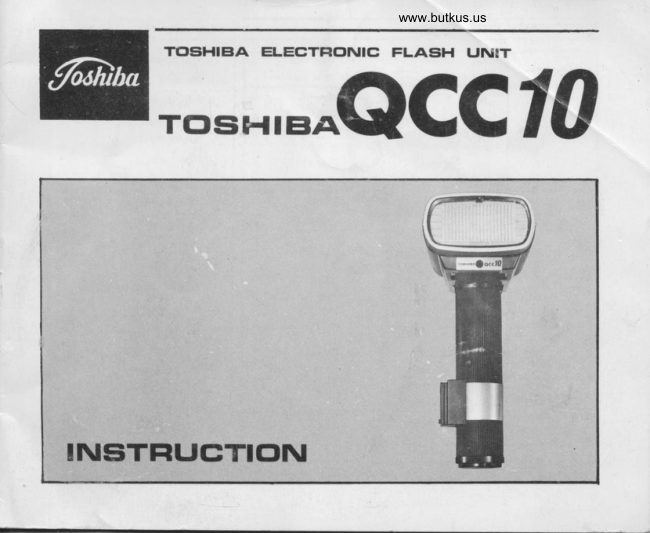
Toshiba QCC 10 User manual
User manual for Toshiba QCC 10. 13 pages in English. Read the original PDF, download or print a copy without registration.
13 pagesEnglish1.3 MB PDF
Loading your manual…Open PDF directly
Document details
- Brand
- Toshiba
- Model / document
- Toshiba QCC 10
- Document type
- User manual
- Language
- English
- Pages
- 13
- File size
- 1.3 MB
- Category
- Flashes & lighting
- Document date
- Not specified in catalog
Search available document text
Find a term, then jump to its page in the original PDF. Image-only pages may not be searchable; check the PDF for exact wording and diagrams.
Page 1 · Read text
www.butkus.us
           TclSiHIEIA ELEGTFIC'NIC FLASH IJNIT
   rcrsitr{rBoQccl0


INEiTFIUCTTc'N
View original page 1Page 3 · Read text
www.butkus.us


Mike Butkus          Digitally                                                      DN:org,Date:cn=Mikec=US2024.11.28signedButkus,by22:49:24Mikeo, ou=Butkus.org,Butkus-05'00'      email=mike@butkus.
View original page 3
Page 4 · Read text
EIEFGIFIE FLASHING

 Inserting batteries
 (1) Remove the battery compartment  lid from the bottom of the flash unit.
 (2) Insert the cartridge into the battery compartment by keeping the con'
     tact facing upwards as shown.
 (3) Replace the battery compartment  lid.
 The alkaline-manganese battery is ideal for the electronic flash photography
 where a large amount of energy is required.  lt excells the manganese  bat'
 tery in discharging performance and always provides stable voltage.


Operation'on batteries
 ( 1) Set the AC/DC selector switch to DC. Oscillating sound  is
     audible from the flash unit, when the DC circuit becomes
      on.
(Z) fne neon lamp begins to glow when batteries are fully
    charged. Now you are ready to make a flash.(3) When not in use, be sure to turn off the DC circuit by   Effig
     setting the switch to AC. lf the switch is on for extended
     period,  it will cause a waste of batteries.                         www.butkus.us

3
View original page 4Page 5 · Read text
www.butkus.us
Operation on AC household current
(t) set the AclDc selector switch to AC and insert the Ac
    cord into the AC cord socket. plug the AC wall ouilet.
(2) Ttre neon lamp begins to glow (No oscilrating sound is au.                       l-+     dible.) when the batteries become fully charged. Now you   @                                            t=i    are ready to make a flash.
 r   Note:  . The rated voltage of this flash unit is lO0- I2OV or
         220- 240V. (Throgh transformer  )


Open flash
Push the open flash button after the neon lamp starts glowing   .
Then the flash unit gives a flash without pushing the camera's
shutter release.
View original page 5Page 6 · Read text
Venmo @mike-butkus-camera  Ph. 2083
PayPal Name  Lynn@butkus.org      www.PayPal.me/lynnbutkus
View original page 6
Page 7 · Read text
PFIEFAFIATICIN FG,FI FLAsiHINGi
Attching to the camera
Insert the bracket into the clamp rail of the clamp, and it is locked.                                                                 ffiTighten the clamp-fixing knob to fix the bracket securely.
To remove the bracket, loosen the clamp-fixing hob and pull it toward
you.                                                                                                             -i\
                                                                                                =1=-JrFix the camera snte the bracket using a  camera-fixing screw. Then                                                                                  tlinsert the synchro cord into the synchro cord socket of the unit and
the X contact terminal of the camera.                                                                                II
Synchronization with camera
Be sure to use the X contact terminal for flash synchronization.  Other
terminals, M and FP, do not synchronize with the camera.
( t) Wnen the camera has two contact terminals, use the X contact.
(2) When the camera has a contact selector ler,er, set it to "X".    W(3) When the camera has only one contact, it is for X synchronization
     in most cases. Make sure of it, with the manual that comes with
 .  the camera.
5    W
View original page 7Page 8 · Read text
www.butkus.us
    FCIFI FLASHING!
      Settingl the shutter speed
          ( 1) When the camera has a between lens shutter, the flash unit synchronizes with all of the
          shutter speeds.
     (Z) tn the case of focal plane shutter camera,  the flash unit synchronizes with the shutter
         speed that is indicated by X mark or red figure, or with slower speeds. Note that the
           synchronization speeds differ with cameras.  and make sure of them with the camera's
          operating manual.
     Automatic operation
      * This flash unit works automatically at three different lens openings.
        (F/stop selector    FSS....system)
 I    * fhis flash unit combines a Computer with a thyristor (semiconductor switching element).
       Consequently, it offers the convenience of very short recycling times in close-distance photo-
       graphy, and permits rapid shutter release in succession.I
     (1) The ASA speed of the film being used is set to the ASA indicator on the expostrfd cafcu.
I         lator dial.
     (2) Select the F value of this model which is appeared inside the Auto/Manual Indicator Window
        by turning the knob of the Auto/Manual selector dial.
         Before you set your camera's F/stop value, please do not fail to select the color showing
           inside the Auto/Manual Indicator window reading the line for the color indications on Exoo-
         sure Calculator  Dial.
     (3) When operated automatically, the flash unit automatically provides the proper exposure
         without relation to the distance between the unit and the subject. And it permits .the use
         of pre-selected F stop, regardless of whether the unit is with an attachment or wide-adaoter.u

                                                                                                                                                                                                                     tnfl:
View original page 8Page 9 · Read text
Position of Auto/Manual
   selector dial


   Color of Auto/Manual
    lndicator window
   (Which couples to the
   exposure calculator
     dial.)
                            Green mark               Blue mark             Red mark
   Film Soeed or Your      ASA  25  50  10c  20( 400 ASAI 25 I s0  | 10012001400  ASAI 2s I s0  | 100  200 400
        Camera's F value     F    2   2.8  4   5.6   8    F   2.8   4   5.6   8   11   F   4   5.6  8    11   16
 Coverage     Standard              2-28teeI               2-2jfeet              2- l4feet
   di stance
             With wide-adapter          2-20feet              2- l4teet              2- lOfeet

Caution
( 1) Make sure that the sensor window is directed towards the subject.                                              ,'4
(2) For daylight synch, bounce-flash, diffuse-flash, multi-flash and other types of special
    photography, set the switch to Manual.                                                   {(3) When the camera has a flashmatic system, set the guide number to 50 and set the switch
     to Manual.
                                            3
View original page 9Page 10 · Read text
nf
                                                           www.butkus.us

     Manual operation
      (t) Set the Auto/Manual selector dial to "M", and the Auto/Manual indicator
         window shows a white mark.
      (2) Select the proper exposure, using the exposure calculator dial or the guide
         number scale.
          {< Use of exposure calculator dial
            ( t) Set the ASA speed of the  f ilm being used to the exposure calculator dial.                              ar}V      (2)Read the F value for the distance between the flash unit and the subject,                      ao\         and set the camera's aperture at the proper F stop.       * Use of guide number              RW#
       When determining the exposure with the guide number, use the following for-
     mura:         Guide numb€[ .  Distance :  F value         W    Use of wide-adapter
      (1) Attach the wide-adapter to the front of the flash window.
      (2) Coverage angle will increase to 75', and the unit will corcr the
          area within the range of 28mm lens of 35mm camera.
      (3) When the wide-adapter is used in the flash unit, it automatical-
            ly couples with the exposure calculator dial and offers the
          coverage angle and guide number.
            j           ln manual operation""""'Guide number is 40, with ASA 25 film.
            In automatic operation""'Coverage  angle is as follows:

      i                                        2-2Ofeet       I              F2 (Green mark)
                    F2.8 (Blue mark)   2-L4teet
      I        I              F4 (Red mark)- .    2-10feet
,-Jt
View original page 10Page 11 · Read text
sorvle INF(]F|MATIO@
This computerized electronic flash unit features a computer system developed by Toshiba engin-
                                                                                                                                                                                                                     , all you do is to pick theeers for unique automation control. When photographing with this unit,
                                                                                                  usef/stop you want, set it on the unit and everything else is automatic"""there's no need to
the guide number for proper exposure.
                                                                                  computerWhen receiving the light bouncing from the subject, the unit's sensor sends it to a
where it is converted into electric signals.
These signals will automatically control the flash when pre-selected exposure is attained.
This computer uses a thyristor (semiconductor switching element) to store extra energy(which
occurs when the flash is cut off) in a capacitor that is then discharged to supply light for ex'
posure. In this respect this flash unit differs from the ordinary electronic flash units which
dissipate extra energy through bypass circuits.
                                                                                    saving of bothThe advantage of this computerized unit is Quick Cut and Charge (QCC) -  the
battery power and recYcling time.
                                                                                                           flash.Fig. I shows the construction of the QCC system and Fig. 2, the condition of


                                                                                                                                                           Shutter  openinS &


                                                                                                                                                  Time              Fic.2                                                                                            L Light output  lor proper exposure
                                                                                                                          2.Cut.oft  liSht output (This area of electrac energy ls
                                                                                                                stored in a caoacitor.)
View original page 11Page 12 · Read text
www.butkus.us

       In general type hand grip Electronic flash unit is situated flash tube at higher location than the
      center of lens on camera so that it is recommendable to face the electronic flash unit toward
      subject or to use wide adapter included in the set.

    CAUTIclN

     (1) A high voltage and large power capacitor is built in the unit. In case of disorder, do not
         attempt to repair by an unqualified hand.
     (2) Keep the flash unit out of moisture, rain and water.
     (3) When the unit is not used for a long period of time, the capacitor becomes void of power,
        and will take time to become charged at first.
     (4) lf it is not used for a long interval of time, charge it on the house current once a month.
           It keeps the capacitor in the best condition.
    (5) Take the dry cells out of the compartment  if the unit is not used for a long time.
]    (6) Replace  all of the cells to renew them. Use the Cells for the best result.


                                                                                                     10
View original page 12Page 13 · Read text
TOSHIBA PHOTO PRODUCTS CO.,LTD.
NO 9-I5, I-CHOME, AKASAKA, MINATO-KU, TOKYO, JAPAN


                                                   PRINTED IN JAPAN
View original page 13From the M. Butkus archive. Original publisher and archive notices are retained.
Check the model and edition against your equipment.
PDF verified 2026-10-10.