Film cameras
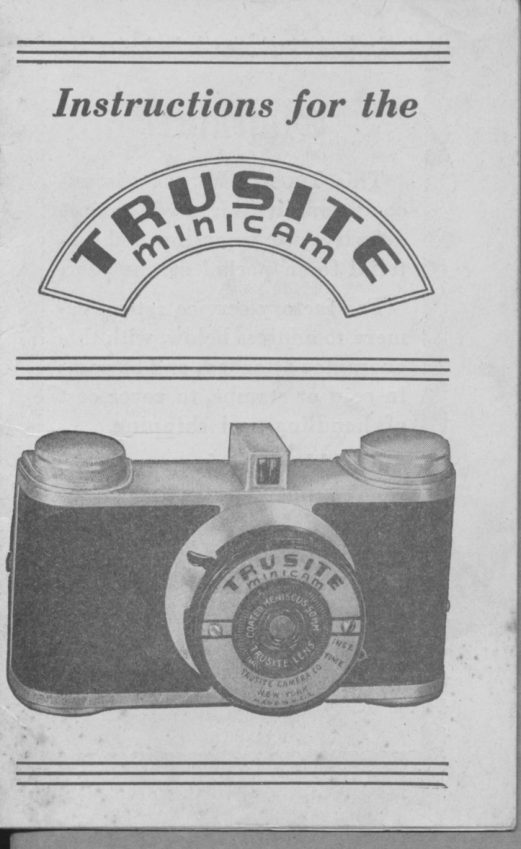
TRUSITE minicam User manual
User manual for TRUSITE minicam. 13 pages in English. Read the original PDF, download or print a copy without registration.
13 pagesEnglish1.9 MB PDF
Loading your manual…Open PDF directly
Document details
- Brand
- Trusite
- Model / document
- TRUSITE minicam
- Document type
- User manual
- Language
- English
- Pages
- 13
- File size
- 1.9 MB
- Category
- Film cameras
- Document date
- Not specified in catalog
Search available document text
Find a term, then jump to its page in the original PDF. Image-only pages may not be searchable; check the PDF for exact wording and diagrams.
Page 3 · Read text
I

    @uursntee
                                            I  This Tnusrrn MrNrc.t vr is un-
conditionally guaranteed a gainst                    II
                                                                                   ?defective workmanship and ma.
terial for a period of one year.
  For factory service return ea-
mera to address below, with this
guarantee attached, and 50 cents
in coin or stamps, to' cover cost
of handling and shipping.
  Should there be any other
repairs necessary, not due to
factory defects, there will be a
charge made, and camera \Arill
be returned to you C.O.D.

   TRUSITT CAMERA CO., INC.
      7l WEST 23rd STREBT
    NEW YORK IO, i\. Y.
View original page 3Page 4 · Read text
www.butkus.us
     The Tnusrrp MlNrcevr has been devel'
    oped for you to obtain clear, sharp pic'
     tures    either in the daytime or at night           -      with a minimum of effort.1    -
  I    The negatives obtained from  tlris
    camera (LL/q * I%)' may be enlarged
   many times, and your PhotograPhic
     dealer will advise you as to the size to
     order.

         FILMS TO USE
      Verichrome Vl27 or Plenachrome AB
    are both suitable for general outdoor
   and are to be recommended for their
    ease of use, as well as being assurance
     against under or over exposure. Koda- I


  I     color can be used in this camera' but
!    only in very bright sunlight.
I      Before attempting to take pictures
    with this camera? it is best to study Fig.
      I and become thoroughly acquainted
    with the various parts of your camera.
View original page 4Page 5 · Read text
Fis. I


Relerring to Fig. I
I.  Shutter Releuse
2. Filnt lI-inding Knob
3. Vieut Finder
4. Tinte und lnst. Leaer
5. Buck Release Screw
View original page 5
Page 7 · Read text
Place a fresh roll of film in the empty
 space provided for it on the opposite
 side of the camera. Break the seal
around the red paper, so that the loose
end of the red paper points toward the
 irrside of the camera? and then draw the                        Ipaper across the rectangular opening.                                                      IBe sure the black side of the paper faces
down to the lens. Now thread the nflr-
row end of the paper through the wide
slot in the empty spool and take one full
turn of the winding knob. Close the
eamera baek securely, making sure the
baek serew is tight. Wind the film until
the figure ccl)' appears in window A,
Fig. 3. An indieating hand and a series
of dots will appedr before the '01," and
this is a warning not to wind too fast.'
  The camera is now ready for the firstexposure. fmmediately     making the   I                          "ft"tfirst exposure, as described below, turnthe winding knob slowly until the figure  Iccl))             '$frindow    appears in         "Br" Fig. 3.
Then make the second exposure. After
this picture is taken, tunr the knob until            o'2"the figure     appears in Window "A."
You may then take another picture.
View original page 7
Page 8 · Read text
www.butkus.us    Then turn the winding knob until figure
      o'2"                       ooB."         uppears in Window     Thus you
     take 2 pictures for each number printed
    on the film, and when number oo8" ap-
     pears in Window c'B)? you have taken
     16 pictures. Vhen all the pictures havet
     been taken, keep turning the knob untilI
       , the red paper is all wound on the spool
     and no longer appears in either window.


                        Top W'indou B


                        Lower Window AtI


                           Fig. 3
View original page 8Page 9 · Read text
TAKING SNAPSHOTS
  Before taking a snapshoto be sure that
the lever (No. 4, Fig.- l)  is moved over
to the word ooINST." on the faceplate
as far ae it will go.                          I  IIoId the camera firmly up to the
right eye, as shown in Fig. 4,-with the
right forefinger on the shutter release
Iever (No. l, Fig. l). When the picture
ie composed and framed in the view
finde_ro gently press down all the way on
the ehutter release lever until it wiil go


                                                           ,
                                                     1


                    Fig. 4
View original page 9Page 10 · Read text
www.butkus.us
    no further. To avoid moving the camera
    while the exposure is being rnadeo ho-ld
      it firmly, bracing the camera against the
    face and using a slow steady pressure
                                            a   on the shutter rclease rather than
;   quick, jerky motion.
      TO RSMOVE FILM
     Open the'back of camera (in subdued
     lighi) , and rernove roll of film from
         by holding the spool ends with    "u-"tu                                         uPo   thumb and forefinger and lifting
    taking care not to let the film unroll.         -seal   Now     the roll with the piece of
   gummed paper attached loosely- to the
     ioll. DO MT  leave exposed roll laying
    in bright light for any length of time.
1           FOCUSII\G
     The Tnusrrn MrNrc,lvr is a fixed foeus
Ir   camera, which takes sharp pictures of
     all objects at distances between 3 feet
    and infinity. This guarantees all pictures
          sharp, with very litle effort.
    .being
  INDOOR PICTURES AT NIGHT
       Pictures can easily be made at night,
    with your Tnusrrs MtNlc.q,Nr. All that is
View original page 10Page 12 · Read text
www.butkus.us
        3. Keep the lens and inside of camera
         clean and free from dust. To clean
          lens, use soft linen or cotton cloth.
        4. Vind film immediately after taking
        each picture.
         5. Do not let sun shine on lenb,
         6.  Ilold camera level and press the
          shutter release without moving the
        camera. The slightest movement
       may cause a blur.
         7. Don't try to get too much in one
           picture. Take time to comPose the
         subject in the finder, and select
        your backgrounds carefully.
tl       8. Wherever you go, take your camera
         along. Remember that there are
 i        wonderful pictures to be had at all
         times around the home. The snaP'
          shot of today is the treasure of to-
r1         rnorrow.
         9. Do not hold camera in hand for
        time exposure. Place it on solid
          support.
       10. Use color film only in bright surl'
           light, with the sun over the ehoul-
           der.
View original page 12Page 13 · Read text
tver-Beady Carrying Case
                          Especially de-
                    signed for  use
                    with the Tnu-
                       srrE MrNrcapr.
                                  It  is hand-
                    somely made of
                        reinforcedo sim-
                   ulated leather,
                and simulated
                        leathershoulder
                        strap: to insure
                   Iong life.
  The shoulder strap and carrying case
enable you to carry your camera around
the necko with the camera in ready posi-
tion at all times.
  Inquire at the dealer where you
bought this camera? if he doesnot have
it write to us.
Price ol case,
complete u;ith strap   $1.00

      TRUSITE CAMERA CO., INC.
          7l WEST 23rd STREET
         NI'W YORK IO, N. Y.
                                         Printe<l in U.S.A.
View original page 13From the M. Butkus archive. Original publisher and archive notices are retained.
Check the model and edition against your equipment.
PDF verified 2026-10-10.