Film cameras
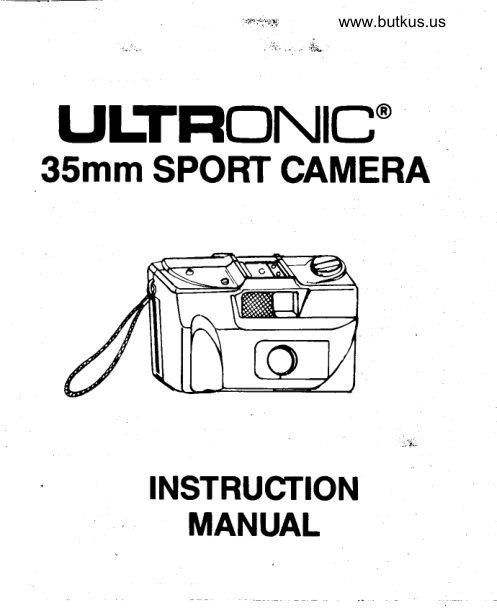
Ultronic 35mm Sport Camera User manual
User manual for Ultronic 35mm Sport Camera. 9 pages in English. Read the original PDF, download or print a copy without registration.
9 pagesEnglish0.9 MB PDF
Loading your manual…Open PDF directly
Document details
- Brand
- Ultronic
- Model / document
- Ultronic 35mm Sport Camera
- Document type
- User manual
- Language
- English
- Pages
- 9
- File size
- 0.9 MB
- Category
- Film cameras
- Document date
- Not specified in catalog
Search available document text
Find a term, then jump to its page in the original PDF. Image-only pages may not be searchable; check the PDF for exact wording and diagrams.
Page 3 · Read text
2. Lrft rewind knob up and place film      www.butkus.us
cassette in chamber. (Figure 2.)
                                                    t
                                                         tr


                                                                     Figure 2
3. Push down the rewind knob, making
surc the slot engages the top of the cas-
sette. (Figure 2.)
4. Pull orrt about 4 ll2" of the
film and insert the leader tab
well into one of the slots of the
film-advance  shaft. (Figure 3.)

5. Vind the film by turning the film
advance wheel to the right, making sure
that the sprockets of the film advance
shaft properly engage the sprocket
holes in the film. (Figure 4.)

Press shutter rclease button
and turn film advance wheel
a couple of times to advance
the film.
View original page 3Page 5 · Read text
6. Close cameraback. Depress the shutter
release button. Mvance thc film and
depress the shutter release button again,
repeating this step until the exposure-
counter indicator moves to "S."
(Figure 5.)


 1. First rewind the film: Press rewind
release button on bottom of camera
and hold  it down continuously while
turning the rewind crank in clockwise
direction. (Figure 6.)
    MN
                                                              Figurc 6
View original page 5Page 6 · Read text
2. Continue turning the rewind www.butkus.uscrank
until it turns freely without any resis-
tance or tension, indicating that the film
is fully rewound. It ls very important
that the rewind button continue to
be held down until the ftlm ts fully
rewound.
3. Pull up rewind knob to open camera
back and release film cartridge. Remove
film from camera.


 SHUTTER RELEASE BUTTON
  IS OhILY OPERATIONAL WHEN
 THE LENS COVER IS IN THE
 FULLY OPENED POSITION.

I - Slide camer:l lens protector to open
    position. Your camera features an
    automatic lock that will prwent
    the taking of pictures with.the lens
    protector in the closed position.
2 - Always photograph your subiects
    with the sunlight behindyou when-
   wer possible. Avoid shooting into
    the sun.
View original page 6Page 8 · Read text
3 - Hold the camefa steady usingwww.butkus.usboth
    hands, and press the shutter release
    button firmly.
4 - Use an optiond electronic flash in
   low light conditions with your
    subject within a l5-foot distance.


The Camera's single-speed shutter is
designed to deliver best results when
used with 35mm film with a recom-
mended speed of lOO ISO. This film
speed will provide you with enough
control for outdoor shooting and
indoor picture taking with an optiond
flash unit.


The Camera's fixed-focus lens has a
minimum focal length of approximately
3 ft. No focusing  is necessary. Just
make sure that the distance from the
camera to your subject matter is not
less than 3 ft.
View original page 8Page 9 · Read text
frFEgEEgEgEEiE

ilgigiEigFEEEi,g
FigEagEgg$fiiEgi
   gsl= j        #;EE P
                                                       5
View original page 9From the M. Butkus archive. Original publisher and archive notices are retained.
Check the model and edition against your equipment.
PDF verified 2026-10-10.