Film cameras
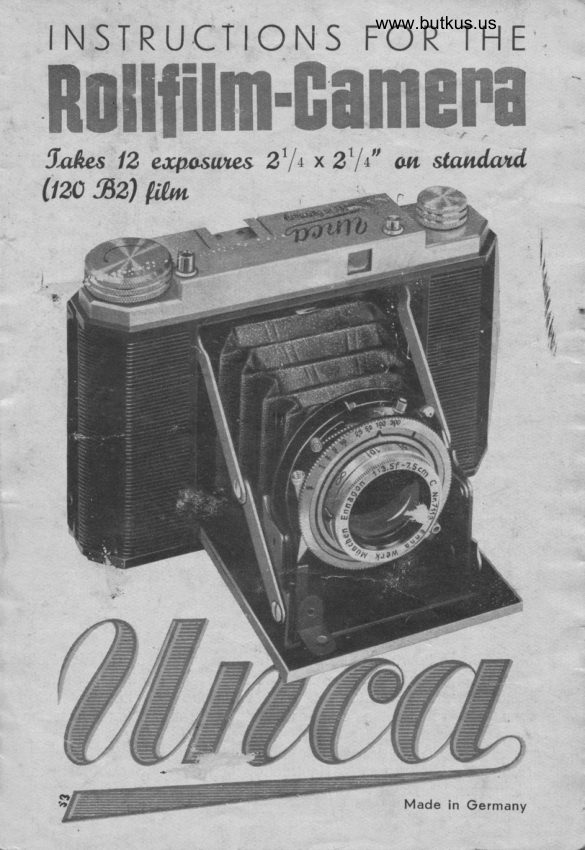
UNCA Rollfilm Camera User manual
User manual for UNCA Rollfilm Camera. 11 pages in English. Read the original PDF, download or print a copy without registration.
11 pagesEnglish3.2 MB PDF
Loading your manual…Open PDF directly
Document details
- Brand
- Unca
- Model / document
- UNCA Rollfilm Camera
- Document type
- User manual
- Language
- English
- Pages
- 11
- File size
- 3.2 MB
- Category
- Film cameras
- Document date
- Not specified in catalog
Search available document text
Find a term, then jump to its page in the original PDF. Image-only pages may not be searchable; check the PDF for exact wording and diagrams.
Page 1 · Read text
INSTRUCTIONS FORwww.butkus.usTHE

ffiffiffiffi#ffimffim.ffiwffiffiffiwffi
5.qhc$ 12 eacpctsur@s 2t f t x 2t ln" om standmd    gz)Uza         litu',
View original page 1
Page 3 · Read text
www.butkus.us

      Operaling componenfs:


 Mike Butkus  Digitally                                                  DN:ou=butkus.org,Date:cn=Mike2022.07.31signedButkus,email=mike@butkus.org,by15:20:15Mikeo=ButkusButkus-04'00'camera manuals,c=US


                                 (Fie. l)


1) Shutier selling lever                    9', Aperlure scale lever
2l Cable release sockel             10) Provided for range-finder
3) Exposure scale ring              11) Push bulton lo open
4l Fronl lens mount with              camera
   focussing scale                    12) Finder lens
5) Braces                           13) Shoe lo hold attadrmenls
6l Setting lever for selftiming         l4l Release bulton
   release and synchro.              15) Film winding knob
   medranisme                                     161 Locking slide for back
7) Shiff lever                         cover of camera
8) Flash conlact                      l7) Spring bullons
View original page 3Page 5 · Read text
Operaling inslruclions
                    Opening qnd closing cqmerq


                                                            First of oll, hold the "Uncq,,
                                           in both honds ond press
                                          button 11 The'bose ponel
                                     opens putting shutter with
.l                                           lens in reody position.


                              (Fis. ll)                          (Fis. lll)


     Close the "Uncq" by pres-
      sing on both broces, the-
     reby   f olding bose ponel
                                             www.butkus.us    upwords until  locking
      spring clicks in.


    Moke the following exercices with the unlooded,,uncq,,: Hold
    comero firmly with both honds ond rest index finger of right
     hond on releose button 14. Look with one eye through finder
     lens 12, leoning the comercr ogoinst foreheod ond pressing
     orms firmly ogoinst body. When the desired view is obtoined,
     press releose button slowly but continuously until shutter is
      releosed. Observe these instructions corefully to ovoid shoken
       pictu res.
View original page 5Page 6 · Read text
www.butkus.us
         Opening bqck of cqmerq ond inserting film


 Press slide 16 os shown ot right
ond fold bock open. Pull out
 knob 17 to full exent ond insert
full film spool into comero, push
bock button 17 ond wind film
over rollers os indicoted  in
fig. V.


                                                            (Fis. lV)


                     (Fie. V)


                                          Insert pointed end of film
                                     into longer slit of spool,
                                give winder 15 one ond
                        o holf turn ond ensure
                                thot film runs smoothlv
                                oround spool.


Close bock of comero ond turn winding knob until No. 1 shows
beh ind red window. With these few operotions the "Uncq" is
reody for oction.
View original page 6Page 7 · Read text
Exposure
 First of oll open the ,,Unco,, (Fig. ll)
 Set exposure time (for inst. r/ro sec.) by turning expl'ostfre scole
 ring; shutter by octuoting rever 1 ond set operture (for inst. B)
 by moving lever 9. Adjust front rens to the.estimoted or even
 better, meosured ronge.
Exomple: Exposure time:1/ro sec.
              Aperture: g
              Distonce: 7 m
 with this instontoneous setting successful snops con be token
 in not too dull weother. For further detoils see lost poge.
A built-in  locking mechon rsm prevents doubleexposures.
 Notice pleose the reod control-cord on the up-side of the "Uncq,,.
After completing oll 12 exposures turn winder 15 until film
disoppeors behind red window, ond open bock of comero. pull
out spring button 17 tu full extent ond toke out exposed film
spool. Fold end of film ond lobel together. Toke out empty
spool from present position ond reploce into opposite spool-
holcling spoce. Then turn winder 15 exerting slight pressure
until knob cotch engoges slot of spool.
Pleose note: Never chonge f ilm in f ullsunshine. At
           leost shode your comero with  your
          body.
               The lenses of the "Uncqt'
ore ochromotized ond cooted, which ollows colour photogrophs
to be eosily token. For the toking of coloured piktures the use
of o photo-electric exposure meter  is strongly recommended.
View original page 7Page 8 · Read text
www.butkus.us
  self'timing rereose. When using serf-timing rereose prepore the
  "uncc" in the usuor monner. Screw the comero on o tripod ond
  set rever 6' Rereose the comero best by meons of o cobre
  releose, which prevents tilting of comero. After 10_42.secs. the
  snutter is rereosed. with Vorio-shutters or compur-Ropid- ond
 synchro-compur shutters the "Rex,, serf-timer with the red con_
  trol knob moy be used by screwing it into tfre rereose knob 14.
 A perfect snop is ensured by noiseress iereose,  f ree of vibrotion.
 snops with frqsh guns. Even if the existing righting conditions
                                                                         ,,uncq,,. should be inodequote, snops con still be token with the
 simply toke one of the conventionor frosh guns, screw it io  il . comero or insert it into the shoe 15. The connector socket of
 the flosh gun reod is put over the contqct nippre ot the shutter.
 set shutter os usuor. The frosh burb wiil right up outomoticoily when       shutter              is rereosed.                            shortest                               exposure                                         time                                                shourd be lizs     sec.        The ,,Uncq,'                         fitted                          with prontor_SV                                              Syn.nro_Compur                                      o,
 shutter odmits shorter exposures such os r/soo or                                                                 1/roo sec. For
 detoils see speciol prospectus.
 The ronge'finder poilux or copri wiil give you the exoct distonce
 between lens ond object.
one more poinil shorper ond more brilliont snops ore obtoined
by using o KF-renshood.  rt not onry excrudes stroy right when
toking snops with the sun, it orso keeps the rens woter-proof  inwet weqther.
KF'filters oilow orthochromotic snops ond ossist in ottoinino
speciol light effects.
From time to time, remove dirt ond dust from the interior of the
comero' This is best done before rooding. Keep the rens creqn.
Use o soft suede reother proced over the finger tip or o litilepiece of wood. Avoid shorp objects.
View original page 8Page 9 · Read text
Some more procticol hints
At the beginning, informotion wos given obout the instontoneous
setting. Here ore some more detoils:
When the sun is obscured by not too dork clouds,       the                                                     ,toke
              Neqr-distqnce instqntoneous setting
time l/zs sec., operture 8, distonce 2.5 m, which offers o depth
of focus from opprox. 2.50 m-5 m.
               For-distqnce instqntqneous setting
time 1/zr sec., operture B, distonce 7 m, which oflers o focol
depth from opprox.5.50 m to infinity, using a 17/100 DIN film
(27 Scheiner).
For oll other occosions use on exposure toble or-meter. Consult
your foto-deoler obout them.
lf desired, the "Unco" con be eosily converted into the model
"Uncq ll" with coupled ronge finder.
Any structurol olterotions oJ the comero resulting from further
reseorch ond development ore reserved.
Depth of focus. The "Uncq" 6X.6 holds short focus lenses with
o greoter depth of focus.
The depth of focus is the zone in the oreo photogrophed, over
which the imoge is in reosonoble shorp focus. With o lens od-
justed to 5 m for inst., the zone of shorp imoge, toking oper-
ture B, is from 3.5 m to '10.3 m.
                     Shorp imoge
 il  il  il lillilillilil    illil  il I  il ilililil  ilil  il  il tilil  il iltil ilililillri    iilt,lillllilllllll          lltlllllllllllllllll     lllllll

                                                                    10,503,30   113    5 m     213
As seen from the obove, the focol depth lies opprox' 1/s beJore
ond 2/s ofter the distonce set.
Study the focussing toble corefully. The some interrelotionship
will be found.
View original page 9From the M. Butkus archive. Original publisher and archive notices are retained.
Check the model and edition against your equipment.
PDF verified 2026-10-10.