Lenses & filters
UNICUM Lenses User manual
User manual for UNICUM Lenses. 3 pages in English. Read the original PDF, download or print a copy without registration.
3 pagesEnglish0.6 MB PDF
Loading your manual…Open PDF directly
Document details
- Brand
- Unicum
- Model / document
- UNICUM Lenses
- Document type
- User manual
- Language
- English
- Pages
- 3
- File size
- 0.6 MB
- Category
- Lenses & filters
- Document date
- Not specified in catalog
Search available document text
Find a term, then jump to its page in the original PDF. Image-only pages may not be searchable; check the PDF for exact wording and diagrams.
Page 3 · Read text
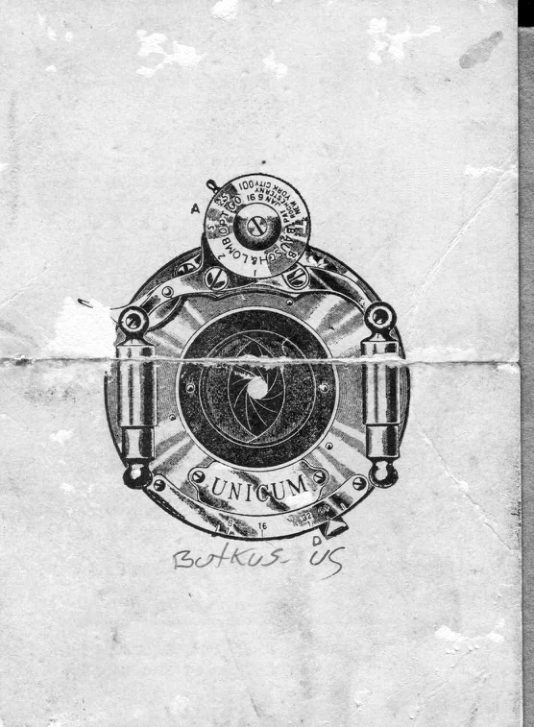
EVER   ,,A" acts as indicator  for   I
 L-t    graduated  disk.
    To set shutter read,y for exposure
draw lever  t(A"  to the left and to the
limit of motion.
    For instantaneo'is exposures set
letter  ttl"  to  lerrel rrA,".  From  this
point turn  to the left  to obtain  inter-
mediate speeds between  r and  o.or
part of a second
     For time exposures set letter
to    l e v e r     t 6 4 r r                           {/i        Wfg

meant  that  the  shutter  blades  will
remain  open  during  pressure  of the
bulb, allowing  a variation  of time  of
exposure  of from o.zS second to those
of longer duration.)
    To set size of draphragm revolve
tever "D"  .to requirqd opening..
    See that the front troard is firm.
                                                                                                                                                                     '    '   t
              oif ,an        shutter,
 & ",,                                                                '
                                           1r;;':l  '        1'
      In  cbse  of  aicident,   return  the
shi:tter  to your  dealer, or the  tr?,nu-
facturers  for iepair"
               www.orphancameras.com
View original page 3From the M. Butkus archive. Original publisher and archive notices are retained.
Check the model and edition against your equipment.
PDF verified 2026-10-10.