Film cameras
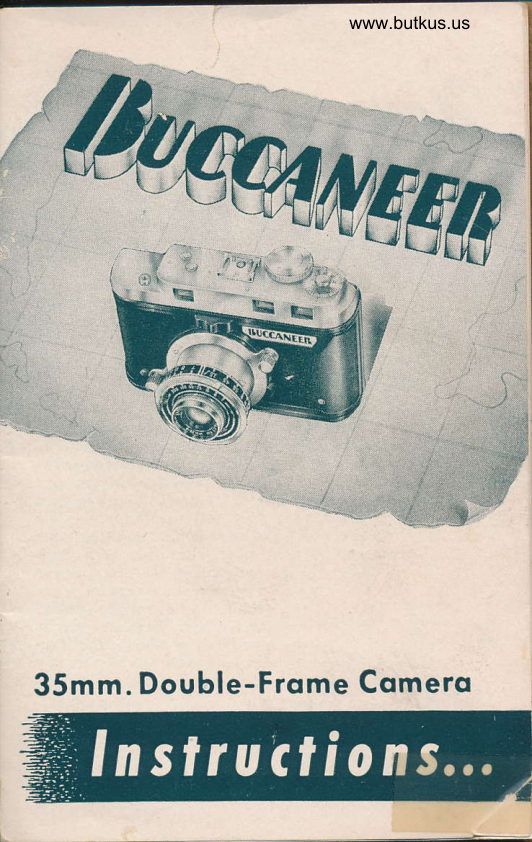
Universal Buccaneer User manual
User manual for Universal Buccaneer. 24 pages in English. Read the original PDF, download or print a copy without registration.
24 pagesEnglish7.0 MB PDF
Loading your manual…Open PDF directly
Document details
- Brand
- Universal
- Model / document
- Universal Buccaneer
- Document type
- User manual
- Language
- English
- Pages
- 24
- File size
- 7.0 MB
- Category
- Film cameras
- Document date
- Not specified in catalog
Search available document text
Find a term, then jump to its page in the original PDF. Image-only pages may not be searchable; check the PDF for exact wording and diagrams.
Page 2 · Read text
Qoclc
  llucAluttn             . . . Is a Universal Camera for adventuring
        in photography. This precision miniature
       camera will give you excellent service and
        perfect photographic results with caref ul
        handling and use. It is essential that the in-
         structions be studied and the various me-
         chanical details practiced as described in the
        following pages. The instructions are ar-
        ranged to give all the information necessary
        for perfect results. Folloqp the instructions
          caret'ully and practice taking Pictures with-
        out putting flm in the camerti until you are
         familiar with all the controls. You are then        ready foi your first roll of film and your
          practical work can then begin. In using your
        camera, bear in mind that this is a high
         quality precision instrument, therefore, never
         force any part or attempt any repairs your-
                            self and never oil the camera
                     mechanism. Because of  its
                        sturdy construction, the Buc-
                        caneer should give you many
                          years of uninterrupted service.


                       2l
View original page 2Page 3 · Read text
www.butkus.us
Feqtures. o.
  From stem to stern your Buccaneer is designed for
supremacy and engineered for quality. All the picture-
taking ability found in this trim performer keeps your
photographic adventures burdenless and cleared for
action. Here are just a few of the many outstanding
features of this camera:
 O Coupled all-metal range finder-for finest picture
     results . . . combined with Viewfinder for €asy
     picture-taking.
 O Built-in Extinction-type Exposure Meter-positive
     controls for sure results   used with the Buc-
     caneer's built-in Exposure Calculator.
 O Takes standard double-frame picture on regular
    35mm. film in black and white or color.
 O Built-in Flash Synchronizer-night  or day picture-
     taking with the Buccanedr.
 O Coated 13.5 Lens-insures superior tone rendition,
     cuts down glare.
 O Shutter Release Safety  no double exposures   ;     shutter automatically locks-  until film is in position
    for next exposure. Shutter automatically  locks
    when in retracted position.
 O Versatile Shutter Speeds from t/tO to l/300-
    covers a wide range of photographic possibilities.
 O Automatic Exposure Counter-no guesswork here;
     the dial tells exact amount of exposures made.
 O Retractable Lens Mount   brings lens back into    camera for safety in carrying-    or storage.
 O All shutter markings visible from top of camera.
 O Automatic Film Transport.
 O All controls accessible with camera held in oper-
     ating position.
 O Filminder-indicates type of film in camera.
                   t3l
View original page 3Page 7 · Read text
LOAD'NG
                       Film To Use: Your Bucca-
                       neer uses any standard 35mm.
                        film cartridge, color or black
                    and white; and gives double-
                     frame 35mm. size negatives.
                    Loading the Camera
                    Lay the camera face down
                    on a fat surface with the top
                        of the camera toward you. Be
                         careful not to let the lens touch
                    any object that may scratch it.
                   Turn the cover lock a quarter
                      turn in the direction marked
                     "open" and remove the back
                           cover.
                          Before inserting the film car-         Fis.  I                          tridge, turn the take-up spool
                         so that the spring clip is ready
                            to take the leading edge of the
                            film, Fig. 1 (the take-up spool
                                    is securely mounted in the cam-
                         era and cannot be removed, but
                           will turn in either direction by
                          rotating the edges).
                       Pull out the rewind knob
                    and place the cartridge in the
                    chamber-make sure the pro-
                            jecting hub of the film cartridge
                              is toward you. Make sure this
                    hub fits securely into the niche
                       in the bottom of the chamber.
                   Push in the rewind knob all
www.butkus.us                    the way. Turn it a little if
                        necessary, to secure the car-
         Fis.2             tridge. Bend untler r/2 inch of
                    t6l
View original page 7Page 8 · Read text
www.butkus.us

                       (continued) LOADING
  the narrow end of the film,
 making a hook with the emul-
  sion sides of the film facing
  each other. Fig. 2, page 6.
   Draw the film across the film
  track and insert the hook of
 the film under the spring clip
 of the pick-up spool. Fig. 3.
 Turn the spool by hand one
 complete revolution to the right
 so that the film is securely fas-
 tened to the take-up spool. Fig.
 +. Then, make sure the lilm
 perforations are engaged by
 the sprocket teeth of the lorver
 transport gear.
   Replace the back cover and
 turn the lock lever a quarter
 turn clockwise. The lilm is now                 Fis. 3 ready to be brought into posi-
 tion for the first exposure.
  The exposure counter dial
 should be set by turning the
 knurled edge so that the arrow under the word t'start" is
 brought into position at the in-
 dex line, see Fig. 5 on page 8.
  Turn the winding knob until
the exposure counter reaches
the number 1. The winding
knob will automatically lock,
and will not turn further until
the shutter release button has
been pressed. The camera is
now ready to take the first pic-              Fis.4
ture.

                    171
View original page 8Page 9 · Read text
(continued)
                         Af ter each exposure,
                    turn the winding knob
                      until it locks, and the
                         film has then been trans-
                      ported into place for the
                     next picture.
             Two important
                features of yoLlr
               Buccaneer can be
                   observed   :
                           1. The shutter release
                    button is automaticallv
                        locked until the film is in
                       correct position for the
       Fiq. 5             next picture.
  2. The rewind release knob rotates every time
                                                                                isyou wind ],our fiim indicating that your film
being transported through the camera. If  it does
not rotate, check to make sure that the rewind re-
lease knob is engaged and that the film is loaded
properly.
IMPORTANT: Before taking any pic-
tures  f amili arize yourself thoroughh'
with the automatic lock features of the
shutter release button, pages 7 and 8.
                    t8l
View original page 9Page 11 · Read text
tqking fhe


   Determining the Exposure:
              No guesswork is necessary with the
                    built-in exposure meter. This meter
                    consists of a disc divided into eight
                   equal sections, with a number in each
                       section. Each of these sections is darker
                 than the preceding one. For example,
                 numbers 1 and 2 are very light while
                 numbers 7 and 8 are fairly dark. Fig. 8.
                  Look through the exposure meter at the
                  area to be photographed for approxi-           Fig. 8                 mately three seconds, and determine
                    the highest number you can see clearly.
    Caution: As your eye becomes accustomed to the meter
   you may see numbers that are indistinct-disregard
    them. Use only the highest number which appears clear.
    This is the key to be used on the exposure calculator.
   Use of the Exposure Calculator
     The exposure calculator provides a rapid means of
    computing proper exposure. It has been designed to
     integrate the numerous factors which affect exposure.
   The calculator is composed of three dials. The bottom
     dial is fixed. The middle and top dials rotate.
      First Settlng: Rotate the middle disc so that the
   Weston Speed Rating number of the film you are using,                         ({N"     is opposite the letter     on the bottom disc. Fig. 9,
    page 11 (see white arrow).
                       [10]
N.t
View original page 11Page 12 · Read text
www.butkus.us


                  Fie. 9                             Fie.Fig. l0l0
   If a filter is being used, set the number opposite the
proper filter factor,2X or 4X, depending upon the rat-
ing of the filter. Weston Speed Ratings are available
where your film is purchased. This setting should not
be changed until another type of film or filter is used.
Fig. l0 shows the setting of a film speed of 2+, without
a filter. Note, the same setting is employed for a film
rating of 50 with a 2X filter or 100 with a 4X filter.
  Without disturbing the position of the middle dial,
turn the top dial to get the type of subject (sky-sea-
snow, or normal, or interior-shade) opposite the high-
est number seen in the exposure meter.
Explanation of Types of Subiecf
  Sky-Sea-Snow: This class includes all open land-
scape scenes showing some sky, or of pictures at the
beach or over lr'ater or snow.
  Interior-Shade: This includes any pictures taken in
the shade of trees or a house, etc., or inside a building.
  Normal: This group includes everything not in the
other two classifications.
                                 [ 11 ]
View original page 12Page 13 · Read text
rJ
                                                                                                                                                                                                       ,i

                                                                                                               ,I


  Here's the movie camera designed for the amateur
who wants "professionalt' results in his own movies.
  This dual 8mm. movie camera is a four-star produc-
tion in itself .   has the three essentials of successful
color photography: 1. Dependable Exposure Meter, 2.
Accurate Shutter speeds, and 3. Correct exposure over
entire picture area.
Look at these outstanding features:
   O Combined Exposure Meter and Optical
      View Finder
   O Three speeds
   O Exposure Calculator
  O Interchangeable Lenses-/3.5, f2.5, or lt.l
  O Continuous Running-starting button can
      be locked in taking position
   O Focal Plane Shutter
   O Powerful Spring Motor
   Cinemaster II with 13.5 lens . . Catalog No. GB35
   Cinemaster II with 12.5 lens  . . Catalog No. GB25
   Cinemaster II with /1.9 lens . . Catalog No. GBl9
                   lt27
View original page 13Page 14 · Read text
www.butkus.us
            the FULLY GEARED
'$


                    750 Waft     8mm. Proiector

              O Completely geared-no chains or
                             spring belts in any of its opera-
                                       tion.
              O 8mm. 750 Watt projection.
                 a  ll.6 Superlux Coated Universal                           lens-l" focal length.
               O +oO foot reel capacity.
              O Easy to load   handy film-gate                           knob keeps gate- open while load-
                                     ing.
              O Fully geared Forward, Reverse,
                        and Rewind Controls.
              O All-metal die cast construction.
              O Automatic Pilot light.
              O Stilt picture projection.
              O Speed Control.
              O Removable Conrlenser.
                                              Cat. No. PA-750
                                                 [ 13 ]
View original page 14Page 15 · Read text
(confinu"41
  -All settings have now been made and the readingsof shutter speed and lens opening may now be obtained
from the lower left portion of- the calculator by reading
the matched f opening on the middle scals and th;shutter speeds on the upper scale. All readings are
correct exposures, the reading for the type of Jubject
to be taken is left to the discretion of the photographer.
 To make sure that you thoroughly understind the
use of the calculator, try this example on your camera:
                   example with film speed of 24, nof!g. tt illustrates anfilter, and subject a street. scene (normal). Your'key
exposure meter reading is 6 (see striped arrow).There-
fore, the exposure is /8 at l/50th of a second, or fllat l/25th of a second, etc. Any one set of matched
exposures may be used for the subject to be photo-
graphed. However, it may be necessary to select a par-
ticular combination having either a fast shutter speed
or a small lens aperture in order to get a good expos-
ure. For example, a stationary subject, or one that may
move slowly, should use a combination having a rela-
tively small lens aperture in order to get greater depth
of field. In candid photography,  it is necessary to use
a fast shutter action
in order to avoid a
blurred representa-
tion of the subject in
motion. If, in your
calculator readings, a
shutter time should
appear in the blank
space between two
I numbers on the
disc, set the f  stop
indicator between the
same two f numbers
on the lens.                               Fig.  il                     [14]
View original page 15Page 16 · Read text
www.butkus.us
  LENS SETTING
ft                        Your Buccaneer has a
                              Tricor lens. This lens is a
                                 color corrected anastigmat,
                          and with the proper expos-
                           ure, its qualities can be
                                   fully appreciated.
                          The top of the lens mount
                                has markings engraved in it
                                   called "stops". Fig. 12 shows
                               the lens set a f4.5 opening.
                                                         be                         The I stop indicator may                  Fis. l2        moved in either direction
                               until the desired /  stop     opening is in line with the indicator pin.
      To use f stops not marked on the scale, between /3.5
    and fl6, set the indicator between the two nearest     numbers that do appear on the scale. For instance, for
     an f6.3 reading, set the indicator midway between f5.6
     and 18.
      Shutter Speeds
       For general all-around picture taking a shutter speed
      of 1/100th of a second may be used. If a constant shut-
      ter speed is used, the only adjustment necessary, as
       light conditions vary, is a change in the f opening of
vI     theShutterlens.  speed readings
    I      are indicated on the front
    l     and the top of the lens
                    convenientt     mounting for      time-saving adj ustments.
       Turn the shutter speed
      ring until the indicator
      (notch in the ring) is
     opposite the desired
     speed. The scale is
     marked for speeds be-
                                         I ls ]          Fie. l3
View original page 16Page 17 · Read text
(continued)y'eou. Seltt,tg
tween l/l}th and l/300th of a second, Bulb, and Time.
 Fig. 13, page 15, shows the shutter set for l/S}th ofa second.
  BULB, or "B" is used for exposures of short dura-
tion, i.e., from l/Sth second to 5 seconds. To operate
 shutter at "8" release button should be pressed-down
and held for the entire time of the exposure. Upon its
release the shutter will close.
  TIME, or "Tt' exposure is used for exposures of 5
seconds or longer. On this setting, align the shutter
speed indicator with "T" on the scale. Press and re-
lease the button to open the shutter, wait the desired
length of time, and then press the button again to
close the shutter and end the exposure,
  For both the time and bulb operations, the camera
should be mounted on a tripod or other firm support
and use of cable release is desirable.
Coupled Range-Finder-
View Finder Combination
  Focusing in the Buccaneer is done exclusively with -the coupled range-finder   view finder combination,which guarantees sharp -focus under all conditions.
Compose your picture by looking through the range-
finder-view finder window. In the center of the field
a double image of the subject may be clearly seen.
  One of these figures will be seen in its natural den-
sity while the second image will be seen to have a
lighter shade. Illustration A (page 17).
  For facility of use and real finger-tip control, it is
suggested in operating the range-finder, that the fore-
finger of each hand be used to adjust the range-finder
                    [16]
View original page 17Page 18 · Read text
www.butkus.us


4

c


               lllustration A                         lllustration B

     knobs as indicated in Fig. la. By pressing down either          'right     the      or left forefinger the lighter of the two
     images in the center portion of the field will be seen to
     move sideways, and, when the two images fuse into a
       single one the lens is accurately focused. Illustration B.
        All adjustments necessary for taking the picture are
    now complete. Press the shutter release button slowly
     as far as it will go.

                                                                                      -ii                                    '' m'll" Hs.,ffi

q

   i


                                    www.butkus.us

                                   Fig. l4

                                       [ 17 ]
View original page 18Page 19 · Read text
Releqse Buffon and
               Cqble Releose

  The Buccaneer Shutter Release Button offers many
safety guards and practical aids in time-saving pho-
tography. The release button locks automatically after
each exposure, thus preventing double exposures. Shut-
ter release is automatically locked until film is indi-
cated in position for first exposure. However, the wind-
ing knob must be turned as far as it will go after each
exposure to make certain the shutter button is off auto-
matic lock position. There is an automatic release lock
after 36 exposures have been made. Release button is
locked when lens mount is retracted to carrying posi-
tion and exposures can be made only rvhen lens mount
is in extended position.
  The cable release connection is incorporated in the
top of the shutter release, and should be employed
when slow speeds are used. Any standard type cable
release can be used.


                    [18]
View original page 19Page 20 · Read text
www.butkus.us


4


&
                              Filminder:
                           The Filminder is a
                                   convenient check as to
                                whether there is film
                                       in the camera, and the
                                       type, when the camera
                              has not been used for
                     Fie. l5          some time. The film-
              the smail knob to ,n. ,i?t'ifrI*J:;x'f.?{             posures of the lilm loaded in the camera.
              Fig. 15 shows the filminder set for color film
             of 36 exposures.
          Tripod Socket:
           The tripod socket has a standard l/4-20
              thread and may be used to mount the camera
          on any tripod or tilting head having this
                thread.
?i PHOTOFLASH UNIT
.+
               This unit is slid into the synchronizer clip
             on top of the camera. When a fash picture  is
              taken the synchronizing mechanism inside the
           camera insures perfect timing between the
             opening of the shutter and the flash of the
                bulb.
                                        [ le ]
View original page 20Page 21 · Read text
Follow the instructions that accompany each Mer-
cury Photoflash  llnit  for battery and bulb loading.
Ho'wever, do not use the exposure data there, since it
does not apply to the Buccaneer Camera. Consult the
Buccaneer Flash Exposure Table, page 21, for all ex-
posure clata when using flash bulbs.

 To determine the proper distance and lens setting
for photoflash exposures with the Buccaneer:

   (1) Locate the speed rating of the film you are using
      under the column marked Tungsten Weston.
   (2) Read across until you reach the distance in feet
       lretween camera and subject to be photographed.
   (3) In the lower section of the exposure chart lind
      the G.E. or lVabash bulb number you are using.
   (+) Read across the flash bulb line you have located.
     The point at which the distance column and the
        flash bulb line meet is the diaphragm opening to
     be used.

  For example, if the Tungsten Weston film speed you
are using is 16-2*, the distance from the camera to
subject is 12 feet, and the bulb being used is a G.E.
ft22, then the diaphragm opening should be 116.

   If there is no diaphragm number listed at the point
where your readings meet, the distance between cam-
era and sr.rbject must be altered.
                   1201
View original page 21Page 23 · Read text
t6e                                                                trlmttzcno /*

                                                                                                                 .l         lluanilffn
Photoflash Unit
               Enjoy the thrill of indoor and
                night-time picture taking. The de-
                pendable M-29 Flash Unit slips easily
               and quickly on to the clip of the Buc-
                 caneer's built-in photoflash synchro-
               nizer-you get clear, sharp pictures
                 at night or indoors everytime.
                                        Cat. No. M-29

Buccaneer Carrying Case
  Protect your Buccaneer with this smart leather case
.    constructed to permit convenient and rapid han-
dling for picture-taking without removing camera from
                                  rts case.

                                        Cat. No. K-25


                     l22l
View original page 23Page 24 · Read text
www.butkus.us


I


I    METEOB
                              Foa, uNtvERsAr usEIir  CA^ERA l/httensnt nADE
            Uses Regulsr 620 Size Film
     O Synchronized built-in flash-keeps the Meteor
             active day or night.
     O Optical View-Finder-visually  composes pic-
             ture before each snapshot.
     O Continuous variable aperture-/tt   to 132-
            operates with certainty under almost any light
              condition.
     O Built-in Extinction type exposure meter.
     O Unique chamber-loading device-sets this lit-
               tle performer far above any other camera in
                its price level.
     O All-metal body construction.
        As handy and rugged as a candid-the Meteor
         has a combination of features that can't be beat.
         Inexpensive-a smooth looker-takes a popular
          size ZVc * 2V+ picture. Start someone on the
          path to a great photo-future with the Universal
        Meteor'
                                          cat. No. PR-IOO
                        123l
View original page 24From the M. Butkus archive. Original publisher and archive notices are retained.
Check the model and edition against your equipment.
PDF verified 2026-10-10.