Film cameras
Universal Minute 16 User manual
User manual for Universal Minute 16. 17 pages in English. Read the original PDF, download or print a copy without registration.
17 pagesEnglish1.1 MB PDF
Loading your manual…Open PDF directly
Document details
- Brand
- Universal
- Model / document
- Universal Minute 16
- Document type
- User manual
- Language
- English
- Pages
- 17
- File size
- 1.1 MB
- Category
- Film cameras
- Document date
- Not specified in catalog
Search available document text
Find a term, then jump to its page in the original PDF. Image-only pages may not be searchable; check the PDF for exact wording and diagrams.
Page 3 · Read text
HOW TO USE YOUR

                 ffi15
           CAMERA
Your M|NUTE.]6 comerq hos been designed ro  fill q definite
need . . . the need for o precision-built,fully-outomotic,oll-metol,
ultro-minioturecomero thot is so simple to operote thqt onyone
cqn use it effectively.lt incorporofesfeotures thot heretofore
were found only in very expensivephotogrophicequipment.As
o motterof foct, your MINUTE-I6is on expensivecqmero-which
is being morketedot on extremelylow price.
  /ou con corry your MINUTE-I6oround with you onywhere. . .
everywhere.lt fits into your smollestpocket .  .  . your smqllest
purse.And whereveryou ore, whoteverthe light conditions.  .  .
you con get excellentresults.One of the reosonsfor this is thot
BUILT-INFLASH SYNCHRONIZATIONis one of the cqmerq's
 l                         www.orphancameras.com
View original page 3Page 4 · Read text
qony feqtures.When the light is bod, you simply use photoflosh
illuminotion.
  The MINUTE-I6 uses l4-exposure mogozines,looded with
I6mm film. Theseore ovoiloble loqded eitherwirh Blqck& White
or.DoylightType,DirectColorfilm. Our 3 modern,fully equipped
loborotories,in New York,Chicogo,ond Norfh Adoms,ore ot your
service.for processllgyour MINUTE-I6films.For o nominolprice,
your           color films will be cqrefully processedond returned     direct
os full color tronsporencies;your block clnd white exposureswill
be corefuffyprocessedond olbum-size(21/rx31/i enlargements
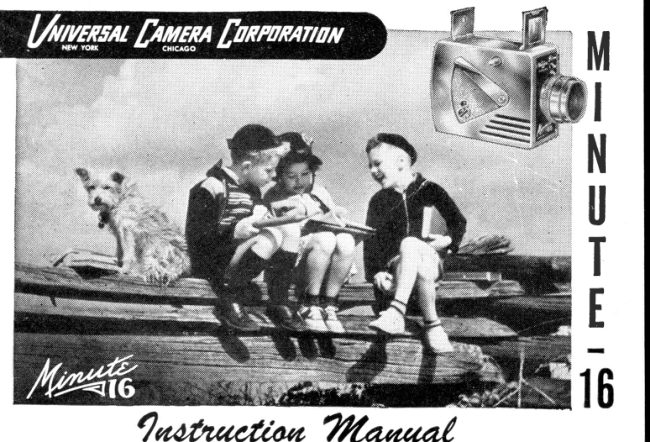
mode from eoch negotive frome. The cover illustrotionof this
monuol depictsthe octuol size of such o print.
  And now-reod the following instructionscorefully.They will
show how the simplifiedoperotionof your MINUTE-I6helpsyou
to m6ke eqch and every picturecount.
 UN'YERSALCAMERA  UN'YERSALCA,MERACORPORAI'ON
SAI.ESCORPORAI'ON                            FACIORY    175 Fifth Ave.                      NORIH ADAMS, MASS. New York f 0, N. Y.
                                             2
View original page 4Page 6 · Read text
I _ LENSBARRELWITH BUITT.INIENS SHADE
2 - IENS APERTURETEVER
3 -SHUTTERRETEASEBUTTON
4 _ VIEWFINDER
5 - CAMERABACK
6 - FILMTRANSPORTLEVER
7 - EXPOSURECOUNTERWTNDOW
8 _ EXPOSURECOUNTERRESETBUTTON
9 - TRIPODSOCKET(not showing-onundersideof comero)*
IO-,VIEW FINDERRETEASE
*  The flosh synchronizotion mechonism of the }v{INUTE-16is positioned
   ilir""iir-"vef  the tripod socket. The comero should not be used on o tripod
   wli.t,'tt"r-  on ovei'-long otioching screw, since this moy dqmoge the
  mechonism. lf the screw-on your rripod is longer thon 5/32 inch, ploce on
  ordinory wosher over lhe screw ond then oltoch lhe comero.
                                                                 1
View original page 6Page 7 · Read text
LOADING YOUR MINUTE-I6
  Do not lood or unlood your MINUTE-I6 in  direct sunlight. This
should be done in subdued light only. Do not tomper with the film
mogozine, os this moy result in fogged film.


                  OPEN THE CAMERA BACK

                       The bock of the MINUTE-I6 is hinged ot
                          the bottorn ond locks ot its top. To open the
                       comerctbock, move the Lock Button on the
                 YE TO   outside i'eor of the bock-plote to "O"  posi'
                     FqSlrloN
                             tion, qnd pull bock the top. A thumb-slot,      \ . /
                        incorporoted in the top edge of the bock
                            plote, permits eqsy opening.
5                          www.orphancameras.com
View original page 7Page 8 · Read text
SIIP IN THE FILM MAGAZINE

  Hold the Film Mogozine so thot the film
foces into the comerq, ond the two roised
buttons on the Mogozine's side (see illustro-
tion below) ore in position to slip into ihe
groovesin the comerq side woll. Slip the bol-
tom of the Mogozine into the lower port of
the comero film chomber,ond pressin the top
                         portion. The "pull-out" finger tob, on the bock
                            of the Mogozine, will be neor the top. Actu-
                            olly, the Film Mogozinecon be insertedin only
                     one woy  .  .  . the right woy.

                 CLOSETHE CAMERA BACK

                        Pressin the bock plote of the comero, AND
 1.FINGERTAB      MOVE THE LOCK BUTTONTO "C" POSITION.
 2-GUTDEBUTTONS
                                                          6
View original page 8Page 9 · Read text
lTi*1.,..    TRANSPORTTHE FIRST FIIM FRAME                       .r,,r--,lii
                     The film frqme thot wos visiblewhen the mog-
                     ozine wos looded hos been exposed io  light
                   ond is, of course,useless.Thisfrome is odvqnced
                      out of position by operoting the Film Tronsport
                     Lever on the comerq side (see pqges 3-4). To
                    ossurethqt o full frome hos been odvonced out
                          of  position, work the Tronsport Lever TWICE.
                 PULL THE LEVERDOWN TO THE LIMIT OF ITS
MOVEMENT, then ollow the Lever to return to its former position. This
oction not only tronsportsthe film, it qlso WINDS THE SHUTTER,so thot
lhe cqmero is now reody for the first exposure.
SET THE EXPOSURECOUNTER
  This is done by inserting o coin in the groove
of the block plostic ResetButton, locqted below
the Counter Window, ond turning this until the
numerof "1"  oppeors in the Window opening.
IMPORTANT:TURN THE RESETBUTTONONl.y lN
THE DTRECTTONOF THE ARROW (CLOCKWTSE).
YOU ARE NOW READY TO TAKE PICTURES
7                          www.orphancameras.com
View original page 9Page 10 · Read text
TAKING A PHOTOGRAPH                   WITH YOUR ,VIINUTE-T6
ERECTTHE VIEW FINDER
by genfly pushing bqck the spring-fock
cotch, locoted ot  the top-center of  the
finder.
To close the  finder,  first cfose the  front
finder frome, then the reqr find",  fror.,
ond press down until the lock-cqtch,nop,
into ploce.

                    ADJUST THE IENS APERTURE
                        The LensAperture Controt Lever is locqted
                       on the                                          plote of the comerq, in the                                      -front
                        upper right corner (see poges 3-4). ih.  .on-
                         linuous diophrogm moy-be odjusted for ony
                           lens.operture between f:6.3 ond f:I6.
                       The odjustment of the tens operture is lhe
                          only odiustment you need to mqke                                                                                                t;;;                     MINUTE.I6.                              ""
View original page 10Page 11 · Read text
MAKE THE EXPOSURE
                         Compose your subiect in the View
                           F i n d e r . T h e V i e w  F i n d e r o f    t h e
                         MINUTE-t6 hos been designed with
                               porollox compensotion provided for.
                             For ony comero-to-subiectdistonce-
                             from 3 feet to infinity-whot you see
                                     in the View Finder, you will see in the
                              negotive.

                        When your subiectis in the position
                           you wish, press the Shutter Releose
Button, locqted on the c o m e r o side, ALL THE WAY lN. (See poges 3-4.)
  While moking the exposure, hold the comero firmly but not too
iightly. lf you hold it too "hord",  it will be difficult to hold it steody.
9                           www.orphancameras.com
View original page 11Page 12 · Read text
Be cqreful nof to cover fhe lens with your finger. In tripping the shutter,
 do  not iob  qt  the Releose Button. Doing so moy  result in o  blurred
 photogroph, due  to comero motion. Leorn to squeeze the button with
o slow, steody  pressure.

  When you hove mode the exposure, the shutter mechonism will outo.
moticolly  lock, preventing  ony  occidentol double  exposures on    f he
some negotive frome.   lt  will  remoin locked  until you hove odvonced
the film to the next frome.

   Accurote  film tronsport  is outomotic, ond  this oction olso unlocks
ond rewinds the shutter, so thot you ore now reody  fcr  the next ex-
posure, which  is outomqficolly  counted ond  shown  in  the  Counter
Window.

  To ovoid the possibilityof the shutter being releqsed while corrying
the comero, do not trqnsport the film until you ore reody to moke on
exposure.
                                                                          to
View original page 12Page 13 · Read text
UNTOADING YOUR MINUTE-I6

   After you hove mode the  losf exposure (the l4th),  fhof fitm frqme
must olso be tronsporfed into the mogozine. Unlessthis is done, it will
be  light-struck qnd fogged when the mogozine is removed from the
comero. So, qfter the lqst exposure hos been mode, tronsport the film.
Work  the Tronsporl Lever twice (os described on poge  7). This will
ossure the foct thqt qll of the "piclure"  frqmes hqve been lronsported
into lhe mogozine
  Open the Comerq Bqck (see poge 5).

  To remove lhe Mogozine,  pull ot the  little finger-tob on the upper
port of ihe Mogozine housing (see poge 6), qnd  lift the Mogozine oul
of the cqmero. Reploce it  in the metol cqn, os o further  protection,
until you qre reody to return  it for processing. The cosl qnd procedure
for returning your film mogozines to us for processing qre included on
the Film Dqtq Sheet which is pocked wilh the film.
 ll                          www.orphancameras.com                               'k.,*,.                                                       ;'     . "*l;                    ,
View original page 13
Page 14 · Read text
THE IENS qnd SHUTTERof your MINUTE-16

     The MINUTE-I6 lens is o cooted, color-corrected,16.3 Achromot of
    vorioble operfure. lis focol length is 1.3 inches, qnd  it is set ot fixed-
    focus. In this posilion, the depth of field extends from 3 feet to infinity,
    In other words, your picture will be shorp ond cleor with your subiect
    of ony distonce from 3 feet onword. The glore-free, cooted lens hos
   been given even greoter odvontoge by incorporoling o  built-in lens
   shode in the bqrrel mount. This permits only those roys which form the
   imoge fo strike the lens. A cleorer, more brilliont picture results.
t    The MINUTE-I6  is equipped with o rotory,t,   behind-the-lensshutter,
    pre-set ot q speed of 1/50th  of q second. Shutler cocking is quto-
    moficolly occomplishedwhen fhe film is tronsported. Flosh Synchronizo-
    lion is olso built-into the shutter mechonism.Instructionsfor photoflosh
   work ore conlqined in the instruclion leqflet which occomponies the
   MINUTE-16 Flosh Unit.                       \

                                                                          12                  i               ;Jii;*:-i"{:'1.9-fuiE'.                j$@,*u;,*.i.fusl     .,":*;-*,  ..:';;:ia,*'ni;;ii:       ):y
View original page 14Page 15 · Read text
THE RIGHT IENS AP ERTURE
  The only odiustment you musi moke, when using your MINUTE-I6,
is the setting of the lens operture (see poge 8). The following toble
suggests q  simple-to-follow tobulolion, which  will  help you secure
good exposures.                                                                                                                    I                                             SET IENS
              LIGHT COND'TIONS               APERIUREAT

   UNI-COIORFilm in bright sunlight.
   UNI-PAN Film with Ouldoor subiectson cloudy        f6.3
   doys,or in shqdedoreos.
   UNI-PAN Film for Street Scenesin sunlight                f8
    U^ll-PAN Film with Outdoor subiects in sunlight      I        fI  t
   UNI-PAN Film wilh Ou?door subiects in  brilliqnt
    sunlight, such os beoch scenes,snow scenes,seo-      I      fI6
    scqpes, distonce views, efc.
r3                          www.orphancameras.com
View original page 15Page 16 · Read text
FILMS FOR YOUR MINUTE.I6
         Films for use in the MINUTE-I6 qre put up in hondy, l4-exposure,
       doylight looding mogozinel: Tyo types of film emulsionsore ovoiloble.
                                                                            /-i      These qre,      Lt, i t   -',. -  /:'t':, -) ,!" '. g  .
      UNI-PAN: l4-exp6iure, ponchromoiic (blqck & white) film mogozines.
     UNI-COLOR: l4-exposure, doylight fype, direct color ironsporency film
          mogozines.
        The films ore qvqiloble everywhere,ore very low-priced, ond moy be
      purchosedin single unit pockoges.orin q 3'unit borgoin pockoge.
     PROCESSINGt;        The Universol Comero Corporotion's3 modern, fully equipped Film
       Lqborolories, locoted in New York, Chicogo, qnd North Adoms, ossure
      you speedy ond superlotive photo-finishingof your MINUTE-I6 expo-
       sures. For o dollqr  bill, we will cqrefully proeessyour color films ond
       /eturn these to you os brilliont, full-color tronsporencies;or  if you qre
       using blqck & white film, we will corefully processthe negotives ond
      moke o 2Yax3Ya enlorgement of eoch negotive. Direct color prints from
     UNI-COLOR tronsporenciesore olso ovoiloble. Ful! dotq ond instruc-
        tions for using lhese servicesore included with eoch film mogqzine.
                                                             t1
View original page 16From the M. Butkus archive. Original publisher and archive notices are retained.
Check the model and edition against your equipment.
PDF verified 2026-10-10.