Flashes & lighting
Vivitar 292 Flash corrections User manual
User manual for Vivitar 292 Flash corrections. 3 pages in English. Read the original PDF, download or print a copy without registration.
3 pagesEnglish1.1 MB PDF
Loading your manual…Open PDF directly
Document details
- Brand
- Vivitar
- Model / document
- Vivitar 292 Flash corrections
- Document type
- User manual
- Language
- English
- Pages
- 3
- File size
- 1.1 MB
- Category
- Flashes & lighting
- Document date
- Not specified in catalog
Search available document text
Find a term, then jump to its page in the original PDF. Image-only pages may not be searchable; check the PDF for exact wording and diagrams.
Page 1 · Read text
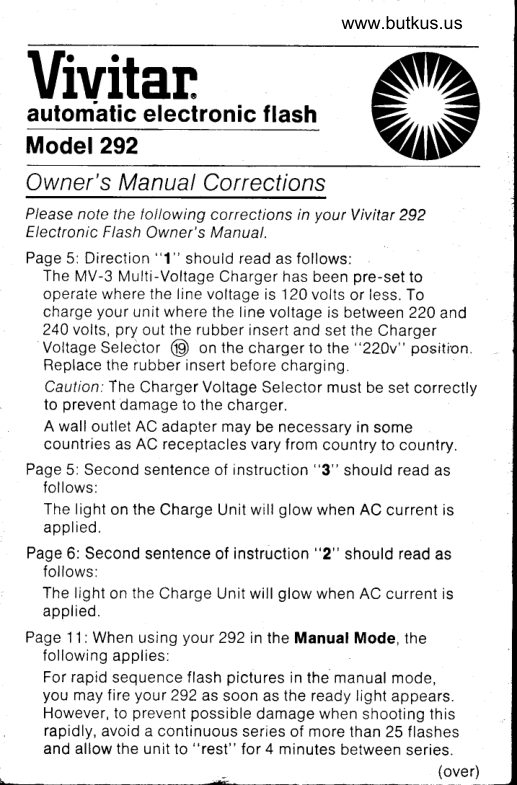
www.butkus.us
Vivitanautom'atic electronic  f lash
Model 292
Ow ner' s M anual Corrections
P/ease note the tollowing corrections in your Vivitar 292
Electronic Flash Owner's Manual.
Page 5: Direction "1" should read as follows:
  The MV-3 Multi-Voltage Charger has been pre-set to
  operate where the line voltage is 120 volts or less. To
  charge your unit where the line voltage is between 220 and
  240 volts, pry out the rubber insert and set the Charger
  Voltage Selector @ on the charger to the "220v" position.
  Replace the rubber insert before charging.
  Caution:The Charger Voltage Selector must be set correctly
   to prevent damage to the charger.
  A wall outlet AC adapter may be necessary in some
   countries as AC receptacles vary from country to country.
Page 5: Second sentence of instruction "3" should read as
   follows:
  The light on the Charge Unit will glow when AC current is
   applied.
Page 6: Second sentence of instruction "2" should read as
   follows:
  The light on the Charge Unit will glow when AC current is
  applied.
Page 1 .l : When using your 292 in the Manual Mode, the
  following applies:
  For rapid sequence flash pictures in the manual mode,
  you may  f ire your 292 as soon as the ready light appears.
  However, to prevent possible damage when shooting this                 .l  l
   rapidly, avoid a continuous series of more than 25  f lashes                                                                 Il
  and allow the unit to "rest" for 4 minutes between series.                                                                        I
                                                               (over)
                                                                                                                               -   )
View original page 1Page 2 · Read text
Page 14: Disregard "Let it Glow" section of Helpful Hints.
    The Ready Light will go out when the Flash Unit is turned off.
  Page 1B: The Auto f-stop settings lo the closest half f-stop
     should read as follows:
   Film ASA 25 64. 80. 100. 125. 160. 200. 400 800
     Speed: DIN 15 19 20 21 22 23 24  27   JU
     Yellow Mode 2 2.8 3.5  4  4  4.5 5.6  B  11
    Red Mode 4 5.6 6 B  B  B 9.5 11 16 22
     Blue Mode B  1 1 13.5 16 16 19  22
     .These ASA frlrn speeds differ by only :/z of an f-stop. The resulting
      change rn exposure rs so slight thal a change rn the Auto f-stop may
       not be indicated
  Page 19: Recycle times should read.
    B seconds (manual)
     0.8 to B seconds (automatic)
  Page 19: Angle(s) of illumination for the unit in the vertical
     position should read:
   Normal                                    . . 45o horizontal, 65o vertical
    With Wide Angle Attachment  . . . 65o horizontal, 70o vertical
  Back Cover:
    The Vivitar Model 292 calculator dialshould read:

                                          f-stop Scale
                                      Yellow Triangle
                                 Red Triangle
                                                     'a,-*:               Blue Triangle
                                    {t                Distance Scales
                                        Film Speed Indicator
                                   DIN Scale
                              ASA Scale
Mike Butkus                            Digitally                                                                  DN:email=mike@butkus.org,Date:cn=Mike2023.11.25signedButkus,by22:53:45Mikeo=ButkusButkusc=US-05'00'camera manuals, ou=butkus.org,

   B-73-1 Specif icatrons subject to change without notice
View original page 2Related documents and language editions

From the M. Butkus archive. Original publisher and archive notices are retained.
Check the model and edition against your equipment.
PDF verified 2026-10-10.