Light meters
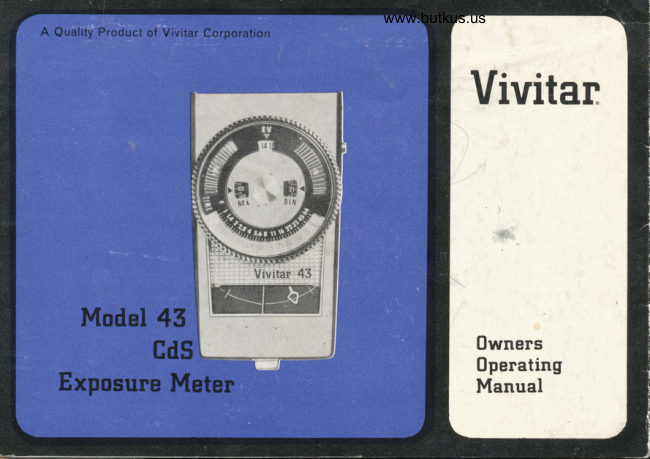
Vivitar Model 43 Cds meter User manual
User manual for Vivitar Model 43 Cds meter. 8 pages in English. Read the original PDF, download or print a copy without registration.
8 pagesEnglish1.6 MB PDF
Loading your manual…Open PDF directly
Document details
- Brand
- Vivitar
- Model / document
- Vivitar Model 43 Cds meter
- Document type
- User manual
- Language
- English
- Pages
- 8
- File size
- 1.6 MB
- Category
- Light meters
- Document date
- Not specified in catalog
Search available document text
Find a term, then jump to its page in the original PDF. Image-only pages may not be searchable; check the PDF for exact wording and diagrams.
Page 3 · Read text
www.butkus.us
DESCRIPTION OF REFERENCE POINTS:           SPECIFICATIONS:
(1)EVWindow                        CdS Cell powered by Silver 0xide Eveready
( 2 )  ASA,/ DIN Film Setting Dial            S-76 battery or equivalent.
( 3 ) ASA Index Window
                                                                                                                         ,                     Incident and ref lected light readings.( 4 ) DIN Index Window
(5)  ShutterSpeedDial .;                                                                                        'q                 B uilt-in battery tester.      ,
(6)  Aperture Scale   ,                                                                                       ,              ASA  f ilm speeds  f rom 6 to 2 5000.
( 7 ) Exposure Indicator Window ''
                                                                                                   hours.( 8 ) Exposure Indicator Needle                  Shuttei speeds L./ 8000 sec. to 8
( 9 ) Exposure Ref erence Pointer              t/stops from t/I   to t,264.
(10) Battery Check Point
                                                Light values from EV-minus 3 to EV 25.( 1 1    )  Ref lectedl Incident Light Selector
       S witch                                              Movie scale  f rom 8 to 128  f rames per second.
(I2) Operate/Batt. Check Switch
( 13    ) Battery Compartment Cover
(14) Movie (Frames Per Second) Scale
( 15 ) Photo Cell Window
( 16    ) Meter Actuating B utton
View original page 3Page 5 · Read text
OPERATION:
Install the Batter   Unscrew the battery compartment cover  ( 13) and place the battery in the
compartment with the plus (* ) mark  f acing inward. Replace the battery compartment cover.
theck the Battery. To assure proper functioning of the Vivitar 43 Meter, a convenient, built-
in battery tester is provided. To check the condition of the battery, move the Operate/Batt.
Check switch (12) to the Batt. Check position. Depress the meter actuating button (16) ALL
THE WAY lN. The exposure indicator needle (8) should come to rest on the battery check point
(10), which is a gold  f inished square. This indicates that the battery has suff icient power
to operate the meter.
NOTEI lmmediately after checking the battery, retqrn the Operate,/Batt.' Check switch to
the "0perate" position.
Set Film Speed-ASA or DlN.  Consult the film manufacturers instruction sheet for film speed
rating, either ASA(American) or DIN(European). Holding the meter so that the CdS Cell Window
(15) points away  f rom you, rotate the ASAlDlN  f ilm setting dial (2) until correct ASA or
DIN number appears in the appropriate window opposite the index triangle(Red for ASA or Blue
for DIN) Exomple: lf the ASA speed is 25, set the number 25 in the ASA window(3)opposite
the red triangle index. Numbers should read upright in ASA, and DIN windows. lf numbers are
upside down, rotate the dial in either direction until they are upright.
                                   -3-
View original page 5Page 6 · Read text
www.butkus.us                I
TAKING A READING:                                            U
Refer to chart on fold for suggestions as to the uses of Reflected and Incident Light.
Taking a Reflected Light Reading. Place the Reflected,/ Incident Light Selector Switch (1) on
"Ref lected." Point the meter so that the CdS cell window (15) is toward the subject. Depress
the meter actuating button (16) all the way in. When the Exposure lndicator Needle (8) comes
to rest, release pressure on the Actuating Button. Rotate the Shutter Speed Dial (5) until
the Exposure Reference Pointer (9) aligns itself directly over the Exposure Indicator Needle.
Appropriate shutter speeds and their corresponding f stops are now aligned'

                                                                                                           go.NOTE. Incorrect reading will result if actuating button is not depressed as far as it will
Taking an lncident Light Reading. Move the Retlected/lncident Light Selector Switch to  "lnci'
denti stand at the subject position, and point the meter so that the CdS cell is toward
the camera position. Reading the exposure and aligning the ref erence pointer are accomplished
in the same manner as when reading ref lected light'
View original page 6Page 7 · Read text
REFIECTED LIGHT
Subiect                    How to Meosure Light
White clouds in a bright sky            Point meter at subject.
Landscapes and other outdoor scenes    Point meter at scene and downward slightly.
Sunsets                                       Point meter at subject.   . ,   ..                                        'PointNight street scenes                       meter at scene. nvoid miiasuring  light
                                   from nearby signs and lamps.


Sublect                   How to Meosure Light
Subject with strongly                Take reading close to subject, pointing cell
contrasting surroundings               window towards camera position.
Portraits indoors                   (Same as above)
Subject with strong                                                                               ( Same as above)side light conditions
Backlighted subjects                (Same as above)

S ilhouettes                             Point cell window at sun  f rom subject position.

                                 -5-
View original page 7Page 8 · Read text
www.butkus.us
GUARANTEE:
The Vivitar 43 CdS Meter has been carefully.inspected before shipment and is fully guaranteed
against all defects in material and workmanship for a period of'2 years after date of purchase.
In the event any adjustment or repair becomes necessary during the warranty period, return
meter in its original box to your dealer and he will arrange for an adjustment or exchange without
charge.

                                                                                      abu se, incorr-Meters returned to your dealer after the warranty period, or which show signs of
ect handling, and/or attempts at repair by an unauthorized party are subject to regular repair
charges. This warranty does not cover re placement of the battery


   The Vivitar Corporation IL201 West Pico Boulevard Los Angeles, California 90064


                                     -6-
View original page 8From the M. Butkus archive. Original publisher and archive notices are retained.
Check the model and edition against your equipment.
PDF verified 2026-10-10.