Light meters
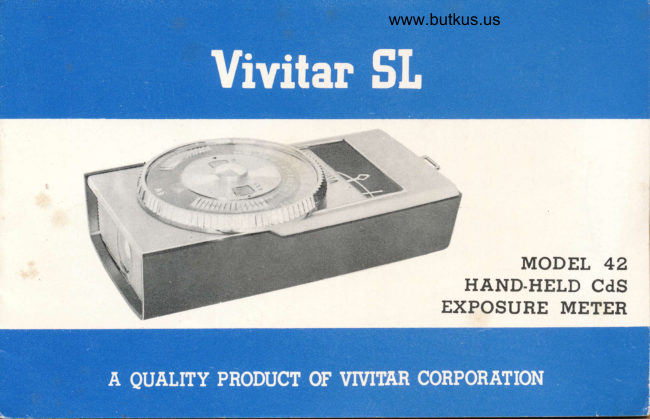
Vivitar SL light meter User manual
User manual for Vivitar SL light meter. 9 pages in English. Read the original PDF, download or print a copy without registration.
9 pagesEnglish1.6 MB PDF
Loading your manual…Open PDF directly
Document details
- Brand
- Vivitar
- Model / document
- Vivitar SL light meter
- Document type
- User manual
- Language
- English
- Pages
- 9
- File size
- 1.6 MB
- Category
- Light meters
- Document date
- Not specified in catalog
Search available document text
Find a term, then jump to its page in the original PDF. Image-only pages may not be searchable; check the PDF for exact wording and diagrams.
Page 3 · Read text
www.butkus.us
       DESQRIPTION
  1. EV Window
  2. ASA/DlN Setting Dial
  3. ASA Index Window
  4. DIN Index Window
  5.  Shutter Speed Dial
  6.  Aperture Dial
  7. Exposure Indicator Needle Window
  8. Exposure Indicator Needle
  9.  Exposure Guide Arrow
10.  Battery Check Point
11.  Incident/Reflected Light Lever
r2.  On/ Ott Switch
13.  Battery Cover
r4. Movie Scale
15.  Photo Cell Window
View original page 3Page 6 · Read text
www.butkus.us
    BATTERY CHECK:
     To assure proper functioning of the CdS Meter, a convenient built    rn
       battery tester is provided. Simply place the on/off switch ( I2)  in  the
        B. C. position and the needle should align over the gold square on  the
        dial indicating full power.
                      OPERATION

                                                                                                                               r.                         ASA  r  :       S_Ef flNq FILM SPEED
      Turn the ASA setting dial 2) so that the ASA speed is aligned at thelr                                                                                                                                                                 (                                         (3).
    TAKING A READING:
        Poi nt the meter toward the subject, rotate the shutter speed dial ( 5 )
        until the exposure guide arrow ( 9 )  aligns with the exposure indicator
      needl.  r 8). The appropriate combinations of shutter sheeds and f stops
      are now aligned.
     The Vivitar SL 42 Exposure Meter is designed to measure both incident
I     and reflected light. The change from incident to reflected light can by
     made by sliding the i'ncident ref lected light lever ( 11).
View original page 6Page 7 · Read text
INCTDENT LtcHT AND HOW TO MEASURE tT:
         Subject with strongly     Take reading close to subject, point cell
           contrasti ng surroundi ngs    window at camera posit ion.
                            Take reading close to center of subject         Portraits indoors                                           interest, point cell window at camera.
                          Take reading close to center of subject          Sidelit subjects                                         interest, point cell window at camera.
                            Take reading close to center of subject,         Backlit subjects                                   point cell window at camera.
                                Point cell window at sun from subject          Silhouettes                 position, or camera position if  light on
                                     subject and camera the same intensity.
    REFLECTED LIGHT AND HOW TO MEASURE IT:I
II         White clouds in a bright sky   Point meter at subiect
t        Landscapes and other        outdoor scenes             Point meter at scene and downward slightly
          S unsets                   Point meter at subj ect
                               Point meter  at  scene.   Avoid measuring        Night street scenes                                      light from  nearby signs  and lamps
View original page 7Page 8 · Read text
www.butkus.us
EV:
The appropriate EV setting will appear in the EV window (1).
WARRANTY:
The Vivitar SL 42 CdS Meter has been carefully inspected before shipment
and is fully guaranteed against all defects in material and workmanship for
a period of 90 days after date of purchase. In the event any adjustment
or repair becomes necessary during the warranty period, return meter in its
original box to your dealer and he will arrange for an uOi,l$Tgq!96$xchanee
                                                                          yourwithout charge. lf you prefer to send Sre fpfq#S3$Bt-pteasetehc-ldse
dealer's receipt shm'v@tffif purch$e, "ijlu's $ i  . 00 to cover cost of

                                                               w hi chli::JTffi,R9,,m, #&,&,&*sHpf,,*::l-,T,  .d .r
show sifrs'%t abu{e, incorrect handling, attempts at repair by an unauth-
orized party, or which are sent to us without dealer's receipt, are subject
to regular repair charges. This warranty does not cover replacement of the
battery.
View original page 8Page 9 · Read text
irl


NOTE:
WHEN THE METER IS NOT IN USE, BE SURE TO SWITCH
             ..OFF''                  POSITION TO PROTECT THE LIFE OFIT TO THE
THE BATTERY.
View original page 9From the M. Butkus archive. Original publisher and archive notices are retained.
Check the model and edition against your equipment.
PDF verified 2026-10-10.