Flashes & lighting
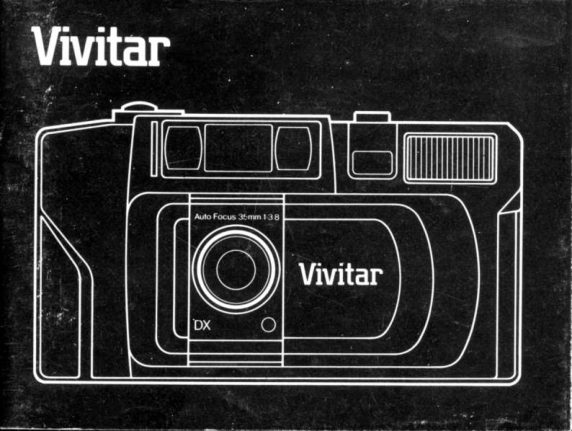
Vivitar w/35mm lens and flash User manual
User manual for Vivitar w/35mm lens and flash. 76 pages in English. Read the original PDF, download or print a copy without registration.
76 pagesEnglish2.2 MB PDF
Loading your manual…Open PDF directly
Document details
- Brand
- Vivitar
- Model / document
- Vivitar w/35mm lens and flash
- Document type
- User manual
- Language
- English
- Pages
- 76
- File size
- 2.2 MB
- Category
- Flashes & lighting
- Document date
- Not specified in catalog
Search available document text
Find a term, then jump to its page in the original PDF. Image-only pages may not be searchable; check the PDF for exact wording and diagrams.
Page 5 · Read text
Dercrlptlon of Conlrols and Featurer
Front View (lllustration A)
 1) Wrist Strap
 2) Strap Connector
 3) Frame Counter
 4) Shutter Release Button
 5) Auto Focus Windows
 6) Viewfinder Window
 7) Electronic Flash-Off Switch
 8) Electronic Flash
 9) Sliding Protective Lens Cover
1 0) Exposure Sensor
1 1) 35mm f/3.8 Lens

Rear View (lllustration B)
12) Film Door Latch
13) Flash-On Switch
14) Green Flash Ready Light
View original page 5
Page 6 · Read text
15) Red Low Light Warning
                 16) Viewfinder Eyepiece
                 17) Rewind Button
                 18) Film Door
                 19) Film Cartridge View Window
                 20) Automatic Fitm Take-Up Spool
                 21) Film Sprockets
                 22) Film Guides
                23) DX Coding Contacts
    ,             24) Film Chamber
                 25) Battery Compartment Cover

Before you shoot that first, important  roll of film, please read the
following instructions. Acquaint yourself with all controls and operating
procedures. Take a few minutes to practice holding the camera and
operating the electronic flash. The time you spend learning to operate
your camera will help you to capture that special photograph.
NOTE: Unfold illustration pages at front and rear of manual before
proceeding.
             www.butkus.us
View original page 6Page 12 · Read text
1. Inrtall Balterles
   A. Open Battery Compartment Cover (2S) by pushing in direction
       of arrow.
   B. Insert two fresh AA size alkaline batteries with the correct
       positive (*) and negative (-) potarity as indicated by the
       printed diagram inside the battery compartment.
   C. Push down on battery compartment cover to close securely.
2. Replace batterles when:
   A. Flash Ready Light (14) faits to gtow within 10 seconds of
       switching on the flash.
   B. The Low Light Warning (15) witt not gtow in tow tight when the
       shutter button is depressed halfway. This indicates that the
       batteries are weak and there may be insufficient battery power
       to operate the camera.
3. Sffdfng Lens Cover
  When closed, the Sliding Lens Cover (9) protects the lens from
   dust and scratches and locks the shutter release button. To
   operate the camera, slide the lens cover to the open position.
    (lllustration C)

               www.butkus.us
View original page 12Page 13 · Read text
Fllm           DX                Codlng4.'Your            -                  look                         for the "DX" on the box when purchasing  film.         sure               to   A. Be
    DX is a system that allows for the automatic setting of film
     speeds (lSO settings) in your camera.
   B. With DX coded film your camera will automatically adjust to
      the exact ISO setting for the following film speeds:
      lso (ASA) 64  100 200 400  1oo0  1600
   DIN   19  21  24  27   31     33
     These are the DX coded films that your camera was specifically
      designed for.
   C. You can use other DX coded film in your camera and it will be
      sensed at an automatic setting close to the film speed (e.9. ISO
     125 is sensed at ISO 100).
       ln many cases these film speeds will result in acceptable
      exposures despite the discrepancy in ISO setting. However,
      actual picture results will depend on type of film used (e.9. color
        prints, slides, black and white, etc.), developing process and
      degree of exposure difference.
View original page 13Page 14 · Read text
Photographyisacreativeprocessandoccasiona|
      experimenting can be a rewarding experience.
   D. In the rare event that you cannot find DX coded film, your
     camera has a built-in override system to accommodate popular
     speeds of color print film, black and white film and slide film at
     tso 100.
5. Load lllm
   A. Push the Film Door Latch (.12) in the direction of the arrow and
       pull open the door.
   B. lnsert the flat end ol the film cartridge into the top of the film
     chamber (24) then lower the other end and snap into position
       (lllustration D). when placing film cartridge in camera, be sure
      cartridge is mated property with spindle before snapping into
       position.
  c. Pull the film leader across and align  it with the yellow film
      illustration shown in the right hand corner of the film take up
      spool chamber. Be careful not to let the film leader extend too
      tar beyond the yellow illustration as it may cause excessive film
      slack. Make sure film rests flat between the Film Guides (22)
    and over the teeth of the Film Sprockets (21). (lllustration E)
              www.butkus.us
View original page 14Page 15 · Read text
D. Close film door until you hear a click, indicaiing that the door is
      securely latched.  lf the door does not close properly with film in
       place, check to make sure film is lying flat between the film
      guides and the film cartridge is flat in the chamber.
   E, After the door is closed, depress the Shutter Release Button (4)
     a few times to advance the film until the number "1" appears in
      the Frame Counter Window  (3).
     NOTE: The cbunter will only work with film properly
      installed in the camera.  lf film counter does not advance,
      repeat steps 5A through 5E.
6. Holdlng Your Gamera
   Your camera must be held correctly to assure consistenily good,
   sharp photographs.  lt should be held steadily and comfortabty while
   you are taking photographs. lllustrations F and G show the correct
  ways to hold your camera in both the vertical and horizontal
   positions. When using the electronic flash in the vertical position,
   hold your camera with the flash at the top and be careful not to
   block the flash with your fingers.
View original page 15Page 16 · Read text
7. Vlewflnder
   Looking through the viewfinder eyepiece (16), compose your
   plcture so that your main subject is located in the centei of the
   viewfinder. The camera will automatically focus on the subject in
   the Auto Focus Souare.


                      ?'l
                  \J
       =ALLAXcoRRE"'"-'T
     LAuroFocus""r^"J

              www.butkus.us
View original page 16Page 17 · Read text
When photographing subjects at distances of five feet (1.5 meters)
   or more, use the yellow frame marks. The image within these frame
   marks will appear on the film. When the subject distance is
   between 4 feet (1.3 meters) and five feet ('1.5 meters),  tilt your
  camera up slightly and use the parallax correction marks to center
   your subject. (See illustration above.)
8. Automatlc Photography
   Your camera is totally automatic.  lf there is sufficient light, you
   simply compose and shoot. Exposure, focus and film advance are
    all handled automatically by the camera.
9. Fla$ Photography
      lf there is not enough light for a proper exposure (either indoors or
    out), the red LED (15) next to the viewfinder  will glow and blink
  when you depress the shutter button halfway. This indicates that
   the flash should be used. Push the Flash-On Switch (13) in the
    direction of the "|  " mark. The Flash-Off Switch will pop up and
   the flash will begin charging. When the flash is sufficiently charged,
   the green LED Flash-Ready Light (14) next to the viewfinder  will
   glow. You may now take a flash picture. Proper flash exposure
   depends on the camera-to-subject distance. lf you do not plan to
View original page 17Page 18 · Read text
,    take another flash picture immediately, turn the flash off by
    depressing the Flash-Off Switch (7) untit it cticks.
10. Flash Recycle Tlme and Flash Dlstance
    Your camera is equipped with unique circuitry which allows
    extremely fast flash recycle time. The chart below will assist vou in
    planning your flash pictures.


             APPROXIMATE  RECYCLE TIME    ISO      FLASH OISTANCE
                            (sEcoNDs)
                                                     1lr                 6ft
                              t----s.,il E    l.3m        25fr
                                                  4tr
                 -7d  @]  13m                  3.5m''zlt
               E@1.-__----_-____l4itt3m                     4.0mtSit
                                                       4tl                                            17ft
                                    l2s-i   trml
                                   1.3m                              s.om


            www.butkus.us
View original page 18Page 19 · Read text
11. Alternatlve Flash Operatlng Modes
       A. For shooting situations where flash pictures are not allowed or
           undesired, simply ignore the red low-light warning and operate
          your camera as if there were sufficient light. However, please
          note that it is possible your pictures will be underexposed and
            "soft" depending on the available lighting conditions, shutter
         speed and film ISO rating.
       B. You can improve the lighting dramatically by using the flash in
         cases of extreme back lighting or where shadows  fall across
          the subject, even though the red low-light warning has not
            lighted. Turn on the flash and follow the steps in Section 9. With
             faste.r film such as ISO 400 and higher, this process may result
            in overexposure.


10
View original page 19Page 20 · Read text
12. Prelocuclng
   when composing a picture where a principar subject is not in the
    center of the viewfinder,  it is necessary to prefocus the camera
     lens. To do so:
    A. Look through the vieMinder and compose the picture so that
       your subject is located direcfly behind the Auto Focus square.
         (lllustration H)
    B. Gently press the shutter release button halfway and maintain
        gentle pressure to lock in the correct focus.
    c. while maintaining pressure on the shutter rerease button.
       recompose the picture as you desire and then press the shutter
        release button all the way down to take the photograph.
         (lllustration l)
      (The prefocus can be canceiled simpry by removing pressure
       from the shutter release button.)
13. Removlng the Fllm
    At the end of the film roll, the frame counter will cease to advance.
    Although the shutter release button can be depressed, the motor
    wind ceases to work and the shutter itself is not operating. This
    feature prevents an accidental double exposure on the last frame.
               www.butkus.us
View original page 20Page 21 · Read text
Rewind the film by pushing the Rewind Button (17) to the left.
    When rewinding is complete and the motor has stopped, open the
       film door and remove the film cartridge from the chamber. The
      rewind button will return to original position automatically.
  14. Speclal Auto Focug Sltuatlons
     The auto focus system will focus accurately on the majority of the
      subjects you wish to photograph. However, there are a few
       situations where the auto focus mechanism may not function
       properly. These are:
      1) When the subject has strong reflections, such as polished
          metals, exterior of cars, bodies of water, or mirrors.
      2) Subjects with little or no reflectance, such as black objects, hair,
        a flame, or smoke.
      3) Subjects that are very small.
      4) Subjects with an object in front of them, such as a wire net or
'      In situationscage.    1-4, prefocus on another subject approximately the
     same distance away and then recompose the scene and take the
       picture. (See section 12 on Prefocusing  )


 12
View original page 21Page 22 · Read text
5) Taking pictures through g/ass wndows:
   Shoot with the camera lens near the glass and at an angle of
   approximately 20".

                  Trouble Shootlng Gulde
  Description           Solution
  Subject out of                 lf the subject is not located
  focus.                      in the center of the vieMinder.
                     use prefocusing. See
                        Section 12.
                        Subjects must be four feet
                                  ('1.3 meters) or more from the camera.
                      Review Sections 6, 10 & 14.
  Flash fails to          Clean battery terminals with
  function.                pencil eraser if dirty or corroded
                         or replace batteries.
  Flash pictures have   Make certain fingers are clear of
  dark area(s).             flash. (Have subject watch for this.)

        www.butkus.us
View original page 22Page 23 · Read text
Flash pictures too    Subject(s) must be within specified
          dark overall.        flash range. See Section 10
          Flash pictures too    Place subjects at least four
        light,                 feet (1.3 meters) from ftash and
                          make sure Auto Focus Square
                              covers main subject.
          Subject's eyes      Increase room light if
           reflect red.            possible. Have subject(s)
                                look slightly away from
                                   flash -  towards room light                                         is beneficial.
         "Flash-ready" light   Batteries too weak; replace
            fails to glow within  with fresh batteries.
              1 0 seconds.
         Short battery life.    Use "AA" Alkaline batteries.
  Speclllcatlonr:
  Type: Auto Focus 35mm camera with auto exposure control, auto load,
  motorized film advance and rewind by switch, built-in electronic flash
 and auto film speed setting
14
View original page 23Page 25 · Read text
Format: 24 mm x 36 mm                                                 'ni'.'!:, ,:,i.'                      j . ,':'l
Lens.' Vivitar 35mm f3.8, lour elements/four groups
Aperture: f3.B -  f16
                                               1 /500 sec.Shr.rtter: Programmed 1/30 sec. -
 Viewfinder.' Reverse Galilean type with bright frame, parallax
correction marks and Auto Focus Square
Power: Two AA size alkaline batteries
Flash: Built-in electronic
Minimum Recycle Time: Approximately two seconds
Battery Life: 80 rolls of 24 exposure non-flash shots or 8 rolls of 24
exposure flash shots with fresh AA alkaline cells
Dimensions; 5.3 inches x 2.8 inches x 1.8 inches (135 mm x72mmx
47 mm)
Weight: Approximately 8.5 oz. (240 grams) without film or batteries

Specifications subject to change without notice.


                                                                                     15
View original page 25Page 26 · Read text
Dercrlptlon der commender
 Vu de face (Figure A)
   1) Dragonne
  2) Anneau de fixation pour dragonne
  3) Compteur de vues
  4) Bouton de d6clenchement
  5) Fen6tres du dispositif de mise au point automatique
  6) Viseur
  7) Poussoir de mise hors service du flash
  8) Flash 6lectronique
  9) Volet d glissidre de protection d'objectif
 10) Fendtre du posemdtre
 11) Objectif de 35 mm  f /3,8

 Vu de dos (Figure B)
 12) Curseur d'ouverture du dos
 13) Curseur de mise en service du flash
 14) T6moin vert de charge du  f lash

l6              www.butkus.us
View original page 26
Page 27 · Read text
15) T6moin rouge d'avertissement de faible tumiOre
 16) Oculaire
17) Bouton de rembobinage
18) Dos d gond
19) Fen6tre de conf irmation de chargement
20) Bobine receptrice automatique
21) Roues d picots
22) Rails de guidage
23) Contacts de codage DX
24) Logement de la cartouche
25) Couvercl.e du logement des piles
Avant de prendre ce premier film si important, prenez soin de lire les
directives qui suivent et de vous familiariser avec res commandes et le
fonctionnement de l'appareil. Entrainez-vous d tenir votre appareil et d
faire fonctionner le flash 6lectronique pendant quelques minutes. Le
temps pass6 d vous familiariser avec I'appareil vous permettra de saisir
ces pr6cieux clich6s dont vous serez si fier.
REMARQUE: D6pliez les pages de figures d I'avant et d la fin de ce
mode d'emploi avant de continuer.
View original page 27
Page 28 · Read text
1. Mlre en place des pller
    A. Ouvrir le couvercle du logement des piles (25) en le poussant
      dans le sens de la fleche.
    B. Introduire deux piles alcalines de type AA en respectant les
         polarites positive (+) et n6gative (-) indiquees par le sch6ma
       imprim6 d I'int6rieur du logement.
    C. Appuyer sur le couvercle du logement des piles pour le
        remettre solidement en olace.
 2. Remplacer les plles lorsque:
    A. le t6moin de charge (14) du flash ne s'allume pas dans les 10
      secondes apres avoir mis le flash en circuit;
    B. le t6moin d'avertissement de faible lumiere (15) ne s'allume pas
        lorsque le bouton de d6clenchement est press6 jusqu'd mi-
        course. Cela indique que les piles sont 6puis6es et qu'il se peut
         qu'il n'y ait pas suffisamment de puissance restante pour faire
       fonctionner I'appareil.
 3. Volet d'oblectif coullssanl
    Ferm6, le volet d'objectif coulissant (9) protege I'objectif contre la
    poussiere et les rayures et bloque le bouton de d6clenchement.

18            www.butkus.us
View original page 28Page 29 · Read text
Pour faire fonctionner I'appareil, faire glisser le volet vers la position
   ouverte. (Figure C)
4. Ler                 DX        lllms - Godage   A. s'assurer             de chercher                                 le symbole "DX" sur I'emballage du film
       lors de I'achat. Le systdme de codage DX permet d lappareil
       d'afficher automatiquement  la sensibilite (valeur: ISO) du film
      char96.
   B. Avec un film d codage DX charg6, I'appareil photo affichera
      automatiquement  la sensibilit6 precise pour les suivant'es
      valeurs ISO:
      rso (ASA) 64  100  200 4oo  1000  1600
     DIN     19  21  24  27   31      33
    ce sont les films d codage DX pour lesquels cet appareil a ete
      sp6cifiquement conqu.
  c. on peut utiliser des fitms d codage DX de sensibilit6 diff6rente
     dans I'appareil et celui-ci affichera une valeur pres de la
       sensibilit6 exacte (par exemple, 125ISO sera affich6 comme
     100 tso).

                                                                              19
View original page 29Page 30 · Read text
En beaucoup de cas, ces sensibilit6s permettront des
       expositions acceptables nonobstant la diff6rence de la valeur
      ISO affich6e. Cependant, les resultats obtenus varieront en
       fonction du type de film employ6 (c.-a-d. dpreuves couleur,
       diapos, noir et blanc, etc.), ainsi que du proc6d6 de
      d6veloppement  et du degr6 d'erreur de I'exposition.
      La photographie est une processus cr6atif, et I'exp6rimentation
       peut 6tre de grand b6n6fice.
   D. Dans le cas improbable que I'on ne trouve pas de film  it
      codage DX, I'appareil photo dispose d'un systdme de
     commande de priorit6 pour permettre I'emploi des sensibilit6s
      courantes des films pour 6preuves couleur, noir et blanc et
        diapositives a 100 lSO.
 5. Chargement du lllm
    A. Pousser le curseur d'ouverture du dos (12) dans le sens de la
       fldche et ouvrir le dos.
    B, lntroduire le c\td plat de la cartouche du film dans la partie
       sup6rieure du logement du film (24), ensuite, abaisser l'autre
       c6t6 et emboiter solidement (Figure D). Lors du chargement de
         la cartouche dans le logement, s'assurer que la cartouche est
20              www.butkus.us
View original page 30From the M. Butkus archive. Original publisher and archive notices are retained.
Check the model and edition against your equipment.
PDF verified 2026-10-10.