Film cameras
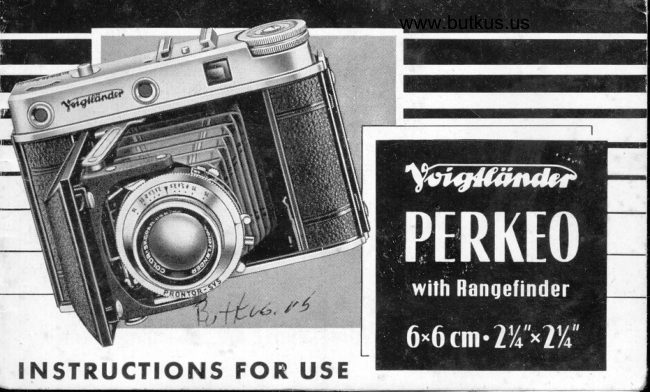
Voigtlander Perkeo User manual
User manual for Voigtlander Perkeo. 32 pages. Read the original PDF, download or print a copy without registration.
32 pagesOriginal document8.4 MB PDF
Loading your manual…Open PDF directly
Document details
- Brand
- Voigtländer
- Model / document
- Voigtlander Perkeo
- Document type
- User manual
- Language
- Check the original document
- Pages
- 32
- File size
- 8.4 MB
- Category
- Film cameras
- Document date
- Not specified in catalog
Search available document text
Find a term, then jump to its page in the original PDF. Image-only pages may not be searchable; check the PDF for exact wording and diagrams.
Page 2 · Read text
,p"o,    Phologropher,
Pleose o'ccepf our friendrly odvice: Reod core-
fully lhrough these inslructions so os lo moke
ycurself fomiliqr wilh lhe monipulolion before
you lood     f he comero o,r invesfigole lhe
mechonism.
Even wilh lhe Rongefinder-Perkeo you need o
lilfle bit ol lechnicol knowledge which comes
irr very hondy,
Pleose reme'mber lhot the PERKEO is o preci-
sion inslrumenl. Treol it wilh core ond unde,r-
:fonding. lf you do, your comero will give
you os mony shorp ond beouliful piciures os
you like for mony mony yeo'rs lo come.
V0l GTTAN D E R A. G., Brounschweig (Gefmony)
View original page 2
Page 5 · Read text
Window showing distornce to
    which rongefinder is set
 2  Body releqse
 3  Keys for closing fhe cormero
 4  Bose boo,rd, leg (e,rected)
 5   Len,s focusing scole
 6  Shutler-speed ring
 7  Synchronizing lever
 8  FJosh sockef
 9   Shutte,r lension,ing lever
t0   Expo,su,re ond, drio,phrogm
      scolie
ll   Signorl window for double
    exposu,re lock
12  Film winding knob
r3  Bock lock
           -3-
View original page 5Page 7 · Read text
t 3 Bock lock
l4  Eyepiece of viewfinder
l5  Eyepiece of rongefind,er
16 Toke up spool in left hond
      fil,m chomber
17 Spool holders
l8  Butfon to open cqmero
19 Milled, disc for operoting
    the rongefinder
20 Tripod bush


          -4-
View original page 7Page 8 · Read text
www.butkus.us
Aulomolic double erposule lock
The body releose is intertocked, with the film fronspo,rf lo p,revenf double
exposures. Afler you hove foken o picture you hove lro wind on the film
befor.e you con ope,roie the shuttev orgoin.
Look o,f lhe block orrow in the signol windtow (1 1): lt tells you whether you
o,re reody lo shoot, or whether you hove lo win'di the filim first. When you                              o1"hove wound the film till numbe'r    shows in the film windtow (poge 8), the
orrow wilrl point owoy fr,om you towo,r.ds the subjecl. This meons: Shool! As
you releose lhe shutfer the o,rrow wil'l qu,fiomoticolly turn round lo point to
the bq,ck of lhe com,e,ro. Thi,s meons: Wind on the film! (At the some time
the shutter releose is now l,ockedl.) As you q,d,vonce l'he film fhe o,rrow reverts
to ifs former position, fo point owoy fro,m you. (And the shutfer is unlocked
ogoin.)
Pleqse nofe: The orrow will reverse ofter holf o turn of the film winding knob. This does
not meon however thot the film is in the right position for the next picture. Alwoys
conlinue winding  till the next numb"r          in lhe film window qt the bock.
                                      T;:
View original page 8Page 9 · Read text
The PERKEO will on'ly to,ke '120u rol,l-  How     loqd qnd  unloqdfil,m. (This is ols,o known qs "B 2u; "20";
"Brownie 2" 1 or o,s, "B ll/8" on the con-                          lhe cqmerq
tinenf. The spool,s o,r'eof fhe wo,o,d,en or
of fhe ,lqrrge dli,o'merle,r me,torl: fyp".)
How lo open qnd close lhe bqck of fhe
cqmelq.
Open lhe bock of the comeror by press-
ing borfh lio,cks (13) inwo,r,dis. (5ee ilil.)
An empfy film spool, 'should, be in the
toke, up chomib'err - tho,t is the' ho,lrlow be-
low fhe film windring knob. The fulrl roll
o,f film goes info l'he o,lher film chomber.
lf n,ee,d be first frq,ns{er fhe empfy filrm
spooll from the. other cho,mbe,r fo the
toke up chqm,ber.
Moke sure the slotted (ond not the round hole)
end of the tqke up spool foces ond engoges
the film winding knob.
                          -7-
View original page 9Page 10 · Read text
www.butkus.us
                                Swing o,ut the s,po,o,l: ho,ld,e,r o,wqy f,ro,m
                                      the sipool' chorm,be,r. Pus'h ,fhe sp'1,i69 ,loord'Putting in lhe film                            ed ho,ltdierr rpri6 d'ownworrdls  i,n the dii,rec-
                                                   fio,n of fhe qrro,w. Now ins,errt fhe s'po'ol.
                                   (See ill,ust'rortion.) Norte fhqif the, top pin
                                  engoges fhe, s,pool, first. When the s'pooN
                                                          i,s in lhe ,right posifion fhe botfom p'in
                                                  will, ,oru,fo,moficolly  sli,dle info {he s,po,ol
                                           hol,e o,n ,releo,s'ing lhe sprring,
                                Swing fhe 5pool: holdrer with film bq'ck
                                      qgoiin o,s fo,r q6 'it wil,l go. Breqk ihe
                                    gu'mmed' pqrp,e,r se,o,li, Pul,l out the bo,ck-
                                      ing porperr oiciross fhe, film orperture, ond        r,i
                               push the fongue o,t the e,ndt right in'to
                                    lhe l,ong s,l,ot of fhe foke-up spool. Tu'rn
                                    the film winding kn,ob tilrl' the two
                                    mqrrks oppeor o,h lrhe bock,ing ,porper.
                                    Close the bqck of the cq,me,rq,
                                 -8-
View original page 10Page 11 · Read text
Orpen the f,irlm wi,ndiow by meo'n,s orf the  How lo wind the lilm on for lheo'dijqrcen,f mil,ledr drisc, confinue to wind                                                    first exposute tilrf numb,er "1" orp,peo,rs in the windlow.                            How lo unloqd the cqmerqCl,ose f'he f,ilm wi.nd6,y7. The film is now
in ,posifion for the fi,rst exposurre. (See
qrlso p,or9e 5 de,orling with l,he qulomqtiC
drouble exposure lo,ck.)
Affe,r fhe twel(fh exposurre keep o.n wind'
ing fhe {ilrm, liill  i,f is furl;liy wou,ndl srp o,n
lhe iq,ke-urp srpool,. lf y,ou open 1r['1s fil;m
wind'ow you corn eosily wofch the end
of the bocking porpe,r poss f'hrough.
Open fhe bo,ck of the corn,erro. Keep
yo,ur fingers fi,rmly on the bocking pqpe,r
thq't it con n,of unrroll ilself. Pull the fil,m
wi'nding knorb outwo,rds qnd lock it by
givi,ng it qr quorrfer f,urrn (se'e ill'usfrol,ion).
Torke out fhe spool o,ndr seorl it.
                     _9_
                                                          www.butkus.us
View original page 11Page 12 · Read text
www.butkus.us
How to open                   To open fhe comero prres,s the opening
                                                               bo,seboo,rd d,own-        qnd close the cometq   bufton (18); pulrl the                                                 worr,dts by il's co,rne'rs with two fingers
                                                      unli,l f,he sfrrrufs fi,r.mly click into posil'ion.
                                The co,me,rq is now reclrdy for use.
                                To .close fhe come,ro d,ep'ress both keys
                                      (3) simul,l'one,ously q,ndl fold: the bose-
                                 boord bo,ck foworrdrs the c'qmero bo'dy.
                                          Pl'eqse nofe: Moke sure thol fhe bose-
                                        boo,rd, l.g  is compl,etrely leliled up;
                                          olhe'rwise the co,mero cqrnnol be closed.
                         Do nol fouch the s,hutfeir releose whil,e
                                 opening or closing the c.o,m,e,r,o, o'r yoU
                            mqy db'moge the releo'se mechonism.
                              10-                                         -
View original page 12Page 13 · Read text
The q'p,s1fg4's gorV€rrns {wo lh'ingsr The
o,m,o'urn,t o,f ,lrighf ps,qrsrfi,p,g the fiil,m (thus                                           Selling the qperluleindii,rec,fliy co'ntrolrlrirnrg the eXp6'5,g,1"s {ime),
on,d, fhe die,p,th of  f:iel,dt.
Set the qrps;tgiy,s l,eve,r so tho'l it touches
the lrine next to 'fhe ope,r'ture number.
Pleose re'member:
o lorge operture corresponds to smqll lens   opening, ond vice verso. B,etween f 4 ond
    f 16, from one stop to fhe next the, necessory
   exposure time is olwoys holved or doubled.
o A lorge operture (soy f 3.5) gives o smoll   depth of field; o smoll operture (soy f  16)
   gives o lorger one.
There is o depth of field indicqtor ot the front
of the comero: After you hove focused the
lens decide which stop you wont to use: You
will find the number engrqved both on the right
ond left side of the indicotor. Reod off the
corresponding d istqnces on the focusing scsle
obove. They give you the limits of your depth
of field. (See ill. p. 14.)
                                           -fi-
View original page 13Page 14 · Read text
www.butkus.us
      I    Roin'g efri,nrdie'r scorle
        wi,ndlow
    2  Body releose
   1l   Signo'l wind,ow fo,r
       diouble exposufle lock
   t2   Firlm wind'ing knob
   14  Eyep'iece of viewf   i nd'e'r
   l5  Eyepiece
       of rongefinde,r
   19   Milled,d,isc for
         oper,orfilnE rongef inder
   22   F,ronf windbw of
        viewf indrer
   23  Front windiows of
         ro,ngef ind,e,r
          -12-
View original page 14Page 15 · Read text
Focusing
With the burilf-in rongefinde'r you co'n
meosure the su'bj,ect diis,lqnce within o
second' or two'. This is of gre'o'tesl od-
vo,ntoge os y,ou co,n now focus the lens
o,ccu'ro'tely,
Look into the ey,e,piec,e of the ronge-
fi,nrdie'r. (Bul dlontt fi6lid: yourl {inger  itn
front of one of ihe two ,rornge'findier win-
d,ows by misloke,) You will see, your
subjecl within o well 'lif cirrcul,o,r fiel,d, of
vi,ew. l{ the disfonce ,is n,o,t co'rre,clly sel
you will see it os o dioubl,e imoge. Turn
fhe millredt d,isc (19) til,l lhe two imoges
fu,s,e into one. R,e,ordl o,ff the dirsto'nce  in
the rongef inder sco'le win'dow (1). Focus
lhe l,ens fo,r lh,e sqime diistq,n,ce, o,nd use
flhe viewfi,n'die,r now i,n I'he norm,ol,wo'y.
                        -13-
View original page 15Page 16 · Read text
www.butkus.usSnopshol sellings
Su,rprise, your vicfim   ond shoot quick-
ly. ln fhis wqy you oftern-     g,e't some cho,rm-
ing pictures, s,oy of chirlidlre'n of pl,oy efc.
There moy be no liime to s,e,l the d,iglq'n'ce
co,refull,y; so rel'y on "zone fo,cus'in'g".
Set your ,drisfo'n'ce sco,le to the V mqrk
if your subject is rou,ghl'y belween 9 ond
15 feet, or lo the o ffr'onk if it is belween
15 feet ondr inf iniJy, B,u,f you hove fo
sfop d,own {o o't leost f 5.5 to in'c,neo,s,e
yo,ur die,pfh o,f fie,ld.
lf the lighf is good, enough lhe,se sno,p-
shot setlings orre exl,remely u'seful for
piclures of sporting evenls whe,re the
subject d'isfornc,e, often chonges wilh
li,gh,tning ropidlity.
-14-
View original page 16Page 17 · Read text
The PronlopSVS d,iophr"ogm shutfer hos
the follrowing speeds; 1, rlzt, Lls, L/ro, Llzr,
rlso, r/roo orn,di 1/soo oil o' s,econd,  o,p'orrl   Setting lhe shuller speed                    oB".                        There is o,lsofro,m ,lhe li'm,e s'elting
o  gl,gl'q'ygd' o,clionreleo,se mechonism,
ond fhe srhu'tie'r is fully synchronized for
orlil ,ty'pes of fl,osh. (See poges 18 to 21.)
o To set the speed, lurn the shutter-speed ring
     till the speed figure is opposite the pointer.
  You con sofely do this before or ofter ten-
   sioning the shutter.  lf the shutter is set to
   "8" the shutter blodes remoin open os long
   os the releose is pressed down.
o Tension the shutter before eoch exposure.   www.butkus.us
    (This olso opplies when the shutler is set to
   "8".) Pull the tensioning Iever upwords os
   for os it will go. (See orrow in illustrotion.)
r How lo operote the deloyed oction mecho-
   nism: Se,e next poge.
                          t5-                            -
View original page 17Page 18 · Read text
www.butkus.usHow lo opercle the deloyed       With {he  b,uil,t-in dre,loyedl o,ctio,n me-                                            ch,orni,sm (se,l,f'limer) you cqn  toke  o
       qclion releqse mechqnism     pi'ciu;re of yourns,e,lif    ondi y,ou dio'nlf hove
                                                                           -    to loke N,he snoP.                                            lo osk so,m,e,bq'dy el,se
                                                   r  Set your controls    stop, distonce ond expo-                                                    sure time   ond tension-       fhe shutter os usuol.                                               Put your comero-     on o firm support, like o
                                                   tripod, o toble, or onything else thot comes
                                                 in'hondv.
                               o Now you ore reody to set the synchro-lever
                                            to thd oreen mork "V"- ond you hove pro-                                            perlv s-et the deloved oction mechonism.
                                                         lrlote thot even ofter the shutter hos been                                                tensioned the position of the synchro-lever
                                    con siill be ihonged ogoin if you don't
                                         wont to use the selftimer ofter oll.
                               o  Press the body releose down, ond you hove
                                         obout l0 sec6nds to "get into the piciure"
                                              before the shutter goes off.
                                            N. B. The selftimer con not be use'd if the
                                                  shutter is set to "8" Ior o time exposure.
                             -15-
View original page 18Page 19 · Read text
Holdt youir eye close enough fo the view-  How lo use lhe viewfinder
find,er thot you co,n co,mfo,rfo,bly see oll                                       qnd hold lhe cqmerqlhe four corners of lhe frome. Speciol
corre,clion le,nses co,n be  fi'lledr to  the
eyepiece, so ,fho'f even  if you norm,olly
weo,r glorsses you cqrn fqke them  off
be'fore you use ihe viewfinder.
To iq,ke, the, pic'tu,r,e presrs the bodry re-
leqrse, down genl'ly orndrsmoothly  wi,lhout
jerking oy 5,fopping holf woy.
Wiih instontoneous snops with exposures  of
1/er sec. or less you con normolly hold the co-
mero steodily enough in your honds. Sometimes
if moy help you lo prop up your orms on o
roiling etc., or to leon ogoinst something. (This
porticulorly opplies to  exposures somewhot
slower thon o l/zs sec.) With longer time expo-
sures set the shutter to "8", ond if possible useo tripod ond coble releose. The lotier con be
screwed into the body releose which corries the
necessory femole threod. (See illustrotion.)
                           -17 -
View original page 19Page 21 · Read text
A speciol bro,cket is n'o'rmolly used' lo  How lo fir up
losten the flosh unit fo lhe co'merq' (The                                                   lhe flosh equipmentil,l'ursfro,tion opp,osriie shows the Voigt-
lond,er M-X flrosh 'unit mounled in this
yTqry oD one side of the PERKEO.) But the
occes.sorr)/ shoe on top of the co'me,ro
will ,o,lso co,rrry thirs unit (or olfernqtive,ly
some ol'her ,equipmen't if  it is nol I'oo
heovy),                                           www.butkus.us
Connect lhe shutler fo the ci'rcu'it of fhe
flosh unit by m,eo,ns ef s  srpe,cio'l coble
purs,hi,ng ,lhe plug o,t lhe e'n,d, of lhe
coble ovelthe flosh socket o{ fhe shuf-
ler. (Se,e il'l,uslrrol'ion,)
Worning! Do not use the moins supply of 220
or  l l0 Volt to fire bulbs with the flosh contoct.
                           -19 -
View original page 21Page 22 · Read text
www.butkus.usHow lo se'l lhe shuller lor synchronizqlion
The shufte'r will'l,be fu,lly open during the peok of the flosh if lhe synchronizing
mecho,nism (M or X) is properly sel occo,rdling lo'fhe type of flosh used.
o The firing deloy (thot is the very short iniervol of fime between closing the eleclric
     circuit ond the peok of the flosh) vories with different types of bulbs ond electronic
                   poge                                                                               "M"    flosh. The                                                       synchro-lever              loble                                   whether               on                                              lhe                                                            should                                                                       bet                             2l shows                                                                              set to    (yellow                        (red                                                                                                                sel           li            dot)                              dot)                                           The                                                              shutter speed                                                                    should              or "X"                               to ollow                                                                  be                                              for ihis.                                                                     lhen
   os recommended on poge 21 ond the shutfer is tensioned os usuol.   Note: lf you wont lo toke o flosh picture with the self-timer the synchro-lever  is set   I
    Io "Y" (green dot), but in this cose only lhose shutter settings con be used which ore
   given on poge 21 under "X" (but not those given under "M").
o To find the correct stop moke use of the "guide numbers" (or "flosh foctors") which
   ore supplied by the mokers of the flosh equipment with the instruction monuols etc.
   The operlure is given by dividing the guide number by the distonce between the flosh
    unit ond the subiect.
   N. B. The guide number will be quite different if the distonce is meosured in metres or
   feef. So if the instructions soy "feet" use "feet"; if they soy "metres" use metres.     (l meire :   I yord opproximotely.)
                      -20-
View original page 22Page 25 · Read text
How lo use lhe Focor Lenses:
    o  Mount the comero on o lripod, ond opprooch the subiect until it oppeors in ihe
          desired size in the viewfinder field. According to the distonce, ploce the oppropriote
         Focor lens, or both together (F I on top of F2) on the lens mount.
    o  Meosure oc,curotely the distonce between the front of the Focor lens ond the centre
                                                                  poge 72'I         of your subiect, ond look for this distonce in the focusing toble on
        .  When using Focor lenses stop down to AT LEAST f/8.
    o  The Focor lenses do not offect the exposure, but longer exposures ore of course
          required  if o filter is used. (Any such filter should be ploced in front of the Focor lens.)
        .   At such close ronge lhe imoge on the negotive is no longer exocily the some qs the
         view through the finder (porollox error).
        Compored with the field of the viewfinder the moximum displocements ot the shortest
           distonces ore os follows:I
                                          Focqrl    Focor2 Focorl*2

                                                                                                                                                                                                                         -t 7I                  Verticql diplocemenj_                        tlz                rls
                                                                                                1/rs                     ll:.o    @
I,                        -23-
View original page 25Page 26 · Read text
Fillers                             www.butkus.us
Your Voigllonder lens will give you pictures of mo,st excellenl s,horrrpness. Bul
the tonol rendering co,n be improved', o,nd speciol pictorio'l' effecfs con be
ochievedi by usin,g o Voigllonde,r  fi'l,l,,er. So (with few excep,lions)  il is odvi-
soble ol,woys lo use o  fil,ler fo,r blrock ond while ou,td'oor photogrophy.
Especiolly the sky, with or wilhout cloud's, will come o'ut bel'tre'r, ond will look
more beoutifu,l,
Generolly n,o' fi'l{ers, ore use,d wifh col;our l,il'm. Vlrfuol,ly lhe only sxse,ption
is lhe ullroviolet  filter which m,o,y be required of high oltitudes or of fhe
se,orside, (See list of li,lters opposite.)
Volgtl'onder  filters orre mqd,e o,f speciro56e,picorlrlry rfe,sted, gliors o{ unifo'rm
col,o'u'r ond comp,osition lhroughout. The highly polished suirfoces o,re obso-
lul,ely flo,t ond' porollel lo eo,c,h olher. This ensure,s fhorl the superb d,efinition
given by the Voigtlonder onos,ligmols is fully reloined. The coloured glo,ss
of fhe filters is perfectly fost lo light ond he,o,tp,ysef.
                      -24-
View original page 26Page 27 · Read text
Use out of doors. Delicote tonol rendering. The increoseYellow filter G 1                           in the exposure time is smoll. Suitoble for snopshots, for
                           pictures of sporting events, or when the sun is low.
                                Filter foctor: 1.5 lo 2.
                      The universol filter for londscope ond other outdoor photo-Yellow filter G 2                      grophy. Indispensoble when toking snow scenes in sun-
                         shine. Filter foctor: 2-3.
Oronge filter Or  A  filter for  speciol  effects. Renders blue dorker thon                         noturol. Minimizes otmospheric hoze with distont views.
                           Lightens yellow red ond green colours. Filter foctor 4J.

                                                                                    conGreen filter GR I    Use it to lighten green tones in londscope work. ll                        olso be recommended for portroits in ortificiol light or
                     when copying  if the originol is in colour. Filter foctor:3--4.
Ullro-violet              It obsorbs the ultroviolet rodiotion which moy be strong                        ot high oltitudes in the mountoins or ot the seoside.  ltfilter UV              suppresses the unpleosont bluish tinge which colour shots
                        tend to hove under such conditions. There is no need to
                           increose the exposure.
                     -25-
View original page 27From the M. Butkus archive. Original publisher and archive notices are retained.
Check the model and edition against your equipment.
PDF verified 2026-10-10.