Film cameras
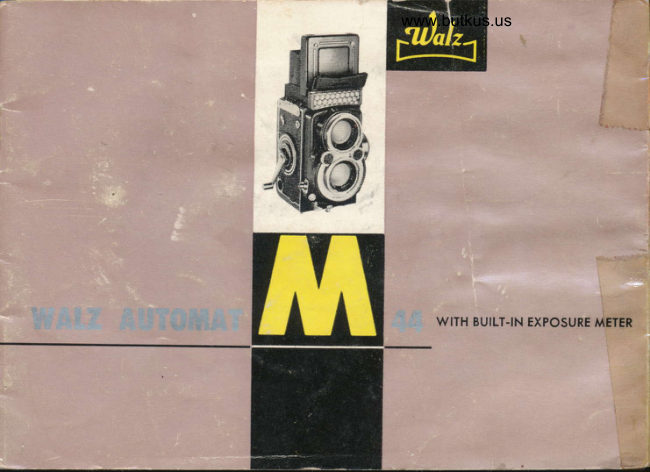
WALZ Automat M 44 User manual
User manual for WALZ Automat M 44. 23 pages in English. Read the original PDF, download or print a copy without registration.
23 pagesEnglish5.5 MB PDF
Loading your manual…Open PDF directly
Document details
- Brand
- Walz
- Model / document
- WALZ Automat M 44
- Document type
- User manual
- Language
- English
- Pages
- 23
- File size
- 5.5 MB
- Category
- Film cameras
- Document date
- Not specified in catalog
Search available document text
Find a term, then jump to its page in the original PDF. Image-only pages may not be searchable; check the PDF for exact wording and diagrams.
Page 2 · Read text
''a-    I        I                                     r["-"
          WAT.Z AUIOMAT M.44

          Your WALZ AUTOMAT N,-44 comero is on outstonding ochievemenl  in
                                                                                                                     t           odvonced mechonicol ond opticol design ond precision'
             Before using your wALZ AUTOMAT M-44 comero, study the operoting  in-
               structions corefully. The WALZ AUTOMAT M-44 is o modern high speed
              precision ccmero with o high speed precision  lens.
              Proctise the operotions of your comero with o few triol rolls of film before
            using for yor.,r first importont picture toking event. Become thoroughly
               fomilior with eoch operotion ond function of the comero, ond then you're
            reody tor oction.
            There ore mony wonderful doys of superb picture-toking oheod for you with[*l             your WALZ AUTOMAT M-44 comero, o delight{ul componion ond precision
             photogrophic instrument of which you will olwoys be proud.
View original page 2Page 4 · Read text
Venmo @mike-butkus-camera  Ph. 2083
PayPal Name  Lynn@butkus.org      www.PayPal.me/lynnbutkus
View original page 4
Page 6 · Read text
www.butkus.us                                1

                SPECIFICATIONS T
 Lens: Zunow 60mm  f :2.8
 Shuiter: COPAL with M. X. Synchronizotion ond Selftimer.                           {*fr
 shurrer Speads: B, l,  1f2, 1f 4, 118, 1115, 1130, 1160, 11125, 11250, l/500 sec.
 Diophrogms  : 2.8, 4, 5.6, g, 11, 16, 22
 Fresnel Lens for eosy ond occurote focusing.
 Film winding.: A slmple swing of cronk odvonces film ond cock shutier in one oction
 Double exposure prevention device.


               The ZUNOW Lens F:2.8
The "Heort" of your comero is the fomous Zunow 60mm, f :2.g Lens. one of the
World's finest lenses, the ZUNOW  f :2.8 is hord-cooted ond fully color corrected.
New rore eorth opticol gloss provides needel-shorp crisp pictures ond high resolving
power with compoct lens constr.uction. The viewing lens is olso.the fomous ZUNOW
| ,2.8 lor bright eosy focusing.
View original page 6Page 7 · Read text
TOADING THE CAMERA

Tokes twelve 4x4cm (t Sle"xl 5/8") shorp ond cleor
pictures on 127 roll film. This formot gives you twice
os lorge.o picture thon the 35mm negotive, ond the
mounted color tronsporencies o{ this Super Slide size
con be shown in olmost oll stondord 2'/x2'/ proieclion
equipment without olterotion. Although the film rolls
ore light-tight  it is odvisoble not to expose them to
strong light. Moke o point there{ore of olwoys looding
ond unlooding the comero in the shode even the
shodow of your own body will do.


Openlng the Gomero
Turn bock cover lock in the direclion'/O" (open) os indicoted by orrow, (FiS. l)
View original page 7Page 9 · Read text
www.butkus.us

                                                                                              7                      Fis. 5                         Fis. 6                           Fis'

Moke sure the counter reversing lever is set in position os in Figure 5. (fig. S)

Close comero bock ond lock by turning the lock towords '/C" (close). (Fig. 6)

Open the red exposure number window ond turn film tronsport cronk until number    I  of
the film oppeors within the window (fig. Z)            s
View original page 9Page 11 · Read text
Fis. 12


TIOW IO TAKE PICIURE
Open the focusing hood by lifting the reor edge of the focusing hood cover. (Fig.  I I )
(to close, pull bock the focusing hood). Now roise  the mognifying gloss by pushing the
sportsfinder flop ond use the mognifying gloss os  close to the eye os possible when
{ocusing your subject. (Fig.  I 2)
Look through the mognifying gloss ot the center of the ground gloss. (Fig.  t 3)
View original page 11Page 12 · Read text
www.butkus.us


                   Fig. 14                       Fig. 15                        Fis.Fis. 15l5

Move the focusing lever until subiect within the fresnel lens becomes shorp. (Fig.  I a)
Now push down the mognifier ond compose your sublect within the ground gloss. Now
releose your shutter gently without jerking the comero.  (f ig.  t S)
Wolz Automot is equipped with shutter locking device therefore releose the lock by
turning the knurl ring onti-clockwise ond releose your shutter. To lock, turn ring clockwise.
                                                                                      (Fis.  I 6)
View original page 12Page 14 · Read text
www.butkus.us
      PARATLAX CORRECTION

          Pleose note on the ground gloss there ore two short morks.
         These ore the porollox correction morks. For sub ject ot
       obout 3    f eet  ( 1 meter)   f rom the comero, center the
          sublect    . within the two short morks. This is to ovoid
                                                                        | 9)I         porollox error. (Fig.

     TO REMOVE THE FILM

         After the I2th ond lost exposure turn the winding cronk
      ond when neoring the end, the resistonce will lessen
          indicoting thot the film is fully wound on the toke_up
         spool. Now open the bock cover of the comero in the
         shode, pull out lower spool knob ond remove the film
        from the some side. After the film is removed, set the
         Exposure counter reversing lever to position os in (Fig. 20),
         the exposure counter will return to Nunmber  l.
                                                                                Fig.20
View original page 14Page 15 · Read text
HOW TO UsE SELFTIMER


                     lf the photogropher  himself wonts to oppeol
              in the picture, the selftimer is employed.
           The oction o{ the selftimer ollows the pho-
             togropher opproximotely 8 seconds before
             ihe shutter opens for the previously selected
             exposure time. With the exception of B oll
               shutter speeds from I to 1/500 sec. moy
           be used. First set the M. X synchronizotion
               lever to X. (Fig. 2l )
              ush the selftimer lever towords left, focing                     f
               the comero, until it clicks to o stop. (Fig. 22)

           NOTE : Selftimer connot be used with M
                         synchron izotion.
View original page 15Page 16 · Read text
www.butkus.us
HOW TO UsE THE EXPOSURE METER


          Fi9.23                 Fis. 24                 Fis. 25                      26

Frst set the ASA or DIN film speed roting of your fflm in the window provided on the
side of the meter by rurning the milled ring to either left or right. (Fig.23)
In cose of bright light keep your nome plote flop closed ond point yoJr comero towords
your subiect. Turn the meter knob until the yellow index oligns with the chonnel indicot-
or by the meter needle (fig. Zl). Toke whichever combinotioi of shutter speed ond f-stop
you desire ond set your shutter speed ond f-stop to thot combinotion.
In cose of dull light ond when reoding con not be token with your nome plote flop
closed, push the button on the upper left-hcnd corner of the flop 1iig. ZS). The flop willthen open ond provide you to toke meter reoding on dull ligl'i condition. For this cose,
sei the red index to the chonnel indicoted by the meter needle ond toke whichever
combinotion you desire. (Fig. 26)
View original page 16Page 18 · Read text
www.butkus.us

 Fot ttM" type bulbs, like M 5, M2, M 25s, set the
MX setting lever to M. In this position, the M-type
 bulbs ore ignited with shutter speeds of I  sec. to
 l/500 sec. M setting con not be used for electronic
 fl osh es.

For 'tF't type bulbs, set the M. X lever to X. Shutter
speeds only up to I  sec. to l/50 sec. con be used.
For electronic flosh, set the lever to X  position.                            Fis. 27
In this position electronic floshes con be token ot
ony shutter speeds from I sec. ro 1/500 sec. (fig. Zl)
                "M.X Lever   Shutter Speeds
1 rt4-f/p"  U,rf fs    M         t sec to-l/S00 *..              ]
                                           qre.-         ]i  r.rrqq !!,r!'-]   t          ] G.leI Electronic flosh I        !         jI  sec,lot/!90 r"..
Since your WALZ AUTOMAT M is not equipped
rvith on occessory shoe, BOYONET 30O gun clip
which is seporotely ovoiloble moy be used. (Fig. 28)

                                                     Fis.28
View original page 18Page 19 · Read text
\FITTERS
ln order to produce better pictures, it  is recommended to use filters' You moy ottoch
ony of the WALZ FILTERS (Boyonet size 30Q) to the inter boyonet ring.
For Block ond White fllms:
WALZ YELLOW FILTER or wY2, Normol controst correction for Pon Ortho films. For white
  clouds ond dorker sky. ldeol for londscopes ond sunsets'
WALZ RED FILTER or wR I : For dromotic controst. Pronounced cloud eftects. Excellent
  for fog, hoze ond mist. Use with Pon or infro or infro red films'
WALZ GREEN FILTER or wG : Correct tonol rendering of flowers, scenes, tree, etc. Use       {
  with pon films.                                                                                                                                                                                                                                                                                                                                     I
For Golor Films:                                                                                                                                                                                                                                               ..
                                                                                                                                                                                                                                                                                                                                                                                                                                                                                       IWALZ SKYLIGHT FILTER (t,l), Use in open shode or on cloudy doys io eliminote hoze
  ond obsorb ultro-violet ond blue with doylight color films'
WALZ TYPE F FILTER (eSC) or Wolz Doylight (F)  ' Use to convert Type F color films to
   doylight use.
WALZ CLEAR FLASH FILTER (eOC) or Wolz Flosh : Use to convert doylight color films to
   use with cleor flosh bulbs.
WALZ MORN. & EVE FILTER (82A) Use with Doylisht Color Films before l0AM ond
   ofter 3PM. Use with Type F color films ond photo flood lomps (3400'K). Also moy be
   used with Type A color films ond speciol 3200"K photo flood lomps'
WALZ TypE A FILTER (ge) or Wolz Doyligtrt (n), Use to convert Type A color film io
   doylight  use.
View original page 19Page 20 · Read text
www.butkus.us

DEPTH.OF.FIELD


     The depth-of-field scole indicotes for ony distonce
    ond lens opening set, the neor ond for distonces
     which will be shorply reproduced on the film.
    The smoller the lens opening, the greoter the
     depth of field. For this purpose there ore en-
     groved on the focusing cronk the f/stops. For
     instonce in setting the lens for o distonce of                            Fis. 29
     l0 feet (3 meters), while using lens opening of
      f/8, you con reod ofi from the depth-of-field
     scole opposite the f/1 I the distonce 7 {'eet (2
     meters) ond 25 teet (7.9 meters), showing thot ony obiect within o distonce
     lrom 7 feet to 25 feet from the lens will be shorp in the picture. (Fig. 29)
    The use of this depth of field scole con moke your WALZFLEX M-500 os
   o fixed focus comero. In this cose, set the infinity mork on the distonce
     scole opposite the lens operrure you ore using. lf the opei-ture is f/8 you
     will notice thot oll oblects from obout l5 feet to infinity will be snorp.
View original page 20Page 21 · Read text
CIOSE.UP PHOTOGRAPHY

For close-up photogrophy, use the WALZ PAR
WALZAR CLOSE-UP LENS SET (boyonet size 30
Q). Ihis is o supplimentory lens in poir (for
viewing ond toking lens) which will eliminote
the restriction in close-up photogrophy. Your
Wolzor (os engroved on the lens mount) moy
be ottoched to the outer boyonet ring of the
ioking lens ond Por Wolzor on the viewing  lens.
Comero must be in o fixed position on o tripod
or other steody mount when using close-up lens.
                                        (Fig. 30)
                                                                         Fis.30

HOW TO CARE YOUR CAMERA
lf the lens is dusty or'dirty, never rut  it. Dust it with o fine brush or wipe it gently
with o soft, cleon linen cloth. Onqe in o while olso cleon the inside of the comero with
o soft brush, porticulorly the film guide ond spool chombers.
Seriol numbers ore engroved iust below the nome plote of the comero. So it is odvisoble to
keeo o record of these two numbers in cose the comero is lost or stolen.
View original page 21Page 22 · Read text
www.butkus.us
                                                                                         \
      THE PREctstoN FAMrty of pHorocRApHrc pRoDUcTs

                  WAIZ COATED FITTERS
                                                       .   for Block ond White ond for Color Films     ffi
                  WAIZ IENS HOOD  WN                 Protect your lens from sidelights,
                                      snow, roin ond highlights

                         WAIZ FLASH MASTER
                                  The modern flosh gun thot folds
                                     compocily to  fit your pocket    ! m                           WALZ AUTOFIASH
                          Most compoct completely portoble electronic
                                   flosh. Long life tiny bottery pock fits in pocker
                           or on belt.

L
View original page 22From the M. Butkus archive. Original publisher and archive notices are retained.
Check the model and edition against your equipment.
PDF verified 2026-10-10.