Film cameras
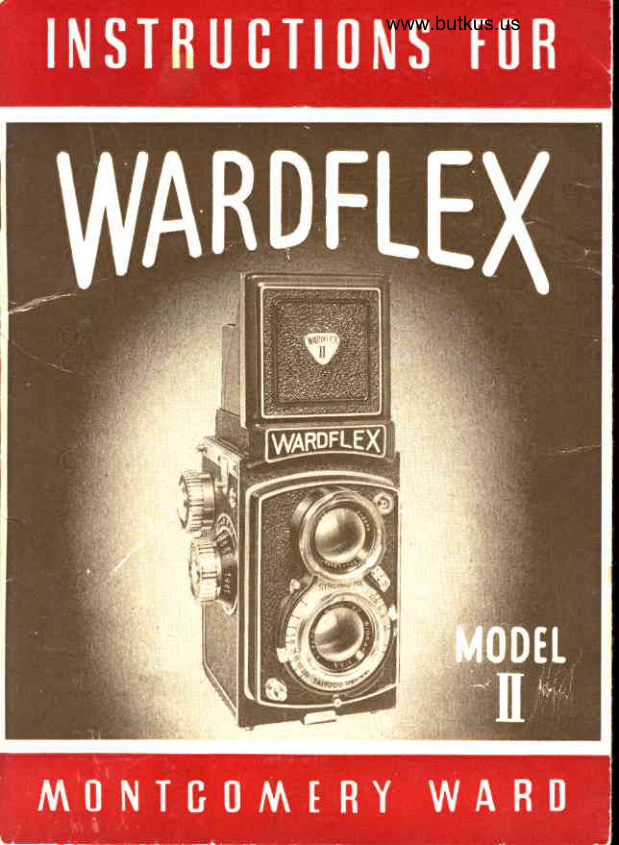
Wardflex II User manual
User manual for Wardflex II. 22 pages in English. Read the original PDF, download or print a copy without registration.
22 pagesEnglish2.7 MB PDF
Loading your manual…Open PDF directly
Document details
- Brand
- Wardflex
- Model / document
- Wardflex II
- Document type
- User manual
- Language
- English
- Pages
- 22
- File size
- 2.7 MB
- Category
- Film cameras
- Document date
- Not specified in catalog
Search available document text
Find a term, then jump to its page in the original PDF. Image-only pages may not be searchable; check the PDF for exact wording and diagrams.
Page 2 · Read text
tronsport, boyonet mount for  lens sccessory, film type
indicofor, depth-of-field scole, focus mognifying gloss,
speciol ground gloss reflector ond occessoryshoe.

   NOMENCLATUREOF PRINCIPATPARTS

                                       5. Disfc nee Scs Ie
                                       6. Focusing Knob
                                    7" Film Typo Indicotor
                              .'uj   8. Shutter Coeking Lever
                                    9. Shutter"Speed Scole
                                     trCI"Shutter Speed Setting                                          rriI J ,
                                    keven
                                    'i!t                                     r r. Shufter Releose Button
                                'l5                                         r  12.Eyu-level Finder Front
                                       Flop
                            13.Syuchno-terminsI
                                  tr4"Viewing Lens
                               15" M.F.X" Adiusting Leven
                             16 Aperf ure Seq ie
                               77" Aperfure Setffng Lever
                                19. l\A Set Lever
                                         lg. To king Lens
 I " Foeusing Hood                2A" Boyonet Mount for Lens
2" Exposure Counter Window                                  Ae eessory
3" Film Winding Knsb                             21. Selftimer
4, Depth-of-Field Ses ie
View original page 2Page 5 · Read text
L O A D I N G  T H E C A f r I E R A

  WARDFLEXMcdel   il tokes No. 12a or "Brownie" size
 roll film  f or   | 2  2j +" x 2:A"  picfures in blocklwhite or
 in color. The cqmero is eosily loqded by following four
simple operotions;   r. I  ) open  the comero,  , 2'.: insert
the film, (.3 ' wind film to  sforting mqrks qnd  ; 4  close
the comerq.

                                                     I  . To Open The Cqme r q
                               1" Unlock the Bock Cover
                             by  tunning the  Bock
                           Cover   Locking   Disc
                            29   os  fqr  os  it w i l l
                                                                          tt                             go  towq rd    ntt   in  the
                               d irection  indicqted  by
                                 the  q rrow  on  the   f o ce
                                    of fhe Disc.
                              2" Open the Bqck Cover-

2 . T o   I n se rt Th e  Fllrn
     No ? e :    f n o n ew comero ycu will find qn em p t y
     toke-up spool olreody in position. Otherwise, use
      the empty spool of the used film roll os o toke-up
      spool by  fronsferring  it  to  the  Film To[<e-Up
                         " 3 1 ) .    C h q m b e r
View original page 5Page 6 · Read text
www.butkus.us
        G E N E R A TF E A U T U R E S

  The wA RD F L EX Model   tr   is o componion  to  the
WARDFLEX Model 120 ond  is monufoctured by one of
Jo pon's leoding comero monufocturerswilh mqny yeors'
experience in designing ond monufo cturing reflex type
precision co merqs"

    It mokes 12 2%"  x 2:1"  exposures on No. I2O or
"Brownie" size roll fitm, either black/white or  in cotor"
  Both roking Lens ond Viewing Lens ore  t f 3"s, 80mm
focol length, 3-element, hord cooted ond color corrected"
  The 5 blode Shutter hqs  I  speeds :  B, ond   l,  1/2,
1 / 5,  1 l ' 10 , 1 i2 5 ,   | 7 t 5 0,l ilOO, &    l llOO second.
  The Selftimer is built-in"

  The Shutter is eocked mo nuo lly.
  Shuffer releose  is  built  into  the  body  qnd  coble
releqse soeket is provided  for"

  Flosh synchronizotion is  Closs M. F"X.  with  M. F.X.
Ad iusting Lever"
  Flosh synchro-terminolis Europeon dusl cord type"
  Other feotures provided for ore:  Semi-sutomstic film
View original page 6Page 7 · Read text
I.  Fit the slotted end
                                       of fhe film toke-up
                                 spool to the wind-           o                                   ing k.y  of the Film
                    W i n d i n g K n o b ( 3   .
                                2" Pull the Film T o k e -
                              up  Spool Pu l l - o u t
                           Knob  28   o ll the
         @     wo y out  t:nd hold                                          in this position by
                                  o pp I ying  pressure
                                   with  your  finge!-s
   'while you push down  the toke-up spool on  the
   P u ll-o u t K n o b side"
3 . Releose the Pull-out Knob   i 28 t  bock into ploce.
4. Turn the Film Winding Knob  , 3 ,  to moke certoin
   lhot the foke-up spool is in position.
5. T u rn t h e Film Winding Knob i.3'  until the lo n g e r
   slot on the spool fqces up.
6. P u l l o u t  t h e F i l m L o o d i r , g P u l l - o u tK n o b  i 2 4 ;  o , t d
    instqll o new  roll of No. 120 film into position on
                                                                                                                                           ' 3 7      t h e s p i n d l e s o f   t h e F i l m L o o d i n g C h o m b e r
   with the printed side of the bocking po pe r  f ocing
   out ond  the end  pointing directly toword  the
   toke-up spool.
View original page 7Page 8 · Read text
www.butkus.us

3.  To  Stqrt  The  Film
   1 - B r e o k  a n d   r e r r r o ' e  t h e  s e a l o n   t h e n e w  r o l l o f   f i l n i .
   7 .  P u l ! o u t  o b o u ?  5      i n c h e s c f     t h e  b o c k i n g  p n p e r
       c o v e r i n g   t h e   f i f r ' - c - n c | ' n s e r t   t h e   t o p e r e d  e n d     i n t o
            t h e    l o n g e r  s ! o t  * r {  ! h e   t a k e - u F  s p o o I a s   f o r  c r s   i t
     w i l l E o "
       Precou?ion     I Mcke   !rr?-efhst  the  filrn is center..:cJ
      e ' r e n l y  e n    t h e  T o k e - L j r ' S p c o l ;  o t h e r w i s e    i t   r r i ov
       c l i r n b o n e  e n d  c 4  ! h r *   l , F , o o l o f t e r     t h e  c o n l e r c      i , ,
      closecj crnd tear  +tre i-.c,FCr.
     - ? . W i n d      t h e  F i l n .      ' * t r , ' i n C ! n e Ki n o h    3        r , i n t i l   f 1 , " "
       s t c r t i n g  n r c r k s . c n  + f r e r j l n * , h o c k i n g  p c i p q r r { i i i . 1 i ' 1
      line with the Ind i-
     c o f o r  T r i o n g u l o r
    Morks ( 32) on both
     sides  of   the  film
     o pertu re   f ro me,
  4^ Wind evenly, giving
     the film some  ten-
     sion by using your
    thumb os c  broke,
  5" Close the bock qnd
     lock.
View original page 8Page 9 · Read text
4. To Close The Cqmero
     I . Snop the Bock Cover close.
   2. Pressthe cover ond the cqmero body together with
     your hqnd to counteroct fhe spring pressure of fhe
     Film PressurePlote ( 30 ) ond the ExposureCounter
     Return Automotic Push Rod  ( 36-).
   3. Lock the Bock Cover by  turning the Locking Disc
      ,29    oll  the woy  in the direction of the orrow
               t'C"     towo rd          .
5 . T o A d vsn ce  Th e  Film
     I . Set the  Filnr Typ*  lndicofor (,7  to correspond to
      fhe kind of  film ploceel in the comero.
   2 . T urn f h e Filrl Winding Knob  ( 3,  until it stops w i t h
       cr "click"
                                                   ' t
   3 " N u m e r o |    7 t t w i l l
      o p p e o r           i n       t h e
     E x p o s u r e   C o u n t e r
    W  i n d o w   2         i n d i -
       c o t i n g   t h o t   t h e  f i l m
                i s     i n  p o s i t i o n     I o r
       the  first ex posu re.
         . A f t e r  e x p o s i n g    t h e
        first  shoi,  p ress  in
             t h e  F i l m W i n d i n g
      Releose Br-rtton 38  i
View original page 9Page 10 · Read text
www.butkus.us

        in the center of  the Film Winding  Knob  (3)  ond
       turn  until the Knob stops with o  "click".  Numerol        tt2"
              will oppeor  in the Exposure Counter Window
      (2).
    5. Repeot this operofion  until numerol "12"  oppeqrs
        in the window.

OPENING AND  CTOSING THE VIEWFINDER FOOD
  l.  To Open  The  Focusing Hood
      l.  Lift the reor edge (viewed from operotor's position)
       of the Focusing Hood   ( I )  until  if clicks into open
       position.
 2. To Glose The  Focusing  llood
      l.  Press down on the top  lid  of  the  Focusing Hood
         (l)   until  it snops bock into closed position.
 3.  Using The  Focusing  Mognifier
      l. To Roise : Press in on the  top  edge  of  the Eye-
       level  Finder  Front  Flop  (12)   until the  Focusing
      Mognifier snops into roised  position.
   2. To Lower:   Press down on the edge  of  the Focus-
      ing Mognifier  (25)   until  it snops bqck into locked
       position.
     Nole   :   (o)  Bring your eye os close os possible
                       to the Mognifier.
            ,,,
                       /\
                              ... ,:i#*-                                                                ffi;-*;,...x"
View original page 10Page 11 · Read text
4
                 (b)  Be  certoin  fo  snop  the  Mognifier
                  bock into position before closing the           ht
                  Focusing Hood  (l ).

                                                                                                 14.  Using  The  Direcl  Viewfinder                                                                                      , ,t1
                                                             $
     l.  Roise the Focusing Mognifier  os described obove'                                                                                                -i
   2. Next,  press down on  the  Eyd-level Finder Front                       . J
                                                             1  .    Flop (12)  until  it locks into position os described
     under section 3-l  obove"                                  J
   3. Before ctosing Focusing Hood be  sure to press in
     on the Eye-level Finder Fronl Flop Releose Butlon           'r
       (27).
    VIEWING  AND  COTIPOSING  THE PICTURE                                                     .iIIi

   There <rre three methods of viewing ond composing
the picture :
 l.  First, ond  most commonly used,  is looking down on
    the Ground-gloss  Reflector. A  full-sized imoge  will
   be visible which, except  thot   it  is reversed  left-to'
    right,  is identicol wilh whot you  will  octuolly see in
                                                                                                            ,    the finished photogioph.  In  this "reflex-type"  view'
    finding, focusing is done .ot the some time the picture
     is composed. 2. Second,  there   is  the   "criticol   focusing"  method     iI
    obtoined  by using the Focusing Mognifier  (25)  ond
                                                                   g;,                                {ti                  ;":':,
View original page 11Page 12 · Read text
www.butkus.us

   looking down of the imoge
   registered on the ground-
   g loss Reflector.
3. Third, there  is  the d irect
   eye-level composition which
    is  obto ined  by  sighting
      t hro u g h  t h e smo ll squore
    of the Reqr Sight for Direct
   Viewfinder   26 :  ond  the
   lorge squore in the front
   formed by opening the Eye-level Finder Front Flop
      ,,29 t.

                 F O C U S I N G

  One of the chief odvontoges of o reflex type comera
rs the  obility  fo  occurotely qnd  outomoticolly bring
                                                                                        '{the cqmero into focus by turning the Focusing Knob  6
while looking ot fhe  shqrpnessof the imoge reflected
d irectly on the Ground-g f oss Reflecfor. Under most cir-
cumsioncesthis is the besf method to focus this comero.
  However, ii  is o lso possible to  focus the comero by
utilizing the distonce scole provided on the bose of the                     '6,,
Focusing Knob         .  In this cose, the distonce between
the comero ond the subiect is meosured or esfimoted
ond this distonce is set on the Distonce Scole  ( 5 )  by
View original page 12Page 13 · Read text
o l i g n i ng t h e p ro P e r n u merol
 in feet ) with the smoll blqck
dot in the brocket under the                                                         It" 3.5" mo rk on the Depth-of-
Field Scole   4   ' .  Used in
coniunction with the DePth-
of -Field Scole, this method
is used for most fost-oction
shots.
  To   il lustrote the  use of
the combinotion.distqnce scole qnd  the  depth-of-field
scole for fqst-octlon photogrophy, we  will suppose thot
the operture setting for this porticulor shot is f/  I l. Ploce
the  infinity mork  (*)   on the Distonce Scole (5)  in
of ignment with the forword  " l6"  of  the Depth-of-Field
Scofe   , 4-).  Nexi  reo d  the  numeroI  on  the  Distsnce
       (5^) immediotely under the  reor  "16"  of  theScole
Depth-of-Field Scole. This is 12 feet. This meons thot
ony imoge folling  within 12  feet ond  infinity will be in occepto ble shorp focus. Consequently, ofter  setting    I
the  co mero  in  this monner    f or  the   first  shot,   it  is                                                                                                   \possible to photogroph os mony qction pictures os you
wish of  ony imo ge  which   f o lls between  12  feet  to
 infinity  without  re-focusing  for  eoch  successive shot;
 provided,   of  course, the   light  cond itions  hove  not
chonged in the intervol.
View original page 13Page 14 · Read text
www.butkus.us
            SETTINGTHE SHUTTERSPEEDt
        The  shutter on    f he  co rnero  o llows  light  reflecteC
                                                       r19       frorn fhe irnoge to poss through the Toking Lens
      ond  fqll  on  the  unexposecl port  of  the  film for c
       controlled number of  seeonds. The  I  shutter speeCr
       p r o v i d e d q r e B , 1 , 1 2 ,  I  5 ,  I  J 0 , 1 " 2 5 , I  5 0 ,   l i 1 0 " :
       q n d 1 3 0 0   s e c o n d . T h e n u m e r o l s o p p e o r i n g o n   t h e
       Shutter Speed Scole    , 9 ;  o re, except  for  B ond    I ,                                                   it2tt       froctions of  c  second; thof  is     equols  1 2  of     i
      second ond "300"  equo ls   I  30Oth port  of    I  seconi.
         ,'Bit          stonds for "bulb" and meons thot the shutten wili
      remoin open os long os the  Shutter Releose Lever  is
       kept pressed in.
        To set the shutter speed, move the Shufter Speeds
       Setting Lever    I 0 ,  until  it  is correctly o ligned to  the
       blqck  line under the proper  shutter speed you hove
       selected .
        The shutter is cocked
       by  pressing down  onI
       the   Shutter  Cocking
 \      L e v er ( 8 )  o s  f o r o s it
         will  go. This must be
      done every time before
       the Shutter Releose But-
               t o n ( l l      '  i s p r e s s e d i n .
View original page 14Page 15 · Read text
Note  on  Self-timer:    To  operote  the'  self-timing
device which is built into the shutter, first set the shutter
speed,  then  cock  the  shutter ond  finolly  move  the
Selftimer  Lever  (21)   oll  the woy  to the  right. The
Selftimer  is set  into motion by  pressing  the  Shutter
                                              'ltReteose Button  (t  t)   in.    works with opproximotely
l0 seconds deloy.
  A coble releose ottochment con be fitted to the bose
of the Shutter Releqse Button.

           SETTING THE APERTURE

  The size of  the operture or  lens opening determines,
in port, the omount of  light possing through the toking
lens on  fo  the unexposed  film. The Aperture  Scole  is
orronged  in the order  of the  following  F-stop volues t
3.5, 4,5.6,  8,   I l,  16 ond 22. Most light  is let through
ot  t/Z.S  opening ond  there  is opproximotely 75%
decreose  in  light  tronsmission between the +/g.S  stop
ond  the  f/4   stop. For eqch  successive higher  F-stopnumber  thereofter  there   is qn  opproximotely  50 o/n  f
decreose so thot  the leost omount of  light  is odmitted                                     ?at  t/22.  Since the omount of  light  required  to  repro-
duce the imoge on the film  is fixed,  it con be reodily
seen thot  the shutter speed ond the operture ore  inter-
dependent.  Stoting  this onother woy,  o  high F-stop


                                                            ;.i#dL*i;{;rr,;
View original page 15Page 16 · Read text
www.butkus.us
      number (smoll lens 6pening)  will  require o slow shutter
       speed  (tonger  light odmission time)  ond  conversely, o
         fost  shutter speed  (short time)   will  coll  for  o lower
       F-stop number (lorger  lens opening). The lens opening
          is set by  moving  the  Aperture  Setting Lever (17)  to
        the proper  F-stop number.

               D E P T H . O F . F I E [ D

            l.  Exptcnotion of "Depth-of-Fleld"     ,,
         When  the comero  is focused on  o  picture-subiect,
           there  is o zone  in  front  of ond  to  fhe  bock  of  the
          picture-subiect within which  oll  imoges ore  still  in
          occeptobly  shorp  focus. On  the other hond, imoges
            folling  outside  of   this  zone  become  progressively
           out-of-focus. This zone  of  occeptoble  shorp focus is
           colled  the  "depth-of-fietd"   or  the  "deplh-of'focus"
         ond   is  porticulorly   importont  to  beginners when
          focusing of very close distonces.
         2.  Inter-relotionship   berween  Lens Opening  ond
           "Depth-of  -Field"
          A  direct  relotionship  exists between the  "depth-
            of-field"  ond such foctors os distonce  of comerq  to
           picture subiect, omount of  lens opening,  focol  length
            of  toking  lens, ond  occeptoble  shorpness of  focus
          ollowed  for  the  porticulor  shot ond  the  "depth-of-


i:&.:                                        uri*l&+:'   ,.*i.0.                 r*j#$F*aftdj$
View original page 16Page 18 · Read text
www.butkus.us
2. The zone of shorp focus, thot  is to soy, the neor
   ond   for   limifs  of  the  "depth-of-field"   for  the
   picture token with this operture moy be determined
   by reoding the set of figures on the Distonce Scole
    tJ   direcfly under fhe poir of figures 'tB" on the
   "Depth-of- Field Scole"   ( 4'-,.
3. To  illustrote:  We  ore ossuming thot the F-stop
  number  o ppeo ring on the Aperture Scole  is  " 8" .
  Reoding  the two  sets of  figure on  the Distonce
   Scole r5''  immediotely below the poir  of  figure
   ,tB"       on the Depfh-of-Field Scole ,.4), we find the
                                                  ttStt   numerol 9.5 under the forword figure    ond the
   numerol 17 under the reor figure "8"" This meons
   thot onything folling between opproximotely 9.5
   feet to 17 feet   f rom the co mero Toking Lens wilt
   be  in occeptobly shorp focus. Now,   if the F-stop
  number hos been set
   o t  " 22"  the  zone  of
   shorp  focus  will  be
   o n y        i m o g e      f o l l i n g
   inside  the  "depth-of-
   field" of opproximotely
   40  feet   the d istonce
   figure under  the  for-
   word   "22"   on  fhe
   Depth-of- Field  Scole
View original page 18Page 19 · Read text
ond 7 feet  ,the distonce figure  folling under the
          r e o r              l l ; 1 l z6 l l

         FTASH SYNCHRONIZATION

  WARDFLEXModel   It  will toke either flosh unit with
brocket o ttochment or the occessory shoe type provided
both hove Europion type flosh connecting cord.
  Ffosh synchronizotionis Closs M. F. X.
  Flosh pictures moy be token with  oll  stondord Flosh
bulbs or with strobo.
    lf you wish to use the Closs M  bulb, set the M. F. X"
Adiusting Lever  15 i to "M", ond push the M Set Lever
 i  l 8  ,  oll  t h e wo y d o w n until it locks in position. C l o s s
M  bul b moy be used for ony  shutter speed from  1
second to   I 300 second, including B.
 W h e n C l o s s F b u l b
is used, set the Lever
 i l 5 )     t o  " F " . C l o s s F
b u l b m o y b e u s e d  f o r
ol l s h u t t e r sp e e d .
  Strobo or  electronic
flqsh units furnish  in-
stontoneous firing  for
o l l s p e e d s. Wh e n u sing
strobo, set  the  Lever
View original page 19Page 20 · Read text
www.butkus.usli
       (15) to "x".
         Nofice   :  The M Set Lever  (t g)  is used only when the
        Lever (15)   is set to "M"  position ond  shoutd not  be
                     .for "F"  ond "X"  settings.ilI      touched
                  It  is recommended thqt the guide numbers furnished
        by  the  flosh bulb monufocturer be followed  closely in
         selecting the correct operture or  F-stop  for  thot  por-
          ticulor moke of flosh bulb.
          To obtoin the proper operture when the guide number
            is known, use the  formulo  :  ,APERTUREequols GUIDE
      NUMBER divided by DISTANCE lN FEET.

              UNTOADING THE CAfiIERA

        Nole   :  Never chonge films under direct sunlight. Even
                   the shodow of your own body  will  help.
                l.  After moking the l2th exposure, turn the Film Winding   \ s
     i        Knob (3)  until the end mork (e)   oppeors  in the
     i         Exposure Counter Window   (2)  ond  there  is  no ,b
             further movement of  the  film counter regordless of
         how mony revolutions the Film Winding Knqb mokes.
          2. Continue to turn the Film Winding Knob for severolti
          more  revolutions  to moke  certoin  thot  the  film  is
I           completely rewound on the toke-up spool.
fI .         3. Select o  shody spot ond  open  the comero  Bockt
I            Cover.
G
II
T
!
View original page 20Page 21 · Read text
4. Pull the'Toke-up Spool Pull-out Knob  (28)   oll  the
  woy  out ond  lift up the film from thot end.
5. For eosy  opening when  developing  the  film,  fold
  under  q  good  portion  of  the  bocking  poper ond
  seol with tope.
6. Put the exposed  film bock into the originol pockoge
   to profect  it from sunlight.


         ADDITIONAL  INFORMATION

   Before toking the picture, run over the following  "S-
A-F-E-R" check list in your mind  to moke certoin thot
oll controls hove bee;r properly set:
   5  - shutter :   ls the shutter set of the speed you wont ?
  A  - operture  :   ls the lens opening set ot  the proper
      F-stop number?
  F - focus :   ls the reflection on the ground-gloss reflec-
        tor cleor ?   Or,   is  the  distonce correct on  the
      footoge  scole                           ,::'                                                         ai
  E  - exposure :   ls the shutter cocked for  releose ?
        - rewind :  Wind  the  film  for  the  next  exposure   $
      immediotely ofter toking the picture.
  The cctmero  is  o  precision instrument ond   oll  the
ports should be  hondled  with  cqre. Never force ony
pcrt;    if  o  port  does  not  work  smoothly, reod  lhe
View original page 21Page 22 · Read text
iii l                                    www.butkus.us
1      relevonl section of  the instruction monuol corefully once
       ogoin.
{        Avoid  finger prints on the lens. To cleon the lens use
       o very  soft hoir brush or o  piece of cleon well-woshed
        linen.  lf  there ore ony greose spols, remove them with
            .       o wod  of  cotfon moistened  in  olcohol ond  then wipe
       with cleon well-woshed linen or go over lightly with soft
        hoir brush.
        Never put the comero owoy  with  the shutter cocked.
          At  the seoside, keep the comero closed in the eyer-
       reody  cose. Open    it  only when  octuolly  moking the
       exposure.


      67C-l0B  . Printedin Jopon.
View original page 22From the M. Butkus archive. Original publisher and archive notices are retained.
Check the model and edition against your equipment.
PDF verified 2026-10-10.