Light meters
Weston Master Invercone User manual
User manual for Weston Master Invercone. 2 pages in English. Read the original PDF, download or print a copy without registration.
2 pagesEnglish1.4 MB PDF
Loading your manual…Open PDF directly
Document details
- Brand
- Weston
- Model / document
- Weston Master Invercone
- Document type
- User manual
- Language
- English
- Pages
- 2
- File size
- 1.4 MB
- Category
- Light meters
- Document date
- Not specified in catalog
Search available document text
Find a term, then jump to its page in the original PDF. Image-only pages may not be searchable; check the PDF for exact wording and diagrams.
Page 1 · Read text
Control Dial in exactly the same manner as
used when Reflected Light readings are taken.

For scenes where it is impractical to reach
the subject position to measure the light falling
upon the subject, detach the Invercone and take
conventional camera position reflected light
measurement.

However, if the light at or near the camera
position appears to be equal to the subject's
filumination take a substitute reading of inci-
dent light using the Invercone.

Unlike reflected light exposure meters an
incident light type of exposure meter must be
ance. The Invercone is so calibrated.

Note the following recommended Exposure
Control Dial settings for typical scenes,

TYPE OF SCENE DIAL SETTING
‘Average, where highlights and Set NORMAL _ AR.
Shadow areas are eveniy di ROW to reading ‘ob

tributed ""eroups of people, tained ‘on the meter

Scapes where using biack-and. tothe reading obtained

Contrasty,

object of Set the “C” position
hadow arent {othe feading obtained

CLEANING THE INVERCONE

Both the Integrating Cone and Auxiliary
Multiplier may be cleaned with any mild soap
in luke warm water, using a soft cloth for
wiping dry,

WESTON ELEC'L.

NEWARK 5,

INST. CORP.

NEW JERSEY, U.S.A.

FORM 2273 PRINTED IN U.S.A.

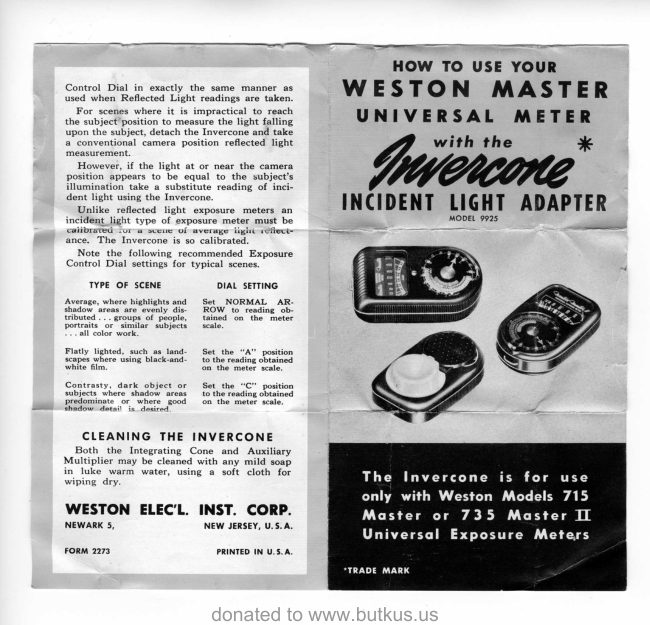
HOW TO USE YOUR
WESTON MASTER
UNIVERSAL METER

with the *

Iucioe

INCIDENT LIGHT ADAPTER

‘MODEL 9925

The Invercone is for use
only with Weston Models 715
Master or 735 Master IT

Universal Exposure Meters

*TRADE MARK
View original page 1Page 2 · Read text
parts (an Integrating Cone and Auxiliary Mul-
jer) permits the user of any Weston Master
UNIVERSAL Exposure Meter to extend the
scope of his meter to embrace the Incident Light
Method of exposure determination.

TTPHIS Invercone Adapter, consisting of two
“i

With this auxiliary device, the user retains all
of the many basic advantages of the Reflected
Light Method which are required for the bulk of
his picture taking and can measure incident light
where that method may be preferred.

EASY TO ATTACH

— 1. For most indoor, and

outdoor work where ilu
nation. is” relatively tow,
Simply Aip open the meter's
Daftle and slip the Tntegrat
ing Cone into place. (The
Acviliary Multiplier is aot
ed.)

det it Th eer soe
fim in Your camera "
Ti tet imed at the subject from

2. Where the level of i
of the. meter's high ight
Scale, open the baffle and
insert the “Ausiiary Mutt
fcale’to operative postion

‘Weston Master Universal Exposure Meters,

with the Invercone Adapter, meagure inc:

dent rather then reflected light. ‘The met
of the light falling ‘upon the

into place over the

Multiplier. subject,
‘The meter is simed at the camera from

‘The Invercone is normally adjusted for use
with Model 735 Master II Universal Meters.

When used with Model 715 Master Universal USING THE INVERCONE
Meters it is necessary to loosen the adjustment After attaching the Invercone to the meter
screw (about 1% turn) and extend the spring (see illustrations on Page 2) point the meter at
‘catch on the Integrating Cone to its limit. Tighten the camera from the subject position.

the screw and the Invercone is ready for use, Noting the meter reading use the Exposure
View original page 2
Related documents and language editions
From the M. Butkus archive. Original publisher and archive notices are retained.
Check the model and edition against your equipment.
PDF verified 2026-10-10.