Film cameras
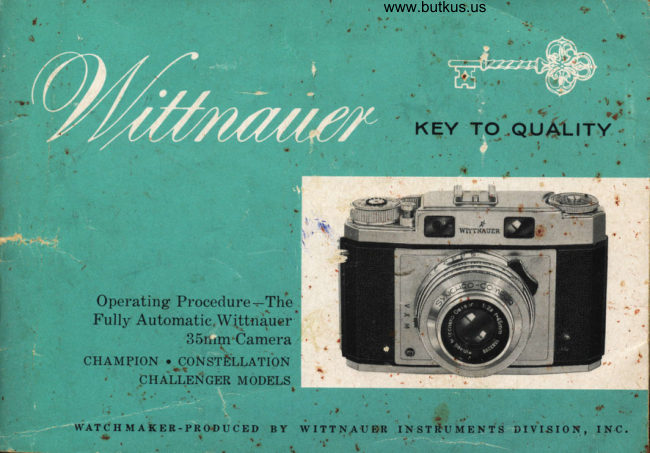
Wittnauier Champion / Constellation / Challenger User manual
User manual for Wittnauier Champion / Constellation / Challenger. 30 pages in English. Read the original PDF, download or print a copy without registration.
30 pagesEnglish8.5 MB PDF
Loading your manual…Open PDF directly
Document details
- Brand
- Wittnauier
- Model / document
- Wittnauier Champion / Constellation / Challenger
- Document type
- User manual
- Language
- English
- Pages
- 30
- File size
- 8.5 MB
- Category
- Film cameras
- Document date
- Not specified in catalog
Search available document text
Find a term, then jump to its page in the original PDF. Image-only pages may not be searchable; check the PDF for exact wording and diagrams.
Page 3 · Read text
www.butkus.us
' The Automatic Wittnauer Champion,
 Constellation & Challenger Models
 1. Rapid wind lever               lifiedLight
    (single stroke
   advances film,           (Bottom )
   counts exposut'e      1(). Tlipod socket.
   and winds               (Bottom)
    shutter).                         1 l. Rewind button.
 2. Exposure counter        (Bottom)
   (subtracting         12. Diaphragm
    tvpe).                      setting lever.
                             F ocusing lever. 3. Shutter release      13.
   with built-in        14. Combined
   cable release            rangefinder and
    socket.                   viewfinder
                          windows. 4. Cover latch.                      15. Film speed
 S-!''ocusing and            reminder.
-  depth of field       16. Rewind knob
    scale.                    (returns film to
                            cartridge after 6. Shutter speed                                  all exposures   setting ling.                          have been made).
 7. Flash Synchro      17. Viewing and
    lever (also serves         rangefinder eye
   as cocking lever           piece. (Back
   for self-timer').          of Camera).
 8. Flash contact.      18. Accessory shoe.
View original page 3Page 5 · Read text
www.butkus.us

            oNcRATULATIoNS on your choice of the fully automatic Wittnauer
              camera. Your new eamera will repay you manyfold with years of
                  fine photography. For here, truly, is the perfect blend of optical and
       engineering automation. Made with wATCHMAKER skill an'd precision,
        the outstanding Wittnauer 35mm camera offers every advanced and useable
        photographic feature
                                                                                                 lllrr*.,      The new Wittnauef "high definition" cHRoNoN and cHRoNosrAR
       have been computed with the most modern mathematical formulas and are
       ground to exacting specifications to insure razor-sharp clarity and full color
                                                                     and       . fidelity. All glass-air surfaces are coated to reduce internal reflections
       assure brilliant pictures. Wittnauer quality cameras are versatile enough
fl       to meet the most demanding photographic assignments.    .
      On the following pages you will find a full description of the many features
gd.,f       designed to make Wittnauer picture-taking more successful. Please read
   l
                                                                                                                                                                                                                                                                                                                                                                                                                                      .        this booklet carefully before using the camera.
                                                                   ao, @rr*.                                   qiW-"rrt" @t rm  @*o
                          THE LoNGtN Es-wtrrNAUER BUILDING
                            5Ao FTFTH AVENUE, NE\^/ YORK 3€t, N. Y.
                                                                                                                            \         t           .1.
View original page 5Page 6 · Read text
Opet"ation o.f the Fully Automatic Withtauer ,JSmrn Camerct

  1. Advance film and wind shutter by moving rapid wind lever once.
  2. Measure light value with built-in meter (Captain, Commander and
     Professional models only).
  )t  Set light value exposure-
     ing correct combinations
     of shutter speeds and dia-
    phragm openings.
  4. Choose most desirable shut-
    ter speed (diaphragm ad-
      justs automatically).
  5. Focus and view subject.
  6. Release shutter-take Picture.
                                                                                                                                                                                                                                                                                                     I
View original page 6Page 7 · Read text
www.butkus.us

    To Open t,he Camera"

Pull out the back panel cover latch located directry
below the-rapid wind lever. When the locking bai
has been disengaged, the back panel will swing out-
war$s. The back panel can then be fully opened and
pivots on a hinge on the left side of the camera. Do
not put excessive strain on the back while open as it
has been carefully fitted at the factory and proper
alignment is important to conect closure and long
life.
   a. film retairaing roller (recessed so metal
      roller does not actually contact negatiue
      area).
                                                                                              www.butkus.us   b. pressure plate holds film perf ectly flat and,      in focal plane during enposure.
    c. cartridge retaining spring.
   d. reusind post.
    e. film plane guide cltannels.
     f. film aduance sprocket.
   g.        fi,lrn take-up spool.
View original page 7Page 8 · Read text
Inserting
            the Film

 Pull out the rewind knob as far as it will go and
insert a fresh cartlidge into the empty chamber.
 The cartridge is inserted so that the long projection
 is towards the bottom of the camera. Push the
 rewind knob back into its original position, turning
 it gently at the same time so that the slot in the
rewind post engages the crossbar of the film spool.
Modern emulsions are extremely light sensitive and
even the most calefully constructed cartridge
should be protected from the direct rays of the
sun. Load and unload the camera in the shadow of
                                                                                                                                                                                                                                                                                                                                         la tree or building. If no shadow areas are avail-
able, turn your body so that your own shadow
will offer protection.
Protect film cartridge from physical damage  ol'                              -/abuse. Rough usage may tend to distort the car'-
tridge and destroy its light-proofing ability. To
further protect film, do not allow loaded cartridgesto be stored at high temperatures.              4\ffir                         v,l ll
View original page 8Page 9 · Read text
www.butkus.us
     To Attaclt, Film attd ComTtletei
il
I          the Loa,di?Lg Operation

         Pull out enough of the trimmed film leader so that
         the end can be inse'ted into the slot of the take-up
         spool. The notch in the take-up spool should catch
         a film sprocket hole. The take-up spool may be       9n
         freely'otated by tu'ning in the direction indi.at.d.
       At the same time, engage the perforations in the
         film with the sprockets of the film advance wheer.
        continue to turn the take-up spool and draw film
        out until the sprockets have engaged perforations
       on both sides of the film. Enoug[       film has          b-"ul supplied by the manufactuier "*i"uto provide for
        the leader used when loading. The corrlct number
       of exposures still remain in ttre cartridge. Now,
         close the camera back. A slight pressure *IIl b" f"lt                                    www.butkus.us
       when the back is almost closed. This is normal and
         is the result of the action of the pressure plate
       which forces the film into the co""ect focal platt".
       With the back held firmly closed, snap the cover
         latch into position and the camel.a is made com_         pletely light tight.
View original page 9Page 10 · Read text
't                                                     ,  ,                              t  I lir   l',',,'1tttr:lt r'( (',,1(ritt'i'

The exposule countel is located on the    number'36 (or'20) is opposite the indicator
lapid u'ind level and is of the SUBTRAC-     nralk. Advancing these two f larnes r.elltoves
TION TYPE. It  will count backu'alds to     film that rnay have been "fogged" during
show, at a glance, the numbel of UNEX-     the loading ploccss.
POSED FRAMES  still available.          N ote : C lt ontpion, Constellation, Chnllenger
Refore taking the fir'st pictut'e, set the ex-     utul Continental models ure prouirlecl uith a
posule counter by bringing the led dot     butlt-in fi.lnt speetl rentintler dial.
 (neal the number' 36) into register with    When setting the exposule counter', also set
the black index mark on the lapid wind    the film speed dial.
lever'. (When using a 20-exposule caltlidge,    This handy indicator.
register the gl'een dot). This is accom-     will lemind you (aftet,
plished by i'otating the counter disc in di-    the canrela has been
lection of allor','. Now, aclvance the lapicl    put aside) of the type
wind level fully and lelease. Pr.ess thc    and speed i'ating of the
shutter lelease button. This oneration is     film cullently loaded
repeated a total of two tinres until the     in the cal-nel'a.
View original page 10Page 11 · Read text
www.butkus.us
The Rapid Wind Let)e?" and Film Transpor.t Mechanism
A single rotation of the rapid wind lever:     the imaginative photographer.
     1. Advances the film to the next unex-    Using the thumb, push the lever to the
       posed frame.                           right as far as it will go. Then allow it to
     2. Winds the shutter.                      return to its original position. The exposure
     3. Counts the exposure.               can now be made by pressing the shutter
                                                 release button. The shutter release can be     4. Unlocks the double exposure preven-                                           operated ONLY if the wind lever has been       tion mechanism.                              FULLY advanced (thus preventing double
The high speed single stroke rapid advance     exposures). If  this action has not been
lever makes Wittnauer one of the fdstest    properly completed, the lever will remain
handling of all 35mm cameras. With prac-     stationary, and must NOT be forced backtice, a shooting speed of over one frame     into its rest position. In this case, merely
per second can be achieved. Thus. action    advance the lever to its fullest extent anisequences and complete picture stories       it will once more disengage and automati-
can be captured with ease and precision by     cally return to the rest position.


         Rapid Wind Leaer:
           A. Rest position
           B. Partially
               adaanced
                 position
           C. Fully
               adaanced
                 position
View original page 11Page 12 · Read text
To Unload

When the last frame has been exposed, the   CHECKING THE REWIND ACTION
exposure counter will indicate the number    The rewinding action can be checked by
1. Do not continue to advance the film be-    releasing pressure on the locking button
yond this point or it may be torn from its    during the rewinding operation. If the
protective cartridge.                       mechanism is working properly, consider-
Exposed film should be rewound into the     able resistance to further rewinding will be                                                                                           BE-cartridge so it may be taken from the     noticed. Do Nor ATTEMpT ro FoRcE THE
camera in ordinary room or daylight. To do    wrND KNOB, OR THE FILM PERFORATIONS WrLL
this, turn the camera over and depress the    BE ToRN. To continue the rewind operation,
rewind locking button. At the same time,    depress the rewind locking button once                                                                  If, during the above test no resist-lift the rewind knob slightly and turn it in    more.
the direction indicated by the engraved     ance is noticed after the locking button has
arrow until all film has been rewound. The    been released the film has been pulled from
rewind locking button must be held down    the cartridge and the camera should be
during the entire rewinding process. When    opened only in a darkroom.
rewinding has been completed, you will
"feel" a definite slacking in the resistance
of the rewind knob. In addition, you can
"hear" the film leader as it slips off the
take-up spool and returns to the cartridge.
When completely rewound, the camera's
back may be opened and the film replaced
with an unexposed cartridge.
View original page 12
Page 14 · Read text
[" ot'ttse n,(J (tizrl  I  - i( rt'ln.(J


    SHARP PICTURES AL\^/AYS
    WITH THE WITTNAUER
    HIGH PRECISION COMBIN-
    ATION RANGEFINDER AND
    VIEWFINDER.
    Your built-in coupled range-
      finder is a precision optical de-
     vice which will measure the
      camera-to-subj ect di stance with
      great accuracy.
     Sight through the viewfindel
     window. In the center of the
      field of view, you will see a
     bright amber cololed circle.
     This is the rangefindet. image
     and since the langefindel is in-
      ternally coupled to the lens, set-
     ting the findei' automatically
     adjusts the lens foi' perfect
      focus.

10
View original page 14Page 15 · Read text
www.butkus.us
'1'(t {'*r, tltt, !'lttit.rlt'li ttdct'


               Focus the lens by tulning the focusing levet'
             on the lens mount. At the same time sight
                thlough the viewfincler.and notice that a double
                     in-rage of the subject rvill appear in the cir.cular.
                 blight spot in the centei.of the field. By tui'n-
                 ing the focusing levet., the two images can be
             made to coincide pelfectly. When this occuls,
                   corlect focus has been attained and no fur.ther.
                adjustment is necessaly.
                The exact camer.a-to-subject distance can be
             read (in feet) fi'om the scale on the lens
              mount'    ril,s.aft.5rs,n .Focus so that the            most  ___rlrJ1!L-     intlrcrtrtnt palt of the                             ---------i---5-                   subj ect                       is pelfectiy ali gned in
                  the i'angefinder'. An alea in fr.ont of and behind
                 the subject will also be in focus (depending on
                 the diaphlagm opening selected). This ar.ea is
                  called "depth of field". For. nrot'e infor,mation
             on how to use your built-in "depth of field,'
                    scales, see page 18.

                     xore: Always set focusing mount to
                          infinity  befole <'losing carrying ease.
                                                                                 11
View original page 15Page 17 · Read text
www.butkus.us
Reading the Meter                       Some Important Hints
Hold the camera in taking position, with      7. Screen the meter from the influ,erue of
the meter pointed towards the subject. The     encessiae skgliglLt (beach, snou) or land-
needle will point to a black or white sector     scape scenes) by tilting the camera skghtlg
associated with a LrcHT vALUE NUMBEB.      downward when taki,ng a reading.
                                                   2. To take an erposure readi,ng directlgNote that there are Two light value scales                                            against the sun, shade the honeycomb cell(one engtaved in black, the other in red).                                               in the satne waA Aou would shade the lens.For bright light, keep the meter cover
closed and use the slAcr scALE. For dim      3. If in doubt, take closeup meter readings
light, open the meter cover and read the     of the most important parts of the subject.
light value from the npo scALE.              Zeroing thn Meter
The r,rcnr VALUE can be transferred di-       If , with the honegcomb window completely
rectly to the shutter and will automatically     darkened, th,e indicator does not coincide
provide both shutter and diaphragm with     eractly with the 0 mnrk, it can be adjusted,
all information needed for perfect exposure.    by turning th.e small reset screu) on the                                           back of the camero. NorE: The zero adjust-
For further details, see page 16.           ment is a delicate one-use entreme care.
View original page 17Page 18 · Read text
Tlr,e Lisl?,t Value Systent,
    The brilliant new light value system has    L/250 of a sec. at f :2.8; this is the same as
     enormously simplified exposure calculation     I/L25 sec. at f :4.0; or L/60 sec. at f :5.6; or     without destroying the controls so neces-                                                1/30 sec. at f :8.0; or l/t5 sec. at f :11-and     sary to creative photography.                                                         so on. In other words, each of the above com-
                                                  binations will admit the same amount of    Whatis LIGHT VALUE?                                                          light and so, any one of them might be used
     Light reaching the film is controlled by the    to provide a correct exposure. It remains
     shutter and the diaphragm of the camera. A    only fol the photographer to choose which
     short shutter speed, for example L/250 sec.,    combination best suits his altistic require-
     allows less light to reach the film than a    ments, in terms of action-stopping ability or
    longer exposure of 1/30 sec. fn the same     depth of field. The r,rcnr vALUE sysrnlr sim-
     way, when the diaphragm  is "stopped" down,      plifies and speeds exposure calculation-yet     less light can reach the film than if the dia-    phragm is opened "wide". From this, it can    maintains control for the serious worket.
    be seen that every combination of shut-
    ter speed and diaphragm opening can be
     lepresented in telms of the AMoUNT oF            LIGHT VALUE #11
    LIGHT this combination admits to the film.
    This amount of light has been called the
    LrcHT vALUE. It can be seen, too, that sev-
     eral combinations of openings and speeds
    can have the same LIGHT vALUE.                                                             Diaphragm f/16  Diaphragm f/8 Diaphragm f/2.8
                                                                         Shutter Speed   Shutter Speed    Shuttcr Speed
    For example, a light value of 11 represents                      1,/8 sec.          .1/30 sec.         t/250  ser,,.
t4                                         A ghten light oalue nuntber representa a c'orL                                                                 stant enpoaure contbination-regordlesa of
                                                                         shutter tpeed or diaphragm opening eelected,.
View original page 18Page 19 · Read text
www.butkus.us
                   7'o Sct tlt( L,i.qltt I'rtIttc
After the ploper light value has been read   away from housing-and then rotated to
from the exposure meter', (most modern    bring desiled light value number into reg-
metels lead directly in light values) it is     ister with the englaved allow above the
tlansferred to the shutter'. Light values are     7/60th sec. mark on the shutter speed ring.
shown on the shutter speed setting ling and      It is also possible to set half light values-are set by bringing the desired value into                                                               i.e., l: between 8 and 9. In the liglft ualuelegister with the I'ed dot on the diaphragm                                                             systern., slrutter and diapltragTn settings aresetting ring. Diaphlagm setting and expo-                                           coupied. When you adjust the sluutter,sure time are thus automatically combined.                                          the rlia"pltragrn opening is automaticallyTo change the light value setting, pr.ess the                                       changed to insure continued correct erpo-diaphragm setting lever inwat.d (towards                                                sure. Conuersely, if the diaphragrn settingthe camera housing) and rotate the ring.                                                   is cltanged (to corcect for depth of field,Note-In Continental and Pr.ofessional mod-      etc.) then the sltutter time arljusts to main-
els, the diaphlagm setting r.ing is lifted     tain perf ect er'ltosure relationslip.
                                          Exposule constants can be set manually, as
                                           with older cameras, by setting the shutter
                                            speed fir'st, and then selecting the desired
                                   diaphragm opening. In this case, the
                                                    selected speed and opening ate aligned with
                                         the setting line on the depth of field ring
                                         and the light value numbels may be ignored.
                                                Set the shutter'first by rotating the shutter
                                         speed ling. Then depr.ess the diaphr.agm
                                                    level and set the diapht'agm.

                                                                                                 15
View original page 19Page 21 · Read text
www.butkus.us
      Deptlt ol Field

    When vou focus on this poi

                               Some Hints
                                        When your principal subject has
                                                      great depth-use a small opening
                                               and achieve overall sharpness.
                                        When the background is disturb-
                                                      ing-eliminate it by using a large    +- DEPTH OF FIELD +
    Picture uiII be sharp  f ront                                 opening...offering a shallow depth
   gHere...to...Here+                                     of field-and allow the background
                                                                  to become blurred and out of focus....you are actually in focus throughout an
entire zone. This area is called the DEPTH
OF FIELD.
The Depth of Field varies according to the
diaphragm open.ng selected. A small dia-
phragm opening will provide great depth
of field. A large opening rvill offer a shallow
depth of field.
View original page 21Page 22 · Read text
Depth o.f Field Scale Tells Aree o.f Focus   .f rtr Erery Picture


    First focus on the most important subject.
   Then the zone of sharpness may be r.ead
    from the scale engraved on the lens mount.
   Example:
     If the light value and shutter. speed selected
    lesult in a diaphragm opening of  f :8.0,
    read the englaved footage markings oppo-
     site f :8 on each side of the lens mount. One
    side will pt'ovide the closest, and the other,
   the farthest limit of shar,pness. To adjust
   the depth of field mer.ely change the dia-
   phragm opening and the shutter will adjust
   automatically to maintain correct exposur.es
    while changing the shar.pness zone.


                                                                          www.butkus.us
18
View original page 22Page 23 · Read text
www.butkus.us

If llou ott')t e lI'ittttau(t'Crttttittt'tttrtl  rtt'Pt'rtt('ssirtnal Jlrtdal


   Your camel'a is equipped with the remalk-  When taking poltlaits, a shallow depth of
   able new AUTOMATIC DEPTH OF    field may be used to advantage. Merely tuln
   FIELD INDICATOR. Notice the two led   the shutter speed ring which changes the
    pointers on top of the lens mount (on the   depth of field automatically and makes cor'-
    distance scale). These pointet's automati-   lesponding changes in diaphragm and shut-
    cally describe the "neal'" and "fat'" limits    tel settings.
    (depth of field) of perfect focus for any
    selected shutter speed and diaphrag:m com-
    bination. By changing the LIGHT VALUE,
   you change the DEPTH OF FIELD and the
    red pointers adjust themselves accordingly.
   With a little practice, it will be possible to
    tell at a glance the depth of field available
    for any particular picture-taking situation.
    Similally, it is now possible to adjust the
   diaphlagm-shutter combination to suit a
   depth of field problem. When taking land-
    scapes, etc., adjust for a gleat depth of field.
View original page 23Page 24 · Read text
The Delayed Action Release

    The built-in delayed action shutter release    TMroRTANT: If the self-timer is brought
      will allow you to take a picture of yourself.     into position "v" while the shutter is wound       It is no longer necessary for the photog-      (film advanced and ready to photogaph),
     rapher to be missing from every group he      it should be allowed to run down as de-     photographs-nor is it necessary to ask a     scribed above. Do not force the lever back
     stranger to take the picture for you. The     to the "x" position.     Synchro-Compur and Compur Rapid shut-
      ters will wait a full ten seconds before mak-      www.butkus.us
    ing the exposure when the self-timer is
     actuated. Set and wind the camera in the
     usual fashion. Then wind the delayed action
      release lever by moving it from "x" to posi-
     tion "v". View and foeus the camera and
      set it upon a firm table or tripod. Press the
     shutter release and take position in front of
     the camera. After approximately ten sec-
    onds have elapsed, the shutter will release
       itself, thus bxposing the picture.
     After the picture has been taken, the de-
     layed action lever will automatically return
     to the "x" position.

20
View original page 24Page 25 · Read text
www.butkus.us

        Inte'rnal Synclr"ronization Makes     expensive to use in the long run because
       Wittnauer Flash Pictures Simple to     thele al'e no bulbs to replace.
         T uke-M aintains A c cw" ate E rp o sur e    To use electronic flash, plug the flash cable
        The fine Compur shutter on your Wittnauer     into the contact on the flont of the camera.
        camera is fully synchlonized for both elec-    Set the shutter lever to "x". Wind and set
           tronic flash and flash bulbs.                    the camera in the normal way. When the
                                                     exposure button is released, and the shutter        To use erpendable Flash Bulbs                                                    blades are fully open, an electric contact
          Set the synchi'onizing lever to the "M" posi-    within the camera is closed and the elec-           tion. Plug the flash cord (flom flash gun)                                                           tlonic flash is fired. In this way, the expo-          into the flash contact on the front of the     sure is made at the proper moment for high-
ffil       camera. Once fir'ed, flash bulbs take flom     est efficiency.         10 to 15 milliseconds to reach their "peak".
       With the synchro lever set at "M", the    Flash exposures are determined by "guide
          shutter automatically closes the bulb's elec-    numbers" and full instructions accompany
          tlical contact' approximately 15 millisec-    your flash .unit, or can be found on every
        onds before the shutter blades ale fully     package of flash bulbs.
        open-thus assuring utilization of the full
         light output of the flash bulb. With the    Note: Wittnauer Champion models perfor"rn                                               the same basic flash functions desci'ibed          fully synchronized syNCHRo-coMpuR shut-
          ter any speed may be used in combination    above without the need for the "M" setting.
        with flash bulbs-even 1/500 sec.          On these camelas, electronic flash may be                                                     used at any shutter speed (even l/500 sec.).
        To u.se Electronic Flash                When using flash bulbs the best results
          Electronic flash gives a mole powerful and     will be obtained with shutter speed of t/30
       a softer light than a flash bulb and is less      sec. or slower.

                                                                                                          2l
              s!          ...  jl   ,,;     ,.
View original page 25Page 26 · Read text
Wittnauer Continenta,I and Professional Models Feature Inter-
changeable Lenses-for Wide Angle or Closeup Photograph,y.

All interchangeable Wittnauer lenses are    with the RED Dor on the bayonet mount of
bayonet mounted; may be interchanged in    the camera housing. Align the dots; then
a matter of seconds and are internally     press lens and mount together and give the
coupled with the built-in rangefinder. Each     lens a short turn to the right-and it will
is equipped with the Automatic Depth of     lock in position.
Field Indicator described on Page 19.                                 To get the most out of your wrrrNAUEB
To Remoue Leni                           coNTTNENTAL or pBoFEssIoNAL camera, in-
Press the catch on the underside of the     vestigate the complete interchangeable lens
shutter; lift up the exposure value setting     systems available. For example, a 135mm
ring by means of the lugs and by turning     telephoto lens will bring the image over two
the lens slightly to the left; release it from    and a half times closer than the standard
the bayonet mount.                     50mm lens. All supplementary lenses are of
When inserting the lens, the npn oor on the    . cunoNost.l,n quality and are available com-
inner side of the lens mount must coincide     plete with leather carrying pouches.
View original page 26
From the M. Butkus archive. Original publisher and archive notices are retained.
Check the model and edition against your equipment.
PDF verified 2026-10-10.