Film cameras
Wonder Camera User manual
User manual for Wonder Camera. 4 pages in English. Read the original PDF, download or print a copy without registration.
4 pagesEnglish3.1 MB PDF
Loading your manual…Open PDF directly
Document details
- Brand
- Wonder
- Model / document
- Wonder Camera
- Document type
- User manual
- Language
- English
- Pages
- 4
- File size
- 3.1 MB
- Category
- Film cameras
- Document date
- Not specified in catalog
Contents
Search available document text
Find a term, then jump to its page in the original PDF. Image-only pages may not be searchable; check the PDF for exact wording and diagrams.
Page 2 · Read text
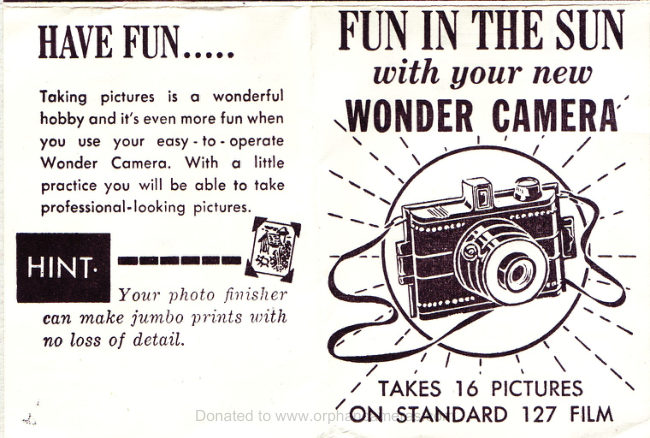
HAVE FUN.....

Taking pictures is @ wonderful
hobby and it’s even more fun when
you use your easy - to- operate
Wonder Camera. With a little
practice you will be able to take
professional-looking pictures.

Your photo finisher

can make jumbo prints with
no loss of detail.

FUN IN THE SUN
with your new

WONDER, CAMERA’

/ “TAKES 16 PICTURES \
“ON STANDARD 127 FILM
View original page 2
Page 3 · Read text
y

how to 1

end

knob.

ee

Place empty spool in spool holder
under the winding knob.

ur new WONDER CAMERA

1. VIEW FINDER

2. SHUTTER RELEASE
3. WINDING KNOB
4, LENS

5. CLOSING SNAP

either
of the spool fits the winding

oe mil

Replace the back of camera and
snap shut. Roll film until #1 ap.
pears ot window #1... you are
now ready to take your first pic-

ture,

ind a shady spot before loading
film, Unsnop back of camera .
remove back section... you are
now ready to load film.

Place the roll of film in the oppo-
site spool holder and bring edge
of film across to winding spool

«thread the film into winding
spool and turn winding knob a
few turns to start the film on the
spool.

After you have snapped your first
picture, turn the winding knob until
#1 appears in window #2. REMEM.
BER, each film number will provide
you with 2 photos.. 1 photo for
each window, When #8 appears in
window #2 you will have taken 16
pictures and the roll is complete.
View original page 3
From the M. Butkus archive. Original publisher and archive notices are retained.
Check the model and edition against your equipment.
PDF verified 2026-10-10.