Film cameras
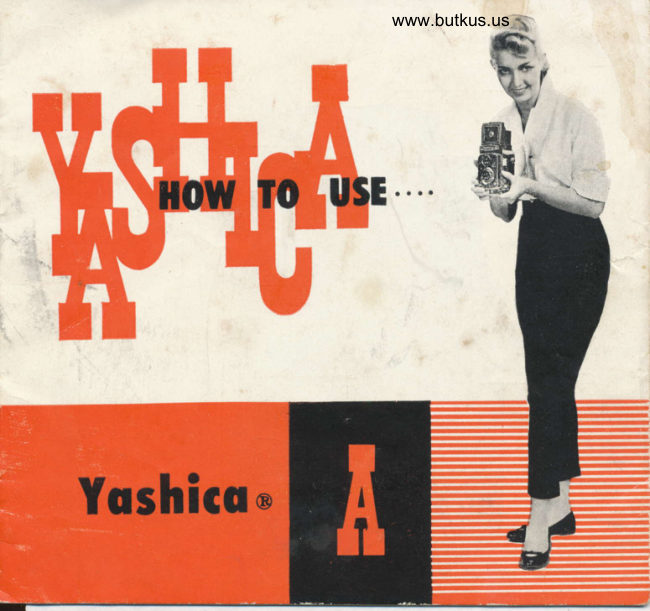
Yashica A User manual
User manual for Yashica A. 19 pages in English. Read the original PDF, download or print a copy without registration.
19 pagesEnglish3.9 MB PDF
Loading your manual…Open PDF directly
Document details
- Brand
- Yashica
- Model / document
- Yashica A
- Document type
- User manual
- Language
- English
- Pages
- 19
- File size
- 3.9 MB
- Category
- Film cameras
- Document date
- Not specified in catalog
Search available document text
Find a term, then jump to its page in the original PDF. Image-only pages may not be searchable; check the PDF for exact wording and diagrams.
Page 3 · Read text
e


      THIS IS YOUR YASHICA
    A precision instrument copoble of
      bringing you some of the finest
      photogrophs you've ever token.
      Pleose reod the following poges
        coref ully. Follow the eosy, step-
       by-step recommendotions.


To fully exploit oll the odvontoges of your Yoshico
To foke better pictures with more confidence
To mointoin the flowless operolion of the comero
View original page 3Page 6 · Read text
Io remove lhe comero for film www.butkus.uslood-   Spreod the sides of the cose opori
                                 ing roise fhe two metol lock Slides.  ond lift lhe comero free.
           c


Just snoD off lhe boliom
when removing the eniire
front element of the corrv
ing cose.


                                                   Your Yoshico comero comes complele with o
                                                      deluxe, leolher evereody cose. While the
                                                comero is in the cose, oll working ports ore
                                                               visible crnd reody to use. All .ou need to
     www.butkus.us                          do is open the bock-snop ond lrft the top                                                  of the cose forword.
View original page 6Page 7 · Read text
120 size film
l2 pictures per roli
in the populor 2lt1x 2 1,4 sizo
Block-ond-White or Color


(l)  To unlock bock cover, turn lhe tripod socket in the
     direction morked '0'   Then open the Bock Cove'
    by swinging it  out.
(2)  Remove the Toke-Up Spool in the lower Film
    Chomber by pulling out the Lower Film Spool Locking
      Spring.
r3)   Ploce the Toke-Up Spool in lhe Upper Film Chomber
    by pulling out  f he Upper Film Spool Iocking Spring.
      Ploc-. o new roll of size 120 film in the Lower
     Film Chomber
View original page 7Page 8 · Read text
www.butkus.us


(5) Gently drow out the  film   (7) To close lhe Bock Cover, turn
   leoder. Threod the film leoder      the lock in lhe 'C'  direction
   inlo ihe wider slot of     f he       (clockwise) until if stops.
   Toke-Up Spool in the Upper
   Film Chomber, then turn the   (8) Corefully ond genlly lurn the
    Film Winding Knob. Moke sure       Fil;n Winding Knob until the
    thot the film leoder is oloced       Film Counter Window shows
    evenly.                        number  'l  '.  You ore now
                                       reody to toke the first picture.
(6) Turn the Film Winding Knob
   three or four limes so ihot
    the film leoder is held securely
   on the Toke-up Spool.


                           Coution , When looding or unlooding film, slond in o rhodow-
                                   never in strong, direct sunlight.
View original page 8Page 9 · Read text
(l) Open the Viewfinder Hood by
     lifting rt ot bock. Press lhe
   Viewfinder Hood down lo
    close  it.
(2) Set ihe lens Aperlure Control
   lever to the desired number
   on the lens Aperiure Scole.
(3) Set lhe Shulter Speed Diol on
   the required speed fo  the
    Shuller Soeed Indicofor.
(4) Push down the Shufter Cocking
   lever Be sure not to chonge
    Shutter Speed offer fhe shulter
    is cocked  "


                                                                              (5) Now gently releose the
                                                                    Shufter by  pressing lhe
                                                                             Shutter Releose Button.


                              www.butkus.us
View original page 9Page 10 · Read text
ffi               www.butkus.us
                              Assures more occurolc focusing.

               @ Roise the Mognifying Gloss
                           by pressing lhe fronf of  the
                                   Focusing Hood Cover inword,
                                    holding the Focusing Hood so
                                    lhot it does nol close.
                      When using the Mognifying
                                     Gloss, ploce your eye os close
                               to    f he Mognifying Gloss os
                                        possible.
             @ Alwoys moke sure thot you
                                hove first lowered fhe Mogni-
                                       fying Gloss before closing the
                                   Focusing Hood


                               Sight your subieci through
                                 the Soortsfinder Window.


Depress the Focusing Hood
Cover until it  clicks into
ploce. Lift fhe Yoshico to                                    Push the Releose Butlon
your eye level.                                              wheo close it.
View original page 10Page 11 · Read text
ffi@
                                                 A stondord, overlop-iype Coble
As you become more proficient                                           Releose con be fitted to your
ot toking pictures, you will wont                                        Yoshico. Simply unscrew the
fo ocquire occessories thot in-                                                Shutter Releose Ring ond screw
creose lhe versotility of your                                         in the Coble Releose. Your
Yoshico. One of the first occes-                                        comero deoler will supply lhe
sories you will wont will be o                                           proper Coble Releose for your
flosh unit.                                                                      comero.
Your Yoshico  is reody ond woiting.
Synchronizotion for flosh is built-
iri. A stondord PC connector
plugs into the flosh terminol. Your
comero deoler will be glod to
supply fhe proper flosh oltochment
for your comero.Your Yoshico A offers X synchro-                      \
nizolion for short peok bulbs -                                           ]SM ond SF ond for Electronic
F losh.


                                                      SEtF.TI'NER
                                                        To be otloched to the Shutter
                                                                       Releose Bulfon ofter unscrew.
                                                                         ing lhe Shutler Releose Button
                                                                 Ring.  lt enobles you to toke
                                                                                      self-porlroils, group picfures
                                                                    with you in them, which gives
                                                            you omple time to move from
                                                                 behind the comero into the
                          To colculole exposures for flosh      piciure. Noturolly. the comero
                                         piclures, follow lhe bulbs monu-      must be mounted on o triood
                                           focturers simple recommendotions.      or broced on o support.
View original page 11Page 13 · Read text
In oddition lo focusing, there ore two other bosic odiustments on ony fine comero :  the LENS
 APERTURE or OPENING ond the SHUTTER SPEED


The Iens Aperture controls the omount of light thot will poss  through the lens onto ihe light.
sensitive film. Your Yoshico-A, with its Yoshimor lens, offers  openings ol  t : 3.5 4  5.6  8
 ll  t6 22
C)O                                                             fll      f16       f22  f3.5     t4 $f5.6    f8 h$$
Notice thot the lower the number, the lorger the opening. F 3.5 is the lorgest opening, f t 22
the smollest.
To set the lens opening, move the Aperture Control Lever to  the  desired number on the
Aperture Scole.


The Shutter Speed conlrols the durotion of the exposure. Shutter speeds on your Yoshico-A
with its fine Copol Shufter ore 1f25, 1150, 11100, l/300th of o second ond B.
The 'B'  setting is for foking piclures with on exposure longer thon l,/25 second. Use o            i'
Tripod or Broce when using B. When you press the Shutter Releose Button on fhe 'B'         +
setting the shulter stoys open until you releose pressure on the button.
It  is adoi"oble to set the shutter tpnnl bnfore you      the shutter at oll ti*e"                                               "o"h                                                                     r]
        Comero moy be Hond Held                      Use o Tripod or Broce

                                     Action                            Time
    Averoge Pictures                           Pi ctu res                            Exposure
  |125 |l50 r/roo                              r /300                             'B'
View original page 13Page 14 · Read text
www.butkus.us

Exposure meons finding lhe right combinolion of lens-opening (operture) ond shutler speed
in reloiion to the sensifivity (ASA) of your film. (ASA indicotes Americon Stondord Associo-
fion). For exomple,  if you ore using o film of ASA 200 (TRI-X type) sensitivity your correcl
exposure will be occording to lhe following loble  '

                       DAYLIGHT EXPOSURE TABTE
   Your shuttei speed will be l/l 00 with the operture numbers shown below.
                               Brishr Sun    norv srn    ctoudv.Brishr                                 I             I               l.tJil'l;?::  i;,
   light Subiect (l)       |     flzz
  Averoge Subiects (2) |    fl22       |      .fll6
  Dork Subiects (3)     |      .flt6       |       fltt              fl|       |      .fls.6
    (l)  light Subiects: Distoni londscopes, neor-by people with seo, beoch ond snow
        scenes in the bockground.
                                                                                                                            in                                                   gordens,                                                        ond ploces                                     people.                    Subiects                                                                  buildings                                              houses,                                                                      not       Averoge    l2l                                                 '  Neor-by                                                                                       oboul                                                              dork oblects                                                                       ore in                                                                  light ond                                            this closs                                       when                   Advisoble           shode.                            to use       the
        equol proportions.
   (3) Dork Subiects :  People in dqrk clothing ;  trees, flowers, onimols ond lorge
          buildings.
   (4) Open Shode: Suiecls shoded from the sun but lighted by o wide oreo of open
       sky. The less lhe open sky the lorger the lens opening.

lf you ore using on ASA 100 film, you will moke o lorger lens-opening or lower your
shutler speed l/50 sec.
But  if you neue- uant to make a mistake, use an exposure rneter. Be sure to consult
yout local caflLeru dealer.
View original page 14Page 15 · Read text
tor low obiects resl
                                                                      the Yoshicq on the
                                                                                                grounJ.
 When fences or olher ob.
 slructions ore in your woy
 you con hold your Yoshico
 over heod, focusing ond
 viewing from below.


                                Hold the comerq steody, then
                               genlly, push fhe  Shutter
                                    Releose Butlon.


Sleody lhe comero
on youl knee when                                                      iJse lhe Sportsfinder  fortoking o   piclure                                                           loking picture on lhe eyefrom o lowar level.                                                                            level.
View original page 15Page 16 · Read text
www.butkus.us


When you focus the comero on o subiect there is o cerloin distonce in front ond bock of the
sublect within which other obiects will olso oppeor shorp. This is known os the " Depfh-of'
Field ", ond it vories with the lens operture. The smoller fhe operfure lhe greoter fhe Depth.
of-Field;  il is much lorger ot I222 thon ot f  ' 3'5.
At the focusing knob is o scole which will indicote the Depth-of-Field when the comero  ts

                                                                                                   o'ocused ot vorious disfonces. You will notice thoi on eilher side of lhe  f :3.5 figure is
limilor set of numbers which represent lens operlures When the comero is focused on yout
;ubject look for the operlure you ore using on either side
of fhe scole to delermine the Deplh-of-Field. Thus, if fhe
comero is focused ot  I 0 feet ond the lens operfure is f , 8
the Depth-of-Field (oreo in which oll obiects ore shorp) rs
from obout 8 ft. to  I 3 ft
You con olso use the depth-of-field  scole fo use your Yoshico
os o fixed-focus comero. In this cose set lhe infinity mork
on the disfonce scole opposile the lens operlure being used
lf the operture is  f : 8 you will nolice thot oll  obiecls
 f rcm o.oul 25 teet to infinity wrll be shorp.
View original page 16Page 18 · Read text
www.butkus.us


REVIEW   :
 q Selecf your exposure combi-
     nof ion
 b Set the lens opening (operture)
 c Set the shutter speed
 d  'Cock' the shutter
 c Focus on the ground gloss

    screen
 f  Compose (on the ground gloss
 .  or through the sportsfinder)
 s Toke the picture
h Advonce the film
View original page 18From the M. Butkus archive. Original publisher and archive notices are retained.
Check the model and edition against your equipment.
PDF verified 2026-10-10.