Film cameras
Yashica Electro 35 AF mini User manual
User manual for Yashica Electro 35 AF mini. 20 pages. Read the original PDF, download or print a copy without registration.
20 pagesOriginal document1.1 MB PDF
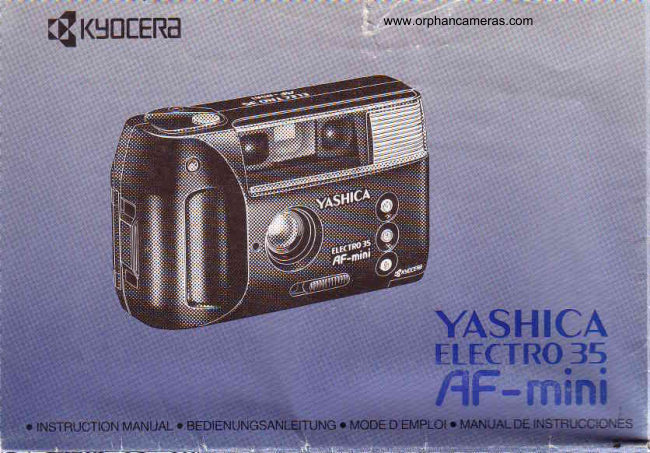
Loading your manual…Open PDF directly
Document details
- Brand
- Yashica
- Model / document
- Yashica Electro 35 AF mini
- Document type
- User manual
- Language
- Check the original document
- Pages
- 20
- File size
- 1.1 MB
- Category
- Film cameras
- Document date
- Not specified in catalog
Search available document text
Find a term, then jump to its page in the original PDF. Image-only pages may not be searchable; check the PDF for exact wording and diagrams.
Page 3 · Read text
Thankyou for yourpurchaseof camera.Please               Vielen Dank. daB Sie srchfur eiue Kamera
readthis leafletcarefullythroughto usethe camera           entschieden haber  Biflre resen S e d ese;
correctly.                                                    lnformationsblattaulmerksam durcn Danr wi'c
                                                         thnen das Fotografierenmit dieser Kamera vrel
                                                      Vergn0ger bereiten.

       [l
View original page 3Page 4 · Read text
d'avoir choisi cet aooareil. Veuillez            Le damoswww.orphancameras.comlas qracias por la compra de su C5mara
lrrea              manueld'instructionsafia             L€ase estas instrucionesantes de usan la camara.
View original page 4
Page 5 · Read text
o


Namesof the Parts
O Viewfinder
@ ShutterRelease
@ ExposureCounler
O Self-timeLED
@ StrapHolder
G) LightSensor
@ LensCover
O Autojocus(AF) Window
€) Flash
(E Self-timeButton
@ No Flash/NightSceneButton
(D DaylightFlashButton
(D LensCoverKnob
@ Red Lamp(FlashEmissionand Recharging
   Indicator)
(D ViewllnderEyepiece
(D CameraBack ReleaseLever
(D BatteryCompartmentCover
(D GreenLamp(AutoFocusand FocusLock
   Indicator)
(D Tripod Socket
@ FilmCheckWindow
View original page 5
Page 12 · Read text
www.orphancameras.com

7


                                                        dillicultto focus with the autojocusing
                                    system To photographsuch objects,
                                       Dointthe cameraar an easv-to-focus
                              samedistanceand
                                  33fili",""xf3::ile
                                                                                     , Focus-lock photography is also eifective
                                    when pl'otographing through glass. but
                                          here the camera should be brought ciose
                                                       lo the glass or held a1 an a.g,e to lhe
                                             glass to erable correct auto foc.rsing
View original page 12Page 15 · Read text
10. Using theSetf-timer
Use tle self-timerto includeyourseirrr a
photograph.'fo
    siart the self-timer. pfess and hotd
down the self-iimer button, then press the
shutter release.
 Ine serr.t,merLtu ano the green tamp
will lighl and then start to blink before for
aboJt 10 seconds. oefore the orctdre is
actually taken.
View original page 15Page 16 · Read text
www.orphancameras.com


        CameraCare
 . Be careful not to leave finger marks or soil the dust cover
of the AF window since this may impair the focusing
accuracy. To clean a soiled AF window, gently wipe  it off
with lens cleansing tissue that has been moistened with a
lens cleaner. Or remove dust and dirt with a blower or a
lens brush.
 . Clean the camera body by wiping  it clean with a piece of
soft cloth. Never use organic solvents such as benzene or
chemical thinner.
 . Clean the camera well after usage it at the seaside or in a
dusty place. Salty air would cause corrosion while sand
and dust would adversely alfect the precision parts of the
camera.
 . Avoid exposing the camera to sudden temperature
changes.
 . The camera contains a high-voltage circuit wich is
dangerous.  lf lhe camera breaks down, never try to
disassemble it.
.  lf you plan to use the camera fdi an important event such
as an overseas trip or wedding ceremony, check all
functions of the camera beforehand or take some test
photographs.
. A quartz clock is incorporated in the auto Date Print unit.
Therefor the camera should not be placed near or brought
into contact with appliances with magnetic fields such as
television sets, radios, or magnets.

<Camera  Storage>
. Keep the camera in a well ventilated place. Avoid humid
or dusty places, or inside wardrobe drawers containing
mothballs or laboratory where chemicals are used.
. Do not leave the camera for prolonged period in hot
places (such as near the seashore in summer or inside a
car under to direct sunlight) since this would lower
performance of the film and battery as well as adversely
affect thgcarhera.
View original page 16Page 17 · Read text
Specifications
 Type: 35mm autojocus, auto-exposure, lens-shutter
camera
 Lens: 34mm f/4.5 (3 elements, 3 groups)
Shutter: Programmed electronic shutter (2 sec., 1/ze -  r/soo
 sec.)
Shutter release: Electromagnetic release
Exposure controi: programmed electronic AE system
Film speed: Automatic with DX-coded film (lSO100/200
and 400). Non-DX films are automaticallyset to ISO 100.
Focusing: Auto focusing from '1.2m to infinity. Green lamp
 lights up on completion of auto focusing; provided with
focus lock.
Viewfinder: Albada type bright frame viewfinder.
Display  in viewfinder:Picture area frame and focusing
frame.
Film loading: Auto loadingby 3 times release.
Film advance: Automatic.
Film rewind: Auto return/auto-stop system.
Exposure counter: Automatic resetting, additive type.
Self-timer: Electronic type (providing a delay of about 10
seconds) with LED indicator.
Flash: Automatic liring in dim light, {lash head fixed: flash
range 1.2 to 3.4m (lSO100) recycletime o.fapprox. 4 seconds
(at normal temperature, using new battery): daylight llash
capability;red lamp indicatesf lash {iringand recharqrng.
Batteries: One 3V lithium battery (DL123A or CR 123A)
One 3V lithium battery (CR2025) for the auto dating unit
Power capacity: Provides power for taking about 23 rolls
of 24-exposurelilm, using the flash 50% of the iime.
(at normal temperatureaccordingto our testingstandard).
*Auto dating unit: Liquid crystal display with builfin quartz
oocK.
Print modes... Year-month-day.day-hour-minute,no print
month-day-year.day-mOnlh-vs3.1uo lc ltsetsa''01o'
Automatrc conection  ol dates ano 0me.
Dimensions: 118 (W) x 69 (H) x 48.5 (D) mm.
.With Auto dating unit 118 (W) x 69 (H) x 52.5 (D) mm.
Weight: 2209 (not including battery).
^w Ith A utodamg-un    it 23Og (n ot  i ncl ud i nE b a-tlbiy).
Battery(DL123A, CR1 23A): About 159.
View original page 17Page 18 · Read text
www.orphancameras.com


        a              a    MODEjQl o o       MoDEiol ,@.@                 \  /  |     I                              \   r     l
                 SET
Date print                    Da
An automatic dating device allows date or time to             Die
be printed on the film.                               E in
<Changing   the date  display>                                 beli
Each press of the Date Print mode among "year-           <Dz
            "day-hour-minute","no print", "month-          Wermonth-day",
            "day-month-year".                                  foigday-yeai' or
                                                          "Tac
<Setting  ol date and time>                                              "
11 Date thgLtp53ni m;.'Jioqris CisoraverJhr,,                    lt4o
pressrng :le -coe cut:O. arc iren ine date inours          < D z
and mrnuiesrio be alteredwill blink when the                 1 ) S
select button is depressed once.                               Mit
2) Press the select button to set the blinking         wa
figures to their correct values.                        And
3)  Pressing the select button once more to                                   change           2) N                                                      "-"the blinking figures to a steady display The               Fes
mark will appear indicatingthe print condition               etn
. Pressing the select button after                                 setting the                 3) v                                     ":"
minutes will cause the colon    to blink Press the              blin
select button once again to set the print condition.          ETSC
.  lf the select button is pressed                                  to coincide with a               Datl                                   ":"
time signal while the colon    is blinking,the time            Dr0c
can be set down to the second                             der
<Replacingthe'Batteryfor the Auto Date            Sie
Print Unit>                                       und
The auto Date print unit works with a 3V lithium              e in b
battery (CR2025). lt can last about 4 years in                gedr
normal use. Replace the battery when'the figures of
the date aooear faint                                        ?uf
 . Correct the date and time after changing the                                                      < B i
battery.
 " For data back model onlv.                        Dat
                                                  Bac
                                                       Fur
                                                                        Litiu
                                                                   reic
                                                               Ratt
View original page 18Related documents and language editions
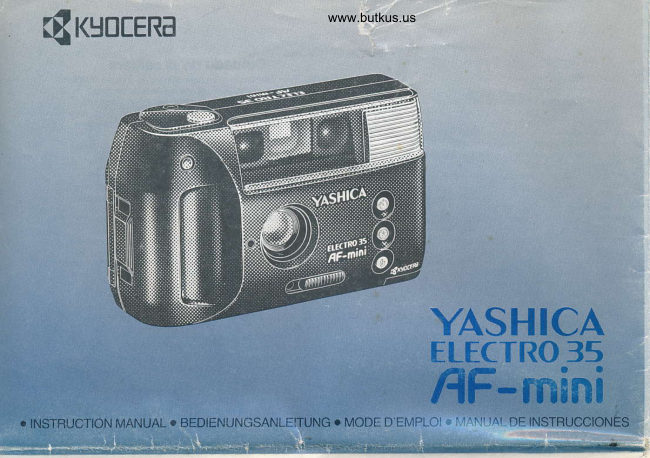
From the M. Butkus archive. Original publisher and archive notices are retained.
Check the model and edition against your equipment.
PDF verified 2026-10-10.