Film cameras
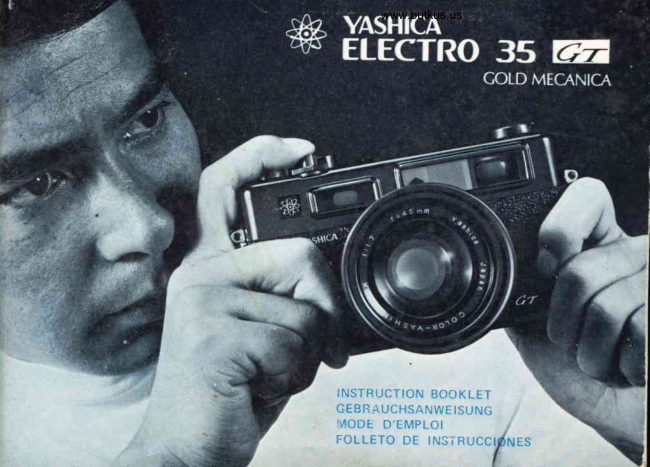
Yashica Electro 35GT Gold User manual
User manual for Yashica Electro 35GT Gold. 37 pages in German, French, Spanish. Read the original PDF, download or print a copy without registration.
37 pagesGerman, French, Spanish3.7 MB PDF
Loading your manual…Open PDF directly
Document details
- Brand
- Yashica
- Model / document
- Yashica Electro 35GT Gold
- Document type
- User manual
- Language
- German, French, Spanish
- Pages
- 37
- File size
- 3.7 MB
- Category
- Film cameras
- Document date
- Not specified in catalog
Search available document text
Find a term, then jump to its page in the original PDF. Image-only pages may not be searchable; check the PDF for exact wording and diagrams.
Page 1 · Read text
www.butkus.us


I N S T R U C T I O NB O O K L E T
G E B R{ U C H S A N W IES U N G
M O D E D ' E M P L O I
F O L L E T OD E  I N S T R U C C E S
View original page 1Page 2 · Read text
t

Features


        LENS:  C O L O R - Y A S H I N ODNX   t | 1 . 7 4 5 m m  l e n s ; 6 e l e m e n t isn 4
                  groups; stopsdown to f/16.
     S H U T T E R :  Yashica-originatedelectronic shutter with non-graduated,con-
                    tinuouslyvariablespeedsfrom full 30 secondsto 1/500 sec.,B
                 and self-timer;X sync.
     F O C U S I N G : Coupledrange/viewfinderfocusing; minimum focusingrange2.6
                      feet (0.8 meter); bright trimmingframe with automaticparallax
                   compensation.
     EXPOSURE
    CONTROL:   Solid-state"ElectronicBrain" controlsthe functionsof electroniC
                     shutter according to light instensitymeasuredby CdS sensor;
                    preciseshutter speedis set automaticallyat preselectedaperture;
                   "Magic Arrows" in finder and camera top warn againstover-
                  exposureand signalslow shutter speedand suggeststhe use of a
                     tripod; ASA rangefrom 25-1000(DlN15-31); power souce:                   l
                  EvereadyE164or equivalent).
View original page 2Page 7 · Read text
www.butkus.us

       Description
                      1. Film Rewind Crank/BackCover ReleaseKnob.
                                                2. V iewfinder
                                       3. AccessoryShoe
         4. Hand-HeldExposureWarningLamp&
         Over-ExposureWarningLamp
         5. ASA Film SpeedSettingRing
           6. Film AdvanceLever
 7. F ifm ExposureCounter
 B. ShutterReleaseLock Lever
 9. ShutterReleaseButton
     10. cds ceil window
       11. FocusingR ing
          12. Self-Timer
13.ExposureControlR ing
       14. Aperture R ing
         15, TakingLens


                                                                                    Digitally signed by Mike Butkus
                                                               DN: cn=Mike Butkus, o=Butkus
                                                               camera manuals, ou=butkus.org,            Mike Butkus email=mike@butkus.org, c=US
                                                                          Date: 2024.07.16 02:01:24 -04'00'
View original page 7Page 8 · Read text
-1.     FlashSocket
            2. ViewfinderEyepiece
            3. BatteryCompartmentCover
            4. BatteryCheckButton
            5. Tripod Socket
           6. Film RewindReleaseButton


www.butkus.us
View original page 8Page 10 · Read text
www.butkus.us


                                                                      [-lere's tlr tt Secret t6 Perfect E x lrostl re !
                                  U sing revolutionary solid-state"E lectronic Com-
                                                 putei Brain", which measuresthe light with com-
                                                  puter-like  precision, the  Yashica-engineered
                                                electronicshutter providesan infinite range of
                                            in-between speeds f rom a  fu ll 30 seconds to
                                     1/5OOsec. lt will function at, let's say, 11187sec'
                                                   or 16.2secs.,if the subjectbrightnessrequires it'
                                       The  electric contact points of  the electronic
                                        componentsare finishedin gold to provideexcel-
                                                     lent conductivity of  electricity for  foolproof
                                               operation. You can, therefore,take vivid color
                                                pictures even in  candle-lightdimness or  near
                                              darkness-withoutF lash!


tsi
View original page 10Page 11 · Read text
Merci de faire un don de 2,50 € pour soutenir ce site via E-bay ... www.PayPal.me/butkus


Bitte spenden Sie 2,50 Euro, um diese Website über E-Bay zu unterstützen ... www.PayPal.me/butkus
View original page 11
Page 12 · Read text
Hauptvorginge bei Farb-Photographie
Pour R6ussirde BonnesP.:otosen Couleur
Procedimientosparatoma; fotos en colores

1 .    I n s e r ta n e w r o l l o f f i l m

 1 . E i n e nn e u e n F i l m e i n l e g c n. . .
 1. Mettre en place une cart::che de f ilm couleur . .
 1. Coloqueun nus/o rollo de pelicula. . .

2   S e t  t h e A S A    f i l m s p e e d b y   t u r n i n g   t h e A S A   f i l m
     strteedsettinq dial.
 2. Die ASA  Filmempfinilichkeit durch drehen der ASA
   F i I mempf i nd I ich k citsskcla einstellen.
 2. Regler l'appareitsur la sensibilitedu  f ilm utilis6 (cadrande
    reglage).
 2. Regule la se:rsibilidadde pelicula ASA girando el disco
    regulador de sensibilidad.
3   S e t t h e e x p o s u r e c o n t r o l  r i n g  t o  " A U T O "
 3. Den Belichtungs!<ontrollringauf "AUTO"  einstellen.
 3. Amener  la baguc de 169lage d'exposition en  position
   ,,AUTO".
 3. Reguleel mando cle control de exposiciona "AUTO-"
View original page 12Page 14 · Read text
LoadingBatterY
1. Unscrewthe BatterYComoartmentCover with
    the edge of a coin.


                                                                www.butkus.us

2.  Drop in the mercurybattery (MalloryTR164,
   EvereadyE|64 or equivalent)as illustrated.lf
    the battery is not loaded in position, the elec-
    tronic shutter does not function correctly,evenif
    the greenlamPlights.
View original page 14Page 15 · Read text
www.butkus.us


Notes on Mercury Battery
f t is advisableto carrYa sparebattery.
When the camerais not in use for a long period of
time, remove the battery and store them in a cool,
dry and safeplace.


 CheckrngBattery
 It is necesaryto checkthe batterypowerbeforepicture-taking,becausesufficientbatterypower
 is requiredto obtain the correct exposure.
 Pressthe Battery Check Button on the back of the camerabody. When the greenlamp lightsin
 the ExposureCounter Window, the battery power is sufficient. lf not, the battery should be
 replaced.
View original page 15
Page 16 · Read text
1 .  Pull up Film RewindCrank/BackCoverRelease,
   Knob, and the back cover will pop open. The
    Film ExposureCounter is automaticallyset to
    "S" (Start).
2.  Load the film in the cameraand push down the
    FilmRewindCrank/BackCoverReleaseKnob.
   Threadthe end of the film leadersecurelyinto
   any slot of the Take-UpSPool.
J .  Makecertainthat the perforationin the film are
    threaded securelyon the sprocket teeth. Then
    closethe BackCoversecurelY.


You should load a film  in subduedlight, neverin
direct sunlight.
View original page 16Page 17 · Read text
www.butkus.us


4.  Adr,'ancc the  film,  press the Shutter Release
    Buttcn and repeat this procedure until the  f igure
     "1" appearsin the Exposure Counter Window.
    The exposure counter registersautomatically the
    exoosedframes of the f ilm.


                                                                                                             \ - - '

C h e c k t h e F i l m R e w i n d C r a n k as you advance tne
f ilm.  lf   it moves as illustrated,the film  is properly
loaded.Swinqsthe Film Advance Lever until  it stops.
View original page 17Page 18 · Read text
[JnloadingFilnt
1.  After the lastexposure,the film must be rewound
     into  its cassette before removing it from the
    camera.Avoid winding the Film Advance Lever
   when a resistanceis felt. And do not force to
   advancethe film as it may tear or come loose
    from the cassette,making it impossibleto rewind.


2.  Pressthe Film Rewind ReleaseButton on the base
     of the camera.


3.  Flip up the FoldingFilm RewindCrankand turn
       it in the direction of the arrow. When you reach    www.butkus.us
    the end  of the  film, you  will  feel a  slight
    resistance.Continue turning the Crank until you
    feel the film pulling away from the slot of the
   Take-upSpool.
   Openthe BackCoverand removethe film.
View original page 18Page 19 · Read text
www.butkus.us


       For Correct E xposLire
         1.  Turn the Film SpeedSettingRing and set the
           desiredASA guidenumberoppositethe indicator
              line (-). Otherwise,the correctexposurecan not
          be obtained.

         2.  Set the ExposureControl Ring to AUTO posi-
            tron.

         3.  Choosethe desiredExposureSymbol by turning
            the ApertureR ing.


           Symbols    Conditions     Apertures
              {F         BrightSun       1 6 / 1 1 / B
                      Heavy Overcast or              4                       5.61412.8                      Open Shade
                                ffi           Indoors         2 / 1 . 7
r0
View original page 19Page 20 · Read text
4  When the Film Advance Lever ls wound, the
           meter switch is set to ON positronautomatically'

                  The Shutter ReleaseLock Lever must
               be u n locked.
       5   Gently press the Shutter ReleaseButton. When
           no warning arrows light in the viewfinder or on
            the top of the camera body, pressthe Button all
            the wav down to make the exPosure.


                                                               Caution : When the camera is not  in
        The ASA rating denotesthe degreeof light sensitivity          use, do  not  leave the  shutter
           of the  f ilm emulsion and is clearly indicatedon the         cocked. lf   it  is left cocked, the
         box or the instructionwhich comeswith the f ilm.               electronic exposure control system
                                                                                            is set to ON position, which causes
                                                                       the drainage of the mercurY bat-
                                                                                terv.
tl
View original page 20Page 21 · Read text
www.butkus.us


  Clrcckirrg E xfrosLr?-e
 The warningarrowsvisibleon the cameratop and in the
 viewfinder.
 When the Shutter ReleaseButton is presseddown half-way,
 the exposurecontrol systemis activated.When the Button
  is pusheddown all the way, the shutter is releasedto make
 exposure.


         i      i.  r ,  \rii.i r"n r ti (i A, I io  \.r'S
 When there are no arrows,eXposuresetting is correct.
 Focusand shoot!


t2
View original page 21Page 22 · Read text
r                <=t-l                +r         -l
    L     J         L     J


   2. YellowAncw                                        3' RedArrow
  Exposurerequired dow  shutter speed. The        lt indicatesover-exposureand expcsuresetting
  camerastrouldbe held very steady,placedon a    needscorrection.Rotatethe ApertureRinguntil
  firm baseor the useof the Grip/TripodST-7to     the RedwarningarrowsdisappersUseND filter
  preventcamerashakeis recommended.                       if necessary.


f3
View original page 22Page 23 · Read text
www.butkus.us


       To focus, set the small rhombus in the middle over the
         subject and turn the Focusing R ing until the two
        imagesoverlapand form one clear image-


                                                                                                                                                                                            i  !
       The imageseenwithin the luminousviewframewill be
        reproducedon the f il m. The subjectat short d istance
         (2.6 feet or O.B meter) should be composedin this
        frameprovidingautomaticparallax correction.


t4
View original page 23Page 24 · Read text
Whenyou focus the cameraon a subject,there is a
      certaind istance in  f ront and back of the subjects
      within which other objectswill alsoappearsharp.This
       is known aS the "Depth of Field" and it varieswith
      the aperture.The smallerthe aperture,the greaterthe                    www.butkus.us
     Depthof Field.
    The Depth-of-FieldScalewill be found on the lens
      barrel.With the camera focused on 2 meters,the
     depthof field indicatedby the scalefor an apertureof
      tl16 is f rom 1.4 metersto 3.8 meters.


                                                                                  F 1


                                                                                  F 1

t5
View original page 24Page 25 · Read text
www.butkus.us


          For color pictures: Color f ilms have little exposure
           latitude.Careful exposuresetting is required.Your
       ELECTRO35GT guaranteesthe correct exposureat
              all times.However,it is recommendedto shoot color
         photosin soft, diffusedsunlight.
                    I n the picture-taking of backlightedsubjectsor by
          usinga filter, it is necessaryto adjust the ASA rating
            of the f ilm in usefor correctexposure.


r5
View original page 25Page 26 · Read text
The use of filter is advisablefor clear,crips pictures in
            blazing sunlight, Snow Sceneor Summer beach,etc.
         Make compensationfor  filter factor by adjusting the
            Film Speed Setting Dial when, for example, a ND2
                filter is used or you take a picture of the backlighted
            subject,in concert with an ASA 100 film, set the Dial
              to "50" insteadof " 1 00."
            For  open  views :  Open  views, such  as d istant
            landscape,Sea or SnoW Scenesusually have b lazing
             sunlight. For  better results, it  is recommended to
            adjust the ASA rating of the film in use to "160"  or
           "2O0" when, for example, the ASA 100 film is used.
            Also,  it  is advisableto use a lens hood to cut off the
           harmf ul ref lected light for more crisp pictures.


l7
View original page 26From the M. Butkus archive. Original publisher and archive notices are retained.
Check the model and edition against your equipment.
PDF verified 2026-10-10.