Film cameras
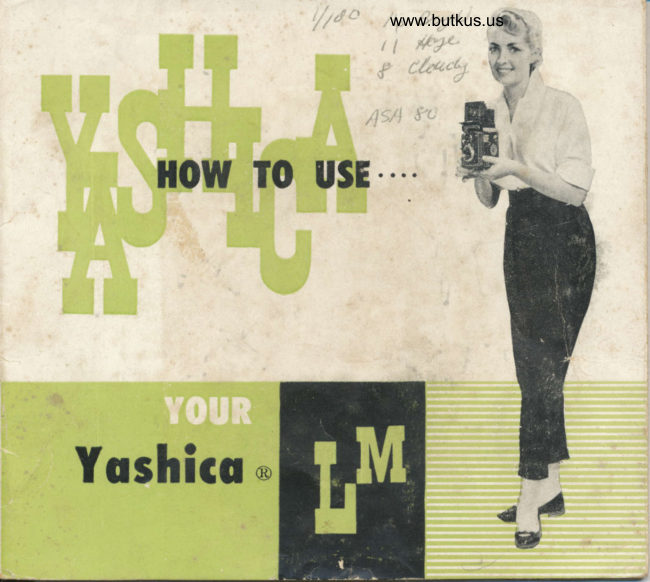
Yashica LM User manual
User manual for Yashica LM. 19 pages in English. Read the original PDF, download or print a copy without registration.
19 pagesEnglish4.7 MB PDF
Loading your manual…Open PDF directly
Document details
- Brand
- Yashica
- Model / document
- Yashica LM
- Document type
- User manual
- Language
- English
- Pages
- 19
- File size
- 4.7 MB
- Category
- Film cameras
- Document date
- Not specified in catalog
Search available document text
Find a term, then jump to its page in the original PDF. Image-only pages may not be searchable; check the PDF for exact wording and diagrams.
Page 6 · Read text
€1     L(                                         www.butkus.us g,-
                       To remove the comero for film lood- Spreod the sides o'f the cose oporf
                            ino roise the two metol Iock Slides. ond lift tne comero free.


Just snop off the boitom
when removing the eniire
froni element of the cor-
rying cose.


                                                   Your Yoshico comero comes complete with
                                        o deluxe, leother evereody cose. While
                                                      the comero is in the cose, oll working ports
                                                    ore visible ond reody to use. All you need
                                                     to do is open the bock-snop ond lift  the
                                                   top ot the cose forword.
View original page 6Page 7 · Read text
ffi

120 size film
l2 pictures per roll
in the populor  2t1 'x 2t, size
Block-ond-White or Color

 il)  To unlock bock cover, turn the tripod socket in the
     o'ireciion morked 'O'.  Then open the Bock Ccver
    by swinging  it out.
    Remove the Toke-Up Spocl in rhe Iower Film Chomber
    by pulling out the Lower Film Spool Iocking Spring.
(3)  Ploce the Toke-Up Spool in the Upper Film Chomber
    by pulling out the Upper Film Spool Locking Spring.
l4l  Ploce o new roll of size 120 film in the Iower Film
    Chomber.
    Gently drow out the fllm leoder. Threod the fllm
    leoder into the wider slor cf rhe Toke-Up Spool in
    the Upper Film Chomber,    f hen turn  f he Fiim Windino
    Knob. Moke sure thot the film leoder is ploced evenly-.


                   www.butkus.us
View original page 7Page 8 · Read text
www.butkus.us


(6) Turn the Film Windinq Knob until the orrow on lhe
     film itself is odjocent to the red trionole on ihe
    comero body. Reploce the comero bock ond lock it
     in ploce.
   To close lhe comero bock cover,  turn the  tripod-
     socket in the cirection morked " C ".
   When the bock cover  is closed ond locked,  the
      letter  " S "  oppeors in the Film Counf er  \A/indow
     outomolicolly.
(9)  Turn the knob until the number " 1 " oppeors in the
    window.  You ore reody  for your  flrst picture.
     After toking o picture, push the Film Repleose Butlon
     oncj turn the Film Winoinq knob so  thot  the  Film
    Counter WinCow shows the next number. The Film
    Wioinng Knob will lock outomoticolly.


                                                                                                  ,-./ t   _-


            f',2
                                       "
View original page 8Page 9 · Read text
(l ) Ooen the Viewfinder Hood
    by lifting it ot bock. Press
     the Viewfinder Hood down
     to close  it.                                                                              Roise the lower cop ond lcld.                                                                 bock on its l"inge. Turn the
                                                                         upper coP counter clockwise
                                                              ond remove.


      Set ihe Lens Aperture Control
     Lever to the desired number
    on the Lens Aperf ure Scole.
 (3)  Set the Shutter "rvSoeed on
     the Shutter Speed Scole.

 ul  Push down the Shutter Cock-
     ing Lever. Be sure not to
     chonge Shutter Speed ofter
     the Shutter is cocked.
   Now gently releose the Shut-
     ter by pressing lhe Shuiter
     Releose Button. See orrow
      mork.
View original page 9Page 10 · Read text
Assures more occurole focusing,www.butkus.us

                                                                                 ( I I  Roise the  Mognifying
                              Gloss by pressing the front
                                   of the Focusing Hood Cover
                               inword, holding the Focusing
                       Hood so thot  ii does not
                                                      cl ose.
                      When using the MognifYing
                             Gloss, ploce your eye os
                                                c lose to       t h e  M og nifYin 3
                              Gloss os possible.
                                    l2l  Alwoys moke sure thot
                         you hove first lowered the
                          Mognifying Gloss before
                                closing the Focusing Hood.


                                Sighf your subjecl through lhe Spcrlsfinder Window.ffi


                           (A) Depress the Focusing               www.butkus.us                       Hood Cover uniil  it  clicks
                                into ploce. Lift the Yoshico
                             to your eye level.
                           (B) Push the Releose Butfon
                        when closing it.
View original page 10Page 11 · Read text
ffi                                      Ef|lnrnrrr
              / ,/'                 ':,i.1;r;                                   The Self-timer, for tokirg
                                                                                                    \                                                                                                                                                       Il       self-portroits or  group                                                                                                                                                                                     I        pictures, gives you obout
                                    8 seconds to get into the
                                                                             pi cture.
                                      (A)  Coution I   IJL: sttre
                                        Io  tttttT't'  I ltc .s-t'ttclt nttti  -
                                                 zul.iott s!:l(cl.0r to  tltc
                                                       -\ po.siIiott  ztIrr'tt  tr.sittt!
                                                                  SLl/-71,,,r','.                                      (B) Then set the speed.    .uFlb'-^,-
                                          cock the shutter ond move
                                              the Self-timer in the direc-
                                              tion shown by the orrow.


Your Ycshico LM offers M-X synchronizotion
   Selector           Nl                                   X     m    Position
                                                         A stondord, overlop-type Cocle
   Bulb used Medium Peok Short Peok      Medium Peok            Releose con be fitted to your
                                                                Yoshico. Simply unscrew the
                                                           t                              Shulter Releose Ring ond screw Shutter Speed Any Speed I 50 or slower.                                                       "r;t   :'t:;:,,:Yr|"t                      '       in the Coble Releose. YourDo not use Short Peok Bulb with " M " Synchronizotion.               comero deoler will supply the
Move the selector to X position when using Electronic Flosh.           proper Coble Releose for your
Your comero deoler will be glod to supply the proper flosh ot-      comero. See obove nirtrrre
tochmeni for your comero.
As you become more proficienl ot toking piclure, you will wont to ocquire occessories thot increose
l5e versotilitY of your Yoshico. One of the flrst occessories you will wcnt will be o flosh unit.
Ycur Yoshico is reody onC woiting. Synchronizotion for flosh is built-in. A stondord PC connector
plugs into the flosh terminol. The bottery cose slips into the Accessory shoe or ottoches io the comero
vio on orm thot screws into ihe tripod socret.
View original page 11Page 13 · Read text
Your Yoshico LM wilh its built-in exposure meter meosures lhe
                                    light ond helps you determine the proper settings, eosily ond
                                     ropidly.
                           There ore three bosic elemenis to the exposure meter.
                                    o.  light Gothering Window
                                    b.  Light Reoding Window
                                       c.  Sliding Selection Scole.
                   How fo use built-ln exposurc melcr
                                       First you check your filn ASA speed.
                       Open the proteclive cover of the Light Goihering Window by
                                pressing the Exposure Meter Releose Bulton. (Fig. ll
                               Point the Light Gothering Window to the obiect you wish to
                           photogroph.  (Fig. 2)
                        The needle of the Light Reoding Window swings to indicote
                              ihe required number (key numberl (Fig. 3l
                          Then slide the 'f  ' scole until the key number oliSns with your
                                    film ASA soeed. Now look ot the two lower scoles ('f  ' ond
                                    'T') so thot you con get proper setlings. (Fig. 4)


www.butkus.us                          The Zero Sel Screw. When no light folls on the li3ht Gothering
                        Window, the needle should noturolly register exoctly on 'O'.
                                               lf it doesn't, o slight odiustment of the Zero Sef screw with o
                              smoll screwdriver  will bring it to Zero.  Don't 'tomper  ' with
                             the set screw unnecessorilY.
View original page 13Page 15 · Read text
In oddition to focusing, lhere ore two other bosic odiustments on ony fine comero: the LENS
  APERTURE or OPENING ond rhe SHUTTER SpEED.
                            ffi
 The lens Aperiure controls the omount of light thot will poss through the lens onto the light-
  sensitive film. Your Yoshico-l-M, with its Yoshikor lens, offers openings ot f:3.5 4 5.6 8  ll
OO16f 3.522         i4 $f5.6 $$$$f8             ftl          f16        f22
  Notice thot the lower the number. lhe lorger the opening. F 3.5 is the lorgest opening,
   f :22 the smollest.
 To set ihe lens opening, move the Aperture Control lever to the desired number on the
 Aperiure Scole.
        @
 The shutter Speed controls the durotion of the exposure. Shutter speeds on your yoshico-tM
  with its fine copot Shuler ore 1,1f2, tls, 1110, tl2s, 1lso,l/100, l/30oth of o second ond B.
 The  ' B' setting is for toking pictures with on exposure longer thon I second. Use o
 Tripod or Broce when using B. When you press the Shutter Releose Button on the 'B'
 setting the shutter stoys open until you releose pressure on tne button.
  It  is advisable to set the shutter.speed before you cock the shutter at all times.
        Comero rn:y be Hond Held                    Use o Tripcd or Broce
                                        Action                Time
     Averoge Pictures                           Pi ctu res              Exposure       SIow speeds
      1125 tl50 11100                                       .B'          I sec 1/2 l,/S
View original page 15Page 17 · Read text
ffi

When you focus lhe comero on o subiect there is o certoin distonce in front ond bock of
fhe subiect within which other obiecis will olso oppeor shorp. This is known os lhe "Depth-
 of-Field ", ond it vories with the lens operture. The smoller the operture the greoter the
 Depth-of-Field; it is much lorger ot  f :22 thon ot  f :3.5.
At the focusing knob is o scole which will indicote the Depth-of-Field when the comero  is
focused ot vorious distonces. You will notice thot qn either side of the f : 3.5 figure is o
similor set of numbers which represent lens opertures. When the comero is focused on your
subiect look for the operture you ore using on eithbr side
of the scole to determine the Depth-of-Field. Thus, if the
comero is focused ot l0 feet ond the lens operture is f:8
the Depth-of-Field (oreo in which oll obiects ore shorpl is
from obout 8 ft. to 13 ft.
You con olso use the depth-of-field scole to use your
Yoshico os o fixed-focus comero. In this cose set the infinity
mork on the distonce scole opposite the lens operture being
used. lf the operture is f:8 you will notice thot oll obiects
from obout 26 leel to infinity will be shorp.
View original page 17
From the M. Butkus archive. Original publisher and archive notices are retained.
Check the model and edition against your equipment.
PDF verified 2026-10-10.