Film cameras
YASHICA MAT-124G 66 User manual
User manual for YASHICA MAT-124G 66. 34 pages in English. Read the original PDF, download or print a copy without registration.
34 pagesEnglish6.0 MB PDF
Loading your manual…Open PDF directly
Document details
- Brand
- Yashica
- Model / document
- YASHICA MAT-124G 66
- Document type
- User manual
- Language
- English
- Pages
- 34
- File size
- 6.0 MB
- Category
- Film cameras
- Document date
- Not specified in catalog
Search available document text
Find a term, then jump to its page in the original PDF. Image-only pages may not be searchable; check the PDF for exact wording and diagrams.
Page 1 · Read text
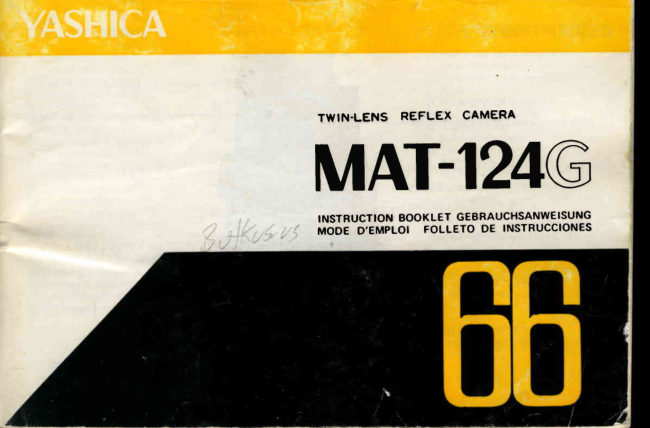
TWIN.LENS REFLEX CAMERA
MAT-I24G
INSTRUCTIONBOOKLET GEBRAUCHSANWEISUNG
MODE D'EMPLOI FOLLETO DE INSTRUCCIONES
View original page 1
Page 3 · Read text
eiscH REtBUNG       DESCRIPTION          DESCR IPCION
    EASA-Sichtfenster f.                        f  Fen6tre indicatricede la             Ilndicador de la sensibilidad
      "  F i l m e m o fi n d l i c h ke i t              sensibiliteASA                     de la pelfcula
   E ASA-Einstellrad            pAnneau de rdglagedes             EAjustador de la sensibilidad
   B Ose f Ur Tragriemen              sensibilit6sASA                 ASA
       lifl Filmzaihlwerk              @Attache pour la courroie          E Enganchede la correa
    SSlcfrttenster f . verwendete    @Compteur d'images                l4lContador de tomas
                                                                                 pel f cu la cargadaFt   EsichtfensterF i l m t y p e    f. Blendeu.          s] fFenetrei l m e m pdel o rappely 6   du             E Indicadordel tipo de la
      Verschlusszeit        @ Fen6tre(indicatrice)              EVentdnilla indicadorade la
   E Stetlrad f . Verschulsszeiten      des ouvert u res/vitesse                Abertura y la velocidad
  @ Filmtransportkurbel             d'obtu ration.                      de obturaci6n
    p Ausl6sersPerrhebel         E Cadrande cont6le de              flMando de la velocidad de
    @Ausloserknopf                        la vitessed'obturation                 obtu racion
    ESpo rtrah mensucher      @ Poign6ede la manivelledu B       E Manivelade avance
    E Belicht u ngsmesserfenster       rebobinage                    E  I nmovi I izador del,disparador
  @ L i c h t e i n t r i t tf .                p Levier de blocage          @ Disparador
       Belichtungsmesser            de l'obturateur                 EnTapa del visor deportivo
  @ B titztichtkontaktn iPPel       @|Bouton du ddclencheur           @Ventanilla del exposfmetro
    @Sucherobjektiv               ffiCadre du viseur sport             @Ventani I la fotocaptadora
    @Stellradf. Blendenwert      @Fen6tre indicatricedu posemdtre   @Enchufe para flash
    BAuf nahmeobjektiv           EnOeil de la collule CdS              EObjetivo visor
  @ R uckwandverriegelung       @Prise du f lash                      fiflMando de la abertura del
                                   @Objectif de vis6e                      objetivo
                                   116-lCadran-        de contr6le de             EObjetivo de toma
                                        l'ouverture                      @]sujetador de la tapa trasera                                                                                                    ':
                                     mobjectif
                              @Verrou de fermeture du
                                      couvercledu dos


                                                                                                                     JrilgUr        --  -  *s"-,,,
View original page 3Page 5 · Read text
YASHfCA (MAT-124GInstructionBooktet)
FEATUR ES

Type: Twin-lens ref lex camera accepting either 12O (12 exposuresl or 22O (24 exposuresl
      F i l m .
Lens: YASHINoN B0 mm F3.5 lens composedof 4 elementsin 3 groups.
Shutter: COPAL-SV shutterwith speedsfrom 1 to 1/500 sec.and B; built-in self-timer:MX
       flash synchronizer selector;shutter locking device.
Finder: YASHINON B0 mm F2.B viewing lens; Fresnel field lens for corner-to-corner
      brightness;3X magnifying lens for  critical focusing, eye-levelsports-finderframe
       incorporated in the viewf inder hood.
Exposure meter: Built-in match-needle type CdS meter based on preselectionof shutter
      speed; film speed range from ASA 25 to 4OO; meter switch coupled to viewfinder
      hood; operateson 1.3 V mercury battery.
Film advance: crank-handle f ilm advancewith automatic film stop; simultaneouslycharges
       the shutter for the next exposure; automatic resettingexposure counter registersthe
      number of exposed frames.
Focusing: Extra-large knob extends or retracts the front panel to secure focus on the
       subject; distance scale calibrated in both feet and merers (3.3 ft to infinity;  I m to
                i n fi n i t y )
Other features: Aperture scale from F3.5 to F32;adjustable film pressureplate usablewith
      both 12 and 24 exposure load film; exposure load reminder window; threaded cable
      release socket; hinged back cover, bayonet-type filter mount accepting 30 mm  fil-
             t ers.
Dimensions: 77 x 148 x 101 mm
Weight: 1 ,100 grams
View original page 5Page 6 · Read text
BATTERYLOADING


 tr Open the Battery CompartmentCover hofding        f     I n s t a l al 1 . 3 V mercury battery to power the
   with fingerand by turning it counter-clockwise.     exposure meter,as illustrated.
   Th is camera usesa 1.3 V mercury battery to
   power its exposure meter. Use e ither M allory
   PX-138,EvereadyEPX-13or equivalent.
View original page 6
Page 7 · Read text
CORRECTEXPOSURESETTING(1)


 tr  Turn the ASA Film Speed Setting Wheel until                                       A  Centerthe desiredshutterspeedin the Shutter
    the flgure denoting the ASA rating of the f ilm      SpeedIndicatorwindow by turningthe Shutter
    in use aligns with the red indicator in the ASA       Speed control D iaf. The exposure meter
   F ilm Speed Indicator Window.                       pointer in the ExposureIndicatorwindow is
                                               coupledto the shuttermechanismand will shif t
                                                                in either direction when the shutter speed is
                                                    adjusted.


l l
View original page 7Page 8 · Read text
The exposure meter begins to   f u nction when       When the camera is to be  feft unused, fold theF]
    the focusing hood is set upright by lifting it up                    f ocu sing h ood. T h is will switch off the metcr
    gently with your fingertip.                          and prevent drain ing of battery power.


1 3
View original page 8Page 9 · Read text
CORRECTEXPOSURESETTING(21


                                                                              tr  Turn the Aperture Control D ial and coincide
                                                        the  vellow follower needle (coupled to  the
                                                       aperture  mechanism)  with   the  red  meter
                                                       pointer (coupled to the shutter mechanism),
                                                    both visible in the ExposureIndicator window.
                                                    o The correct combination of the shutter speed
                                                 and lens aperture can be seen in the Shutter
                                              Speed and Apertu re I nd icator W indows.


1 5
View original page 9Page 10 · Read text
o When the yel low follower needle (V) perfectly
                                                         coincideswith the meter pointer ( | ), it signifies
                                                                 that TH E CAME RA  is set f or correct exposure.
                                                  The proper com binatio n of the shutter speed
                                                    and aperture is shown in the Shutter Speed and
                                                       Aperture Indicator Windows.

                                                        o  lf the yellow follower needle fails to align with
                                                            the  meter  pointer,  alter the  shtrtter speed
                                                               setting by turning the Shutter Speed Control
                                             D ial in either direction. lf the two needlesf ail
                                                                     to match even when both the shutter speed and
                                                          aperture settings are changed,  it means that
                                                             correct exposure cannot be obtained under the
                                                            prevailing I ight condition.

t 7
View original page 10Page 11 · Read text
ASA FILM SPEEDRATING
                                 ASA.EMPFINDLICHKEI TSWERTE
    ASA rating indicates the sensitivity of the emulsion
      of the film and is clearly imprinted on the box or
                                                         Die ASA-Zahl gibt die Empfindlichkeit der verwen-     instructionswhich come with the f ilm.                                                        deten Filmemulsion an. Sie  ist auf den  Film-
                                                   packungen angegeben.   Die  nicht  bezifferten
    ASA FI LM SPEED SCALE                          Zwischenpunkte entsprechen den folgenden ASA-
     MATI24G                                       Werten : (Tabelle : ASA FILM SPEED SCALE)
     ASA 2 5 32  40  50  64  8C 1 0 c 1 2  1 6 C 20c 25C 32( 40c        MAT124G
      otN    l 5   1 6  1 7  1 8   r 9 2C  2 1 2 2 23  2 4  2  2e 2 7         ASA  2 5 32  40  50  64  80 r00 125 1 6 C 2ool2 5c 32C 40c
                                                                D I N   t 5    t 6  1 7  1 8  1 9 20  2 1 22  23 24  2 5 2   2 7
   SHUTTERSPEED
                                                    VerschluBzeiten         Light Condition        Average Subject
       Brightsun           1/500 . 1/250sec.            Lichtverhd ltnisse           f0r normale Objekte
      Cloudybright        1/250 . 11125*c.             Heller Sonnenschein    1/500.1/25OSekunde
      Heavyovercast                                      Leicht bewolkt, aber hell  1/25O.1/l25Sekunde
                           1/60. 1/30sec.            Dunkle Wolken/Regen   1/60 . 1/30 SekundeI                or rain                                                                                                                      I nnenaufnahmen       1/30Sek.und lSnger             I ndoor               1/30 sec.or slower          BesondereAufnahmen    1 Sek.oder
      Specialconditions    1 sec.or B                                  B-Einstelluno
\    set desiredshutter speedby turning shutter speed    Man stelle zuerst die VerschluBzeitein und justiere
     control dial. To determineAperturecontrol dial     danach durch Blendenverstellungden gelben Nach-
    and align.yellow follower needlewith red meter      f0hrzeiger.
     pointer.
View original page 11Page 12 · Read text
FOCUSING


 The camera features a magnify ing  lens for      To focus,turn the FocusingKnob while observing
 critical focusing which springs up into position       the image of  your  subject produced on  the
 when  the sportsfinder frame section of  the       Focusing Screen. After focusing, compose your
 FocusingHood is pushed in slightly.                p icture.


2 l
View original page 12
Page 14 · Read text
FILM LOADING


tr                                              Pull out  the Upper Spool Holder Knob and  The Back cover will spring open when the Back   E
   cover Lock ing R ing is turned in the direction        place the empty spool in the Take-Up Spool
   of "O'' (Open) .                                 Chamber. After  the  Take-up Spool  is  set
   Note:  The  exposure counter  resets auto-        properly in the camera,return the Spool Holder
          matically to "S"  (Start) wherr the Back       K nob to its originalposition.
         Cover is opened.


 2 5
View original page 14Page 16 · Read text
E  Place the new roll of  f ilm in     E] Draw out the f ilm leadergently   @ After  ascertaining that  the
   the lower film chamber while       and introduce its tip straight        trim med  edge  of  the    f i lm
   pu lling out the Lower SPool      and amply into the slot on the        leader rests ffush against the
   Holder Knob. Also make sure       spindle of the Take-up Spool.      edge  of  the  slot,  tu rn  the
   that the Lower SPool Holder      The  f ilm may fail to advance      F ilm Wind Crank-handlegently
    is returned to  its original Posi-             if the  f ilm leader is not insert-         in the direction of the arrow
   tion  af ter  loading  the   f i lm.       ed properly into the slot.           and check whether the  f ilm is
                                                                    advancingproperly.


 29
View original page 16Page 18 · Read text
\


 tr Then, close the Back cover and turn the Back   @ rrre  fetter "s" appearsin the E xposure counter
   cover Locking Ring toward "c"  (close) whife        during the f ilm loading operation. Af ter closing
   pressing the cover. (When c losing the Back        the Back Cover, wind the crand-handleu ntil the                                                                                                                                                                                      ' '   Cover, see that  the   fug on the body rests                f igure   1"  appears in the E x posure c ou n ter
   proBerfy in the slot on the Back cover Latch.)       Window.
                                                                                                                                                                                               \
                                            ,T
33
View original page 18Page 21 · Read text
FILM TYPE INDICATORWINDOW
 After loaded the film, turn the Film Type Indicator as  i llu strated , so tfrat the letters equivafent to the
  f ilm type in use are indicated in the window.


                  Reversal type color  film  for                  B l a c k & W h i t e f i l m
                  day I ight                                                @)F] R                                                             6,,itr-h
               N egative type  color   f i lm   f or                When the fif m is not loaded in
                                                                        the camera, set the Indicator                 day I ight                           nt^J
                                                                              to "EM PTY."  ffi    --uN?>               R eversaI  type  co lo r   f i lm  for
                       tu ngsten lamp   rEl
3 9
View original page 21Page 23 · Read text
A  Open  the Back Cover by  turning the Back         tr  Pull out the Upper Spool Holder Knob and take
     Cover Loc k ing R ing in the direction of "O"          out the exposed film from the film chamber.
         ( O p e n ) .                                           Paste the seal to prevent recoiling and wrap the
                                                                                                                      f ilm in light-proof paper.


43
View original page 23Page 24 · Read text
SHUTTERLOCKINGLEVER


  To minimize the trouble in loading your next        The Shutter Locking Lever located on the base of
      f ilm, it is advisableto take out the empty spool         the  Shutter Release Button  offers an effective
   from the lower film chamber and to set it in the         provision against accidentaltripping of the shutter.
   upper chamber immediately after unloading the        To  lock  the  shutter, shif t  the Shutter Lock ing
  exposed f ilm.                                      Lever and align it with "L"  (Lock).


4 5
View original page 24Page 25 · Read text
TIPSON BETTERPICTURE.TAKING

                                          Color Photography:
                                           For best results in co for photography, see that
                                       you r subject' receivesthe light d irectly from the
                                                   front. The evendistributionof  f ight over the entire
                                          subject areawi fl assure better coror balance.


                                            Shooting Open Scenes:
                                       when shooting landscapesor other open scenes,
                                                 the use of a lens hood is recommended to ward off
                                             extraneous reflected I ight.


                                             Shooting Back I ighted Su bjects:
                                         The CdS exposure meter bu ilt into the camera is
                                            designed to make automatic compensation for
                                          exposure when shooting against light, therefore,
                                               take the exposure reading in the normal way.
                                                       In case you wish to bring out your main subject
                                                   brighter, approach your subject and set the ex-
                                           posure accordingly.


4 7
View original page 25Page 26 · Read text
USEOF FILTER


                                        when shooting u nder blazing sunl ight or photo-
                                                graphingsnow or beachscenes,the useof a f ilter is
                                          recommendedto assurebetter overalleffect.
                                        when usingfilter, ffidkecompensationfor exposure
                                                accordingto the f ilter factor. (For instance,double
                                                   the exposurewhen a Y 2 f ilter is mountedover the
                                                  takinglens.)

                                                                                                  I n case the correct combination of slrutter speed
                                            and aperture  is 1/25o sec. and F B, tu rn  the
                                                Aperture Control Dial and set the lensape;'tureto
                                              F5.6 when usinga Y2filter.


49
View original page 26Page 32 · Read text
SPORTSFINDER

                                              The  Sportsfinder incorporated in the Focusing
                                             Hood comes  in handy   f or snapshots or when
                                                      shooting fast-moving subjects at eye-level.
                                                To  set the  Sportsf inder   f or  action, press the
                                                        Sportsfinder F rame Cover al I the way  in u nt i I  it
                                                         clicks in place.


                                           To closethe Cover,pushthe ReleaseButton on the
                                              back of the FocusingHood.


6 1
View original page 32From the M. Butkus archive. Original publisher and archive notices are retained.
Check the model and edition against your equipment.
PDF verified 2026-10-10.