Film cameras
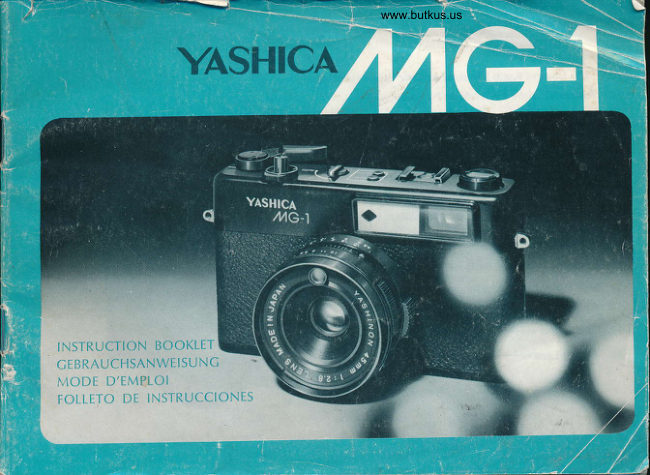
Yashica MG-1 User manual
User manual for Yashica MG-1. 14 pages in English. Read the original PDF, download or print a copy without registration.
14 pagesEnglish1.5 MB PDF
Loading your manual…Open PDF directly
Document details
- Brand
- Yashica
- Model / document
- Yashica MG-1
- Document type
- User manual
- Language
- English
- Pages
- 14
- File size
- 1.5 MB
- Category
- Film cameras
- Document date
- Not specified in catalog
Search available document text
Find a term, then jump to its page in the original PDF. Image-only pages may not be searchable; check the PDF for exact wording and diagrams.
Page 2 · Read text
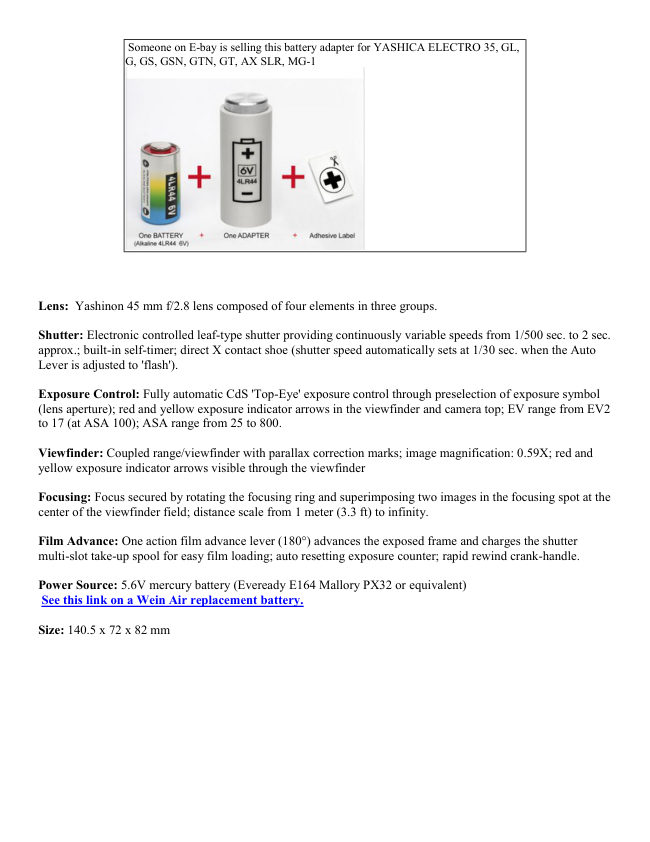
Someone on E-bay is selling this battery adapter for YASHICA ELECTRO 35, GL,
               G, GS, GSN, GTN, GT, AX SLR, MG-1


Lens: Yashinon 45 mm f/2.8 lens composed of four elements in three groups.

Shutter: Electronic controlled leaf-type shutter providing continuously variable speeds from 1/500 sec. to 2 sec.
approx.; built-in self-timer; direct X contact shoe (shutter speed automatically sets at 1/30 sec. when the Auto
Lever is adjusted to 'flash').

Exposure Control: Fully automatic CdS 'Top-Eye' exposure control through preselection of exposure symbol
(lens aperture); red and yellow exposure indicator arrows in the viewfinder and camera top; EV range from EV2
to 17 (at ASA 100); ASA range from 25 to 800.

Viewfinder: Coupled range/viewfinder with parallax correction marks; image magnification: 0.59X; red and
yellow exposure indicator arrows visible through the viewfinder

Focusing: Focus secured by rotating the focusing ring and superimposing two images in the focusing spot at the
center of the viewfinder field; distance scale from 1 meter (3.3 ft) to infinity.

Film Advance: One action film advance lever (180°) advances the exposed frame and charges the shutter
multi-slot take-up spool for easy film loading; auto resetting exposure counter; rapid rewind crank-handle.

Power Source: 5.6V mercury battery (Eveready E164 Mallory PX32 or equivalent)
 See this link on a Wein Air replacement battery.

Size: 140.5 x 72 x 82 mm
View original page 2Page 4 · Read text
BATTERY LOADING


                              Always use a 5.6V mercury battery (Mallory
                              PX32, Eveready E164 or equivalent).
                                See this link on a Wein Air replacement
                                    battery.

                                         1. Open Battery Compartment Cover on camera
                                  base by turning it in the direction of the arrow
                                  with the edge of a coin.

                                         2. Install battery in Battery Compartment by
                                 matching polarity with diagram. If the polarity is
                                      reversed, the indicator lamps will not come on and
                                      the shutter will fail to function properly.

                                         3. After installing battery, replace Battery
                               Compartment Cover.


FILM LOADING


                                (Always load in subdued light.)

                                         1. To open Back Cover, lift up Film Rewind Knob
                                and pull it out forcibly. As soon as Back Cover
                                   opens, Exposure Counter resets automatically to
                                  "S" (Start).

                                         2. Place a 35rnm film cassette into film chamber
                                and push down the Film Rewind Knob.

                                     3.1 Insert film leader into Take-up Spool slot and
                                 advance film with Film Advance Lever making
                                     sure the perforations properly engage the sprocket
                                          teeth. Close Back Cover.
View original page 4Page 5 · Read text
www.butkus.us


                                         4. Take up the film slack in the cassette by turning
                                      the Film Rewind Knob slowly in the direction of
                                 arrow until it stops.

                                         5. Advance film, then press Shutter Release
                                    Button. Repeat until the figure "1" appears in
                                Exposure Counter.

                                         6. Make sure the film is advancing properly. As
                               you advance the film, Film Rewind Knob should
                                        rotate counter-clockwise, as illustrated.


ASA FILM SPEED SETTING


                                 Make it a rule to set the ASA film speed
                                         immediately after loading the film.

                                      While pressing the ASA Film Speed
                                              Setting Lever, set it in alignment with the
                                               figure corresponding to the ASA speed
                                                rating of the film in use. Make sure that
                                              the ASA film speed is set properly,
                                         because it is a factor vital to obtaining
                                               correct exposure.


ASA Film Speed Rating
ASA speed rating denotes the degree of light sensitivity of the film emulsion. It is clearly specified on the outer
box or the instruction sheet which comes with the film.
View original page 5Page 7 · Read text
www.butkus.us

2. Compose picture within the bright frame.


AUTOMATIC EXPOSURE


                                Your Yashica MG-1 assures outstanding results
                                          in color on automatic mode of operation,
                                         regardless of whether the subject is in
                                         candlelight dimness or under brilliant sunlight.

                                            1. Turn the Auto Lever and align the index with
                                        the 'Auto' setting. This simple step adjusts the
                                  camera for fully automatic exposure.

                                            2. Rotate the Aperture Ring and align the
                                       required Exposure Symbol with the index.

                                The following example shows the standard
                                           settings when using an ASA 100 film:


                                            3. Give the Film Advance Lever a full wind. In
                                     the course of the film wind, a slight click will
                                   be heard, indicating that the automatic exposure
                                         control has been set to 'standby'.

                                            4. Sight your subject through the viewfinder
                                  and press the Shutter Release Button half-way

                                                  If the red Exposure Indicator Arrow fails to
                                     appear in the viewfinder, correct exposure is
                                          indicated. Therefore, depress the Shutter
                                     Release Button all the way to trip the shutter.

                                                 · The red and yellow Exposure Indicator
                                 Arrows are also located on the camera top.
View original page 7Page 8 · Read text
EXPOSURE CHECKING


                                The Shutter Release Button serves two
                                       purposes. When depressed half-way, it activates
                                        the exposure indicator system for effective
                                    checking of the exposure. If pressed all the way
                                 down, it trips the shutter. The Exposure
                                         Indicator Arrows are featured within the
                                      viewfinder and on the camera top.

                                            1. When the Exposure Indicator Arrow fails
                                       to come on.

                                       Press the Shutter Release Button half-way
                                 down. If the Exposure Indicator Arrow fails to
                                        appear, go ahead and trip the shutter by
                                       pressing the release button all the way down. In
                                             this case, correct exposure will be obtained at a
                                          shutter speed faster than 1/30 sec.


                                            2. When the Red Indicator Arrow ( >)
                                  appears

                                                  If the red indicator arrow ( Ad) appears when
                                        the Shutter Release Button is depressed half-
                                  way, over-exposure is indicated. In this case,
                                           rotate the Aperture Ring in the direction of the
                                   arrow until the red indicator arrow turns off. If
                                        the red arrow fails to go off, mount an ND filter
                                     over the lens.

                                            3. When the yellow indicator arrow (< )
                                  appears

                                                       It means that correct exposure will be obtained
                                       but that the shutter will function at 1/30 sec. or
                                     slower speed. Therefore, brace the camera to
                                      prevent camera shake. The yellow indicator
                                   arrow will come on when shooting night scenes
                                       or photographing subjects indoors under
                                  subdued light.


Picture-taking precautions when Yellow Indicator Arrow turns on
View original page 8Page 9 · Read text
www.butkus.us


                                            1. Rotate Aperture Ring in the direction of the
                                      arrow. If Yellow Indicator Arrow turns off, it
                                means that hand-held photography can be
                                         safely attempted, since the shutter will operate
                                       automatically at a speed faster than 1/30 sec. If
                                 Yellow Indicator Arrow fails to go off, refer to
                                          instruction given below or switch to automatic
                                          flash exposure.

                                            2. If Yellow Indicator Arrow fails to turn off
                                   even when Aperture Ring is rotated all the way,
                                mount camera on a tripod or brace it steadily to
                                      prevent camera shake.


FILM REWINDING


                                                  If Exposure Counter shows figure equivalent to
                                      exposure-load of film loaded in your camera,
                                 do not attempt to forcibly advance the film
                                  beyond this point, because the film may tear
                                  and rewinding of the film into its cassette may
                                become impossible. Before opening the Back
                                     Cover, make sure the film is rewound into the
                                       film cassette.

                                            1. Press the Film Rewind Release Button.

                                            2. Fold out the Film Rewind Crank-Handle on
                                       top of the Film Rewind Knob and turn it in the
                                          direction of the arrow. A slight resistance will
                                   be felt when the film pulls off the Take-up
                                      Spool, but keep rewinding until the crank-
                                     handle rotates freely.

                              Open the Back Cover and take out the film
                                            cassette.

                                                 · In case the film fails to advance midway, do
                                       not manipulate the Film Advance Lever force
                                              fully. Instead, push the Film Rewind Release
                                    Button and rewind the film into its cassette.
View original page 9Page 10 · Read text
SHUTTER LOCK RING


                                The Shutter Lock Ring is featured around the
                                        Shutter Release Button.

                                                 · When the lock ring is set at 'L', the shutter
                                          locks, thus preventing it to be tripped even
                              when the Shutter Release Button is depressed.

                                                 · When the camera is not in use, make it a rule
                                          to reset the Shutter Lock Ring at 'L' or else have
                                        the shutter uncharged.

                           When locked, accidental tripping of the shutter
                                                 is prevented, thus providing against undue drain
                                       of battery power.


SELF-TIMER


                                                  If you want to include yourself in the picture,
                                     use the Self-Timer and proceed as follows:

                                            1. Advance the film.

                                            2. Move Self-Timer Lever down all the way in
                                        the direction of the arrow.

                                            3. Press Shutter Release Button and the shutter
                                          will be tripped about 7 seconds later.
View original page 10Page 11 · Read text
www.butkus.us


SHOOTING BACKLIT AND SPOTLIT SUBJECTS


                                   Although the basic rule calls for front-lighting
                                       of your subject, there are instances where you
                                   have no other choice than to shoot backlit or
                                              spotlit subjects. In such cases, your main
                                         subject will be either under-exposed or over-
                                   exposed if automatic exposure is attempted in
                                        the normal manner.

                                                 · Backlit Subjects

                              To obtain finer details of the dark areas of your
                                 main subject, set the camera's ASA film speed
                                  one or two settings below the normal setting.
                                    For instance, if an ASA 100 film is in use, set
                                        the ASA film speed to either 50 or 25.


                                                 · Spotlit Subjects

                                   Automatic exposure in the normal manner will
                                             result in over-exposure of your main subject.
                             Make sure the ASA film speed is reset by one
                                       or two settings above the normal setting. For
                                          instance, if an ASA 100 film is in use, reset the
                         ASA film speed to either ASA 200 or ASA
                                      400.

                                                 · After shooting backlit or spotlit subject by
                                         readjusting the ASA film speed always see to it
                                            that the ASA Film Speed Setting Lever is
                                       returned to its original position.
View original page 11Page 12 · Read text
FLASH EXPOSURE


                                        In case of flash exposure, set the Auto Lever on
                                        the camera top at the flash symbol (       ). The
                                          shutter will then be set automatically at 1/30
                                           sec. For best results, use an electronic flash unit
                                       or flash gun featuring a hot-shoe (direct contact
                                         shoe).

                                            1. Mount the electronic flash unit on the
                                     camera. As soon as the unit is mounted on the
                                      accessory shoe (featuring direct X contact),
                                             circuit contact will be established. Make sure it
                                                 is introduced all the way into the accessory
                                       shoe.

                                            2. Set the Auto Lever at the flash symbol (
                                                        ). When thus adjusted, the shutter speed will
                                       automatically be set at 1/30 sec.


                                            3. Secure focus.

                                            4. Read the camera-to-subject distance off the
                                        distance scale.

                              To obtain the correct aperture setting, divide the
                                     guide number of the electronic flash unit (or
                                        flashbulb) in use by the camera-to-subject
                                          distance. The correct aperture setting thus
                                      obtained must then be transferred to the
                                      camera's aperture ring.

                                        In flash photography, the correct exposure is
                                    determined on the basis of the guide number of
                                        the electronic flash unit or flashbulb. This guide
                                number is normally indicated on the package or
                                          in the instruction manual. To obtain the correct
                                         lens aperture, divide the guide number by the
                                         subject distance (meters or feet) as shown
                                  below (distance in meters).

                                  Guide Number (32)/Subject Distance (2m)=
                                  Lens Aperture ( 16)
View original page 12Page 13 · Read text
www.butkus.us


DEPTH OF FIELD


                           When the camera lens is focused on a given subject, objects in
                                        the foreground and background will appear acceptably sharp
                                          in the picture. The area in which objects appear sharply
                                      defined is called the depth of field.

                                    Photos on this page were taken by maintaining the same focus
                                          (lens focused on the median object). At maximum aperture
                                               (f/2.8), the objects in the foreground and background appear
                                          blurred. When the lens is stopped down to f/16, however, the
                                same foreground and background objects will appear sharply
                                         defined. In other words, the depth of field becomes more
                                       extensive as you stop down the lens.

                                                 · The depth of field for a given lens aperture can be read off
                                        the depth-of-field scale on the lens barrel. When the lens is
                                     focused on a subject at a distance of 2 meters, for example, the
                                         depth-of-field scale will show that the extent of the depth of
                                             field will be from about 1.4 to 4 meters when the lens is
                                     stopped down to f/16. In other words, the extent enclosed by
                                        the figure 16 (or the figure equivalent to the aperture setting in
                                       use) on both sides of the red index will be the area in which all
                                         objects will appear acceptably sharp in the picture (depth of
                                                field).


OPTIONAL ACCESSORIES


                                         Filters
                                    Accepts 55mm screw-in type filters. Compensation for filter
                                          factor is unnecessary.

                                Lens Shade Accepts 57mm slip-on type lens shade. Use the
                                         lens shade to ward off extraneous reflected light.

                                  Yashica Grip/Tripod ST-7 A versatile accessory, it permits
                                     use as a camera grip, chest support, wall support, etc., in
                                        addition to its original use as a tripod. It is compact and
                                        lightweight and is an invaluable aid in steadying the camera
                              when shooting at a slow shutter speed.

                                  ES-20/14
                                  Compact, lightweight electronic flash unit best suited for use
                                     with the MG-1

                       GN 20 (ASA 100 m) GN 14 (ASA 100 m)
View original page 13Page 14 · Read text
CAMERA CARE

· Avoid exposing your camera to excessive heat. Do not leave it under direct sunlight, in the glove compartment
or trunk of your car. Excessive heat may affect the film emulsion, mercury battery, as well as the electronic
system which may result in failure to deliver correct exposure. If by accident it is left for a considerable length
of time in hot places, leave the camera for some time in a well ventilated spot to cool before using it.

· Do not wipe the lens surface with your handkerchief. Clean the lens occasionally by using a lens brush.

· The most common causes of breakdown of a camera are exposure to humidity or saline wind and knocks or
jolts. Do not subject your camera to rough handling. It will give you a life-time of faithful service if handled
properly.

· Before the camera is to be left unused, trip the shutter. Always see that the camera is stored with its shutter
uncharged.
View original page 14
Related documents and language editions
From the M. Butkus archive. Original publisher and archive notices are retained.
Check the model and edition against your equipment.
PDF verified 2026-10-10.