Film cameras
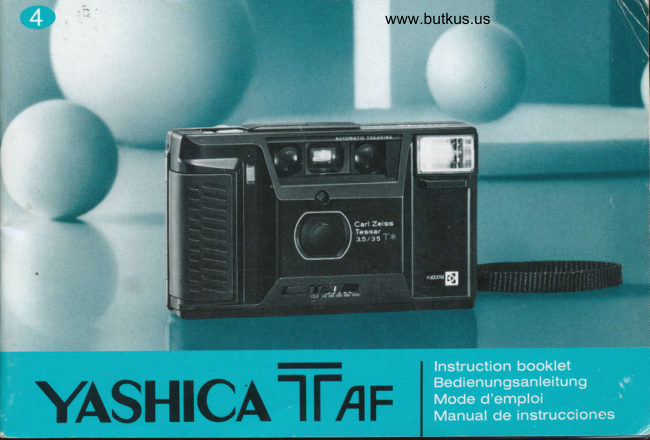
Yashica T AF User manual
User manual for Yashica T AF. 60 pages in German, French, Spanish. Read the original PDF, download or print a copy without registration.
60 pagesGerman, French, Spanish15.9 MB PDF
Loading your manual…Open PDF directly
Document details
- Brand
- Yashica
- Model / document
- Yashica T AF
- Document type
- User manual
- Language
- German, French, Spanish
- Pages
- 60
- File size
- 15.9 MB
- Category
- Film cameras
- Document date
- Not specified in catalog
Search available document text
Find a term, then jump to its page in the original PDF. Image-only pages may not be searchable; check the PDF for exact wording and diagrams.
Page 2 · Read text
Congratulations on purchasing                  Wir gratulieren lhnen, daB Sie sich zum Kauf
the Yashica T AF.                                 einer Yashica T AF entschieden haben.
 It automatically performs  all functions such as film        Diese Kamera fuhrt alle Funktionen wie z.B. Laden
loading and transporting, focusing, exposure  set-        und Transpo* des Films, Scharfeinstellung,  Belich-
ting, and even raninding of the exposed film. An       tung und selb* das Zur0ckspulen des belichteten
ultra compacl 35 mm lens shutter lype camera tea-      Films selbstatig aus. Diese ultrakompakte  Kleinbild-
turing the world's sharpest optics, the ZeissT*  (-f      kammera mit Objektiv-VerschluB  bietet lhnen das
Star) lens. lts built-in llash unit gives it the capabrlity       Zeiss T* (T-SterQ Oblektiv, das zur Weltspitzen-
of getting bright shots in any low-light situation.           klasse in seiner Scharfeleistung  ziihlt. Das ein-
Please familiarize yourself with the contents of this       gebaute Blitzgeriit ermoglicht es lhnen, auch bei
instruction manual so as to assure yourself of pro-       schwacher Ausleuchtung shahlende Fotos zu
per operation of the camera.                             schie8en.
                                                                Bitte machen Sie sich zuniichst anhand dieser
                                                        Bedienungsanleitung  mit den Funktionen lhrer
                                               Kamera verkaut, damit sie lhnen immer gute
                                                        Dienste  leistet.
View original page 2Page 3 · Read text
www.butkus.usKsorErkr€


Toutes nos f6licilations 1rcur avoir port6 votre     Enhorabuena por la adquisici6n
choix sur le Yashica T AF.                    de la Yashica T AF.
Cet appareil effectue automaliquement  toutes les          Esla camara realiza automdticamente todas las fun-
fonclions,  telles que la mise en place et le transport        ciones, tales como la carga y el transporte de la
de la pllicule, la mise au point, I'exposition  et              pelicula, enfoque, ajuste de la exposici6n, e incluso
mOme le rebobinage du ftlm expos6. Ultra-                  el rebobinado de la pelicula expuesta. Es una
compaci, cet appareil 24 x 36 h obturateur objedif      cdmara ultracompacta con obturador en el objetivo
esl dot6 d'une des meilleures optiques du monde,       de 35 mm provista de la 6ptica miis precisa del
                                                                                                                               es'trella). Su flashle ZeissT* (Etoile T). Dotd d'un flash incorpor6,  il      mundo, el obietivo Zeiss T* (T
permet d'obtenir d'excellentes photos, mOme dans      inmrpomdo ofrece la capacidad para sacar fotos
                                                                                    situaci6n & iluminaci6n.les situations i faible dclairage.                          clams en cualquier
Pribre de se familiariser avec le contenu de ce             Familiaricese con el contenido de ese manual de
mode d'emploi de manidre  ir pouvoir uliliser con-          inslrucc'rones para asegurarse de operar corec'
venablement I'appareil.                                 tamente la ciimara.
View original page 3Page 7 · Read text
OSef-timer Switch
                                 lDshutter Release Butfon
               O Exposure Counter
                               OS€lf-fimer LED
                O Sliding Cover
              @ lmage Detecting Windows
               O Dust Cover
                            G) Flash Unit
                               |o Strap Hook
              @ Handgrip
               O Sensot
               @ Auto Lens Banier
                             (D Film Spped Selector
                             (D Viadinder


                                           Digitally signed by Mike Butkus
                                DN: cn=Mike Butkus, o=Butkus
                                camera manuals, ou=butkus.org,Mike Butkus email=mike@butkus.org, c=US
                                      Date: 2021.12.08 16:20:25 -05'00'
View original page 7Page 8 · Read text
www.butkus.us

                                                                      retardateur      Q Interruptor del autodisparadorO Selbstausloserschalter       Q Interrupteur de
O Ausloser                     €) D6clencheur           @ Bot6n disparador
O Btldzalwerk          @ Compteur de vues         @ Contador de imiigenes                                                                      retardateur      O LED del autodisparadorO Selbstausloser-LED        O Diode LED de
@ Schiebedeckel         @ Cache coulissant         @ Cubierta desliante
@ Bilderfassungsfenster       @ Regards de d6tection d'image     @ Ventanillas detectoras
O Slaubdeckel                    (D Cache anli-poussidre                    de la imagen
                                                                           Tapa contra el ;rolvo@ Blitzgerat          @ Flash 6lectronique          O
@ Trageriemendse        @ Crochet de courroie        @ Flash
@ Handgriff          @ Poign6e            @ Gancho para la correa
O Sensor           @ Cellule photoilectrique       @ Empufradura                                                                                               (l) Sensor(D Automatik'Oblektivschutz     @ Volet automattique d'objectif
@ Ftlmempfindlichkelts-       @ S6lecteur de sensibilitrl du film     @ Protector automdtico
    Anzeigefenster         @ Viseur                                           del objetivo
(!) Sucher                             @ Selector de la sensibilidad
                                                                        de la oelicula
                                 @ Visor
View original page 8Page 10 · Read text
www.butkus.us


@ Blirr-schaher          @ Intenupteur de flash       @ Interruptor del flash
(D Bl itzbereitschaftslampe       @ Lampe-t6moin de flash      @ Limpara de flash preparado
@ Filmtransportanzeige        @ Timoin de transport du film    @ Senal de transporte
@ Sucherokular          @ Oculaire du viseur                    de la pelicula
@ Batteriefachdeckel        @ Couvercle du logement des piles  @ Ocular del visor
@ Stativgarinde          @ Filetage pour pied              (D Cubierta del compartimiento
@ Rtickwanddeckel-        @ Loquet du dos                         de las nilas
    Entriegelungsknopf       @ Interrupteur de rebobinage    @ Rorcu para tripode
@ Filmruckspulschalter       @ Fen0tre du contr6le du film    @ Abrldor del resoaldo
@ Filmkontrollfenster       @ Couvercle du dos       @ Interruptor de rebobinado
@ Ruckwanddeckel                                                       de la pelicula
                           @ Ventanilla de comprobaci6n
                                                                      de la pelicula
                           @ Respaldo de la cAmara
View original page 10Page 11 · Read text
The lilm advance and rauind, focusing, expsure and
     flash rystems are all battery opratd. The camera will
    not oryrale without fulteies:

                Baltery Compartment Crver.  1 O*n
   Open fhe caner by pushing  it in direction of anow and
       lifting  it up.

    f    lnsenBafteries.
     Inserl Batteries inlo battery compartment,  positioning fhe
     terminals as shcr.,.,n by (@) and (Q) markings  inside,
    and close lhe cover.


10
View original page 11Page 13 · Read text
(Checking the Batteries)
     Before using lhe camera, check the battery condition.
     This is done by pressing the shulter releae bufion parl-
    way wirile using l,our hand to shield fhe sensor cell jusl
     above the camera lens.  lf fhe vieu/ftnder signal mark
      pulsates,  it means lhe batteries are good.  lf not, replace
     the balteries with lwo fresh ones of the same brand.
   o  Pressing the shuller release bufion with
    me exposure counter regislering
    "S" will ahuays result in automalic
    advance to frame "1".


12
View original page 13Page 15 · Read text
The Yashica T AF is thoughtfully designed to
     automatically advance the loadd film to the first frame.
     Alwa5ts load and unload film in subdued  tight.

   1  Open the Back Cover.
    Open the back cover by sliding down the back cover
      release knob in direction of arrow.

          Insert the Film.  2
      Insert thc film cassette in position as shown, and  fit  it
    onto stud in the film chamber.

    Make sure that the film feed slot of the cassette is posi-
     tioned as shown in drawing (A) and the film lies flat.


                                                 www.butkus.us


14
View original page 15Page 16 · Read text
www.butkus.us


Die Yashica T AF besilzt ein             Le Yashica T AF dispose d'un circuit       La Yashica T AF estii disefiada para que
ausgeklageltes  System, das den               pratique qui fait que la pellicule est             la pelicula cargada avance automdtica-
eingelegten Film automatisch zum erclen     automatiquemenl  transporl6e jusqu'b la      mente al primer fotograma.
Bild transpoftiert.                            premidre vue.                                Cargar y descargar siempre la pelicula a
Einlegen und Entnehmen des Films         La mise en place et le retrail de la              la sombra.
muB unbedinE bei gedampftem Licht         pellicule doivent loujours Ctre effectuds
erfolgen.                                     sous un dclairage rdduit.                       Abrir el respaldo de la                                                                                                      I                                                                                                                                l    camara.
           des Riickwand-     Offnen I
     deckels. I                          1   Ouvrir le couvercle du dos.      Abrirel abridorel respaldodel respaldode la c6maraen el sentidodeslizandode la
Offnen Sie den Deckel, indem Sie den        Ouvrir le dos en faisant coulisser le lo-         flecha.
Entriegelungsknopf  in Pfeilrichtung            quel dans le sens de la fldche.
rhieben.                                      2    Insertar la pelicula.                      aD Mettre en place le rouleau
                  G  de pellicule.                              lnsertar el canete de pelicula en su posi-
                                                                          como se muestra, y adaptarlo en el2   Einlegen des Films.                 lnsdrer la carlouche de la maniDre  il-           ci6n,
Legen Sie die Filmpalrone wie gezeigl in       lustr6e el I'ajuster sur un des axes de la       vdstago del compartimiento de la pelicula.
die Filmkammer ein und schieben Sie sie     chambre noire.
richtig auf die Welle in der Kammer.                                                            Cerciorarse de que la ranura de avance
                                                Attention  ir ce que I'ouverlure de la car-      de la pelicula del carrete estC posicionada
Achten Sie unbedingt darauf, daB der         touche de pellicule soit bien positionn6e     como se mueslra en la ilustraci6n (A) y
Filmzufuhrungsschlilz in der Patrone wie     de la manilre indiqude sur le dessin (A)      de que la pelicula quede plana.
in der Abbildung (A) gezeigt ausgerichtel       et b ce que la cartouche repose bien  ir
isl und der Film eben liegt.                           plat.
View original page 16Page 17 · Read text
Mark.                            " { "  3  Draw orrt Film Tip to the
      Pull out ftlm fip and drarr  it across to the ftlm leader
                     ".    mark " |   o   lf ttre fflm leader is too long, reurind the excess inlo
     lhe film casselte.

    Then, close the back cover by pressing
          il unlil it snap6 shul.


                    Sliding Cover.  4  O*" fie
     Shutter release button and selitimer sryilch are housed
     undemealh lhe cover.


r6
View original page 17Page 19 · Read text
E   Press the Shutter Release Button and    a,  Wind-on Film.
    The film will be automatically advanced to the ftrst frame.
    The camera is now ready to shoot.
           lf the film is winding properly, the film tranqtort signal
       will twirl to indicate this.
   o Once the film begins advancing, release finger
      pressure from the button.
   o The film check windor,v indicates if film is loaded and
        its type.


              lf the shufter releae butfon is pressed after
       closing of the back cover (with the exposure
       counfer d "S", lhe winding on operalion will
      ahuEp occur.


18
View original page 19Page 20 · Read text
www.butkus.us

?   Driicken Sie den Auslirser    K   Appuyer sur le d6clencheur      tr   Presionar el bot6n                         g     et faire avancer la pellicule.       r,   disparador y bobinarC   und spulen Sie den Film
vorwlirts                              La partie vierge de la pellicule avance         la pelicula.
Die Kamera spult den Film automatisch       automaliquement jusqu'i la premilre vue     La oelicula avanzar6 automiilicamente  al
bis zum ersten Bild weiter. lhre Kamera        et I'appareil est alors prOt pour la prise         primer fotograma. L-a ciimara queda en-
ist jetzt au{nahmebereit.                    de vues.                                    tonces preparada para disparar.
Wenn der Film richtig transportiert  wird,     Le l6moin de transport de film oscille si        Si la pelfuula se bobina correctamente, lo
dreht sich die Filmtransporlanzeige.             la oellicule avance convenablement.             indicard la sefral del transporte de la peli'
                                                                                             cula que parpadear6.
r  Sobald der Filmtransport beginnt,      o  Dbs que la pellicule commence  i
                                                                                                                                  pelicula, soltar elnehmen Sie lhren Finger vom Ausloser.       avancer, relirer le doigt du d6clencheur.        r  Una vez avance la
o  Das Filmkontrollfenster zeigt lhnen,    o La fenOtre de v6rification Dermet de       dedo del bot6n.
                                                                                                                                                                                          laob ein Film eingelegt isl und um              contr6ler si un film est installC et, 6ven'    o La ventanilla de comprobaci6n de
welchen Typ es sich handelt.                   tuellemenl, son type.                             pelicula indica si la pelicula est6 cargada
                                                                                                         asf como el tipo de la misma.
  Wenn Sie nach dem SchlieBen des        Une fois le dos refermC, un appui
  Ruckwanddeckels den Ausloser               sur le ddclencheur provoque                   Si se presiona  el bot6n disparador
  drricken (und das Bildzahlwerk auf            obligatoirement le d6filement de la            despuis de haber cerrado el respal'
  "S" steh$, er{olgt der Filmtransporl            partie vierge de la pellicule si le            do (con el contador de im6genes en
   in jedem Fall.                             compteur de vues indique "S".                   el posici6n "S"), siempre se
                                                                                                                 realizarl la operaci6n de bobinado.


                                                                                                19
View original page 20Page 21 · Read text
Be sure to d lhe ftlm spd proprly a this is a*n-
       lial in asurlng @nd qe6ure.
    The film sWd ts always indtdd on the fllm afton

     Set the ftlm speed selector fo the ftlm speed raling of the
     film in use.


20
View original page 21Page 22 · Read text
www.butkus.us


Achten Sie unbedinE darauf, daB Sie     Un reglage correcl de la sensibilitd de la      Cerciorarse de que la sensibilidad de la
die Filmempfindlichkeit  richtig einstellen,      pellicule est essentiel  it I'obtention de         pelicula  estii correclamente aiustada por-
da dies far eine korrekte Belichtung ab'     bonnes expositions.                       que es un punto esencial para asegurar
solut nolwendig   ist.                                 l-a valeur de la sensibilitd est touiours        exposiciones corredas.
Die Filmempfindlichkeit   ist immer auf       indiqude sur la boite de la pellicule.  .       La sensibilidad de la pelicula se indica
der Filmpackung angegeben.                                                          siempre en el cai6n de la Pelfcula.
                                           R6gler le silecteur de sensibilitd ) la
Stellen Sie den Filmempfindlichkeits'          valeur prdconis€e pour la pellicule             Ajustar el selector de la sensibilidad de la
withler auf die Filmempfindlichkeit des           utilis6e.                                           pelicula en la posici6n correspondiente al
verwendeten  Films ein.                                                                          valor de la pelicula que se estti utilizan'
                                                                                                    do.


                                                                                                        21
View original page 22Page 23 · Read text
The Yashica T AF handles all the functions of feusing,     and then simply press the shulter release bulton.
     a<posurc selting and film advancing automatically. Tmin     Anlnne can easily tal<e beautiful pictures.
     the focusing spt on the subject pu wish lo focus on

                into the viewfinder and set your piclure area.      I   f".t
  @ Picfure Area Frame:  lf your subjecl distance is   @ Parallax Correclion Frame:  lf your subjecl
     about 1.5 meters or more, @mpose your piclure wilhin       distance is beluieen 1 and 1.5 melers, compose your
       this frame.     I


                                                                                            www.butkus.us
        '   Shndard size prinls will not show as much as hat aclually covered in ihe film area. Thus, when framing
     important subject off to one side of picture, be sure to allow ample room for margin of saferv.
22
View original page 23Page 25 · Read text
c1 Train the focusing spot (Ol on ihe sub-  C  jed you want to focus on.
  $   eress the shutter release button partway.
     Focusing will be prformed automafically, and the focus-
     ing symbols in the viewfinder will indicate the approx-
    imak dislance range focused on.
                    Approx.l-2m
                          Approx.2 - 4 m
                         Approx.4m-inftnily
     r     lf subject distance is less than 1 meter. the focusino
    mark !    will pulsate. In this case, exlend subject to
    camera distance a lillle way before composing and
     shoolino.


24
View original page 25Page 27 · Read text
tl  Then press the release button all the
_-  way doum to e{fect exposure.
The auto lens banier will open and e*posure  will be
completed.
When ftnger pressure is released from the bulfon, advan-
cing of the film and closing of fie auto lens banier are
performed automatically.
o Be careful of pressing finger or other objecl against
the auto lens banier.
View original page 27Page 29 · Read text
o  Before taking the piclure, you may refocus  if you      o Avant d'effectuer la prise de vues, vous pouvez
     want by releasing your finger once from the Shutter                re{aire la mise au point en reldchant la pression de votre
     Release Button and lightly pressing  it again.                       doigt sur le d6clencheur et en appuyant de nouveau     r   In dim light, the Flash Signal will turn on when the          ldglrement.
      Shutter Release Button is lightly pressed. In this case,      o  Lorsque la lumibre exttirieure est rduite, le signal du
     use flash to take your picture.                                       flash 6lectronique s'allume qr;and on appuie ligbremenl
                                                                 sur le d6clencheur.   ll faul dans ce cas utiliser le flash
                                                                                de vue.                 *                                    6lectronique pour la prise
                                                  *   o Bwor Sie die Aufnahme machen. k6nnen Sie noch
     einmal fokussieren, indem Sie den Ausloser loslassen
    und dann erneut halb durchdrUcken.                         r  Antes de lomar la fotografia, usted podrii volver a
   o  Bei schwachem Licht schahet sich das Blitzsignal            enfocar soltando el disparador y volviendo a oprimirlo
      ein, wenn leicht auf den Ausloser gedrrjckt wird. In              ligeramente una vez miis.
    einem solchen Fall sollte die Aufnahme mit Blitz         o Cuando  la luz sea insuficiente, al oprimir el
    gemacht werden.                                               disparador se encenderii la sefral del flash. En este caso.
                                                            use el flash para tomdr la fotografiia.


28
View original page 29Page 31 · Read text
When shooting indoors or at night, press the shutter
      release button partway.  lf the flash signal in the                                    www.butkus.us
     viewfinder lights up, use the built-in ftash to take clear,
      brigfu piaures.

         Set the flash in shooting posiiion.    I
    When the flash signal glors, slide the flash switch in the
      direclion of the arrow to place the flash unit in shootinq
      posifion.

                ready.    !   Fhsh
         lf the flash ready lamp comes on, the flash is readv for
      firing.


30
View original page 31Page 32 · Read text
www.butkus.us


      Bei lnnenaufnahmen und Nachbnf-          Pour photographier en intdrieur ou le       Cuando se hagan fotos en interiores o
     nahmen drticken Sie den Ausl1ser  et-           soir, appuyer le ddclencheur d mi-          por la noche, presionar a medias el bo-
      was nach unten. Wenn das Blitzsignal         course. Si le timoin du flash s'allume        t6n disparador. Si se ilumina la sefial
     im Sucher aufleuchtet, benutzen Sie den     dans le viseur,  il convient de faire appel       del flash en el visor, emplear el flash
      eingebauten Blitz, um helle klare Bilder      au flash pour rdaliser des clichds beaux      incorporado para lomar fotos claras y
      zu erhalten.                                        et lumineux.                                           nftidas.
        I    Einstellen des Blitzes zur            I    Placer le flash ir la position    1   Ajustar el flash en la posi-        I   Aufnahme.                               I     d'uiilisation.                             I    ci6n de disparo.
     Wenn das Blitzsignal aufleuchtet,              Lorsque le tdmoin de flash s'allume,        Cuando se ilumine  la sefral del flash,
       schieben Sie den Blitzgeratschalter  in           ddplacer I'interrupteur de flash dans le          deslizar el interruptor del flash en la di'
        Pfeilrichtung, um das Blitzgerat zur Auf-       sens de la fldche pour metlre le flash en       recci6n de la flecha para poner el flash
     nahme vorzubereiten,                             posilion d'utilisation.                      en posici6n de disparo.
    q     Blitzbereitschaft.                      Prdparation du flash.      2  Hash preparado.                      2                                                                               Cuando se ilumina la ldmpara de flash    -Wenn die Blitzbereitschaftslampe             Dls que la lampe-lCmoin du flash             preparado, podrd utilizarse el flash para
       aufleuchtet, ist die Kamera blitzbereit.            s'allume, un tlclair peul 0tre d6clench6.           la foto.


n


                                                                                                             31
View original page 32From the M. Butkus archive. Original publisher and archive notices are retained.
Check the model and edition against your equipment.
PDF verified 2026-10-10.