Film cameras
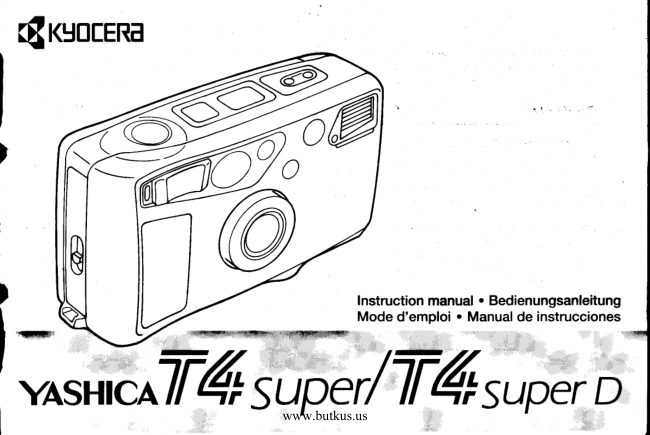
Yashica T4 Super / Super D User manual
User manual for Yashica T4 Super / Super D. 37 pages in French. Read the original PDF, download or print a copy without registration.
37 pagesFrench3.6 MB PDF
Loading your manual…Open PDF directly
Document details
- Brand
- Yashica
- Model / document
- Yashica T4 Super / Super D
- Document type
- User manual
- Language
- French
- Pages
- 37
- File size
- 3.6 MB
- Category
- Film cameras
- Document date
- Not specified in catalog
Search available document text
Find a term, then jump to its page in the original PDF. Image-only pages may not be searchable; check the PDF for exact wording and diagrams.
Page 1 · Read text
ORKYOCERA

feetmuction manual *Bedlanungsariokung
Mode d'emploi » Manval de nstrucciones
ee =

vastaca V4 super! V4 super b
View original page 1
Page 2 · Read text
‘Thank you for your purchase of this camera.
Before using the camera, please read this Instruction
‘Manual carefully through to use it correctly.

Contents :

Names of Pars .... § [Advanced Techniques)

Viewfinder Display 4. Focus Lock / AE LOCK wn 36
-<Super Scope> ... <Difficult-to-Focus on Subjects> varrnnes 40

Display Panel 2. Using the Picture-taking Mode Button... 42

Camera Strap <1. Auto-flash Mode> 44

[Basic Procedures for Taking Ptures)
1. Loading the Battery

2. Loading the Film

3, Turn the Main Switch ON
44, Taking Pictures ...
5. Removing the Film .

‘Weather Proof ..
Camera Care

Specifications .

38. Using the Self-timer .
4, Printing the Date and Time ...

<2, Red-eye Reduction

‘Auto-flash Mode>
<3. Flash-IN Mode>
‘<4, Flash-OFF Mode:
<5. Landscape Mode> ..

<Setting the Date and Time>

LSSLRSSSE

‘<Camera Storage>
-<Battery Precaution:

3a
View original page 2
Page 3 · Read text
Mike Butkus   DigitallyDN:email=mike@butkus.org,Date:cn=Mike2025.08.15signedButkus,by19:49:12Mikeo, ou=Butkus.org,Butkusc=US-04'00'


                               www.butkus.us
View original page 3Page 37 · Read text
o Whenthe red-eye reductionflash mode has       only. In this mode,the electronicflash is turned
      beenselected,the red LED will light in the            off, regardlessof lightingconditions. As a result,
        viewfinderwhen the shutter releasebutton is      exposureis set in accordancewith the available
       depressedhalf way.                                  light on the subject,producingnaturalresults.
      <3. Flash-lN Mode>  I                         o  lf the red LED lights when the shutter release
      In this mode, the flash operateswith every pho-        button is depressedhalf way, a slow shutter
     tograph,regardlessof the ambientlightingcon-       speed will be selected;use of a tripod is rec-
      ditions. This mode is convenientfor compensat-     ommendedto avoid camerashake.
      ing exposurewhen photographingsubjects         o In this mode, the flash will not operate even if
     besidebright windows, to avoid underexposing       the red LED lights.
     the subject. lt can also be used at eveningor        <5. Landscape Mode>  6
      nightto photographhumansubjectsagainsta       Selectthis mode when shootingdistantscenes,
     backgroundof night lights.The lightsand            or photographingthrougha glasswindow.
     sceneryin the backgroundwill still appear,while     Sharper pictureswill be obtained.
     the humansubjectwill be properlyexposed.             r   lf the red LED lights when the shutter release
     o When the shutter releasebutton is depressed       button is depressedhalf way, a slow shutter
        half way, the red LED appearsto indicatethe       speed will be selected;use of a tripod is rec-
        flashwill operate.                        ommended to avoid camera shake.
     o In dark locations,the shutter will be set to a       o In this mode, the flash will not operate,even if
       slow speed. Use of a tripod is recommended       the red LED lights.
      undersuch conditionsto avoid camerashake.    o After each photographytaken with this mode,
     <4. Ftash-OFFMode> @                           the camera automaticallyreturnsto the default
     Selectthis mode when you wish to capture sun-        "auto-flashmode."To use the landscape
     sets and indoorsceneswith ambientlighting       mode again,pressthe picture-takingmode
                                                      button and selectthe landscapemode.      45I
View original page 37From the M. Butkus archive. Original publisher and archive notices are retained.
Check the model and edition against your equipment.
PDF verified 2026-10-10.