Film cameras
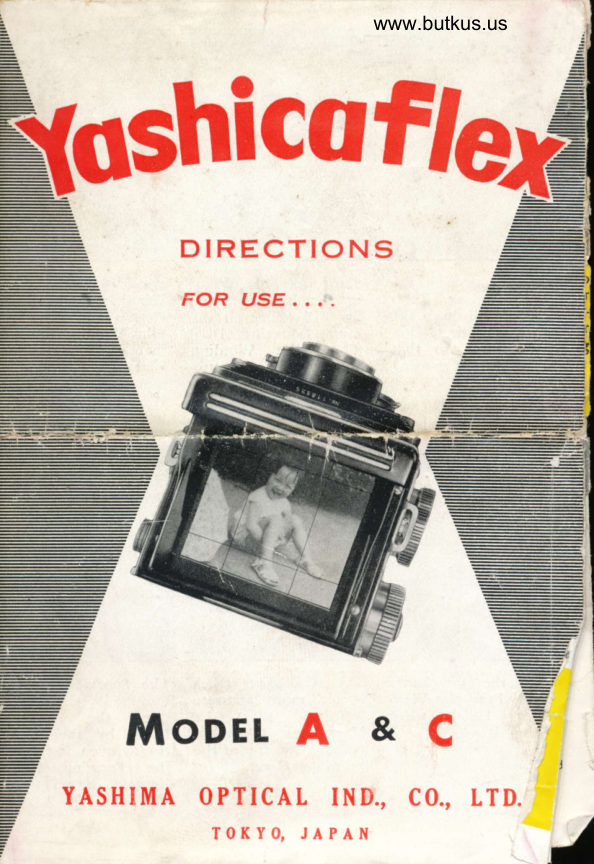
Yashicaflex A and C User manual
User manual for Yashicaflex A and C. 7 pages in English. Read the original PDF, download or print a copy without registration.
7 pagesEnglish2.7 MB PDF
Loading your manual…Open PDF directly
Document details
- Brand
- Yashica
- Model / document
- Yashicaflex A and C
- Document type
- User manual
- Language
- English
- Pages
- 7
- File size
- 2.7 MB
- Category
- Film cameras
- Document date
- Not specified in catalog
Search available document text
Find a term, then jump to its page in the original PDF. Image-only pages may not be searchable; check the PDF for exact wording and diagrams.
Page 2 · Read text
While pressing the    furn the Film Win<r.   again press the !ilrrr
Film Winding Knob    ing Knob until nurn.   Winding Knob Release
Release, pull down the   ber "1" comes on the   Rutton and turn the
Film Counting Re-   Film Counting Dial.   Film Winding Knob so
verse Button so that  The Film  Winding   that the Film Counting
the Film  Counting   Knob will lock auto   Dial shows the next
Dial showg "S".             matically.           number. The Film
                         After taking a picture,  Winding Knob will
                                                   lock automatically.


                                                        www.butkus.us
Erect the Viewfinder  The Magnifying Glass  The Sports Finder  is
Hood. Press the View-   is for more accurate   for eye-level pictures.
finder Hood when   focusing. Erect the  Press the  Focusing
closing  it.             Magnifying Glass by   I{ood by the finger
                          pressing the top of the   tip to open it.  Press
                       Focusing Hood.        the Focusing Hood
                                            Reverse Button when
                                              docing ic
View original page 2Page 3 · Read text
www.butkus.us


Always load and un-  There are two Film  Place the  lake-U1
 l,rad in subdued light.   Chambers.            Spool in the Upp.
l-o unlock back cover,                         Film Chamber by pul
 turn the tripod sock.                            i.g  out the Uppe
et in  the direction                     Film Spool Lockinl
nrarked "O".  Then                               Spring.
open the Back cover
b'y swinging it out.


Place a new  roll ol   Gently draw out the  Turn the Film V/ind
size 120 film  in  the    lilm leader. Threa<l the  ing Knob trntll  r-h
l-ower Film    SpooI    film leader into the  arrow on the filln  it
Chamber.              Take-Up Spool in tbe   self is adjacent to th
                    Upper Film Chamber.  Red Dots on  th
                   then turn the Frlm  camera body.  Rr
                     Winding Knob. Make   place the camera baC
                  sure that the  film  and locl it in pliace.
                           leader ir placed evenly.
View original page 3Page 4 · Read text
Model A
                          @ Sports finder
                        @ Narne Platc                   O                          @ Viewfinder Lens
                          @ Shutter Speed Dial
                        @ Lens Aperture
                  @    Control Levcr
                          @ Shutter Specd
                                                          Indicator
                        @ l'icture Taking Lens
                          @ Back Cover Locking
                                                    Lever
                          @ Mangifying Glass
                  @                          @ Film Counting Dial
                  @     Window
                   @  @Film Wilrdirrg Knob
                          @ ASA Speed Dial


                                                     Digitally signed by Mike ButkusL                                  DN: cn=Mike Butkus, o=Butkus
                                        camera manuals, ou=butkus.org,   Mike Butkus  email=mike@butkus.org, c=US
                                              Date: 2020.12.13 20:10:32 -05'00'
           Winding Knob    @Film        Release Btttton
   @ Filnr Counting Reverse
        Button
             Focusing Knob    @Lens
     @Shutter         l{elease Rutton
   @ Sportsfi rrtler lVin<lotl
      69Flash Synchronization      - Terminal (X)
     @'fripod Socket
     @Flash Mounting Bracket
     @lJpper & Lower Film       - Lodking Spring
View original page 4Page 5 · Read text
www.butkus.us


Ily turllrng r.ne Lens  The Lens Aperture Open.   Set the Shutter Speed
                                                                     requiredFocusing Knob, the   ing is controlled by the    Dial  . on theirn:rgc will   appear  Lens Aperture Control    ryce(Lslralp on tlre Grourrd   Lever by using an ex-
Glasi Screen. Stop the   Posure meter or expoluae
Ler.rs Focusing Knob if    table.
the obiect appears
snarp.


Use the Sport Irinder
for taking picturcs on
the eye-lcvcl.


                     www.butkus.us

                  Push down the Shutter   Catch the obiect on                                                               -                     Cocking kver. Be sure  the  Ground                  not to change Shutter   Screen or the SportrGlass
                      Speed after the shutter is   Fi_nder. Now S..tly                           cocked.                       release the Shuttir by
                                             pressing the relea,re
                                                        button.
View original page 5Page 6 · Read text
Pocket Gun applied to Flash     Flash Gun applied to Tripod
Mounting Bracket.              Socket. German type Flash
                                 Synchronization Terminal (X).
                                     Synchronization up to l/100 rcc


Self-Timer, Cable Release to be   A Time expo$ure longer th4n
attached to the Shutter Release    l/10 sec. nray be obtained by
Button after urrscrewing the    using the cable release. Set
Shutter Release B'rtton Ring.      the shutter at B (bulb) position.


                              Depth of Field means thc rangc
                              of objects which will b€ in
                                focus on your film as shown
                         on the sketch.
View original page 6Page 7 · Read text
.J
                                          www.butkus.us
            GENERAL INSTRUCTION  :
    Be sure to reploce lhe lens Cop when your comero is not in
                                                                          For    use. Keep your comero owoy from dusl ond moisture.
     cleoning lens surfoce lo remove dust or dirt, olwoys wipe very
     lightly by using cleon gouze or lens cleoning cloth. Do nol
    wipe the lens with o dirfy hondkerchief. Do not forget to toke
     core of your comero. But the lens should never be tompered
     with. Do not leove your comero over o long period ofter the
     shutler is set. ln such coses ploce lhe lens Cop to ovoid ex-
     posure then releose ihe shutter.
            AUTO-FILM WINDING MECHANISM
                                           Film   Moke sure not lo fouch the
    Winding Reverse Button whilst lhe
    comero is looded. lf You touched
    the butlon by ony chonce stop toking
            You should then rewind the
      film until you get "S" on the Film-pTc.T0?Es.-     Counting Diol. Wind the film lo the
    end of the roll. Remove the film from
     the comero body. Toke it to o comero
    shop for rewinding. For directions refer to the precceding poge.

     The Yoshicoflex is ovoiloble in o number of models o$ering divers odvontoges
    Model A-l :   ldenticol to Model A.ll except Film Counting by Red Window
    Model A-ll :  As per Inslruclion teoflel.
    Model A-lll :   Seikosho Ropid Shutter up to l/500 second. Flosh Synchro
          nizotion (MX).
    Model C r  See Bock Cover.
    Model AS &A S-lll   ldenricol to Model A bur wirh Builr-in Exposure Merer
    Model S I  Copol shutter up to l/300 sec. with Shuftbr Control lever ond
           &ilt-ln Sd Timcr. With Buill-in Exposure Meler.
                Instruclions for Modcls S & AS se€ seporore poge ottochoq
View original page 7From the M. Butkus archive. Original publisher and archive notices are retained.
Check the model and edition against your equipment.
PDF verified 2026-10-10.