Film cameras
Zeiss Ikon Colora / Colora F User manual
User manual for Zeiss Ikon Colora / Colora F. 4 pages in English. Read the original PDF, download or print a copy without registration.
4 pagesEnglish0.5 MB PDF
Loading your manual…Open PDF directly
Document details
- Brand
- Zeiss Ikon
- Model / document
- Zeiss Ikon Colora / Colora F
- Document type
- User manual
- Language
- English
- Pages
- 4
- File size
- 0.5 MB
- Category
- Film cameras
- Document date
- Not specified in catalog
Search available document text
Find a term, then jump to its page in the original PDF. Image-only pages may not be searchable; check the PDF for exact wording and diagrams.
Page 1 · Read text
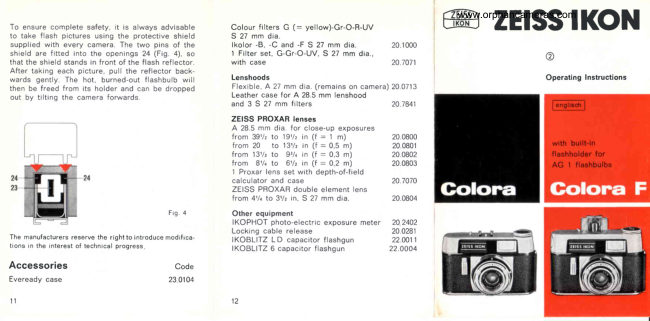
To ensure complete safety, it is always advisable
to take flash pictures using the protective shield
supplied with every camera, The two pins of the
shield are fitted into the openings 24 (Fig. 4), s0
that the shield stands in front of the flash reflector.
After taking each picture, pull the reflector back:
wards gently. The hot, burned-out flashbulb will
then be freed from its holder and can be dropped
cout by tilting the camera forwards

Py 4
2

Fig. 4

The manufacturers reserve the rightto introduce modifica
tions inthe interest of technical progress,

Accessories ‘Code

Eveready case 230104

"

Colour filters G (= yellow)-Gr-O-R-UV
S 27 mm dia

Ikolor -B, -C and -F S 27 mm dia

1 Filter set, G-Gr-O-UV, $ 27 mm dia,
with case

Lenshoods
Flexible, A 27 mm dia. (remains on camera)
Leather case for A 28.5 mm lenshood

and 38 27 mm filters

ZEISS PROXAR lenses

‘A 28.5 mm dia, for close-up exposures
from 38% to 19% in (f= 1 m)
from 20 to 13% in (f= 05 m)

from 13% to 9% in (F = 0.3 m)

from 8% to 6 in (F = 0.2 m)
Proxar lens set with depth-offield

calculator and case

ZEISS PROXAR double element lens

from 4% to 3Y% in, S 27 mm dia,

Other equipment
IKOPHOT photo-electric exposure meter
Locking cable release

IKOBLITZ LD capacitor flashgun
IKOBLITZ 6 capacitor flashgun

20,1000

20.707;

20.0713

20.7841

20,0800
20.0801
20,0802
20,0803

20.7070
20,0804
20.2402
20.028:

22.0011
22.0004

GS" ZEISS IKON

©

Operating Instructions
View original page 1
Page 2 · Read text
23456789

Key to controls

1 Flash contact (COLORA only)

2 Diaphragm setting ring with indicator

3 Shutter speed setting ring with indicator

4 Focussing indicator, with depth-of-field scale

5 Focussing ring

© Shutter speed scale

7 Diaphragm scal

®8 Cable release socket

8 Shutter release

10 Camera back locks

11 Pull-out rewind knob
(with aperture calculator on COLORA F)

12 Viewfinder eyepiece

13 Accessory shoe
Can be swung upwards on COLORA F,
revealing flash reflector beneath it

4 Rapid wind lever, advances film and sets
shutter

15 Release button, for rewinding film

16 Film transport sprocket

17 Take-up spool, with slot and prong for
attaching film

18 Bayonet-lock cap of battery chamber
(COLORA F only)

19 Lever for opening flashholder
(COLORA F only)

\www.orphancameras.com
20 Tripod socket
2) Frame counter
2 Spool flange for turning the take-up spool

Loading and unloading the camera

Loading the film (see illustration, . 2)
The camera should not be loaded in direct sun:
light.

Remove the camera back by pressing the two
locks No. 10. Pull out the rewind knob No. 11 and
Insert the film cassette. Push the rewind knob
fully home, turning it slightly if necessary.

Fit the tongue of the film into the slot in the take:
up spool No. 17, and hook the prong in the slot
Into the 2nd or 3rd perforation hole. Holding down
the release button No. 15, turn the take-up spool
by means of the knurled flange No. 22 to wind
‘on enough film for the perforations to engage with
the teeth of the film transport sprocket No. 16 on
both sides. Now close the camera back

Setting the frame counter
and checking the film advance

Turn the rewind knob No. 11 in the direction of
the arrow until resistance is felt (the film will then
be taut inside the cassette). The exposure counter
21 (underneath the camera) can then be set by
means of the black knurled edge (fig. 1)

4
View original page 2
From the M. Butkus archive. Original publisher and archive notices are retained.
Check the model and edition against your equipment.
PDF verified 2026-10-10.