Lenses & filters
Zeiss fully automatic diaphragm lenses Operating instructions
Operating instructions for Zeiss fully automatic diaphragm lenses. 2 pages in English. Read the original PDF, download or print a copy without registration.
2 pagesEnglish0.7 MB PDF
Loading your manual…Open PDF directly
Document details
- Brand
- Zeiss
- Model / document
- Zeiss fully automatic diaphragm lenses
- Document type
- Operating instructions
- Language
- English
- Pages
- 2
- File size
- 0.7 MB
- Category
- Lenses & filters
- Document date
- Not specified in catalog
Search available document text
Find a term, then jump to its page in the original PDF. Image-only pages may not be searchable; check the PDF for exact wording and diagrams.
Page 1 · Read text
www.butkus.us

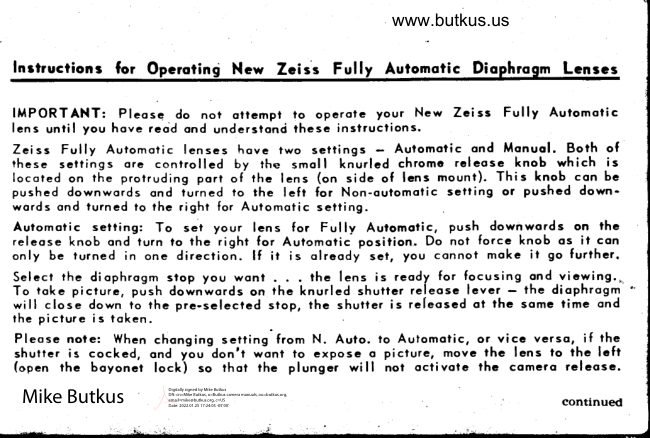
Inrtructiong for Opcrotini Ncw Zcis's Fully Aufomotic Diophrogm Lcnrcs

IMPORTANT: Plcosc do not oncmpt to operole your New Zeiss  Fully  Automof ic
lens until you hove rcod ond underslond ?hese instructions.
Zeiss  Fully Automotic lenses hove two settings  -  Aulomotic ond Monuol. Bolh ofthese settings ore controtled by fhe smol I  knurled chromc rcleose knob which  is
locoted on the protruding port of the lens (on side o[ lcns mount). This knob con be
pushed downwords ond iu.ned to the  lefr  for Non-oulomolic setf ing or pushcd down-
words ond turned io lhe right for Auiomotic setting
Automotic selling:  To set your lens  for  Fully  Aulomolic, push downwords on thc
relcose knob ond turn lo the right for Automoiic position. Do not force knob os  ii con
only be turned in one direction.   lf  ir  is olreody set, you connot moke  it go furiher.
Select rhe diophrogm stop you wonl  .    the lens is reody for focusing ond vicwing..
To roke picturc, push downwords on the knurled shutter releose lever -  the diophrogmwill close down to the pre-selecled stop, the shulter is rcleosed ot thc some time ond
the picture is ioken
Pleose nole: Whcn chonging setting from N. Auto. lo Automolic, or vicc versq,  if rh-e                              -don'tshutter is cocked, ond ytu      wont to expose o picture, movc the lens to rhe lcff
(opcn thc boyonet lock) so ?hot thc plunger  will  not octivote thc comcro relcosc.


                                                                                           Digitally signed by Mike Butkus
                                                                     DN: cn=Mike Butkus, o=Butkus camera manuals, ou=butkus.org,
                                                                                    c=US Mike Butkus                     email=mike@butkus.org,Date: 2022.01.25 17:24:05                                                                                                                     -05'00'                                                     continued
View original page 1Page 2 · Read text
I
 To Rcmov" EtoLfo Mqrtti F-ln Eo4 ol-Le4q,-do thc following - Tum chtomc ring o                                 nd pull gcnrly downword. To rcptoce
 Exokto mount, bc surc chrome ring on Exokto moun? is in thc full righr position in thc
 dircction of orrow (oficr word LOS). Then motch lhe smoll culout on inside of mount
 (obout 1/8") to ihc smoll scrcw on bqck of lcns. Push Exokto mount up gcnrly. Thcn
 turn the chromc ring counlcrclockwise  (to thc lcft, owoy from ihe word LOS) to sccure.
 To Roiote Thc Lens While lr ls On A Tripod (so thol the numerols on lens con be
           c fop) move the silver lcvcr on thc lcns mouni, below the ring contoining
 the di ophrogm stops, to thc  ri ght, thcn tum thc lcns to the positioir you wont. Push
 lever to  ri ght to sccurc.
 Pre.View Lever - Thc other smoll silver lcver on the lcns is the prc-view releosc.'Wffi        yl,  pusfit  inwqrds, il permits the tcns (when on outomotic setting) to stop
down temporori ly to the presct operluro to see your depth of focus. lVhen you tokc
 your finger off this lcver, thc lcns opens by irself to its fullcsr operture.
 Pleose Note: When rhc Exokto Mount is removsd from bock of the Sonnqr lens (see
;FillE"      S"nnor lcns moy be ottoched io thc Prokrisix comero. No odopters ore
 requi red  !
New Self-Opcroting Compcns{ing Automoric Dighrognr. The self-opcroting outomotic
                                                            fir-ogm cnd mointoint Ih" originol
operture rofio for closcups. Thercforc, the cxposure timc need nol be corrected in
closcup rvork.
                                 www.butkus.us              EXAKTA CAITERA COTPANY
 705 Bronx Rivcr Rood                                           Bronxvillc, New York
View original page 2From the M. Butkus archive. Original publisher and archive notices are retained.
Check the model and edition against your equipment.
PDF verified 2026-10-10.