Film cameras
Zeiss Ikon ICARETTE User manual
User manual for Zeiss Ikon ICARETTE. 17 pages in English. Read the original PDF, download or print a copy without registration.
17 pagesEnglish4.1 MB PDF
Loading your manual…Open PDF directly
Document details
- Brand
- Zeiss Ikon
- Model / document
- Zeiss Ikon ICARETTE
- Document type
- User manual
- Language
- English
- Pages
- 17
- File size
- 4.1 MB
- Category
- Film cameras
- Document date
- Not specified in catalog
Search available document text
Find a term, then jump to its page in the original PDF. Image-only pages may not be searchable; check the PDF for exact wording and diagrams.
Page 1 · Read text
www.butkus.us


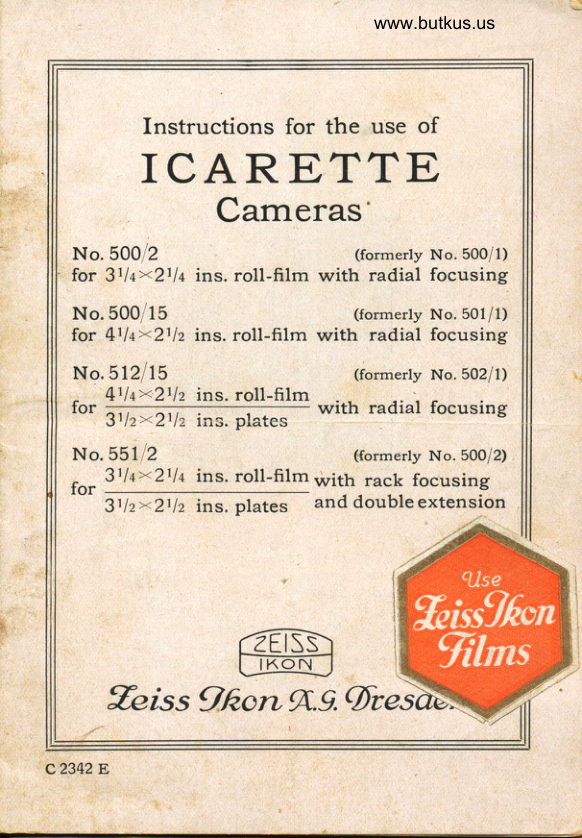
         Instructions for the use of
   ICARETTE
         Cameras'
  No. 5Ool2                           (formerlY No.500/1)
   for  f,,t la><lt la ins. roll-film with radial focusing
  No. 5oo/15                         ({ormerly No. 501i 1)
   for Qtla><lt l2 ins. roll-film with radial focusing
   No. 5r2115                         (formerly No.502/1)
       {rla><Tl2  ins. roll-film   for                     with radial focusing       Jtl2><)t12 ins. plates
   No. 55r12                          ({ormerly No.500/2)
         31  | 4><-211 4 ins. roll-film with rack focusing   for
             I't l2><)r 12 ins. plates   and doubleextension


   %iss 9.fr,onT.9.

c2342E
View original page 1Page 2 · Read text
No. 500/2


                                      +                    .t
                        G  KGI

 A = Spring button securing baseboard
   ,B = Brilliant finder   \
  C = Micrometer screw for operating the
       rising front
  D = Sight for direct-vision finder
  E = Film winding key
                                      back  F - Spring catch securing cameraGGr = Finger grips on lens front
View original page 2Page 3 · Read text
www.butkus.us


   No. 512115
                                                      Digitally signed by Mike Butkus
                                        DN: cn=Mike Butkus, o=Butkus camera
                                            manuals, ou=butkus.org, email=mike@butkus.Mike Butkus  org, c=US                                               Date:A->2022.09.13 19:56:07 -04'00'
                B
                  +

                        !"F


                             www.butkus.us
                              i                      Gl
                 <-K

         Direct-vision finder (Iconometer)   J-   K-  Strut for upright pictures without tripod
       ll[                                                 plate         - Adjustment for focus on film or
   s- Side(No. 512115struts holdingonly)   baseboard in position   T- Distance scale with radial lever for
         focusing near objects
View original page 3Page 4 · Read text
Venmo @mike-butkus-camera  Ph. 2083
PayPal Name  Lynn@butkus.org      www.PayPal.me/lynnbutkus
View original page 4
Page 5 · Read text
Icarette No. 55r 12
                               with double
              D   extension
E+                                                ,/
               +H C     B
A->


             www.butkus.us

                                                   f    +                               G    GL
   A_ Spring button securing baseboard
    B-  Brillant finder
   C_ Micrometer screw operating rising front
    D-  Sight for direct vision finder
    E-  Film winding key
    F- Spring catch securing camera back
  GGt : Finger grips on lens front
   H_ Spring securing slide or focusing
         screen in camera back
    J= Direct vision finder (Iconometer)
                           baseboard in position     K-s- StrutSide strutsfor uprightholdingpictures without tripod   T_ Focusing scale
                    pinion   z- Focusing
View original page 5Page 7 · Read text
A. LIse of roll-film

Loading the Film
Open the camera back by pressing the spring F to one
side, at the same time lifting off the back.


               a) The empty spoo/
Cameras Nos.500/2 and 55112
Pull out the winding key E giving  it a spiral turn to
the right. Swing the hinged spool holder outwards and
insert the spool so that the stud on the inside end of the
winding key engages with the slot =O= in the spool.To insert the spool, the spring end-piece of the spool holder
is pulled out a little as shown in fig. l. Now swing the
spool holder back into the camera, release the winding
key and turn it in the direction of the arrow until  it
causes the empty spool to follow.
View original page 7Page 8 · Read text
www.butkus.us


Cameras Nos.500/15 and 5l2l15
Pull out the spring winding key E. Now turn the
hinged spool holder outwards on the small metal tongues
provided on the side for this purpose and put in the
empty spool so that the broad slot :a=   is towards
the winding key. The movable end-piece of the spool
holder is turned to one side, and the spool put in place
with its round aperture on the stud of the fixed end-
piece. Then fold the movable end-piece on to the spool
and turn the spool holder back into the camera. The
winding key is now turned in the direction of the arrow
so that it enters the camera back, turning  it further until
it engages the slot in the spool and causes the spool
to follow.
                b) The full spoot
A new spool is inserted in the other spool holder in the
same way so that the taper end of the protecting paper
band points thus <-a (fig. 2) towards the middle of the
camera. The spool holder is then slid back into the camera.
   The gummed strip is removed from the spool, and
about 4 to 6 inches of the paper band carefully unwound.
The taper end is then trust into the longer slot in the core of
the empty spool and sharply bent over on the other side
so that is cannot slip back. The winding key E is now
turned until the paper is taut, taking care that it is not
placed askew (see fig. 2). The camera back is now Put
 in place, first laying it in the groove on the side of the
 carnera opposite to the carrying strap and then snapping
 the spring F on the camera body into place.

Opening the camera
The base-board is released by pressing on the button A.
 Draw down the base-board until the side truts S snap
View original page 8Page 9 · Read text
into place and secure it firmly. For time exposures, the
 camera is screwed to a tripod or placed on a table or
 other level support. For upright pictures, in the latter
 case, the strut I( on the under side of the base-board is
 brought into use.
   Every camera is fitted with two screweil bushes for
 attaching  it to a tripod for upright and oblong pictures.

Focusing
(Applies to cameras Nos.500/2,500/15 and 512/15)
The camera is set for sharp focus on "infinity,' (oo) by
pressing on the spring grip G1 and pulling out the lens
front, by the two grips GG1 until it snaps into place.
For focusing on nearer subjects the radial lever T is
pressed down and moved to the required mark on the
scale of distances. At the mark for each distance. the
lever snaps distinctly into position.

(Applies to camera No.55ll2)
The camera is set in sharp focus for "infinity" (oo) by
drawing forward the lens front, by the two grips GG1,
until  it snaps into place, at the same time pressing on
the grip G1.
   For focusing on nearer subjects the distance scale ?
is pressed inwards, the pinion head Z is drawn out and
turned forward to bring the lens front on to the mark on the
distance scale T corresponding with the distance which
has been judged or measured.
   In Camera"           for inserting s^Udes with dryplates the focusing"rrrng"dditrerence must be compensated
(See under "Use of plates" page II).
View original page 9
Page 10 · Read text
www.butkus.us

       Finders
        The camera is fitted with two finders, viz a brilliant finder
        and a direct-vision (frame) finder with sight.

1,                       The
I             usedSpacefoe      brilliant                   horiScintat      view
                VLEWS        finder


          The direct-vision finderJ, sometimes termed an icono-
         meter, is for use when taking pictures at the eye level.
       The sight or eye-piece D for use with it is erected on the
         side of the camera. The picture desired on the plate or
         film will be seen in the finder.
         The brilliant finder B rr.ay be reversed in position for
         oblong pictures.

      Rising and Falling front movements
       By operating the knob C, the shutter may be raised or
         lowered. When taking horizontal pictures, the knob C
         permits of a cross-front movement of the lens.

     Making an Exposure
           1. Set speed of shutter and lens aperture according to the
         special instructions applying to the particular subject.
View original page 10Page 11 · Read text
2. Uncover the window in the camera back by sliding
the metal plate to one side, and slowly turn the winding
key E until first a hand ilF,   then the figure I appearsin the window. The film is now ready for the first ex-
posure,
3. Avoid any chance pressure on the release trigger and
cable release, as any previous exposure will render the
film useless.
4. The exposure proper is made by pressing on the release
lever or cable release.
5. Immediately the exposure has been made, turn the
winding key E until the next number of the film appears
in the window, thus preparing the camera for another
exposure.

Removing the Film Spool
When all the exposure have been made, give about ten
turns to the winding key so as to wrap the film comple-
tely in the protecting paper, take off the camera back
and pull up the winding key. Now remove the spool and
secure it with the gummed strip provided.
             rzffis)
                                                                                                          I               llKoN\--../

                 -


                             10
View original page 11Page 12 · Read text
www.butkus.us


         B. IJse of Plates
  (Applies  to Cameras Nos. 5l2ll5 and 551/2)


In these cameras the back is so arranged that a metal
holde taking a 6,5><9 cm or 3rlz><2rlz ins. plate may
be inserted.
   For this purpose the sliding plate is removed by
pressing the small nickeled catch to one side.
   Since the glass Plate occupies a position sligthly to
the rear of the film, a device is provided to compensate
for this difference when focusing. In the N o. 5 1 2/ I 5 Icarette
this consists of a sliding knob on the right-hand side of
the baseboard (when facing the camera). This knob is
set at P or F according as plates or films are being used'
With the No.551/2 Icarette' the required difference in
register is given to the focusing screen itself.
  The foregoing adjustment is made before drawing
forward the lens front to the point at which it snaps
into place. In other respects the cameras are used as
those for roll-film only.

Focusing on the Ground Glass
The lens front is drawn forward until  it snaps into place in
focus on "infinity" (oo), the lens is set to the largest
aperture and the shutter to "time", and the latter then
opened by pressure on the release.
View original page 12Page 13 · Read text
Now remove the sliding plate from the camera back
 (by turning the spring .Ff to one side), put the focusing
screen in  its place and erect the hood of the latter.
View the image on the screen, moving the lens front by
means of. the pinion head Z  or radial  lever T until
the picture is sharp.

     When focusing has been done, close the
            shutter, remove the ground-glass
               scree.n and insefi the plate-                                       '                 holder rn r?s place.

Once the shutter of the plate holder has been withdrawn,
care must be taken to avoid any pressure on the release
trigger or cable release except that for a proper exposure.

[Jse of Double Extension
(Applies  to Camera No.551/2)
The double extension permits of taking pictures at al ess
reduced scale than that obtained with the ordinary single
extension cameras. When approaching the objects (flowers,
insects, etc.) with the apparatus, they may be reproduced
even in original size, or when using supplementary lenses
(Distar lenses for Tessar, Delta lenses for Dominar) views
of distant objects may be taken up to twice as large as
with the camera lens alone. Whilst pressing in the scale T,
draw the lens front forward by the grips GG1 until it
snaps into place at the extreme end of the base-board.
Then by means of the pinion Z, rack the lens front still
further forward until the picture on the ground glass is
quite sharp
View original page 13Page 14 · Read text
www.butkus.us

Closing the Camera
First make quite sure that the lens front, which may have
been rar'se d or lowered for an exposure, is in its correcf
central position, this is so when the two white dots
are opposite one another or the pointer moving up and
down with the lens opposite the white dot on the standard.
The finder must be in the position for use with upright
pictu6es.
  Now rack the lens front to the rear as far as it will go,
press in the pinion head Z (or set the radial lever T to
infinity) and thrust the lens front by the two grips GG1
into the camera back at the same time pressing in the
scale T. Lastly press back the struts S with the two
thumbs and close the camera.

  When closing the camera, care should be taken
    to push the lens front right as far back that
         if snaps inta place, otherwise the sliding
              lens-front base may be bent.

  When closing the camera, the flexible cable release
should be placed so that it is nof behind the lens front,
otherwise the bellows may be damaged.


                             13
View original page 14Page 15 · Read text
Automatic shutter Derval
    long and short time exposures and instantaneous speeds of r/ro,
                                 r[,s and l/,.oth of a second


                      www.butkus.us

                                                      f
Time exposures
set the dial (r) at T (Z), open by pressure on lever (d.)
or on the wire release which must be inserted at (o);
a second pressure closes the shutter.
Bulb exposures
set the dial (r) at B and open the shutter by pressure
on release. Immediately this pressure ceases, the shutter
                                                          will  close.
Instantaneous exposures
first of all set the diaphragm scale (f)  to the "stop"
(aperture) required; then set the dial (r)  till the intended
speed is opposite the indicator, and the shutter is ready.
The exposure may be made by depressing the lever (d)
or by using the wire release.
The lens apertures (stops) are altered by moving the
small lever (f), the diaphragm scale and indicator will
be found at the top of the shutter.
View original page 15Page 16 · Read text
www.butkus.us

      Automatic shutter Klio
for Time, Bulb and Instantaneous exposures, speeds being
       changed by revolving the lettered dial (r)


    For speeds of 7, r/2, 1/s, l/to, t/zs, \/so and l/too of a second
Time exposures
set the dial (r) at T (Z) and open by pressure on lever (d)
or preferably by wire release which must be inserted at (o);
a second pressure closes the shutter.
Bulb exposures
set the dial (r) at B and open the shutter by pressure on
the release, immediately this pressure ceases, the shutter
Instantaneous exposures                     will close.
first of all set the diaphragm scale (f) to the "stop" (or
aperture) required; then set the dial (r)  till the intended
speed is opposite the indicator, and the shutter is ready.
The exposure may be made by depressing the lever (d)
or by using the wire release.
The lens apertures or stops are altered by moving the
small lever (f), the diaphragm scale and indicator will
be found at the top of the shutter.
View original page 16Page 17 · Read text
Compur shutter

                                 gives Time, Bulb and various
                               instantaneous exposures.
                      For instantaneous
                        exposures
                                         first of all set the diaphragm
                                    scale (f) to the stop (aperture)
                                 required, then set the dial  (f,)
                             with the letter I (M) against
                                      the pointer, revolve the dial (R)
                              in the direction of the arrow,
                              (from right to left, never in
                           the opposite direction or it
     will be damaged),  till  the intended speed is opposite the
    indicator, then depress ffte lever (l) and the shutter is set.
   The exposure may be made by a pressure on the lever (d)
    or by using the cable release vrhich is inserted at (o).
  Long time exposures
   Set the dial (t) at T (Z), open the shutter by pressure
   on lever (d) o, on the cable release. A second pressure
    closes the shutter.
   Short time (Bulb) exposures
   Set the dial (f) at B and open the shutter by pressure
   on release. Immediately this pressure ceases, the shutter
    will close.
   .lVofe. The shutter is automatic for Time and Bulb
   exposures; lever (r) becomes then locked and no attempt
   must be made to use it.
   The lens apertures, or stops, are regulated by the small
   lever (f,), the diaphragm scale and indicator will be found
   at the top of the shutter, behind the dial (R-).


It 3r35.20.029
View original page 17From the M. Butkus archive. Original publisher and archive notices are retained.
Check the model and edition against your equipment.
PDF verified 2026-10-10.