Film cameras
Zeiss Ikon LLoyd User manual
User manual for Zeiss Ikon LLoyd. 15 pages in English. Read the original PDF, download or print a copy without registration.
15 pagesEnglish4.1 MB PDF
Loading your manual…Open PDF directly
Document details
- Brand
- Zeiss Ikon
- Model / document
- Zeiss Ikon LLoyd
- Document type
- User manual
- Language
- English
- Pages
- 15
- File size
- 4.1 MB
- Category
- Film cameras
- Document date
- Not specified in catalog
Search available document text
Find a term, then jump to its page in the original PDF. Image-only pages may not be searchable; check the PDF for exact wording and diagrams.
Page 1 · Read text
www.butkus.us


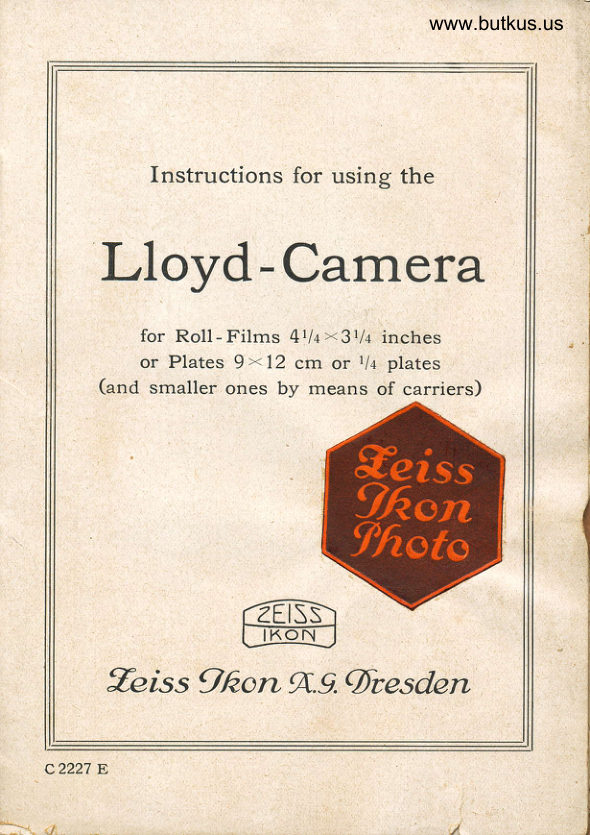
          lnstructions for using the
  Lloyd-Camera

          for Roll-Films 4114><3114 inches
         or Plates 9 ' 12 crn or lll plates
     (and smaller ones by means of carriers)


               rZEiSs)                              I tKoN      I
    Zeiss 9fron A.9. 0resden
                    -
c2227 E
View original page 1Page 4 · Read text
www.butkus.us


 a = Spring to retain the camera - bottom
 b = Brilliant view finder
 e = Focusing scale
 E = Film winder
   f = Foot for time exposures without tripod
 F = Spring to retain the camera back
g€r = Buttons to draw the Camera front forward
   ft = Spindle screw to move the rising front
    i = Iconometer view finder
 k = Spring to retain the focusing screen or
     the slide
m = Device to regulate the focusing plane for
      plates and films
 n = Film window
 p = Spindle screw to move the cross front
 s = Side arms to fix the camera - bottom
 z = Button actuating the rack and pinion for
'    near focusing
View original page 4Page 5 · Read text
BEFORE    USING   THE  CAMERA
Doubtless you are eager to try your new camera, but  it  will  be
best to read these instructions first, before you load or attempt any
pictures. Become familiar with the various movements and adjust-
ments, with the operation of the shutter, the finders, the method
of focusing, etc., before the camera is loaded, and it is more likely
your actual progress in picture-making  will be more rapid and you
                           will waste no material

     Exposures on Roll-Film


Introducing the Spool
Take the camera in your  left hand;  Grasp the camera
back with the other hand and push the button (F) with
the fore finger in  the direction of the arrow (see illu-
stration).


Place the open camera before you, the film winder (E)
to the right.


                                                                                                        ,,!l
View original page 5Page 6 · Read text
www.butkus.us


                      The empty spool
          Tirn  the winding key forward, pulling  it out at the same
          time and leave  it  in  .that position, to allow the spool
          holder to be removed. Seize the spool holder at the little
          protruding tongue at its one end and swing  it outward.
         Reverse the hinged cheek and introduce the spool with
             its round opening at its one end upon the pin of the
           fixed cheek.
             Bring back the movable cheek into its former position,
           inclosing the other end of the spool, and swing the holder
         back into the spool chamber. Turn the film winder for-
        ward  till   it glides back into the camera and enters the
         opening (:O-)    of the spool end, so.that  it carries.the
         spool with  it when turning.

                      The loaded spoo/
        Swing the spool holder of the other chamber outward,
          reverse the hinged cheek and introduce the spool in a
         manner, that the pointed end of the paper is directed to-
         ward the center of the camera, thus +).  The paper should.
         feed from the spool so that the direction of rotation of
         the full spool is toward the empty spool. Now swing the
          spool holder back into the chamber.
            Tear off the adhesive bit of paper and draw some 4 to
        5 inches of the protecting paper across the back of the
        camera. Thread  it through the empty spool, beginning
          at the long slit and bending  it, when it comes out at the
          other side, to prevent its sliding back.
           Take care to start  it exactly straight so that, when the
         winder is turned, the edges of the paper are exactly even
          with the flanges at the spool ends. Give the key one or
        two turns, to catch the paper firmly, then replace the
        back of the camera, beginning at the lower end, which
            is opposite the leather handle, and pressing  it against the
         apparatus till  it is locked'by spring (F). Try again whe-
          ther it  fits close before proceeding

L
View original page 6Page 7 · Read text
Push aside the little cover to disclose the window in
the camera back and turn the winding key till a hand
appears in this window.
   Before you proceed to wind the spool on the number 1
(first exposure), wait till the camera is open and the bel-
lows unfolded, because the friction of the bellows against
the emulsioned side of the film. when the camera is
closed, may possibly cause marks on the film which will
be seen afterwards on the negative.
   For the same reason you should wind the spool on
the next number before closing the camera front after
                                         the exposure.
To open the camera
Press upon the little button (a) to release the camera-
bottom and pull this down  till  it is caught by the side
                                     arms (s).
Focusing
See that the scale (e) is in a position to show the letter
f' (Film). If this is not the case, shift the scale by means
of a pressure on the springy tongue (m) till the letter F
(Film) becomes visible.
   Seize buttons (gg1) between thumb and index of your
right hand, holding the camera in the left, and draw the
camera front forward till  it locks automatically. The lens
is then in position for photographing objects at "infinity"
(Oo)  i. e. at all distances surpassing those marked on the
scale. For focusing nearer objects seize buttons (ggr) as
before said, exerting at the same time with the middle
finger an inward pressure upon the focusing scale, and
draw the front forward,  till the indicator on its side is
placed upon the number of the scale, representing the
distance, which should have been measured or estimated
as exactly as possible, to obtain a sharp picture.
View original page 7Page 8 · Read text
www.butkus.us

The finders
There are two of them.
  The brilliant view finder (b) shows in miniature the
same picture as the lens and is reversible for broadwise
exposures.
   The wire frame view finder, called iconometer ft) with
sight, both of which must be raised, is used for viewing
the picture at eye level.


                 The
                     brilliant
                  view
                     finder


The eye must be brought as near as possible to the sight
to see the same picture, as will be reproduced by the lens.

Time exposures
For time exposures the camera should be placed on a
tripod by means of the two bushes, one for upright, the
other for broadwise exposure.
     If there is no tripod, the camera can be placed on
any solid horizontal basis, a table, wall, ladder, etc.
   In this case the camera foot (f) is used for upright
exposure.
View original page 8Page 9 · Read text
The exposure
Regulate shutter and lens diaphragm according to cir-
cumstances.
   Disclose the little window in the back of the camera
and wind the film till the number 1 appears behind.
   Expose by a pressure on the release.
   Change at once the exposed film by winding it on till
the next number appears.

Removing the exposed spool
The last exposure terminated, give the winder some ten
turns to envelop the film in the protecting paper.
     It is just as well nof to turn the winder so many times
that the end of the paper becomes disengaged from the
other spool before removing the back of the camera.
Take off this back and remove the spool, pulling first
the winder outward to disengage the spoolholder.
  Wind the rest of the paper on the spool and attach
the end by means of the bit of adhesive paper.
View original page 9Page 10 · Read text
www.butkus.us

       E*posures on Plates
Shift the focusing scale in the manner described so that
the letter P (Plates) becomes visible.

The use of the focusing screen
Push the bolt (k) aside and remove the cover from the
back of the camera. Introduce the ground glass in
its place.
   Open the hood of the screen, regulate the shutter as
for a time exposure and open it.
   Give full opening to the lens diaphragm.
   Examine the picture on the screen and focus for near
objects by pulling button (z) outward, moving the front
part forward or back by means of this button  till the
picture on the screen is quite sharp. Then fix the front
in this position by pushing button (z) inward. As soon
as the focusing is terminated, close the shutter.,

The rising and cross front
The lens can be moved upwards and sideways. The
rising front is controlled by button (h) tbe cross front
                                 by button (p.).
The exposure
Remove the focusing screen and introduce the slide.
Regulate shutter and lens according to circumstances.
Remove the cover of the slide.
Expose by a pressure on the release.
Replace the cover of the slide and take it  off.
View original page 10Page 11 · Read text
Closing the camera
Push the front part back upon the infinity mark, in case
of its having been brought forward for focusing on near
objects.
   See that the finders are brought back to their original
position and that the front is well in the center' marked
by white dots, in case of its having been raised, lowered,
or pushed across.
   Seize the front part by the two knobs (gg1) between fore
finger and thumb, exerting at the same time an inward
pressure on the scale with the middle finger, and push
the front into the camera body till  it is locked by the
springy knob (gr).
   See whether it is well locked by trying to draw it out
again without touching the springy knob (g1).
   Press the side arms (s,) down to disengage the camera
bottom and press this against the camera body till  it is
locked by button (a).
   Never use force. If you feel the least resistance when
closing, see again whether all parts are in their right
place and the camera will close without an effort.
   The cable release must nof be placed behind the lens
bearer, as it would damage the bellows.
View original page 11
Page 12 · Read text
www.butkus.us

Automatic shutters Dewal and Klio
 Derval  for  long and short time exposures and instantaneous
         speeds of \/zs, l/so and t/roo th of a second
 Klio     for long and short time  exposures and  instantaneous
         speeds of 7, r/2, r/s, 1/n, l/zs, l/so and l/tooth of a second


             www.butkus.us


Time exposures
set the dial (r) atT (or Z), open by pressure on lever (d) or pre-
ferably by wire release I a second pressure closes the shuiter.
Bulb exposures
set the dial (r) at B and open the shutter by pressure on re-
lease, immediately this pressure ceases, the shutter will close.
Instantaneous exposures
first of all set the diaphragm scale (f) to the ,,stop" or
aperture required; then set the dial (r)  till the intended
speed is opposite the indicator, and the shutter is ready.
The exposure may be made by depressing the lever (d)
or by using the wire release which is inserted at (o).
The /ens apertures or stops are altered by moving the
small lever (f), the diaphragm scale and indicator will
be found at the top of the shutter.
View original page 12Page 13 · Read text
Compur shutter
                                                                                                                   -.   ::::,;;r11_
                                        gives Time, Bulb an&v.aiious
                                     instantaneous exposures.
                         For instantaneous                                                 j                             exposures                                                   t-
                          +  first of all set the diaphragm                                          scale (f) to the stop (apErtiire)
                                        required, then set the diial (f)
                                www.butkus.us   with the letter I (M)"Eg4ipst
                                             the pointer, revolve ttre @I.,f,.F)
                                      in the direction of thg+frtrow,
                                  (from right to left, negr in
                                the opposite  directie,ff., or-it
          will be damaged),  till the intended speed is oppii-Sfte'the
           indicator, then depress the lever (i) and the shuite"ffi-set;
       The exposure may be made by a pressure on the lffi1".(d)
        or by using the cable release which is inserted                                                        .mftr,
                                                                     ,H. *'      Long time exposures                    ,
         Set the dial (t)  at T (Z), open the shutter by pr'.e.$t5e
       on lever (d) or on the cable release. A second pre*.ure
         closes the shutter.
I       Short time (Bulb) exposuresI  ..-
        Set the dial (f,) at B and open the shutter by Pressure
       on release. Immediately this pressure ceases, the shutter
           will close.
        No/e. The shutter is automatic for Time and Bulb
          exposures I lever G) becomes then locked and no attempt
        must be made to use it.
       The lens apertures, or stops, are regulated by the small
          lever (f), the diaphragm scale and indicator will be found
          at the top of the shutter, behind the dial (R-).


          g 3080.10.229
View original page 13Page 14 · Read text
www.butkus.us

   Instantaneous exposures
   Turn ring (R) till the speed chosen is on index mark (A).
   Set the shutter by moving lever (f) to the right to the
    limit of motion. -  Release the shutter by a pressure on   the lever (D ) or on the flexible release. - Lever (I) is used
   only for instantaneous exposures. When the shutter is
   set for T or B, this lever is locked.
    Besides the engraved speeds oI l,  rlz, rls, rlrc, rlzs, rlso and
    1/roo of a second, intermediate speeds can be obtained
  by placing the index (A) between two of the engraved
   speeds. This remark does not apply to speeds higher
                                than l/rooth of a second.
  The Iris diaphragm
   Set the diaphragm scale indicator (E) to the number re-
   presenting the aperture of the iris it is desired to use.
 When using the delayed
  action release proceed as follows:
   Instantaneous Work qrith the delayed action
   release to be used only for speeds from I up to l/rooth
   of a second.
   Set shutter as previously described by rneans of lever (I).
  Then push button (F) aside in the direction of the arrow
  and move lever (I) a little farther on, till  it is arrested
  a second time.
  A pressure on lever (D) will set the clock work of the de-
   layed action release in motion and after about 12 seconds
   the release will discharge the shutter at the set speed
   indidated on dial (R).
  N O T E.  The  d,elayed. action release is not
   available for use with time exposures nor  for speeds higher than                                                   1/100 th of a second


H3875.30. r229                                                       DinAG
View original page 14Page 15 · Read text
Engl.

 COMPUR SHUTTER MODEL <(S))
    WITH DELAYED ACTION RELEASE
                     I      F A
          +       +   'L           A = Index showing the ex-                                            posure times                                                        .igl,
                                    r&                                                                                   ' D - Finger release for dis-
                                               charging the shutter
                             E = Diaphragm indicator
                            F= Setting button for the
                                          delayed action release
                                                               f = Setting lever for auto-                                          matic speeds, and for
                                              exposures with the de-
                                            layed action release
                              O = Bush in which to screw                                             the flexible release
                          www.butkus.us     R = Rotating ring for regu-                                                        lating the speeds which
                                               read offagainst index A

 When delayed action release
  is n o t in use proceed as follows:
  T Long Time exposures
  Turn ring (R)  till  letter T  is on the index rnark (A).
   Pressure on lever (D) or on the flexible release inserted
   at (O), opens the shutter, which will remain open till
  a second pressure closes it.

  B Short Time exposures
  Turn ring (R)  till  letter B  is on the index rnark (A).
   Pressure on the release opens the shutter, which will
   close as soon as this pressure ceases.

c 2348 E
View original page 15From the M. Butkus archive. Original publisher and archive notices are retained.
Check the model and edition against your equipment.
PDF verified 2026-10-10.