Light meters
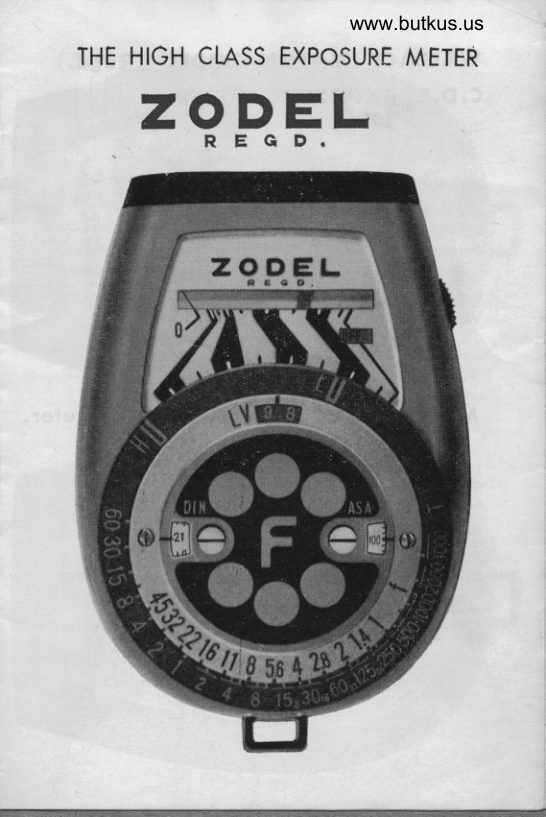
ZODEL REGD User manual
User manual for ZODEL REGD. 8 pages in English. Read the original PDF, download or print a copy without registration.
8 pagesEnglish2.0 MB PDF
Loading your manual…Open PDF directly
Document details
- Brand
- Zodel
- Model / document
- ZODEL REGD
- Document type
- User manual
- Language
- English
- Pages
- 8
- File size
- 2.0 MB
- Category
- Light meters
- Document date
- Not specified in catalog
Search available document text
Find a term, then jump to its page in the original PDF. Image-only pages may not be searchable; check the PDF for exact wording and diagrams.
Page 2 · Read text
WAIIACE HEATON ZODEL (Regd.)
C. D. S. EXPOSURE METER  C

  The Zodel CDS meter hos been selected ofter monlhs of
exhoustive tests of mony di{f ercnt meters for its high quclity,
robust construction, occurotc performonce ond superb voluc
for money. We feel sure thot your choice of o Zodel CDS
meter will give you excellent service ond pleosure to your
photogrophic hobby. To en:urc your complete sotisfoction
every single Zodel CDS meter is tested before sole in lhe
Wolloce Heoton Equipment test estoblishrnents.


Moin feotures o$ fhe Zodel, CDS mefer.

l.  Amozingly light in weight, under 3 ozs.                                                                    -1
2. Extreme ihinness, only 4/5th thick, moking it eosy to

                                                                                                                                                                                                                                                                                                                                                                  I   corry in even the breos.t Pocket.                                                                                                                                                                                                                                                                        l
3    | oroe eosv to reod scoles.
4. The Sensitivity covers l5 light volues,exceeding the ronge
   required for oll normol omcteur purposes.
5. Employs tronsistorised printed ciruit for extreme robustess.
View original page 2Page 3 · Read text
www.butkus.us
How to operote the Zodel meter.
 When not in use the function window should show "off "to
 indicote thot the instrument is s'ryitched off  .
L  Set tlre ASA or DIN   f ilnLgqegd ogoinst the block mork
    in the centre of the film speed windows (12 ond 13)
   These scoles ore turned with the oid of the smoll roised
    studs on the operture scole.
2. Turn on ihe meter by the switch (5) on the edge of
    the meter. This swilch tokes the form of o milled wheel..
    Turning the wheel towords ,,,eu, selects the scole  f or use
    in bright light (Morked H.). Turning the wheel owoy from
   you selects the scole for use in low light(Morked  L.)
3. Point the lglgllqfyglds the subiqlt, ollow the needle
   to settle, then line up to the red "L" low light morker
   or the blue "H" bright light morker, occording to the
   scole in use, to the other end of the blockor silver bond
    thot lhe needle hos stopped  in.
4. fgo_d off the correct shutter speed ond operture combin-
   otions on the scoles (14 ond 15)
5. Fq. g,nq  f ilming, the correct operture for B,  16, 32 ond
  64 fromes per second con be found between shutter
   speeds l/15, to 1/250 (16)
View original page 3Page 4 · Read text
How to check the boffery.
  The on-off switch (S) hos onother position possed the "1"
position morked B.C. (Botterv Check). With the switch in
this position the needle should reoch the silver bond
undernetth the needle scole. Should it not do this the
bottery needs replocing. The overoge life of the bottery
is over one yeor.
How fo reploce  f he bollery.
  The bottery comportment is in the underside of the meter,
this con be opened wiih o smollcoin. The bottery is ploced
into the comportment  -1- side showing. A "P. X. 13" bottery
or equivolent is used.
How to re-set the needle to zero.
  Above the bottey comportment on the bock of the meter
there is o smoll needle zeroing screw. This con be used to
odiust the zero position of the needle by gently turning one
woy or the other with o smoll screw driver. When moking
this odjustment. iurn the rneter of  f  .
View original page 4
Page 5 · Read text
www.butkus.us


                                            Digitally signed by Mike Butkus
                                 DN: cn=Mike Butkus, o=Butkus camera
                                    manuals, ou=butkus.org,Mike Butkus email=mike@butkus.org, c=US
                                       Date: 2022.12.06 17:57:52 -05'00'
View original page 5Page 6 · Read text
Nomencloture.
 l. CDS lighi sensitive cell.
 2. Zero mork.
 3. Indicoting needle.
 4. Bottery check mork (B. C. position on switch)
 5. On-off H. -L & B.C. switch.
 6. Function window.
 7. Alignment scole.
 B. Low light morker.
 9. Light volue window ond scole.
10. Stud for setting film speeds.
ll . High light morker.
12. A. S. A.  f ilm speed scole windorv.
13. D. l. N.  f ilm speed scole window.
14. Lens operture scole (f stop.)
15. Shutter speed scole.
16. Fromes per second scole (cine speed.)


     WAttACE HEATON IIMITED,

         toNDON. W.l.
View original page 6Page 7 · Read text
www.butkus.us


Porls Nome
  I  Light Window
 2 Zero Point
 ?   Indicot ing Needle
 4  Bottery Check Point  (B.C>
 5  OFF, H,L,B.C, Switch  Diol
 6  OFF, H, L,8.C., Guide Window
 7  Guide Bond Scole
 8  Low Light Mork (L)
 9   Light Volue Window & Scole
l0  ASA, DlN, Switch Knob
ll   Hish tisht Mork (H)
t2  ASA Scole
l3  DIN Scole
t4  f/Stop Scole
l5  Shutter Speed Scole
                               Scole. (Cine Speed,:l6  Fromes -Per -Second
View original page 7From the M. Butkus archive. Original publisher and archive notices are retained.
Check the model and edition against your equipment.
PDF verified 2026-10-10.