Film cameras
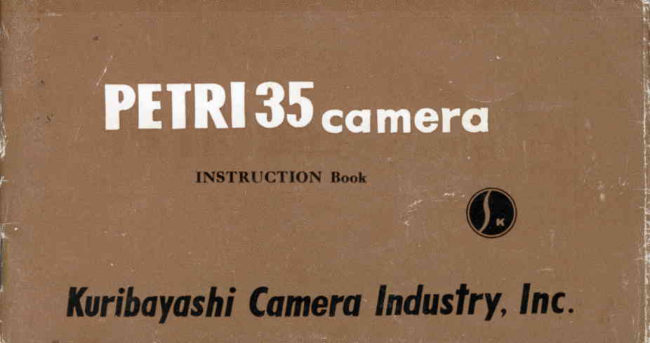
ANOTHER PETRI 35 User manual
User manual for ANOTHER PETRI 35. 10 pages in English. Read the original PDF, download or print a copy without registration.
10 pagesEnglish0.6 MB PDF
Loading your manual…Open PDF directly
Document details
- Brand
- Petri
- Model / document
- ANOTHER PETRI 35
- Document type
- User manual
- Language
- English
- Pages
- 10
- File size
- 0.6 MB
- Category
- Film cameras
- Document date
- Not specified in catalog
Search available document text
Find a term, then jump to its page in the original PDF. Image-only pages may not be searchable; check the PDF for exact wording and diagrams.
Page 2 · Read text
with^Fully Coupled Range Fi;rrjer          CAMTRA


 il.tRl8tIASilt
crHttt   f 0nlt  t0.tt!
 oRlKKoR  Ei?"X,. nc3.o;'4,"0 super. 2 E re,s
View original page 2
Page 3 · Read text
IIcAMTRA      lPlEll-RI

  The " Petri 35 "  is a rnodernly designed, advanced  type 35 mm camera, the
product of superior machinery, refined technique and over forty years of fruitful
experience in the manufacture of f;m!'cameras. It takes its place beside the" Petri RF ",  " Petri Super ", and " Petri Flex " with which so many foreign
and domestic photography fans are already familiar.
  The " Petri 35 "_is specifically de,igned to improve accuracy and facilitate
rapid shooting. The responsive actirrn of the rapid film advance lever advancesthe. film, automatically_ cocks the shutter, counts the exposures ancl provides a
positive guard against double exposures, thus combining iour separate actionesinto one simple movement.
  The lens is a newly designed, very fast Orikkor etc. (See page 10 for additional
information).
                                                                   1/10*1/200 sec. and. Th" Carqeru shutter provides a wide scale of speeds frombulb, therefore insuring a                          than adequate speed range for picture taking                       -moreunder. practically all conditions .encountered by the photographei. The highlieffective range finder is of helical t5rpe construction, ioupled and utilized c'iear
viewview findingfinding andand viewingviewing wiwindows. Its proper operation will assure the maxim-
um in pinpoint detail. The body has been constiucted to withstand the risoursgoursof many long              -years                   of use and it.  particularly fine balance and arrangJmentassures ease of operation and achieves, at the same time, a harmonious and-pleas-                         www.butkus.usrng appeararlce.          u
                                                                         {t
View original page 3Page 5 · Read text
OPENING THE BACK COVER   FrLM LOADTNG (A)      FILM LOADING (B)


Pull out the lever to open    Load with the magazine AS    Place the end of the f,lm into
the cover.                 shown in the picture.             the*slot of the take-up spool.
    HOW TO LOAN THE .. PETRI 35 ''
                              www.butkus.us
View original page 5Page 6 · Read text
F|LM LOADING (C)    CLOSING THE BACK COVER   FrLM COUr$TER (A)


Wind tire film up until the  Back cover will automatical-
both slits on either side of   ly be closed by pushing it as
the film  lock to the cog   indicated in the picture.
r,vheel  ( 1).
                                           Turn the film counter dial                                                              ((4"                                                                  until the       is against the
                                                       red indicator point.
View original page 6Page 7 · Read text
FILM: COUNTER (B)\/    SETT|NG EXPOSURE (A)   SETT|NG EXPOSURE (B)


Cock the camera by turning    Shutter speed is determined   Turn the iris lever to the
the film winding handle and   by turning the shutter dial.     required lens opening.
press the shutter button. Re-
peat twice or until the figure
(                                  Note :  In case of the film advancement,  the lever    ' I' ' is opposite the red
indicator point.                       will'havewww.butkus.us.to be puiled completely until it stops.
View original page 7
Page 8 · Read text
VIEW FINDER
        RANGE FINDER WINDOW


Peep through the finder to       While looking through theqompose _ the photographic        range finder window, turnfield. Move the focussing       the  distance lever untilknob with the left hand unti-l         double images concide.
double images coincide as
shown at rig:ht. The pictuie
will then be taken bv releas-
ing the body shutier with
the right hand.
View original page 8Page 9 · Read text
RE-WINDING FILM BACK               REMOVING FILM


  Rewind the film back while                    Pull the returning knob out
  pushing the returning button.                   to remove the magazine.

                          www.butkus.us
View original page 9Related documents and language editions
From the M. Butkus archive. Original publisher and archive notices are retained.
Check the model and edition against your equipment.
PDF verified 2026-10-10.