Film cameras
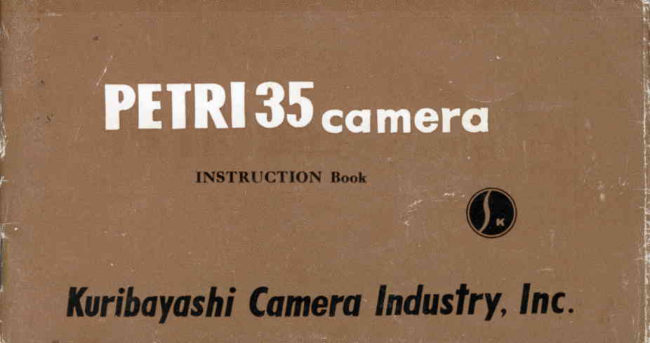
Petri 35 User manual
User manual for Petri 35. 32 pages in English. Read the original PDF, download or print a copy without registration.
32 pagesEnglish1.9 MB PDF

Loading your manual…Open PDF directly
Document details
- Brand
- Petri
- Model / document
- Petri 35
- Document type
- User manual
- Language
- English
- Pages
- 32
- File size
- 1.9 MB
- Category
- Film cameras
- Document date
- Not specified in catalog
Search available document text
Find a term, then jump to its page in the original PDF. Image-only pages may not be searchable; check the PDF for exact wording and diagrams.
Page 4 · Read text
PtrRlSScqmerq4,.
                                            <{,     dr'\'
  By any standar:d of comparison your PETRI 35 is superior by f.ar to any,, other camera
of comparable price.
   In every mechanical and electronic detail  it is  skillfully engineered to give you  count.
less hours of pride and pleasure. In the 2ET'RI 35 we present to you ouer forty years  of
camera manu,facturing  experience and assure you that onU the Jtnest of workmanship and
materials haue gone into the making  of  it.   Your  can era  u)cts thorouhly   inspected and
tcsted before  it was shipped from  our factory.                                                                                                                                                                                                                  '          ? * . ,
View original page 4Page 5 · Read text
.                               , -
   Just like you must learn the " feel " of a new automobile before you knorv what  it
can do so you must acquire the " feel." of a -gew,"eurn"ti'before y9u      operate  it                                                           9an
properly. Try holding your PETRI 35 in.the various positions shown on page 12 of this
booklet. Try cocking  it, composing yo rr picture and snapping the  shutter  several
times without film in your camera.  Don't rush into taking your  first picture before
knowing exactly how to do  it.
  Follon  carefully  the instructions  in  this booklet and remember as you become fami-
Iiar  with your PETRI   35, it  will  become faithful   to you.

                            www.orphancameras.com-r-
                           a.:1"
View original page 5Page 6 · Read text
CARPERU SHUTTER               -,ii-                                 ,_,ir1r
  The highest degree of engineeriffi   skill wds affulied here to giue you accurate shutter
readings from  1 to 11300seconds, including B setting for  time exposure.  Fiae bladed
shutter insatres unerring  working action.                                     _


                                                           - 2 -
View original page 6Page 7 · Read text
The PETRI 35 CARPERU shutter features higirly sensitivereleaseaction:rnd is built
to withstand the rigors of years of usage.                                                                                .   :it,rr      _l,t'fhat  The shutter  of the camera  is cocked at  thd-sarfi,e  t;;;          the- film   z's aduanced
This simultaneous action makes for  quick and sure rtreparedness at  all  tirnes.
  Your PETRI  &5 also offers faultless  built-in  synchronization which is desired by euery
carnera. owner.
  All these features combined with elegant styling and design make this camera one
of the most desired on the market todav.


                           www.orphancameras.com.   - 3 -
                                  '      -c*
View original page 7Page 8 · Read text
()RIKt(Ol{  LITNS l'r2.8

    ORTKKOR LENS
   Critically sharp and fully  color  corrected
the Orikkor  lens insures you of the highest
ficlelity and constant uniformity  on  :rll sur-
fzrces of your  frlm.
   '{"ht
            ( }riltltor /ens  is  utttltt"t' r'ttated lor   t ttt"                            'l'f,is'l'  (lfl A tt'l'ft't'l ttitttissitttttttttl rltt'isittttrt/ /ixtt/.
   'l'he        finest of  optic:rl  gl:rss goes  irrttt the
making  of  tl-rese lenses.


PIIRI comercl                                - 4 -
View original page 8Page 9 · Read text
:;i'                                           '>'ir('
                                                                                                                  .*                                                                            .{d "
  Uniformity of  fidelity  is most important  in a camera lens"
  To insure this the Orikkor F12.8 4.5 cm lens .is coaered with a fine amber coating
but only after   it has been subjected, to the most  stringent   of  laboratory  tests.  These
include tests for uniformity  of  fidelity, sensitivity  to focus movement, sharpness of
figure and adaptability to color pictures.
                           www.orphancameras.com- 5 -
View original page 9Page 10 · Read text
Rapidity  and Ease of Shooting
  Your PETRI 35 has been especially designed for rapidity  and ease of  shootlng a
                                  ^
picture and for accuracy.        I    . "r.'1,'   i
                                                                      .it'rr        -it
  &nducize  to ihese the calnera irfof;  d.'cozQ>ledrangZ finder'window  througn which
the images can be quickly and fauitlessly  focused and the simultaneous cocking of shut-
ter and. aduancement of fi,lnt that  is incorporated in one movement of the film wind'

  These two double quick actions combine to give the PETRI 35 that extra something
that  is desired by all camera lovers.


                                                                            - 6 -
View original page 10Page 11 · Read text
O P E N I N G T H E             FI[.M LOADING iA'I             Ft|.rt LoAD|NG  (B)
     B A C K C O V E R
  Pull  out  the  lever  to        I-oad  ri'ith  the magazine       Place the end of the filrn
open the co\.er.               as shon n  in the picture.        into the slot of  the  take-
                                                         up spool.


                          www.orphancameras.com- 7 -
View original page 11Page 12 · Read text
(--

  F I L M  L O A D T N G ( C )         C L O S I N G T H E B A C K        FILM COUNTER(A)
                            COVER
    \\Iind  the  film  up  until       Back cover  r'vili automa-       Turn  the  film  counter
 the  both   slits  on  either        tically be closed by pushing      dial until the "A"  is oppo-
 side  of  the  film  lock  to           it as indicated  in  the  pic-      site the red indicator point
 the cog rvheel.                   ture.

                                                          - a - -
View original page 12Page 13 · Read text
F|LM COUI{TER (8.,     AETTINOEE XX PP OO SS UU RR EE { A r     S E T T I N G E X P O S U R E , T B ;
  Cock the camera by turn-       Shutter speed  is  deter-       Turn   the   iris  lever  to
ing the film lvir-rding lever     n-rinedby turning the shut-     the required lens opening.
and press the shutter  but-     ter clial.
ton. Ilepeat this operation                                                    Note:  I.YIu. u,t)ttding leuct-again, then turn film wind-                                                               rnttst be aduancerl  until     iling lever and you are ready
                                                    stops ta  insure   full  adunnto snap your  first  picture.
                                            cement  af fi.kn.(The number  " 1"  w-ill be
opposite the red  indicator
point.)                       www.orphancameras.com- 9 -
View original page 13Page 14 · Read text
J'                                                            -'ltu'                                                                   ''-'i|(r
    How To Hold Your PETRI 35
     It  is important to learn how to hold the camera properly before taking your picture.
 camera must be held steady and as near to the eye as possible.'
  Be sure that you see all four  sides of the range 1lndei window on the front  of your
 catnera when fieeping through the eyepiece on the back.  Compose your  picture  well
 within the four sides of range finder windorv.  Photographs here show various correct
 ways of holding your PETRI 35 camera.
                                                                     - 1 0 -
View original page 14Page 15 · Read text
Peep through  the  vier,v
    hnder  e-vepiece ;rnd com-
    pose  -vour  picture   well
     within the four sides of the
    range finder rvindou'. Turn
     helicoid range finder  lever
      until imzrges ?.rppe;rras one.
      I-lold camera  steetdl', then
     gently  and   frrml,v  snap                      .    your  plcture.


:,w:#',


                                - 1 1 -          www.orphancameras.com
View original page 15Page 16 · Read text
How To Look Through  The Range Finder Window
                                                                                                                  ,/
                                                                                          ..ir /r              - ' r -                                                                                                                                                                                           '  c \
  Remember that no matter how W.ff u ,u^{ru   is designed or  constructed it cannot
 insure perfect pictures without the help of the human eye. When composingyour picture
 get your eye close enough to the uiewltnder eyebieceso you can see all four sides of the
. range finder window at the same time. Compose your picture well within these four
 sides, turn  helicoid range fi,nder leuer until images appear as one, hold camera steady
 and then gently, but firmly snap your picture.

                                                                     -  1 2 -
View original page 16Page 17 · Read text
+\-0


   If you weara  eyeglassesit may be inapossiblef.o{ryou! f       to'get'      your. eye close enough
to the view finder eyepiece so as to see all four sides of the range finder window on
the front of your camera.  In this case try uiewing your fictwre  ruith your  eyeglasses
remoaed. If you cannot do this you must practice shifting your camera around so
as you know approximately where the four sides of the range finder window are and
composeyour picture accordingly.  With  practice this can easily be done.


                           www.orphancameras.com_  1 3 _
View original page 17Page 18 · Read text
//
                                                                                                                                                        -,1
                                                                                                                                                                                                           . - - - r '        ; , \
     After Taking The  Pictrfits
  Refer to the guide at right which shows the proper leirs opelipgs and shutter sett-
     applicable for the various seasonsof the year. Adjustments will vary in accor-.ings
dance with the time of day, brightness of subject and kind of background.
  Remember that utmost care lnust be taken to properly ex4ose each of the fictures  in
 your 35mm  roll because corrections for  ouer or underexposure cannot be ,nade when
 yoar  roll  film  is deueloped.                                     _ 14 _                                               .
View original page 18Page 20 · Read text
The accuracy of any 35 mm camera lens. should be very high as the negative  .i""
is  frequently  multiplied  to  achieve suitabie- enlargernents.  To aehieue this  only
the finest  of ingredients and th.e mos't Uldein  tmltniques haue go'ne into  the  deuelort-
ment of the Orikkor lens.  The generous depth of field makes  it  rnost suitable for                                                                                                                                                                     .
spontaneoussnapshots. The superior features of the Orikkbr  lens inch-rdethe follow-               i
 i n g :                                                 b
                1.  Perfect picture from as near as 2 feet.
                2.  Color corrected lens element to assure finest pictures.
                3.  Interior reflection preventive devised for true color reproductions.

                                                            -  1 6 -
View original page 20Page 21 · Read text
The PETRI 35 with  its superior
            lens w ill  assure you  perf ect
            pictures all the time.


                   PtlRlcomero
www.orphancameras.com
View original page 21Page 22 · Read text
Application   of the Depth Guide
  The depth of focus of any camerb will  vhrtrr according to  its focal length (distance
                                                       'orfrom  film plane to lens) and the aperture    lehs opening.  The- Iens with the slnrter
focal length  will  haue nrcre depth while the longer focal  length  will haae less.  Your
PETRI  35  is equipped with  a Depth  of Field Scale which  will  aid you greatly  in
bringing your subject into proper focus for quick snap shots.
  Become familiar  with the Depth of trield Scale on your camera as quickly as pos-
sible and enjoy its wonderful adaptability.

                                     _  1 8 _
View original page 22Page 24 · Read text
Taking  Your  Flash Picture                                                                ,
  The aperture opening of your camera in.-flas-ti'photofraptry is determined by the
distance from your flash bulb to yoyt- subject.
  All  flash bulb manufacturers issue guide numbers with  their  flash bulbs.  Diaide
the guide number by the distance in feet from  yoctr bulb to yolcr subiect aud you   uill
haue the correct aperture  ofuening;
  At  right  is a simple exposure chart for use with the popular Midget type flash bulbs.


                                           -20-;
View original page 24Page 26 · Read text
Before taking  flash pictures be sure that the flash equip-
             ment yoLl use is in gooC rvorking  condition.
                                If you  are  using  dry  batteries  be sure  they  are fresh   at
                      all  times.
              Be certain  there  is no short  in your  flash and  alu'ays
                 test the circuit  first before taking  your  picture
                                     ee               The PETRI   35 has     )(tt  rynchronization    that  ei  adap-
                 table  to Strobe  ar electronic   flash  systenzs.
           For standard npb class flash bulbs use  I /S0 s@. $          Or slower. 1
 q          For electronic flash all speeds apply
!Y9
                         PEIRIcomero
                                         - 2 2 -
View original page 26Related documents and language editions

From the M. Butkus archive. Original publisher and archive notices are retained.
Check the model and edition against your equipment.
PDF verified 2026-10-10.