Film cameras
Braun Hobby 23bc User manual
User manual for Braun Hobby 23bc. 12 pages in English. Read the original PDF, download or print a copy without registration.
12 pagesEnglish0.8 MB PDF
Loading your manual…Open PDF directly
Document details
- Brand
- Braun
- Model / document
- Braun Hobby 23bc
- Document type
- User manual
- Language
- English
- Pages
- 12
- File size
- 0.8 MB
- Category
- Film cameras
- Document date
- Not specified in catalog
Search available document text
Find a term, then jump to its page in the original PDF. Image-only pages may not be searchable; check the PDF for exact wording and diagrams.
Page 1 · Read text
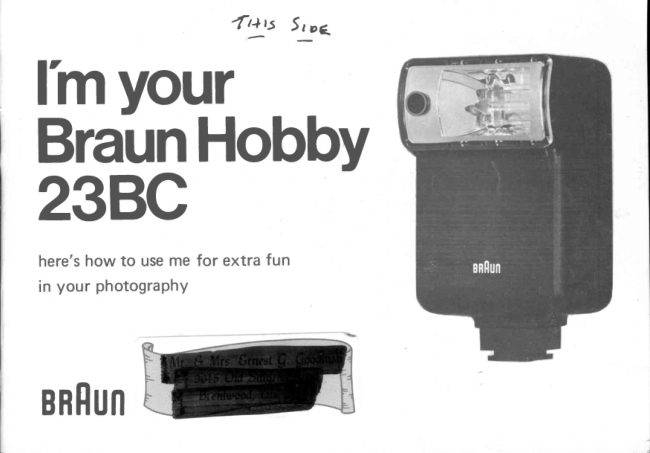
{4ry   5 t oc_                                         --
lhyour
BraunHobby
23BC
here'show to use me for extra fun
in your photography

BRHUN
View original page 1Page 2 · Read text
Howaboutmynewlook?
Maybe that's what attracted you to me in the first place? But I don't
just look beautiful,but perform beautifullyaswell, with severaladvan-
tagesin my flat profile design.
          *  good balance,evenon compact 35mm cam,eras
          *  easiershapeto hand-hold
          *  horizontal flash tube producescoveragefor wide-anglelenses

Whatmakesmetick?
Very simply, a battery deliversenergyto a transformerwhere it is increased
and storedin a condensor.Whenyou fire your cameraall the storedenergy
rushesthroughthe tube behindmy front window and ignitesthe gasin-
side,makingenoughlight to take your picture. l'm fast, so your subject
will be sharpevenif it movesslightly. l'm soft, and easyon his eyes. l'm
true blue daylight,so you useme with daylightcolour film for perfect
results.
 I make your flash photographycompleteiy carefreewhen your subject is
                                            'picturebetween1.6' and 13.0' from the camera. My       window' measures
the flashcorrectlyfor the scenewithout you changingyour camerasetting.

             www.orphancameras.com
View original page 2Page 3 · Read text
My parts


1. Exposuredial                8. Hot shoecontact-automatically
2. Readylight window              cut off when usingsynchrocord
3. Open flash or Test button     9. Synchrocord
4. Mountingfoot             10. Automatic/Manualoperationcon-
5. ON/OF F switch                      trol. I'm on automaticwhen the
6.  Battery compartment            button is up and the Greenpanel shows.
                                     'Picture7. Synchrocord socket       1 1 .       Window' exposurecontrol

2
View original page 3Page 4 · Read text
Load me up
Makesure.I'm turned OFF.
Openbattery compartmentcover (6). Put in 4 freshAA (penlightl
batteries(carbonzinc or manganese-alkaline).Be surethe * ahd -
signson the battery match with thoseprinted on the insideof my battery
compartmentand be sureto take the batteriesout if you don't plan to
use me for a few weeks.

Put me on
Slidemy foot (4) into the actessoryshoeon your camera.With older
modelsthat do not havea shoeget a flashbracketfrom your dealer.
                                  'hotlf your camerahaswhat's calleda    shoe'you do not needmy shutter
                       'hotcord sinceI alsohavea    shoe'contact(8). lf not plugthe long thin
end of the shuttercord into the round hole on the bottom right of my
bracket(7), and pushthe hollow end over the flashsocketon your camera
shutteror borly. Makesureyour shutteris set to X synchronization,or
                                         'X'.that l'm in the flashsocketmarked

Turnmeon
Pushon/off switch (5) upward. Red panelwill indicateswitch is in ON
             www.orphancameras.com                         3
View original page 4Page 5 · Read text
position. I whine when I work, so you will know I'm on. when I'm ready
 to light up your subjectmy indicator(2) lightsup. As my batteriesbecome
 usedup my recyclingtime becomeslonger. To test me, push button {3}.

 l'm automatic
 For useon normalsubjeitsbetween1.6'and 13.0'my'picturewindow'
adjustsmy light ouptut automaticallywhen my switch (11) is set to
(GreenTriangle)for Automatic. When l'm working automaticallythe
greenpanelshowsbesideswitch (1 1). Set the ASA speedof your f ilm
oppositesidethe Greenindicatortrianglewill show you what lensopen-
ing to usefor exposuresbetween1.6'and 13.0'. The distancecovered
with red semi-circleon the outer dial is my effectivedistance.lf there
 is any doubt that l'm on automatic,fire me closeto your hand. You will
hear'snap'insideme if l'm on automaticposition.

Eximplefor AutomaticUse
 lf you use25 ASA film, set the film speedindicator(Green)opposite25.
The AUTo triangleindicatesthat your camerashouldbe set t z.g. when
you usefasterfilm set the black triangleto the appropriatespeedand
checkthe indicatorfor proper lensopening.
View original page 5Page 6 · Read text
Cautionl
Remembertwo things when usingme on automatic setting.
1) To giveyou the wide rangeof 1.6' to 13.0'. Your cameralensmust
be at a fairly largeopening. lf this f-stop does not give you the depth of
field you require,switch to manual.
2l My automatic light control systemis set for use in normal room con-
                                              'manual'ditions: in the following situationsl'm bestusedon         setting.
    Fill-in againstthe sun          Groupsin LargeRooms
   BounceLight                 Over 13.0'from Subiect
   Outdoors                     Very Dark Subiect
   Very Small Subiect in Large Area                                                              .  ,
                                    'o 5                             /5l'mManualtoo-Here'show                         f?i,lJ*Dial your exposule:
The easy-to-readdial on my left side (11is a simplecomputer. You tell
it the speedof the film you're using,and it tells you what lensopeningto
use at any distance! On page2l'm set for 100ASA film (seethe figure
100 oppositethe arrow at bottom of dial). Now, on the top of the dial
find the figureshowingthe numberof feet from your flashunit to your
subiect,and oppositewill be the proper f-stop which to set your lens.
            www.orphancameras.com                          5
View original page 6Page 7 · Read text
That's all there is to it!

Havefun
Rememberto consultthe exposuredial everytime you movecloserto
                                                 'ready'or farther away from your subject. Watch for the         light. Even
though l'm standingup on your cameraI throw a squarelight pattern
so do not haveto be changedfor horizontalor verticalpictures,for 35mm
or 2-1/4" x 2-1/4".
My flashis very brief 11/1000thsecond).This is why l'm easyon your
subject'seyes,and it sometimesmakespeoplefeel l'm not very powerful.

Just remember-mycomputerdial is honest,but it wasset for a normal
room with light wallsand 10'ceilings.lf you shoot in a largeror darker
room try movingyour lensopeningone settinglargerthan shown on my
dial. Onceyou learnthesesimplerules,you can forget l'm there.

Fun in the Sun-0n manualsetting
Useme Outdoors:
Usea flash outsidein the sun? Certainly,l'll help you fill up the
shadowsunder eyesand chins,and add more sparkleto your outdoor pic-


                                                                                                                                                                                               :i:6rid.rn-.,            ,".   :  ,1.                                   ,
View original page 7Page 8 · Read text
tures. To make me balancewith the sun is easy: from my dial find out
what lens openingyou 4eedas if you were making a shot by flash only.
Let's say it comesto f8. Now from the exposuremeter find the shutter
speedthat matchesf8 and set it on your camera. Shoot. . . . . and sun
and flashwill balancebeautifully.

Usean extension:
The sketch (below) showsme connectedto your cameraby a
long shuttercord. Thesecome in lengthsup to 25' and open up to a
new idea in flash photography. My exposureis calculatedby the dis-
tance betweenME and the subject. So, if  I stay still and the subject
staysin the sameplace. YOU can move to a new angleor closerdis-
tance and not haveto changeyour lensopening. Besides,you can get
somewonderfully different lighting effects.


            www.orphancameras.com
View original page 8Page 9 · Read text
Hit the ceiling:
Bounceflash is done by pointingme at the ceilinginsteadof the subject. In
this way I give you a soft light coming to the subjectfrom severaldirebtions.
NaturallyI losesomeof my strength,but to makeup for that you set your
lensfor the distancebetweenme and the subject,and then open it up two
settingslarger. Of course,the room needsa light ceilingfor this.

Useyour shutter:
One of my nicestfeaturesis that becausel'm so fast, your shutter speed
                                            'yourreally doesn't count under most situations. lf     camerahas a between-
the-lensshutter, this speedworks for you in anotherway. Take a picture
in your living room with the cameraon a tripod and your shutterspeed
at 1/25oth or the fastestshutter speedthat will work with x synchroni-
zation (seecamerainstructionbookl usingthe flash. Take another
exposureof the samescene,but changethe shutter speedto l/2-second.
Notice how much more natural the room looks, becausethe existing light
has registeredthanks to the slow shutter/speedwhere it did not when
shutter was too fast.
View original page 9Page 10 · Read text
Lifeinsurance
   A few simplestepson your part will make me a betterworker for much
    longer:
      *  After the last shot is taken, let my ready-lightcome on, then turn me
     off. Do not fire me. . . . . just turn me off. This helpskeepmy condensor
     in better shape.
      *  Do not store me in a hot, damp, or excessivelycold place.
      *    lf  I havebeenout in a cold car, pleasewarm me up to beforeputting
   me to work.
      *  Gently dust the protectivecoveron my reflectoronce in a while.
       Don't let my shuttercord get kinked. Makesurethe end that plugs        :
    into the camerais a TIGHT FlT.
   Whentravellingabroad
      l'd love to travel with you anywlrerein the world. Ordinary zinc-carbon
   AA penlightbatteriesare availablenearlyanywhere,but if you're in
.    doubt take a spareset with you.
   Whentravellingby car, pleasedon't put me in the glovecompartmentor
    on the deck insidethe rearwindow. lf you must leavecameraequip
    ment insidea lockedcar in summer,the coolestspot is underthe front
     seat.. . . . it's the safesttoo!
                                                               g
                www.orphancameras.com
View original page 10Page 11 · Read text
Specifications
                 Guide Number:          38 for ASA25 in feet
                 Workingaperturefor       25 ASA F2.8 1.6-13.0feet
                      computeroperation  50 ASA F4  1.6-13.0feet
                   RecyclingTime:            Zinc Carbon6-8 sec.
                                                   lkalineManganese7 sec
               Numberof flashes:         Zinc CarbonUp to 75                                   I
                                              AlkalineManganeseUP to 260
                     Ffash Duration:           Manual: 111000thl-l''                                          Automatic: Variesaccordingto distance
                  Colour Temperature:      5,600oK
                    Lighting Angle of Coverage: 600
    'i:i,              Dimensions:            4-112"x2-314"x1-314"(h x d x w)
  'i*                Weight:               156gr.


                    Note:   Specifications (DlN 1901 1) subject to change
                             without notice.


     1 0
View original page 11Page 12 · Read text
FlashSlave                    Flash Handle               FlashCord
To fire a second flash without      This sturdy flash handle has       For interesting effects place
connecting cords the Braun        brackets for 35mm or 2-114       your flash away from the ca
Flash Slrve slips onto your          reflex cameras. Handle accepts   mera. Braun flash cords are
flash shoe, making contact        Braun pin-socket or standard 2-    available in several lengths
through the shoe connection      prong flash cords. Flash is locked   up to 2OO'.
or sync cord. Second flash         into handle with unique collar.
fires simultaneously with that     Handle may be removed for off-
on the camera.                 camera flash. Push-button
                                  releasedisconnects handle from
                              camera brac ket.

Write for your copies of FlashFacts, an informative series showing you
many useful ways to make more interesting flash photographs.

Distributedin USA by Braun North America,55 CambridgeParkway,Cambridg, Mass.02142
Distributedin Canadaby Braun ElectricCanadaLtd..3269 AmericanDrive, Mississaug,Ontario
                          www.orphancameras.com                Printed in Japan  1 1
View original page 12Related documents and language editions

From the M. Butkus archive. Original publisher and archive notices are retained.
Check the model and edition against your equipment.
PDF verified 2026-10-10.